
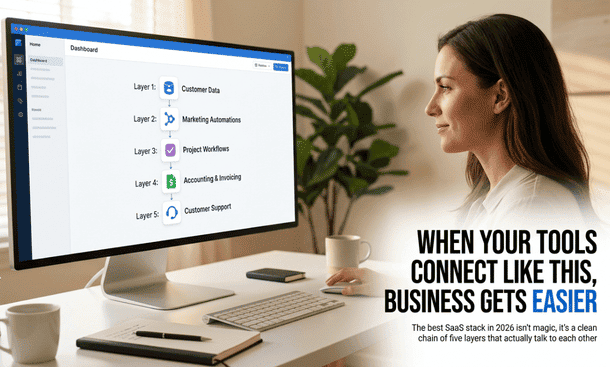
The best SaaS stack for your small business is not the one with the most impressive tools. It is the one where each tool was chosen with the connections between them in mind where data flows without manual intervention, where context does not get lost between systems and where adding a team member does not require rebuilding everything from scratch.
Most small businesses build their stack the opposite way. A tool gets added because of a recommendation. Another gets added because of an ad that arrived at the right moment. A third gets added during a stressful week when a specific problem became too painful to ignore. Six months later the business has eight subscriptions that do not talk to each other and the manual coordination required to move information between them costs more time every month than all eight subscriptions combined.
This is the layer-by-layer breakdown of what a coherent small business SaaS stack actually looks like in 2026 with specific tool recommendations at three budget levels and the integration connections that make each layer worth having.
How to read this breakdown
Each layer covers one core operational category. For every layer there are recommendations at three budget levels bootstrapped (free or under $20 per month for the whole team), growing ($20 to $100 per month) and scaling ($100 per month and above). The goal at every level is one strong tool per category that integrates cleanly with the adjacent layers.
The specific tool matters less than the principle: coherence over capability. A tool that integrates cleanly with your stack delivers more operational value than a more powerful tool that requires manual work at every handoff point.
Layer one: communication
What it covers: Internal team messaging, async updates, decision logging and company-wide announcements.
The integration requirement: Must connect to the project management layer so that conversations about work can reference and update work without leaving the communication tool.
Bootstrapped: Slack free plan covers the core needs of most teams under ten people. The free tier limits message history to 90 days which becomes a limitation as the business grows but for an early-stage team it is genuinely functional. The critical setup decision is not the tool but the channel structure a communication tool without defined channel purposes produces noise rather than clarity.
Growing: Slack Pro at $7.25 per user per month removes the message history limitation and adds workflow automation that reduces manual coordination overhead. For teams already in the Microsoft ecosystem Teams is included in most Microsoft 365 subscriptions and worth using before paying for a separate tool.
Scaling: Slack Business+ adds advanced administrative controls and compliance features that matter more as the team grows beyond fifteen people.
Key integration: Slack connects natively to most project management tools Asana, ClickUp, monday.com, Basecamp allowing task creation from messages and project update notifications in designated channels. Getting this connection right is what prevents the communication layer from becoming a parallel system that never connects to the work it is discussing.
Layer two: project management
What it covers: Task assignment, deadline tracking, project visibility, file storage and team coordination around active work.
The integration requirement: Must connect to the communication layer above and the finance layer below so that project milestones can trigger billing without manual initiation.
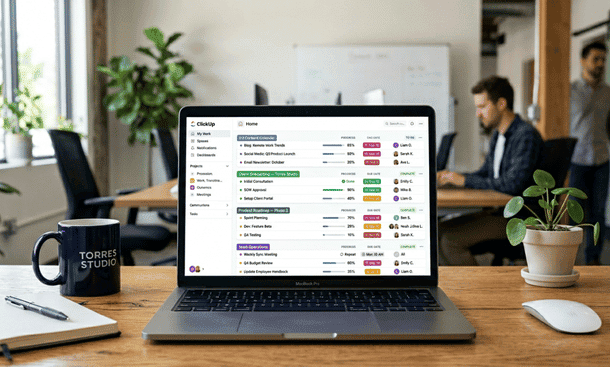
Bootstrapped: ClickUp free plan is the strongest free option in this category. Unlimited tasks, unlimited team members and a feature depth that most small businesses will not exhaust before needing to upgrade. The tradeoff is a steeper setup curve than simpler alternatives. Trello’s free plan is the right choice for teams that need something immediately usable with minimal configuration the Kanban board format is intuitive enough that most team members can navigate it within an hour of signing up.
Growing: Asana Starter at $10.99 per user per month covers the core needs of most growing small teams task management, timeline view, basic automation and integrations with the tools in the stack. Teamwork at the same price tier is a strong alternative specifically for agencies and service businesses managing multiple client projects simultaneously.
Scaling: ClickUp Business or Asana Advanced for teams that need workload management, advanced reporting and custom automation rules as operational complexity increases. monday.com Work OS is worth evaluating at this tier for teams that prioritize visual workflow clarity and have the budget for its minimum seat requirements.
Layer three: CRM and client management
What it covers: Client contact history, deal pipeline tracking, follow up scheduling and relationship visibility across the full client lifecycle.
The integration requirement: Must connect to the project management layer so that a won deal automatically creates a project and to the marketing layer below so that leads captured through campaigns flow into the CRM without manual entry.
Bootstrapped: HubSpot CRM free tier is the strongest free option in this category by a significant margin. It covers contact management, deal pipeline, basic email tracking and meeting scheduling for an unlimited number of contacts. For very small operations managing fewer than ten active client relationships a Notion database configured as a client tracker is a functional alternative that requires no additional subscription.
Growing: HubSpot Starter at $15 per month per seat adds email sequences, more detailed pipeline reporting and basic automation. Pipedrive Essentials at $14 per user per month is a strong alternative specifically for businesses with an active sales pipeline its interface is purpose-built for deal tracking in a way that feels more natural than HubSpot for sales-heavy operations.
Scaling: HubSpot Professional or Salesforce Essentials for businesses where the CRM needs to support a dedicated sales function with territory management, advanced reporting and complex pipeline automation.
Key integration: HubSpot connects natively to most email platforms, project management tools and marketing automation systems. The connection between HubSpot and the project management tool so that a deal marked closed-won automatically creates a client project is one of the highest-value integrations in a small business stack and one that most businesses set up manually rather than automating. The automation is worth the hour it takes to configure.
Layer four: finance and invoicing
What it covers: Invoice creation, expense tracking, payment collection and accounting reconciliation.
The integration requirement: Must connect to the project management layer above so that completed project milestones or logged hours flow into invoicing and to the CRM so that client billing information is consistent across both systems.
Bootstrapped: Wave is a genuinely free accounting and invoicing platform that covers the core needs of solo operators and very small teams. The free tier handles unlimited invoices, expense tracking and basic reporting. Payment processing fees apply when clients pay online. For service businesses billing by the hour Paymo’s free plan covers one user with time tracking integrated directly into project management eliminating the manual step of reconciling hours against invoices.
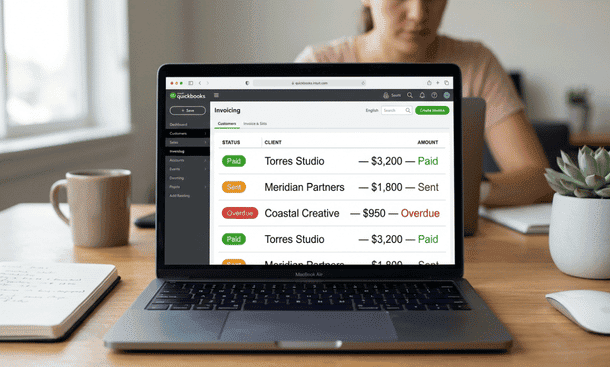
Growing: QuickBooks Online Simple Start at $30 per month covers accounting, invoicing and basic reporting for most small businesses under ten people. FreshBooks at $17 per month is a strong alternative specifically for service businesses its client portal and invoice automation features are more polished than QuickBooks at the same price tier.
Scaling: QuickBooks Online Plus for businesses that need inventory tracking, project profitability reporting and more sophisticated financial management as revenue complexity increases. Paymo Business for service-based businesses that need time tracking, invoicing and project management in a single platform without managing multiple subscriptions.
Layer five: marketing and lead generation
What it covers: Email marketing, lead capture, audience nurturing and the connection between marketing activity and the CRM.
The integration requirement: Must connect to the CRM layer above so that leads captured through campaigns flow into client management automatically and to the communication layer for campaign performance notifications.
Bootstrapped: Mailchimp free plan covers up to 500 contacts with basic email campaigns and a simple automation builder. For most early-stage small businesses this is sufficient to run a functional email marketing operation without any subscription cost. The Mailchimp-to-HubSpot integration ensures leads flow between the two systems automatically.
Growing: ConvertKit Creator at $25 per month for up to 1,000 subscribers is the stronger choice for content-driven businesses its sequence builder and tagging system are significantly more flexible than Mailchimp’s at a similar price tier. Mailchimp Essentials at $13 per month covers growing businesses that need more templates, A/B testing and basic audience segmentation.
Scaling: ActiveCampaign at $29 per month for businesses that need behavioral automation where marketing actions trigger based on CRM data rather than manual segment selection. HubSpot Marketing Hub Starter at $15 per month per seat for businesses already using HubSpot CRM where a unified marketing and sales view is more valuable than a best-in-class standalone marketing tool.
The coherence check before any purchase
Before adding any tool to the stack run one check that takes less than an hour: open the integration documentation for the new tool and confirm that the specific connections your stack depends on exist, work in both directions and update in real time rather than on a delay.
Not the marketing page that says “integrates with 1,000+ apps.” The actual technical documentation that describes what data syncs, in which direction and how frequently. The gap between those two sources of information is where most integration surprises live and integration surprises discovered after setup are significantly more expensive than integration gaps identified before the purchase.
The stack at a glance
| Layer | Bootstrapped | Growing | Scaling |
|---|---|---|---|
| Communication | Slack free | Slack Pro | Slack Business+ |
| Project Mgmt | ClickUp free / Trello | Asana / Teamwork | ClickUp Business / monday.com |
| CRM | HubSpot free / Notion | HubSpot Starter / Pipedrive | HubSpot Pro / Salesforce |
| Finance | Wave / Paymo free | QuickBooks / FreshBooks | QuickBooks Plus / Paymo Business |
| Marketing | Mailchimp free | ConvertKit / Mailchimp Essentials | ActiveCampaign / HubSpot Marketing |
Before grounding any stack decision it is worth understanding what a coherent approach to going digital actually requires for a small business to work long term because the stack is only as valuable as the foundation it sits on and the practices that surround it.
The best SaaS stack for a small business in 2026 is not the most expensive one or the most feature-rich one. It is the most coherent one five layers, one strong tool per layer, connected at the critical handoff points and maintained by named owners who keep each tool current as the business evolves.
The table above gives you the specific tools. The coherence standard gives you the filter for evaluating them. And the sequencing principle build one layer at a time, get each layer adopted before adding the next gives you the timeline that produces a functional foundation rather than a collection of partially adopted subscriptions.
Once the stack is chosen the work that determines whether it delivers value happens during implementation specifically in the behavioral change dimension that most rollout guides skip entirely. That dimension and the specific sequence that makes it work is exactly what how to actually implement new software in a small business without losing your team covers next.
About the Author

Pamela
Pamela is a dynamic professional with a deep passion for SaaS and emerging technologies. She provides valuable insights into software trends, digital innovation, and cutting-edge tools that empower businesses to thrive and expand.
Did you find this helpful?
Your feedback helps us curate better content for the community.