

The remote work reality for California SMBs
Running a small business in California has never been simple. Between high operating costs, a competitive talent market, and a workforce that increasingly expects flexibility, entrepreneurs here are under real pressure to stay lean and move fast.
Remote work helped a lot of that happen. Teams spread across Sacramento, the Bay Area, San Diego, and everywhere in between can now collaborate without a shared physical office. But here’s the thing nobody talks about enough — the tools most small businesses use were never built for this kind of distributed setup.
Spreadsheets break down when five people are editing them from different locations. Accounting software doesn’t talk to your inventory system. Your project tracking tool has no idea what your sales team is doing. And nobody has a single, clean view of what’s actually going on in the business.
That gap is exactly why cloud ERP has become such a hot topic among California founders over the past few years.
What cloud ERP actually is — and what it isn’t
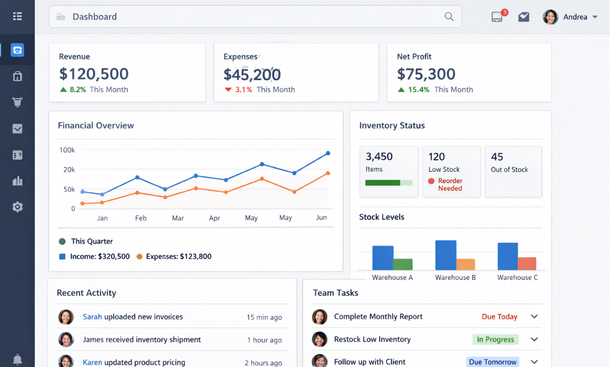
ERP stands for enterprise resource planning — a somewhat corporate-sounding name for software that connects the core functions of your business into one unified system. We’re talking financials, inventory, HR, sales, purchasing, and operations, all living in the same platform and sharing the same data in real time.
The “cloud” part means you’re not running this software on a server in a back office somewhere. It lives online, which means anyone on your team can access it from a laptop in Malibu or a home office in Fresno, as long as they have an internet connection and the right permissions.
What cloud ERP is not is a project management tool or a glorified spreadsheet. It’s not a tool you use for one department. And it’s not something reserved for large corporations with massive IT teams anymore. Modern cloud ERP platforms are built for businesses with 5 to 200 employees, and the pricing has come down significantly.
Why California small businesses are making the switch
The shift toward cloud ERP among California SMBs is not random. There are a few specific pressures pushing founders in this direction.
First, California has some of the most complex labor and tax regulations in the country. Staying compliant while managing a remote team across multiple counties — sometimes multiple states — is genuinely hard without a system that tracks everything automatically.
Second, the talent pool here expects modern tools. If you’re trying to recruit a sharp operations manager or a senior accountant in the Bay Area, showing up with a patchwork of outdated software is not a great look. Professionals want to work in platforms that are intuitive and connected.
Third, and maybe most practically, the cost of operational inefficiency adds up fast in a high-cost state like California. Every hour your team spends reconciling data across disconnected tools is an hour not spent growing the business.
Cloud ERP addresses all three of those pressure points at once.
The real operational benefits of cloud ERP for distributed teams
Let’s get specific about what changes when a remote California SMB moves to a cloud ERP.
Visibility becomes shared, not siloed. Instead of your finance team working from one set of numbers and your operations team working from another, everyone pulls from the same live data. A sales rep in Los Angeles can see inventory levels in real time. A manager in Oakland can approve a purchase order from their phone on a Tuesday afternoon.
Onboarding new remote employees gets faster. When your processes live inside a structured platform, new hires have a clear system to learn rather than chasing down information from five different people across three different tools.
Month-end closes stop being a nightmare. Accounting teams at remote SMBs often dread the end of the month because it means hunting down data from across the business. Cloud ERP keeps the financial data current throughout the month, so closing the books becomes a check rather than an excavation.
Compliance tracking becomes automatic. California-specific requirements around payroll, sales tax, and employment records are easier to manage when the system is built to capture and organize that information continuously.

What to look for before you commit to a platform
Not every cloud ERP is the right fit for every business. Before you start booking demos and talking to vendors, it helps to have a clear sense of what you actually need.
Start with your biggest pain point. Is it financial reporting? Inventory management? HR and payroll for a growing remote team? The best ERP for your business is the one that solves your most pressing operational problem first, not the one with the longest feature list.
Think about integrations. Your team probably already uses tools like Shopify, Salesforce, or QuickBooks. A cloud ERP that integrates cleanly with your existing stack will get adopted faster than one that asks your team to abandon everything they know.
Consider the implementation timeline. Some platforms can be up and running in a few weeks. Others take months. For a lean California SMB without a dedicated IT department, shorter is almost always better.
Finally, look at the mobile experience. If your team is working remotely across California, they need to be able to access the system from their phones without losing functionality. A platform with a weak mobile app is going to create friction fast.
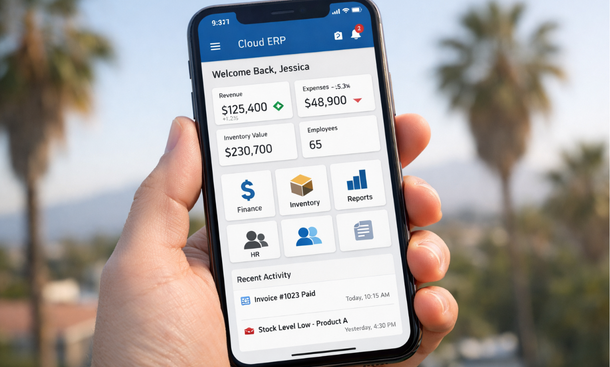
Cloud ERP is not a magic fix, and it’s not something you implement overnight. But for California small businesses managing remote teams, it’s one of the most practical moves you can make to get your operations under control and give your team the visibility they need to do their jobs well.
The founders who are winning right now are the ones who stopped treating their tools as separate departments and started thinking about their business as one connected system. Cloud ERP is how that connection gets built.
If you want to understand the full picture of how ERP technology supports distributed teams — from daily workflows to long-term strategy — our complete guide on how modern ERP systems support remote work in growing businesses is worth your time.
And if you’re ready to get specific about which ERP features actually matter for remote teams versus which ones are just vendor marketing, head over to our breakdown of the ERP software features that distributed teams actually use — that’s the next step in making a confident decision.
About the Author

mike
Mike is a tech enthusiast passionate about SaaS innovation and digital growth. He explores emerging technologies and helps businesses scale through smart software solutions.
Did you find this helpful?
Your feedback helps us curate better content for the community.