
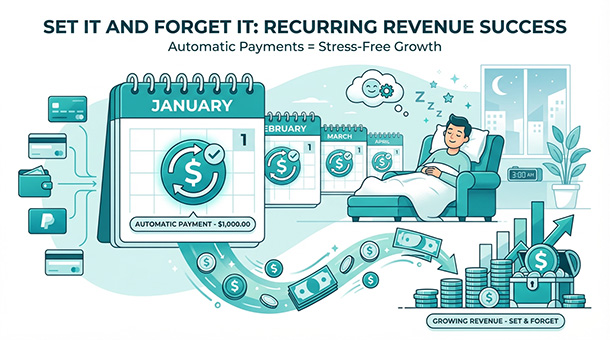
Subscription businesses make money while you sleep, but only if billing runs automatically. You need to charge customers monthly, handle failed credit cards, send receipts, and process cancellations without clicking buttons every day. A backend connects to Stripe’s subscription API and runs these tasks on autopilot. When a payment succeeds, it unlocks premium features. When a card declines, it triggers retry logic and emails the customer. When someone cancels, it schedules account downgrade for the end of the billing period. Managing inventory correctly ensures customers only pay for products you actually have, which ties into keeping your product list synced across the world.
Why recurring revenue is worth the automation effort
One-time sales require constant customer acquisition. You sell a product, collect payment, and start hunting for the next customer. Subscription businesses flip this model by turning one customer into twelve monthly payments instead of one. A customer who pays $20 monthly generates $240 annually without you convincing them to buy again.
The problem is that monthly billing creates monthly work. You need to charge each customer on their anniversary date, handle the customers whose cards decline, send receipts, track who’s paid and who hasn’t, and manage cancellations without leaving accounts in broken states. Do this manually for 100 customers and you’ve created a part-time accounting job that generates zero new revenue.
Backends automate the entire subscription lifecycle. You configure the rules once, the backend executes them forever, and you collect predictable revenue without daily maintenance. The upfront setup takes a few hours, but it saves hundreds of hours over the life of your business.
The subscription lifecycle your backend manages silently
A customer signs up for your $29 monthly plan. Your backend creates a subscription record in Stripe, stores the subscription ID in your database, and activates their premium features immediately. Stripe charges their card today and schedules the next charge for exactly 30 days from now.
Thirty days later, Stripe automatically charges the card again. If the payment succeeds, Stripe sends your backend a webhook saying “subscription renewed successfully.” Your backend logs the payment, extends the customer’s access for another month, and sends a receipt email. The customer experiences zero interruption.
If the payment fails, Stripe sends a different webhook saying “payment failed, retry scheduled.” Your backend emails the customer asking them to update their payment method and temporarily flags their account. Stripe automatically retries the charge three times over the next week. If one retry succeeds, the subscription continues normally. If all retries fail, Stripe cancels the subscription and your backend downgrades the account.
When a customer cancels, they usually expect access until the end of their billing period since they already paid. Your backend marks the subscription as “cancel at period end” in Stripe, lets the customer use premium features until the 30-day period expires, then downgrades their account automatically. No refunds, no confusion, no manual intervention.
How backends handle the messy edge cases
The happy path where payments succeed every month is easy. The chaos happens in edge cases: cards that expire mid-subscription, customers who dispute charges, accounts that need pausing instead of canceling, and proration when customers upgrade or downgrade mid-cycle.
Understanding how backends orchestrate these complex payment workflows becomes critical as your subscriber base grows. If you’re still unclear about how all these automated processes fit together in a real business system, start with how a backend handles your digital cashier, which walks through the complete payment infrastructure from a founder’s perspective. Once you grasp how backends coordinate payments, database updates, and customer communications, managing subscriptions feels much more manageable.
A customer’s card expires on March 15th, but their next billing date is March 20th. Your backend can’t just let the payment fail and hope they notice. Stripe detects the expired card before the charge attempt and sends a webhook. Your backend emails the customer five days before billing asking them to update their card. If they don’t, the charge fails, but you’ve given them warning instead of surprise.
A customer disputes a charge with their bank, claiming they never authorized the subscription. Stripe sends a webhook notifying you of the dispute. Your backend immediately revokes their access to prevent fraud and logs the dispute for your review. You investigate, provide Stripe with evidence of the customer’s signup and usage, and Stripe handles the bank dispute process. If you win the dispute, the backend restores access. If you lose, the subscription stays canceled.
A customer wants to pause their subscription for two months while traveling. Your backend can’t mark them as canceled because they intend to return. Instead, you create a “paused” status in your database, skip the next two billing cycles, and schedule automatic reactivation. Stripe doesn’t natively support pausing, but your backend can implement this by canceling the subscription, storing the pause date, and creating a new subscription when the pause period ends.
Proration math that prevents revenue leakage
A customer pays $30 for a monthly plan on January 1st. On January 15th, they upgrade to a $60 annual plan. You need to credit them for the unused 15 days of their monthly subscription, calculate the prorated cost of the annual plan, and charge the difference.
Stripe handles the math automatically, but your backend needs to tell Stripe what happened. When the customer clicks “upgrade,” your backend calls Stripe’s API to change the subscription, specifying the proration behavior. Stripe calculates that the customer used 50% of their monthly plan ($15), credits them that amount, then charges the full annual price minus the credit.
The same logic works in reverse. A customer downgrades from annual to monthly mid-cycle. Stripe calculates the remaining value of their annual subscription, credits it, and applies it toward future monthly charges. Your backend just needs to update the customer’s features to reflect the new plan level.
Without proration, you’re either overcharging customers or leaving money on the table. Overcharging creates support tickets and chargebacks. Undercharging means you’re giving away free service. Backends eliminate both problems by calculating fair proration automatically.
Failed payment recovery that protects revenue
Credit cards decline for dozens of reasons: expired cards, insufficient funds, fraud blocks, issuing bank errors, temporary service outages. Most failed payments aren’t intentional, they’re fixable problems that customers want to resolve.
The difference between businesses that recover failed payments and those that don’t is automated retry logic. When a payment fails, your backend immediately emails the customer explaining the failure and providing a link to update their payment method. The email tone matters, it’s not accusatory, it’s helpful: “we couldn’t process your payment, please update your card to keep your subscription active.”
Stripe automatically retries failed payments using “smart retry” logic that chooses optimal times based on historical data about when retry attempts succeed. Your backend doesn’t need to schedule retries manually, it just needs to listen for retry webhooks and update the customer’s account accordingly.
Some backends implement grace periods where customers keep access for 3-7 days after payment failure, giving them time to fix the issue without interruption. This reduces churn from temporary card problems while still protecting you from customers who never fix the issue.
Cancellation flows that leave the door open
A customer clicks “cancel subscription.” The worst response is immediately revoking access and deleting their data. They paid for the full month, they should get the full month. More importantly, they might change their mind.
Your backend implements a two-step cancellation. First, it marks the subscription as “cancel at period end” in both Stripe and your database. The customer keeps full access until their paid period expires. Second, it sends an email confirming the cancellation and offering a pause option or discount if they reconsider.
When the period ends, the backend downgrades their account but doesn’t delete their data. Their subscription history, preferences, and content remain stored for 30-90 days. If they resubscribe within that window, everything restores instantly. This dramatically increases reactivation rates because returning feels seamless, not like starting over.
Some businesses implement “save offers” when customers cancel. The backend detects the cancellation request and shows a modal offering 50% off for three months before confirming the cancel. This retention tactic works because customers who are price-sensitive but otherwise happy might stay for a discount they wouldn’t have received otherwise.
Why usage-based billing is harder but sometimes necessary
Monthly subscriptions work for most businesses, but some need usage-based billing. You charge customers per API call, per gigabyte of storage, per email sent, or per seat added to their account. This creates variable bills that require metering usage and calculating charges dynamically.
Your backend tracks usage events in real time. Every time a customer makes an API call, your edge function logs it. At the end of the billing period, the backend counts total usage, multiplies by the per-unit price, and sends the total to Stripe. Stripe charges the customer and your backend sends a detailed invoice showing usage breakdown.
The complexity comes from handling overages, setting usage caps, and providing real-time usage dashboards. A customer hits their API limit mid-month, do you block additional calls or charge overage fees? Your backend enforces whichever policy you choose. A customer wants to see their usage before the bill arrives, your backend queries the usage logs and displays current totals in their dashboard.
Usage-based billing generates more revenue from heavy users but creates unpredictable revenue for you. Most startups start with simple monthly plans and add usage-based pricing later when customer usage patterns become clear.
The reporting that shows which plans actually work
Your backend stores every subscription event: signups, renewals, cancellations, upgrades, downgrades, failed payments. This data answers critical business questions that spreadsheets can’t.
Which plan has the lowest churn rate? Query subscriptions by plan type and calculate the percentage that cancel within 90 days. Which plan generates the most lifetime value? Calculate average subscription length multiplied by monthly price for each plan. Which payment failure reasons cause the most cancellations? Group failed payments by error code and track which ones customers fix versus abandon.
These insights drive product decisions. If 60% of customers on your $10 plan upgrade to $30 within three months, maybe you should remove the $10 plan and start everyone at $30. If annual plans have 50% lower churn than monthly, maybe you should incentivize annual with a discount. If expired card errors account for 70% of failed payments, maybe you should send expiration reminders earlier.
Backends make this analysis possible by structuring subscription data consistently. Every event has a timestamp, customer ID, plan type, and outcome. You query this data without parsing emails or reconstructing events from memory.
Why this beats hiring someone to handle billing manually
A virtual assistant costs $15-25 per hour. Managing subscriptions for 500 customers takes roughly 20 hours monthly: charging cards, handling failures, processing refunds, answering billing questions. That’s $300-500 monthly in labor costs that don’t scale. When you grow to 5,000 customers, you need ten virtual assistants.
A Supabase backend costs $25 monthly and handles unlimited subscriptions with zero marginal cost per customer. The edge functions run whether you have 10 subscribers or 10,000. The automation never takes a sick day, never makes data entry errors, never forgets to charge someone.
The ROI calculation is simple. If automation saves you 20 hours monthly at $25 per hour, that’s $500 saved for a $25 expense. The payback period is measured in days, not months. Every dollar you don’t spend on manual billing is a dollar you can invest in customer acquisition or product development.
Once subscription billing runs smoothly, the next challenge becomes handling the legal complexity of collecting taxes from customers in different countries and states, which is where understanding how your backend helps you stay legal globally becomes critical. And because subscription businesses rely on trust, implementing fraud prevention measures to protect both your revenue and your customers matters just as much, which is exactly what using your backend to spot bad actors before they buy addresses.
About the Author

AISalah
Bridges linguistics and technology at PointOfSaaS, exploring AI applications in business software. English Studies BA with hands-on back-end and ERP development experience.
Did you find this helpful?
Your feedback helps us curate better content for the community.