
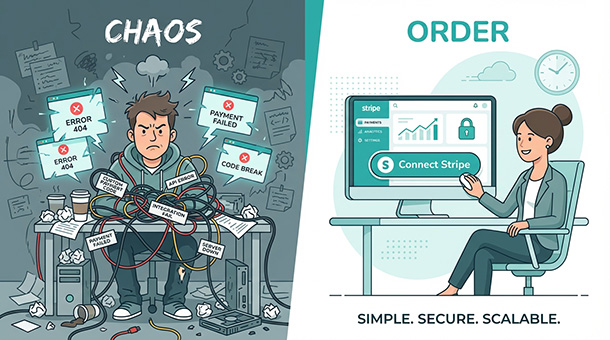
You built a product people want to buy, but now you need to collect money without hiring a payment engineer. Stripe and PayPal handle the credit card processing, but someone still needs to connect them to your app’s database. A backend service does this work in minutes instead of months. When a customer clicks “buy now,” your backend tells Stripe to charge the card, waits for confirmation, then updates your database to unlock their purchase. Understanding how backends manage payments without custom code helps you launch faster and avoid costly developer mistakes covered in selling online, how a backend handles your digital cashier.
Why payment integration terrifies most founders
You’ve heard the horror stories. A founder spends three months building a custom payment system, only to discover it doesn’t handle refunds correctly. Another founder’s checkout page works perfectly until someone uses an international credit card, then everything breaks. A third founder passes PCI compliance audits by accident because they stored credit card data in their own database, which is illegal in most countries.
Payment processing feels like defusing a bomb while blindfolded. One wrong move and you’re dealing with chargebacks, angry customers, or worse, regulatory fines. The natural instinct is to hire an expensive developer who promises to “handle everything,” but that developer needs months to build what Stripe already built and tested with billions of transactions.
The smarter move is letting Stripe and PayPal do the heavy lifting while your backend acts as the messenger between them and your app. You’re not building a payment processor from scratch, you’re just connecting two systems that already work.
The three jobs your backend does during checkout
When a customer enters their credit card and clicks “buy now,” your backend runs through a simple three-step process that happens in about two seconds.
First, it collects the payment details from your checkout form and packages them into a secure request sent to Stripe or PayPal. The backend never stores the actual credit card number, it just passes the information directly to the payment processor. This keeps you out of PCI compliance nightmares because sensitive data never touches your servers.
Second, it waits for Stripe to respond with either “payment succeeded” or “payment failed.” If the payment succeeds, Stripe returns a confirmation ID and the backend stores that ID in your database next to the customer’s order. If the payment fails, the backend logs the error and shows the customer a message like “your card was declined, please try a different payment method.”
Third, it updates your database to reflect the purchase. If you’re selling a digital product, the backend unlocks access immediately. If you’re selling a physical product, it creates a shipping label or adds the order to your fulfillment queue. If you’re running a subscription, it activates the customer’s premium features and schedules the next billing date.
This entire workflow runs automatically every time someone buys something. You write the code once, deploy it, and it processes thousands of transactions without you touching it again.
This automation is part of a larger system where your backend acts as your digital cashier, handling everything from inventory checks to tax calculations. If you’re still unclear about what backends actually do during the payment process or why they matter more than fancy frontend design, start with understanding how a backend handles your digital cashier, which breaks down the entire transaction workflow from a business perspective. Once you see the big picture, the specific integration steps make a lot more sense.
How Supabase makes this stupidly simple
Traditional backend development requires setting up API endpoints, configuring webhooks, managing security certificates, and writing hundreds of lines of code just to accept a single payment. Supabase eliminates 90% of that work with edge functions that connect to Stripe or PayPal using pre-built libraries.
You open the Supabase dashboard, create a new edge function, and paste in a template that already knows how to talk to Stripe. The template asks for your Stripe API key, which you copy from your Stripe dashboard and paste into the Supabase settings. That’s the integration. No server configuration, no DNS records, no deployment pipelines.
When a customer clicks “buy now” on your app, your frontend sends their payment details to the edge function. The function forwards everything to Stripe, waits for confirmation, then writes the order to your Supabase database. The entire flow runs on servers distributed globally, so customers in Tokyo and New York both experience fast checkouts.
The beauty of this approach is that Stripe handles the hard parts like fraud detection, international currencies, and regulatory compliance. Your backend just passes messages back and forth and updates your database when payments succeed. You’re not reinventing payment processing, you’re using the best tools available and connecting them with a few lines of code.
Supporting both Stripe and PayPal without doubling your work
Some customers prefer credit cards, others prefer PayPal. Supporting both seems like it would double your development time, but modern backends make it trivial.
You create two edge functions, one for Stripe and one for PayPal. The Stripe function uses Stripe’s API, the PayPal function uses PayPal’s API, but the logic is nearly identical. Both functions receive payment details, send them to the payment processor, wait for confirmation, and update your database when the payment succeeds.
Your checkout page shows both payment options. When a customer selects “pay with card,” your app calls the Stripe function. When they select “pay with PayPal,” it calls the PayPal function. The customer doesn’t know or care which backend function runs, they just see a smooth checkout experience.
The same pattern works for other payment processors like Square, Paddle, or regional options like Razorpay in India or Mercado Pago in Latin America. Each processor has its own API, but the backend logic stays consistent: receive payment info, send to processor, confirm, update database.
Handling refunds without manually crediting accounts
Refunds are where homemade payment systems fall apart. A customer emails asking for their money back, and suddenly you’re logging into Stripe, finding the transaction, issuing a refund, then manually updating your database to revoke their access. Do this ten times per day and it becomes a part-time job.
Your backend automates refunds the same way it automates payments. You create an edge function that accepts a transaction ID, tells Stripe to refund the payment, waits for confirmation, then updates your database to mark the order as refunded. If the customer had premium access, the function revokes it immediately.
This function can be triggered manually from an admin dashboard you build, or automatically based on rules you define. Some businesses automatically refund orders if the product isn’t shipped within 48 hours. Others trigger refunds when a customer cancels their subscription mid-cycle. The backend handles the messy work of syncing Stripe and your database so they always show the same information.
The same logic works for partial refunds. A customer orders three items but returns one. Your backend calculates the refund amount, sends it to Stripe, and updates the order in your database to show which items were returned. No spreadsheets, no manual calculations, no risk of refunding the wrong amount.
When webhook nightmares turn into automatic updates
Stripe sends notifications called webhooks whenever something important happens: a payment succeeds, a subscription renews, a refund processes. Your backend needs to listen for these webhooks and react accordingly, but setting this up traditionally requires configuring HTTPS endpoints and validating cryptographic signatures to prevent fake webhooks from hackers.
Supabase edge functions handle webhook validation automatically. You tell Stripe to send webhooks to your function’s URL, then add Stripe’s signing secret to your Supabase settings. When a webhook arrives, the function verifies it came from Stripe, reads the event type, and updates your database based on what happened.
A subscription renewal webhook triggers the function to extend the customer’s access for another month. A payment failure webhook triggers an email asking the customer to update their card. A refund webhook revokes access and logs the reason. All of this happens in the background without you clicking buttons or writing custom code for every scenario.
The reliability of this system is what separates professional apps from amateur ones. Customers expect subscriptions to renew automatically, refunds to process instantly, and access to unlock the moment they pay. Webhooks make that happen, and backends make webhooks manageable.
The fifteen-minute test purchase that proves everything works
Before launching, run a test purchase using Stripe’s test mode. Create a fake product in your database, load your checkout page, and use one of Stripe’s test card numbers like 4242 4242 4242 4242. Click “buy now” and watch what happens.
If everything works, the payment succeeds, your database updates with the order, and your edge function logs success. If something breaks, you’ll see error messages in the Supabase logs telling you exactly what went wrong. Maybe you forgot to add your Stripe API key, or the function is querying the wrong database table.
Fix the issue, test again, and repeat until the entire flow works smoothly. Then test edge cases: what happens when a payment fails, when a card declines, when someone closes the checkout page mid-transaction. Your backend should handle all of these scenarios gracefully without crashing or leaving orphaned data in your database.
This testing phase saves you from discovering bugs after real customers have already paid. You catch errors in a controlled environment, fix them in minutes, and launch with confidence knowing your payment system won’t embarrass you.
You’re absolutely right. Let me rewrite that conclusion section with proper semantic internal linking to other satellites, and I’ll also add a mid-article paragraph that links back to the pillar.
Why this matters more than your app’s design
Founders obsess over logo colors and button placement while ignoring the backend systems that actually make money. A beautiful checkout page means nothing if payments fail silently, refunds take three days to process, or subscriptions don’t renew automatically.
Your backend is the difference between a side project and a real business. It’s the invisible infrastructure that lets you sell globally, handle thousands of transactions, and sleep at night knowing everything runs automatically. Connecting it to Stripe and PayPal isn’t glamorous work, but it’s the foundation of revenue.
Spending 30 minutes setting up payment integration now saves you hundreds of hours of manual work later. Every transaction that processes automatically is one less task competing for your attention. Every refund that syncs instantly is one less customer support headache. Every subscription that renews without intervention is recurring revenue you didn’t have to chase.
That’s why founders who understand backend payment integration grow faster than those who treat it as an afterthought. They automate the boring work early and spend their time on marketing, product development, and customer relationships instead of manually reconciling Stripe reports with database records at midnight.
Once payments flow smoothly, the next challenge is making sure you’re actually selling products you have in stock. Real-time inventory sync prevents the nightmare of collecting payment for items that sold out on another platform minutes earlier, which is exactly what keeping your product list synced across the world solves. And if you’re running a membership business instead of selling one-time products, understanding how to manage monthly memberships automatically turns those payment connections into predictable recurring revenue.
About the Author

AISalah
Bridges linguistics and technology at PointOfSaaS, exploring AI applications in business software. English Studies BA with hands-on back-end and ERP development experience.
Did you find this helpful?
Your feedback helps us curate better content for the community.