
You have done the reading. You understand the difference between a Kanban board and a database. You know what Power-Ups are and what it costs to unlock unlimited ones. You have a rough sense of which platform might fit your workflow better than the other.
And yet here you are, still not entirely sure which one to choose.
That is not a failure of research. It is a sign that both tools are genuinely good, and that the decision is closer than most comparison articles want to admit. This page is not going to pretend otherwise. What it will do is lay out the honest trade-offs, name the real weaknesses alongside the real strengths, and give you a direct recommendation based on the kind of solo-entrepreneur you actually are.
Notion: the honest pros and cons
What Notion genuinely does well
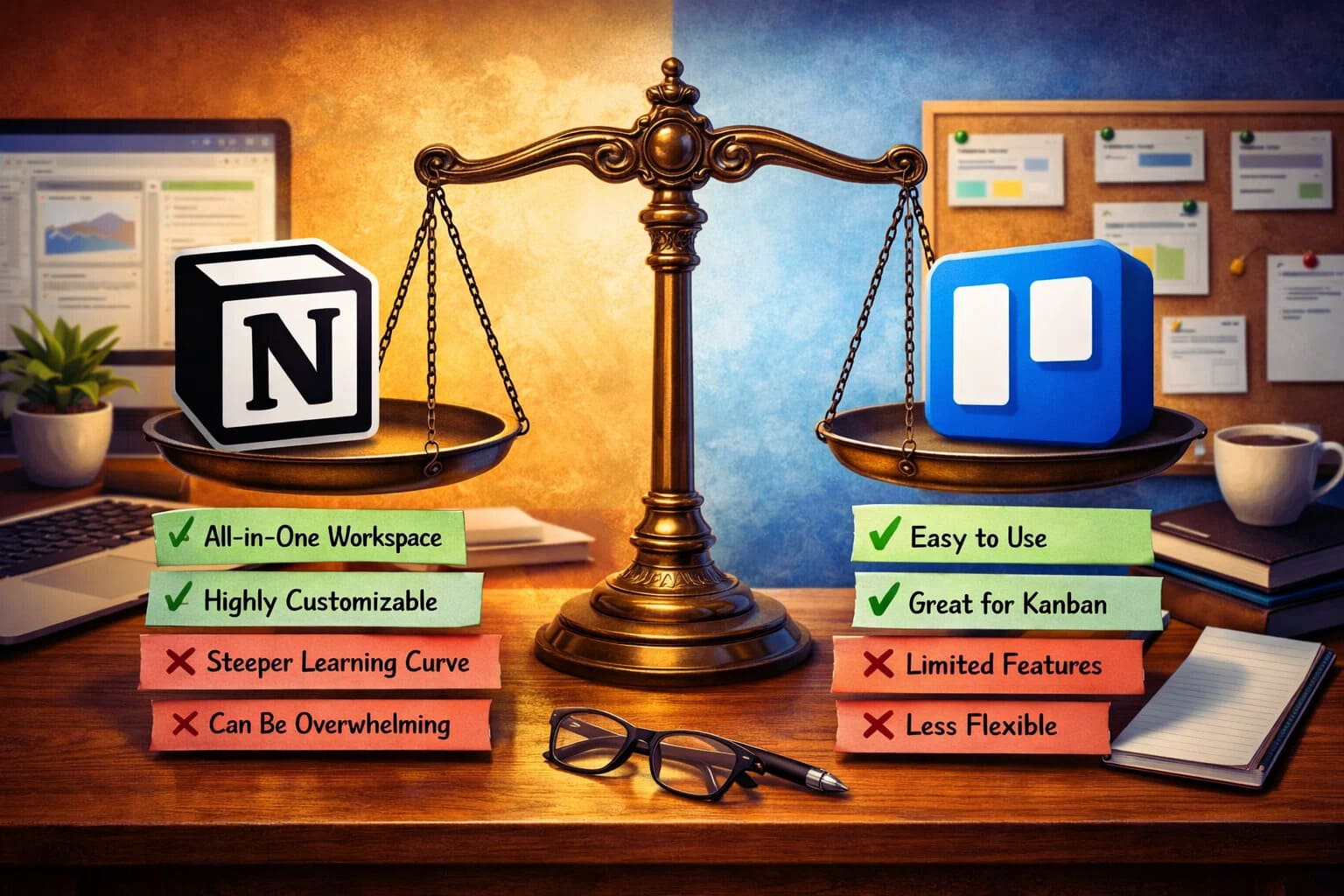
Notion’s greatest strength is consolidation. For solo-entrepreneurs who are tired of maintaining five different tools for five different purposes, Notion offers a credible alternative. Notes, tasks, databases, wikis, client portals, content calendars — all of it can live in one workspace, connected and searchable.
The flexibility is real. You are not locked into someone else’s idea of how a project should be structured. You build the system that matches your brain, your business, and the way you actually work. For people who have always felt slightly constrained by off-the-shelf tools, that freedom is genuinely liberating.
Notion’s free plan for individual users is one of the most generous in the productivity software space. With the block limit removed, a solo-entrepreneur can build a comprehensive business operating system without paying anything. That is not a minor point when you are watching your overhead carefully
The template ecosystem is also worth mentioning. Thousands of community-built templates exist for virtually every use case: freelance client management, content creation, personal finance tracking, goal setting, and more. You do not have to build from scratch unless you want to.
Where Notion genuinely falls short
The learning curve is the most honest criticism of Notion, and it is steeper than the platform’s marketing tends to suggest. Setting up a workspace that actually serves your business well takes time. For some people, that investment never quite pays off because they keep rebuilding instead of using.
Notion can also feel slow, particularly on mobile. If you need to capture a quick task or check something on your phone between meetings, the app experience is noticeably less snappy than simpler tools. For solo-entrepreneurs who work across devices throughout the day, this friction adds up.
Offline functionality is limited. Notion is built for connected use, and if you regularly work in places without reliable internet, that is a real limitation rather than a minor footnote.
Finally Notion can become a procrastination trap. The same flexibility that makes it powerful also makes it easy to spend an entire afternoon tweaking your workspace instead of doing the work it is supposed to support. If you know this about yourself, it is worth taking seriously.
Trello: the honest pros and cons
What Trello genuinely does well
Trello’s simplicity is not a limitation dressed up as a feature. It is a genuine advantage for a specific kind of user. If your primary need is visual task management with a clear sense of what is moving and what is stuck, Trello delivers that faster and more intuitively than almost any competing tool.
The onboarding experience is close to frictionless. You can create a board, add your first cards, and have a functional workflow running in the time it takes to drink a cup of coffee. For solo-entrepreneurs who are already stretched thin and cannot afford to spend days setting up a new system, that immediacy matters.
Trello’s Butler automation is one of its underappreciated strengths. Built directly into the platform, it lets you automate repetitive board actions without connecting to any external tool. For non-technical users who want automation without complexity, it is a genuinely accessible feature.
The mobile app is also significantly better than Notion’s. It is fast, reliable, and designed for quick interactions. Capturing tasks, checking progress, and updating cards on the go feels natural in a way that Notion’s mobile experience does not always match.
Where Trello genuinely falls short
Trello was built for task management, and it shows when you ask it to do more than that. There is no good place for documentation, no native way to build a knowledge base, and no mechanism for connecting your task boards to the broader context of your business. As your operations grow more complex, the walls of Trello’s structure become more confining.
The free plan’s ten-board limit and single Power-Up restriction mean that motivated users will hit the ceiling relatively quickly. And while the Standard plan is affordable, it is worth recognizing that Notion’s free plan offers more raw capability for individual users than Trello’s paid Standard tier in several important ways.
Reporting and analytics are also thin in Trello, even on paid plans. If you want meaningful insight into how your time is distributed, where projects are stalling, or how your output has trended over a quarter, Trello will not give you that without connecting to a third-party tool.
Putting it together: a direct recommendation
Solo-entrepreneurs are not a monolithic group, and a single verdict that ignores that reality would not be honest. So here is a more useful breakdown.
Choose Trello if you are in the early stages of your business, your primary need is straightforward task and project tracking, and you want something functional immediately without a significant time investment. Trello will serve you well at this stage, and it will not demand more from you than you have to give right now.
Choose Notion if you have been in business long enough to know that scattered tools are costing you time and mental energy, you are willing to invest a weekend building a system that will serve you for years, and you want one workspace to hold as much of your business as possible. The upfront cost in time is real, but the long-term payoff is real too.
Use both if your brain genuinely separates task management from documentation and you want a dedicated tool for each. It is not the leanest approach, but it is a legitimate one that many solo-entrepreneurs land on after trying each platform alone.
The bigger picture
The tool you choose matters less than the consistency with which you use it. A Trello board you open every morning beats a Notion workspace you spent three weeks building and now rarely touch. A Notion system you trust completely beats a Trello board you have outgrown but have not bothered to replace.
The best productivity tool is the one that becomes invisible — the one that supports your work so naturally that you stop thinking about the tool and start thinking about the work itself. That is the standard worth holding both platforms to
If you are still weighing the decision and want to revisit the full side-by-side picture before committing, the complete breakdown of what Notion and Trello actually are and how they differ is the right place to ground your thinking before you make your final call.
About the Author

Norman
Tech enthusiast and SaaS strategist helping startups choose, build, and scale digital tools that drive real growth through automation and smart systems.
Did you find this helpful?
Your feedback helps us curate better content for the community.