
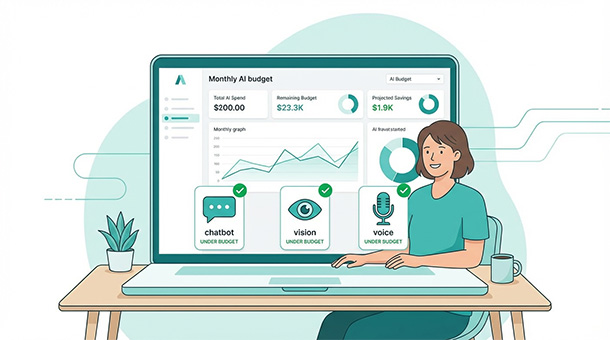
You add a chatbot, and suddenly your hosting bill triples. Your image recognition feature works beautifully in testing, then costs hundreds when real users upload thousands of photos. AI isn’t free, and the pricing models are confusing. API providers charge per request, per token, or per second of processing time depending on the service. BaaS platforms help you monitor usage and set limits, but you still need realistic projections. Understanding what AI actually costs prevents budget disasters and helps you price features profitably from day one.
Why AI pricing feels so confusing at first
Traditional SaaS tools charge flat monthly rates. You pay $25 for a database, $50 for hosting, and know exactly what your bill looks like every month. AI pricing works completely differently. You pay for what you use, and usage changes daily based on how many users interact with AI features and how complex those interactions are.
Tokens are the currency of text-based AI. A token roughly equals three to four characters or about three quarters of a word. When you send a message to an AI model, every word in your prompt and every word in the response counts as tokens consumed. A simple chatbot conversation might use 500 tokens. A complex analysis prompt with database context and detailed output could use 10,000 tokens.
Different models cost different amounts per token. Smaller, faster models like GPT-4o-mini or Claude Haiku cost a fraction of what larger models charge. Choosing the right model for each task saves significant money. You don’t need the most powerful model to answer “what are your business hours?” but a complex reasoning task might justify the premium.
Vision and speech APIs add their own pricing layers on top of text processing. Images get charged per analysis, audio gets charged per minute transcribed, and different providers structure these costs differently. Building a clear picture of your actual AI spend requires understanding each service’s pricing model independently before adding them together.
Breaking down costs by feature type
Text-based AI features like chatbots, content generation, and summarization remain the cheapest category. At current pricing, one million tokens costs roughly $0.15 to $2.50 depending on the model. A chatbot handling 1,000 conversations daily with 500 tokens average per conversation uses 500,000 tokens monthly, costing between $0.08 and $1.25 depending on model choice.
Image recognition and vision features cost more per interaction. Analyzing a single image typically runs between $0.001 and $0.01 depending on complexity. A marketplace processing 5,000 product uploads monthly spends between $5 and $50 on vision alone. Add detailed analysis like object detection or scene understanding and costs climb toward the higher end.
Speech-to-text transcription runs approximately $0.01 per minute of audio. A support platform handling 200 calls monthly at an average of 8 minutes each processes 1,600 minutes, spending around $16 monthly. Text-to-speech for generating audio responses costs similarly, with rates varying based on voice quality and synthesis complexity.
Embedding generation for vector databases adds a subtle but growing cost. Every piece of content you vectorize requires an API call. Vectorizing 10,000 help articles costs pennies initially, but re-vectorizing when content updates accumulates over time. Keep track of embedding calls separately because they’re easy to overlook until they add up.
Calculating your actual monthly spend
Start with user volume, not features. A hundred users interacting with AI daily costs dramatically less than 10,000 users doing the same thing. Project your user growth over the next three months and calculate costs at each stage rather than guessing a flat monthly number.
Map each AI feature to its usage pattern. Your chatbot handles 50 conversations daily on average. Your image upload processes 200 photos weekly. Your voice transcription runs during support calls, maybe 30 per week at 10 minutes each. Write these numbers down before touching a calculator.
Multiply usage by per-unit cost for each feature. Chatbot: 50 conversations times 30 days times 500 tokens equals 750,000 tokens monthly. At $0.50 per million tokens for a mid-tier model, that’s $0.375. Image processing: 200 photos times 4 weeks equals 800 images at $0.005 each equals $4. Voice: 30 calls times 4 weeks times 10 minutes equals 1,200 minutes at $0.01 equals $12. Total AI spend sits around $16.50 monthly at current scale.
Add your BaaS platform costs on top. Supabase free tier covers 500,000 edge function invocations and basic database storage. Pro plan at $25 monthly handles most startup workloads. Your total backend AI spend combines platform fees and API consumption into one predictable number.
Buffer your projections by thirty percent. Real usage rarely matches estimates perfectly. Some days users interact more, some features get used unexpectedly, and edge cases trigger additional processing. A thirty percent buffer prevents budget surprises without massively overestimating costs.
Choosing models that match task complexity
Not every AI task deserves the most powerful model. Using GPT-4 to answer “what’s your return policy” wastes money when a smaller model handles it perfectly. Model selection becomes your biggest cost lever because pricing differences between tiers can be ten times or more.
Simple FAQ responses, basic text classification, and short content generation work excellently on smaller models like GPT-4o-mini or Claude Haiku. These models cost a fraction of their larger siblings and respond faster too. Route straightforward tasks to cheap models and reserve expensive models for complex reasoning.
Customer sentiment analysis requires moderate capability. Understanding sarcasm, nuanced emotions, and contextual meaning needs more than basic text matching but doesn’t require the most advanced reasoning. Mid-tier models balance accuracy and cost well for this category.
Complex business analysis, multi-step reasoning, and tasks where accuracy directly impacts revenue justify premium model pricing. If an AI-generated sales forecast influences a $50,000 decision, spending $0.05 more per analysis on a better model makes obvious business sense.
Build a routing layer in your edge functions that directs requests to appropriate models based on task type. Simple questions go to cheap models automatically. Complex requests get flagged and routed to premium models. Users experience seamless quality across all interactions while your costs stay optimized behind the scenes.
Monitoring spend in real time through your BaaS platform
Supabase provides function-level monitoring showing exactly which edge functions consume the most resources and how frequently they run. If your image processing function accounts for 60% of your AI-related costs, you know exactly where to optimize first.
Set up custom dashboards that aggregate AI spending across all providers into one view. Your chatbot calls OpenAI, your vision feature uses Google Cloud Vision, and your speech processing runs through Whisper. Seeing these costs together reveals the true picture instead of checking three separate provider dashboards monthly.
Daily spend alerts prevent runaway costs before they become monthly disasters. Configure notifications when daily AI spend exceeds a threshold, like $2 when your average is $0.50. A spike that dramatic usually indicates a bug, an attack, or an unexpected usage pattern that needs investigation immediately.
Log every AI API call with timestamps, token counts, costs, and triggering user actions. This granular data helps identify which features drive costs, which users consume disproportionate resources, and where optimization delivers the biggest savings. Without logging, you’re guessing. With logging, you’re making informed decisions.
Optimizing costs without sacrificing quality
Caching AI responses eliminates redundant processing for repeated requests. If 50 users ask “what are your pricing tiers” on the same day, process the question once, cache the response, and serve it instantly to the remaining 49. Cache invalidation happens when your pricing actually changes, not on every request.
Prompt engineering reduces token consumption significantly. A bloated prompt with unnecessary context, repetitive instructions, and verbose examples uses five times more tokens than a clean, focused prompt that delivers the same quality response. Spend thirty minutes tightening your prompts and watch monthly token usage drop.
Batch processing handles non-urgent tasks more efficiently than real-time calls. Image categorization for product uploads doesn’t need to happen instantly. Queue uploads, process them in batches during off-peak hours, and reduce per-request overhead. Some providers offer batch pricing discounts that make this approach even cheaper.
Compression reduces costs for vision and speech features. Resizing images before sending them to vision APIs cuts processing time without meaningful accuracy loss. Audio normalization and silence trimming reduce transcription minutes, directly lowering speech processing costs.
Review your model choices quarterly. AI pricing changes frequently, new models launch that offer better performance at lower cost, and your usage patterns evolve. A model that was optimal six months ago might be expensive compared to newer alternatives. Stay current without obsessing, a quick quarterly check keeps costs reasonable.
Understanding costs helps you budget AI features realistically, but smart spending requires understanding the complete stack you’re building. Vector databases, edge functions, model selection, and automation patterns all affect your monthly bill in different ways. The founder’s guide to AI: how to give your app “brains” using BaaS walks through the entire AI architecture, showing how each piece impacts costs and how to optimize spending without sacrificing the intelligence that makes your product valuable.
Pricing AI features into your product
Your AI costs money to run, so your product pricing should reflect that. But users don’t want to think about AI costs, they want features that work. The art is recovering AI expenses through product pricing without making users feel nickel-and-dimed.
Tiered pricing works well when AI features concentrate in higher plans. Free and basic tiers include limited AI capabilities, maybe 10 chatbot interactions per month or basic image uploads. Pro and enterprise tiers unlock unlimited AI features. This naturally segments users and recovers costs from those who use AI heavily.
Usage-based add-ons work for features with highly variable consumption. A base subscription includes standard features, and AI-powered analysis costs per report generated. Users who need three reports monthly pay less than those running daily analysis, and your costs scale proportionally with revenue.
Calculate your AI cost per active user and add a healthy margin. If AI features cost $0.15 per user monthly across your stack, pricing them into a $10 monthly subscription recovers costs easily while keeping pricing competitive. If AI costs $2 per user and your subscription is $10, AI represents a significant margin pressure that needs addressing through optimization or pricing adjustment.
Competitor pricing guides your positioning but shouldn’t dictate it. If competitors offer unlimited AI features at $25 monthly, understand how they’re structuring costs before trying to match that pricing. They might be subsidizing AI features to acquire users, running cheaper models, or losing money on those tiers intentionally.
Building a sustainable AI budget as you grow
Early stage startups should budget AI costs as a percentage of revenue, not a fixed dollar amount. If AI costs represent 5% of your monthly recurring revenue, that’s sustainable. If it hits 20%, either your pricing needs adjustment or your AI implementation needs optimization.
Revisit your AI architecture quarterly as usage grows. What worked at 100 users might not work at 10,000. Model choices, caching strategies, and processing pipelines that seemed fine at small scale might need rethinking when volume increases ten times.
Plan for cost increases alongside user growth projections. Your financial model should show AI costs climbing alongside revenue, not as a flat line. Investors and co-founders understand that growing AI features cost more. Surprises happen when nobody planned for scaling costs.
Maintain a contingency budget of 20% above projected AI spend for the quarter. Unexpected usage spikes, new features requiring AI processing, and pricing changes from providers all create cost variations. A contingency budget handles these without derailing your financial plan.
The goal isn’t minimizing AI costs to zero. It’s spending confidently, knowing exactly what each feature costs to run, and pricing products so AI becomes a profit center rather than a budget drain. Smart spending on AI today builds the features that retain users and grow revenue tomorrow.
Your AI features work well, costs are under control, and users trust what you’ve built. But what happens when the AI gets something wrong, offends someone, or makes a decision that damages trust? Ethical AI: making sure your app’s AI doesn’t make mistakes covers the guardrails, review processes, and transparency practices that protect your brand and your users when AI inevitably stumbles.
About the Author

AISalah
Bridges linguistics and technology at PointOfSaaS, exploring AI applications in business software. English Studies BA with hands-on back-end and ERP development experience.
Did you find this helpful?
Your feedback helps us curate better content for the community.