
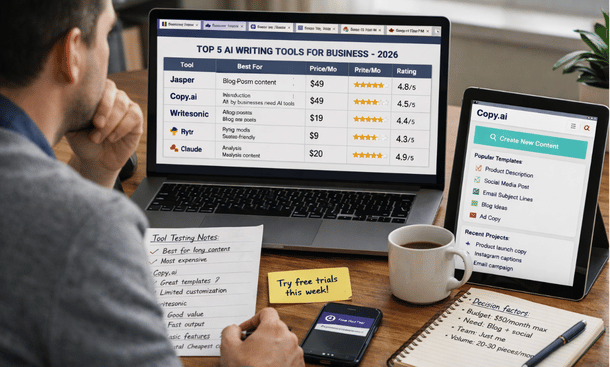
Choosing the right AI writing tool determines whether you’ll produce content faster or just create more mediocre writing at scale. The market floods with options claiming to revolutionize content creation, but most tools excel at specific tasks while failing at others. Some generate excellent blog outlines but struggle with social media captions. Others write compelling ad copy but produce generic long-form content. Finding the right fit requires understanding what each platform actually does well, how much it costs, and whether it matches your content needs. Before diving into specific tools, our guide on automating content creation with AI provides context for how these platforms fit into your overall content strategy.
What separates great AI writing tools from mediocre ones
The difference between AI tools that transform your content production and those that waste your money comes down to specific capabilities that matter in real-world use. Marketing materials promise everything, but practical performance reveals gaps quickly.
Output quality varies dramatically between platforms. Some tools generate coherent, well-structured content that needs minor editing. Others produce repetitive, generic text filled with awkward phrasing that requires complete rewrites. Quality shows up in sentence structure, vocabulary variety, logical flow, and ability to maintain consistent tone throughout longer pieces.
Training and customization capabilities determine whether the AI learns your brand voice or keeps producing generic content. The best platforms let you upload examples of your writing, set tone preferences, define forbidden phrases, and create custom templates. Without these features, every piece sounds like it came from the same corporate robot.
Integration with your existing workflow matters more than standalone features. Tools that connect with your CMS, social media schedulers, email platforms, and project management systems save hours of manual copying and pasting. Standalone tools that require exporting and importing for every piece create friction that kills productivity.
SEO functionality built into the platform helps content rank without requiring separate optimization tools. This includes keyword research, content scoring, competitor analysis, and suggestions for improving on-page SEO. Tools lacking these features force you to use multiple platforms, which increases costs and complexity.
Pricing structure affects total cost of ownership. Some platforms charge per word generated, which gets expensive fast when you’re producing high volumes. Others offer unlimited usage within monthly plans. Understanding the pricing model prevents surprise bills when you scale up production.
Tool 1: Jasper for long-form content and brand voice
Jasper dominates the AI writing space for businesses that prioritize brand voice consistency and long-form content quality. The platform started as Jarvis, rebranded to Jasper, and built a reputation for producing content that sounds human rather than robotic.
The strength lies in its brand voice training. You upload 2-3 examples of your best writing, define tone preferences like professional, casual, or technical, and specify any industry jargon or phrases you use. Jasper learns these patterns and applies them to everything it generates. The result is content that actually sounds like your brand instead of generic AI writing.
Long-form content generation works particularly well. The Boss Mode feature writes blog posts, articles, and reports up to 3,000 words without losing coherence or going off-topic. You provide an outline or key points, Jasper expands them into full sections with relevant examples and smooth transitions between ideas.
The template library includes over 50 content types covering blog posts, social media, emails, ads, product descriptions, and sales copy. Each template guides you through required inputs and generates appropriate content. This speeds up the learning curve for teams new to AI writing.
SEO integration through Surfer SEO provides real-time content scoring, keyword suggestions, and competitor analysis. You write inside Jasper and get immediate feedback on how to improve search rankings. This eliminates the need to switch between writing and optimization tools.
Pricing starts at $49 monthly for 50,000 words, which suits small businesses with modest content needs. The Boss Mode plan costs $125 monthly for unlimited words and access to all features. Teams that produce high volumes find unlimited usage crucial. Enterprise plans with custom training and dedicated support start around $500 monthly.
The learning curve is moderate. Non-technical users can start generating decent content within a few hours, but mastering the platform to get consistently great output takes 2-3 weeks of daily use. The training and community resources help accelerate this process.
Jasper works best for businesses that need high-quality blog posts, articles, and marketing content where brand voice consistency matters. It’s less effective for highly technical writing or content requiring deep subject matter expertise.
Tool 2: Copy.ai for speed and variety
Copy.ai built its reputation on generating marketing copy quickly across dozens of formats. Where Jasper focuses on long-form depth, Copy.ai emphasizes breadth and speed for short-form content needs.
The platform shines for social media content generation. It creates platform-specific posts for LinkedIn, Twitter, Facebook, Instagram, and TikTok with appropriate tone and length for each. One input generates variations across all platforms, saving hours of manual adaptation.
Email marketing automation handles subject lines, preview text, and body content. The tool analyzes which subject line styles get opened in your industry and generates variations for A/B testing. Email body content maintains consistent tone while personalizing for different audience segments.
Ad copy creation across Google Ads, Facebook Ads, and LinkedIn Ads happens in seconds. You input your product benefits and target audience, Copy.ai generates multiple headline and description variations. This speeds up campaign testing by providing 10-15 variations instantly instead of manually writing each one.
Product description scaling works well for e-commerce businesses adding multiple products. Feed in product specs and key features, the tool generates compelling descriptions that highlight benefits and include persuasive language. This eliminates the bottleneck of writing unique descriptions for hundreds of SKUs.
The workflow editor lets you chain multiple tools together. For example, you might generate a blog outline, expand it into full content, create social media posts from key points, and draft an email promoting the blog post – all in one automated sequence. This workflow automation multiplies productivity for content that follows consistent patterns.
Pricing starts at $49 monthly for unlimited words and access to all features. There’s no word limit or usage cap, which makes it attractive for high-volume needs. Team plans start at $249 monthly for 5 seats with collaboration features.
Copy.ai requires minimal learning time. Most users generate usable content within 30 minutes of signing up. The interface is intuitive and the templates are self-explanatory. This makes it ideal for teams that want results immediately without extensive training.
The platform works best for businesses that need high volumes of short-form marketing content across multiple channels. It’s less suitable for long-form thought leadership or content requiring deep technical knowledge.
Tool 3: Writesonic for SEO-focused content
Writesonic differentiates itself by prioritizing search engine optimization throughout the content creation process. Every feature considers how to help content rank higher and drive organic traffic.
The article writer integrates keyword research directly into the workflow. You input a topic, the tool suggests high-volume keywords, analyzes top-ranking competitors, and generates outlines designed to outrank existing content. This eliminates separate keyword research before writing.
Content scoring shows real-time SEO performance as you write. The platform analyzes readability, keyword density, semantic keywords, content structure, and other ranking factors. You see exactly what to improve before publishing instead of discovering optimization needs afterward.
Competitor analysis reveals content gaps and opportunities. Writesonic examines top-ranking pages for your target keyword and identifies topics they cover that you haven’t. This helps create more comprehensive content that has better chances of ranking.
Landing page copy generation includes headline variations, value propositions, feature descriptions, and call-to-action suggestions all optimized for conversion and search visibility. This speeds up page creation for product launches and campaigns.
The Chrome extension lets you generate content directly inside WordPress, Google Docs, and other platforms. You write where you normally work instead of copying between tools. This integration removes friction from the workflow.
Sonic Editor provides a Google Docs-like experience with AI assistance. You write naturally and invoke AI commands for expanding sections, rewriting paragraphs, improving clarity, or adjusting tone. This hybrid approach combines human creativity with AI efficiency.
Pricing starts at $19 monthly for 100,000 words, making it one of the more affordable options. The unlimited plan costs $20 monthly, which is significantly cheaper than competitors. Enterprise plans with priority support and custom training start at $500 monthly.
Writesonic suits businesses that prioritize organic traffic and need SEO-optimized content at scale. The platform works especially well for agencies managing multiple client blogs and content marketers focused on search rankings.
Tool 4: Rytr for budget-conscious teams
Rytr delivers solid AI writing capabilities at a fraction of the cost of premium platforms. This makes it accessible for bootstrapped startups and small businesses testing AI content creation before committing to expensive tools.
The use case variety covers 40+ content types including blog posts, emails, social media, ads, and business documents. While the output quality doesn’t match Jasper or Copy.ai, it’s good enough for many business needs, especially after editing.
Tone customization includes 20+ voice options from formal and professional to casual and humorous. You select the appropriate tone for each piece, and Rytr adjusts language, sentence structure, and vocabulary accordingly. This flexibility helps maintain consistency across different content types.
Language support extends to 30+ languages, making Rytr valuable for businesses with international audiences. The platform generates content in multiple languages without requiring separate subscriptions or tools.
The plagiarism checker ensures originality by comparing generated content against billions of web pages. This verification step prevents accidentally publishing content too similar to existing material, which could hurt SEO and credibility.
Browser extension integration lets you generate content inside Gmail, Google Docs, WordPress, and social media platforms. You access AI assistance wherever you write without switching tools or copying content back and forth.
Pricing makes Rytr accessible to almost any budget. The free plan includes 10,000 characters monthly, enough to test capabilities. The Saver plan costs $9 monthly for 100,000 characters. The Unlimited plan is only $29 monthly with no character limits, making it the cheapest unlimited option available.
The quality ceiling is lower than premium tools. Content requires more editing and occasionally produces awkward phrasing or repetitive structures. But for businesses where budget constraints outweigh perfect quality, Rytr delivers solid value.
Rytr works best for small businesses, solopreneurs, and startups that need basic AI writing assistance without premium pricing. It’s ideal for getting started with content automation before graduating to more powerful platforms as budgets allow.
Tool 5: Claude for strategic content and editing
Claude brings a different approach to AI writing by focusing on collaboration and strategic thinking rather than just content generation. The platform excels at complex projects requiring research, analysis, and multi-step reasoning.
Long-form research and analysis capabilities handle in-depth content that requires synthesizing multiple sources. Claude reads documents, extracts key insights, identifies patterns, and creates comprehensive summaries. This saves hours of manual research for white papers, reports, and thought leadership content.
Editing and improvement suggestions enhance existing content rather than just generating new material. Upload your draft and Claude provides specific recommendations for clarity, structure, flow, and persuasiveness. This collaborative approach maintains your voice while leveraging AI to improve quality.
Strategic content planning helps develop content calendars, topic clusters, and keyword strategies. Claude analyzes your audience, competitors, and business goals to suggest content that serves strategic objectives. This guidance helps ensure content actually drives business results.
Complex formatting and structure handling manages documents with multiple sections, tables, citations, and technical requirements. Claude maintains consistency across long documents better than tools designed primarily for short-form content.
Conversational interface allows natural interaction instead of filling out template forms. You describe what you need in plain language, Claude asks clarifying questions, and you iterate together until the output meets requirements. This flexibility handles unique content needs that don’t fit standard templates.
The context window handles up to 200,000 tokens, meaning Claude can work with extremely long documents or multiple files simultaneously. This capability proves valuable for editing books, comprehensive guides, or content requiring extensive background information.
Pricing through Anthropic’s API or Claude Pro subscription costs $20 monthly for significantly higher usage limits than the free tier. Enterprise pricing for teams starts around $30 per user monthly with additional support and features.
Claude suits businesses creating strategic, research-heavy content where quality and depth matter more than volume. It’s particularly valuable for thought leaders, consultants, and B2B companies producing white papers, case studies, and educational content.
Choosing the right tool for your needs
No single platform wins for every business. The right choice depends on your content types, volume requirements, budget constraints, and team capabilities.
Start by identifying your primary content needs. If you publish primarily long-form blog posts and articles, Jasper or Claude make sense. If you need high volumes of social media content and marketing copy, Copy.ai delivers better value. For SEO-focused content, Writesonic provides built-in optimization. Budget-conscious teams should start with Rytr.
Consider your team’s technical comfort level. Tools with simple interfaces like Copy.ai and Rytr have minimal learning curves. More sophisticated platforms like Claude and Jasper require investment in training but deliver higher quality output.
Factor in integration requirements. If you work primarily in WordPress or Google Docs, choose tools with strong integrations. If you use multiple platforms, look for browser extensions that work everywhere.
Most businesses eventually use multiple tools for different purposes. You might use Jasper for blog posts, Copy.ai for social media, and Claude for strategic planning. Starting with one platform and expanding as needs become clear prevents overwhelm and wasted subscriptions.
Test before committing. Most platforms offer free trials or free tiers. Spend a week actually using each tool for your real content needs before making long-term commitments. Marketing promises matter less than hands-on experience with your specific use cases.
Selecting the right AI writing tools sets the foundation for efficient content production, but tools alone don’t guarantee results. How you use them matters more than which ones you choose. Our guide on writing SEO blog posts with AI shows you the specific process for creating content that ranks and converts, regardless of which platform you’re using.
About the Author

Mateo
I’m Mateo, a SaaS blogger and digital strategist dedicated to helping startups accelerate growth through automation, data-driven decision-making, and performance-focused marketing systems. Over the past few years, I’ve worked with early-stage software companies to refine their go-to-market strategies, optimize conversion funnels, and implement scalable automation frameworks that drive measurable revenue growth. On my blog, I share proven insights from real-world SaaS cases, including actionable frameworks for churn reduction, onboarding optimization, and lead-to-customer conversion. My mission is simple: to empower founders and marketers with practical strategies that turn innovative software into sustainable, profitable success.
Did you find this helpful?
Your feedback helps us curate better content for the community.