
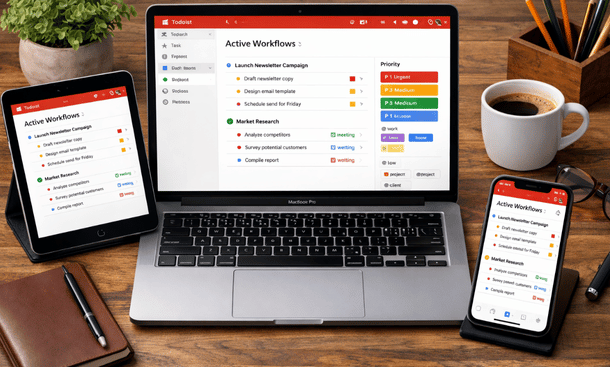
Founders and early-stage startups don’t need fancy systems—they need workflows that move the needle. Todoist offers a range of features, but it’s most powerful when used in a structured way. Workflows turn scattered tasks into predictable routines, keeping teams and solo entrepreneurs focused on execution. full guide to organizing tasks and scaling efficiently with Todoist.
Daily Workflow: Staying on Track
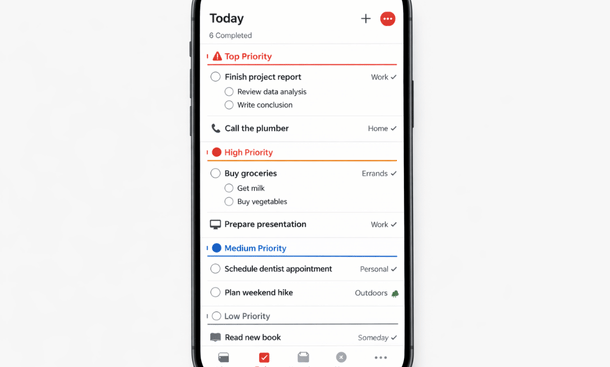
Start each day by reviewing today’s tasks. Use the “Today” view in Todoist to see everything due. Combine labels and priorities to identify what must happen immediately versus what can wait.
For example, mark client follow-ups as P1, content creation as P2, and administrative tasks as P3. This simple daily review sets a clear roadmap, reduces decision fatigue, and ensures nothing slips through the cracks.
Weekly Workflow: Planning Ahead
Set aside time each week for a quick review. Check upcoming deadlines, adjust priorities, and create recurring tasks. This habit keeps you from reacting constantly and allows for proactive planning.
Use filters to pull high-priority tasks due this week or label-based lists like “Calls” or “Follow-ups.” A weekly review ensures your Todoist setup reflects reality instead of becoming a static list of ideas.
Project-Based Workflow
Break down every project into actionable steps. Subtasks, deadlines, and labels allow complex projects to be managed efficiently. For instance, a product launch project might include:
-
Design review
-
Marketing campaign setup
-
Team sync meetings
-
Launch day checklist
Each step is assigned a priority and label, making it easy to track progress and ensure accountability.
Automation Workflow
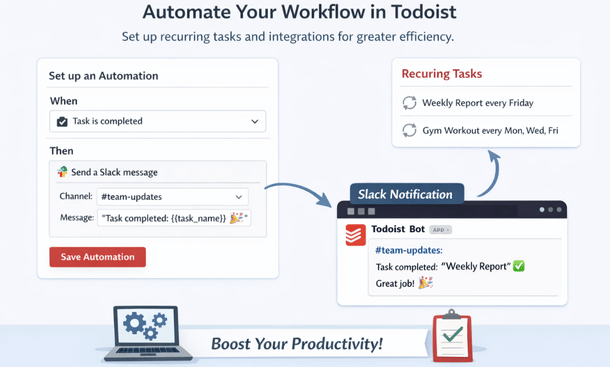
Recurring tasks, template projects, and integration automations reduce repetitive work. For example, social media posts, weekly reports, or client follow-ups can be automated. This frees up mental bandwidth and allows founders to focus on strategy and growth.
Team Collaboration Workflow
Shared projects, comments, and task assignments ensure everyone is aligned. Team members can see what’s done, what’s pending, and where help is needed. This visibility reduces unnecessary meetings and keeps small teams moving fast.
Even for solo founders, collaboration workflows prepare the business for growth. New team members can onboard quickly without disrupting existing processes.
Workflows turn Todoist into a powerful execution tool for founders. Daily, weekly, project-based, automation, and team workflows reduce mental clutter, improve focus, and help you scale efficiently.
For foundational productivity setup, check out Todoist Productivity Setup for Startups. This satellite walks you through the step-by-step setup to ensure your workflows run smoothly.
About the Author

Pamela
Pamela is a dynamic professional with a deep passion for SaaS and emerging technologies. She provides valuable insights into software trends, digital innovation, and cutting-edge tools that empower businesses to thrive and expand.
Did you find this helpful?
Your feedback helps us curate better content for the community.