
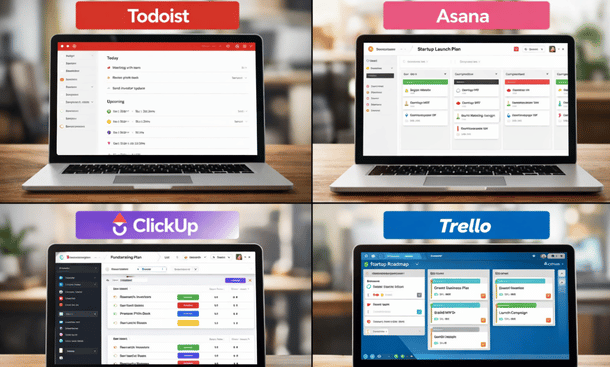
Entrepreneurs and early-stage startups have limited time. Choosing the wrong task management tool can waste hours each week. Todoist is popular, but tools like Asana, ClickUp, and Trello also promise organization and efficiency. The real question is which one fits your workflow best. Understanding the differences helps founders pick a tool that keeps them productive instead of frustrated,full Todoist guide for founders to stay organized.
Todoist: Simplicity and Speed
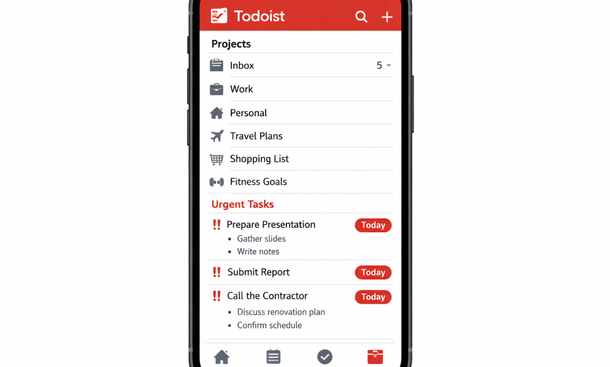
Todoist’s strength lies in its simplicity. It’s lightweight, fast, and easy to adopt. Projects, labels, and priorities give structure without overcomplicating daily tasks. For solo founders or small teams, Todoist is intuitive. You can capture ideas, set deadlines, and track progress with minimal setup.
The mobile app is particularly useful for founders on the go. Everything syncs in real time, and recurring tasks or filters make routine management effortless. For entrepreneurs who value clarity and focus over feature overload, Todoist often wins.
Asana: Detail and Team Management
Asana is more robust for team collaboration. It offers task dependencies, timelines, and multiple views like lists, boards, or calendars. This can be powerful for growing teams managing complex projects.
However, the trade-off is complexity. For early-stage founders, Asana can feel heavy. Setting up boards, tasks, and dependencies takes time. If your team is small or you prefer speed over structure, Todoist may be more efficient.
ClickUp: Customization Overload
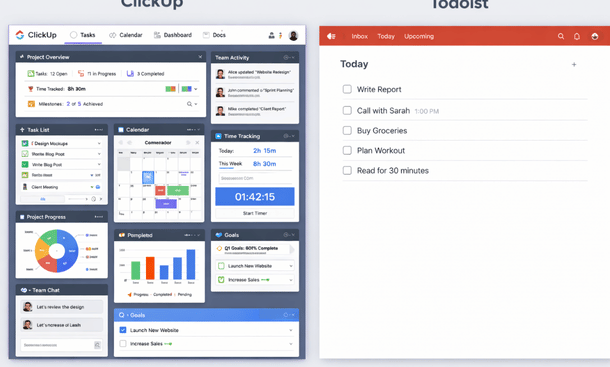
ClickUp is highly customizable. You can tweak dashboards, set automation rules, and choose from dozens of views. On paper, it’s everything a founder could want. In reality, the setup can be overwhelming. Many entrepreneurs spend more time configuring ClickUp than actually executing tasks.
For startups, this may be too much friction early on. ClickUp shines when teams have complex workflows, but for solo founders or small teams, Todoist’s lightweight approach often provides faster results.
Trello: Visual Boards and Flexibility
Trello is visual and simple. It uses boards, lists, and cards to track tasks. It’s great for creative workflows or content planning. But Trello lacks native features for priorities, recurring tasks, and labels. Many founders find themselves adding plugins or hacks to get the functionality that comes built into Todoist.
Trello works well for visual thinkers, but if your goal is fast, structured execution, Todoist’s built-in features reduce friction and help keep tasks from falling through the cracks.
Choosing the Right Tool
Choosing the right task manager depends on your team size, workflow complexity, and personal preference. Solo founders and small startups usually benefit from Todoist’s simplicity and speed. Medium teams with more complex projects might lean toward Asana or ClickUp. Creative teams might prefer Trello’s visual boards.
The key is picking a tool you will actually use consistently. A complicated setup that slows you down is worse than a simple system you check daily.
Understanding the strengths and weaknesses of Todoist compared to other tools helps founders make informed decisions. If speed, clarity, and flexibility matter most, Todoist is hard to beat. As your startup grows, you might explore alternatives or integrate multiple tools, but the right foundation matters.
For improving your startup productivity with structured setup, check out Todoist Productivity Setup for Startups. This satellite provides step-by-step guidance to organize your tasks, projects, and priorities for maximum efficiency.
About the Author

Pamela
Pamela is a dynamic professional with a deep passion for SaaS and emerging technologies. She provides valuable insights into software trends, digital innovation, and cutting-edge tools that empower businesses to thrive and expand.
Did you find this helpful?
Your feedback helps us curate better content for the community.