

Running a startup in the fast lane is exhausting. You’re juggling product development, customer support, marketing, and the endless stream of emails. If you don’t have a clear system, things slip through the cracks quickly. That’s where Todoist steps in. It’s not just another to-do app. For entrepreneurs, it’s a productivity lifeline, helping keep ideas, tasks, and deadlines organized without slowing down the pace of your business.
Todoist’s design is simple but powerful. At first glance, it looks like a basic task list. But the magic is in how it adapts to your workflow. You can create projects for each area of your startup—marketing, product, sales—and break them into manageable tasks. Labels and priorities let you sort tasks by urgency or context. This flexibility is why so many founders stick with it for years,as part of our complete Todoist guide for entrepreneurs
The Core Strength of Todoist
The beauty of Todoist lies in its simplicity. Unlike bulky project management platforms, it keeps the focus on action. You can see exactly what needs attention today, what’s upcoming, and what can wait. The interface is clean, which reduces mental clutter. You don’t waste time digging through menus or settings to find the task you need.
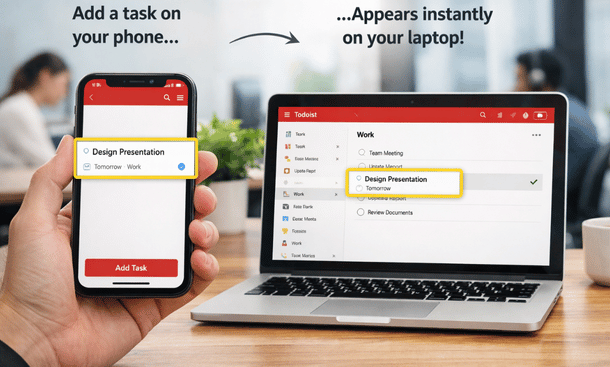
Another core strength is cross-device sync. Whether you’re at your laptop, tablet, or phone, Todoist stays updated in real time. For entrepreneurs constantly on the move, this ensures nothing is lost. You can capture ideas the moment inspiration hits and assign them to the proper project later.
Projects and Priorities
Organizing tasks into projects is straightforward. Each project can represent a department, product line, or personal goal. Inside projects, you can create sub-tasks, set deadlines, and even assign colors to keep everything visually clear.
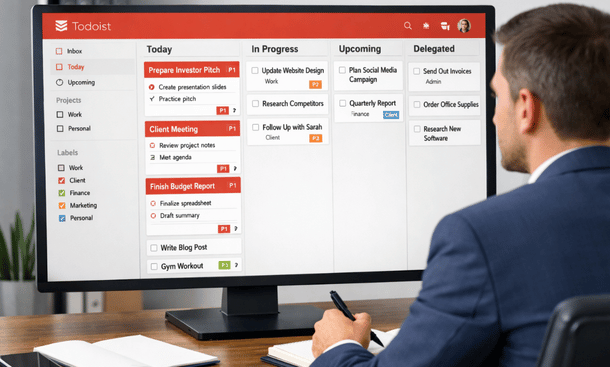
Priorities in Todoist let you rank tasks from critical to low importance. Entrepreneurs often underestimate the value of visual prioritization. When your list is long, seeing what matters most at a glance prevents overwhelm. It also makes delegation easier if you’re managing a small team. Assign a high-priority task to a teammate, and you know it will get attention first.
Labels add another layer of organization. You can label tasks by context, like “phone calls,” “emails,” or “urgent.” Combining labels with filters creates a dynamic system that’s tailored to your work style. You can pull up a list of all high-priority tasks due this week or all tasks requiring follow-ups without scrolling endlessly.
Integrations That Keep You in Flow
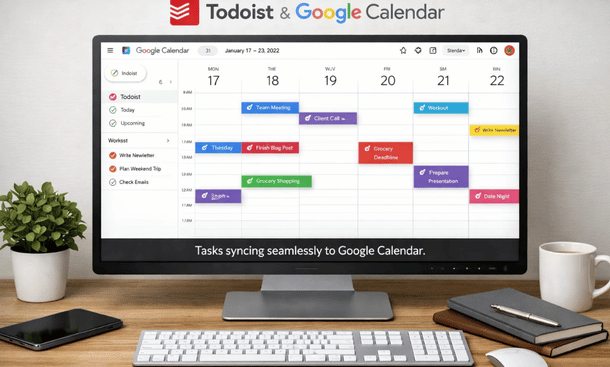
Todoist integrates with many tools entrepreneurs use daily. Slack, Google Calendar, Zapier, and even email clients can connect seamlessly. These integrations reduce repetitive work. For instance, when a new client email arrives, you can turn it into a Todoist task without leaving your inbox.
The advantage is more than convenience. It creates a centralized hub for your work. Everything lives in one place, reducing the chance of forgotten tasks. Over time, this builds discipline without rigid routines.
Flexibility for Solo Founders and Teams
Many entrepreneurs start solo but eventually add team members. Todoist scales well with growth. You can share projects with collaborators, assign tasks, and track progress without switching to a full-scale project management tool. The simplicity ensures adoption is quick. Everyone can see what’s happening and what needs attention. No training manuals or long onboarding required.
For solo founders, Todoist also works as a personal coach. Setting daily or weekly goals and checking off completed tasks provides a sense of accomplishment. It’s subtle but motivating, especially when running a lean startup with long hours and little external feedback.
Tips for Maximum Efficiency
Some practical habits make Todoist more effective. First, use recurring tasks for anything routine. Weekly reports, social media posts, and team check-ins can all be automated. Second, review your tasks daily or weekly. Quick check-ins prevent backlog and ensure nothing slips through. Third, experiment with filters to see tasks by context, priority, or project. Over time, this customizes Todoist to your brain and workflow.
The goal isn’t just task completion. It’s clarity. Every entrepreneur knows the stress of scattered thoughts and unfinished tasks. Todoist brings structure without rigidity, which allows you to focus on growth, creativity, and decision-making.
Why Founders Stick With It
The reason many founders stick with Todoist long-term is consistency. It’s light enough to be used daily, but robust enough to handle complexity as the business grows. Unlike some productivity tools that require constant tweaking, Todoist’s learning curve is gentle. You can start simple and layer in advanced features as needed.
Todoist also supports remote work seamlessly. For early-stage startups, this is critical. Team members can collaborate from anywhere without losing track of tasks. It reduces friction and ensures accountability without micromanagement.
Todoist isn’t just a task manager. It’s a foundation for startup productivity, helping entrepreneurs stay organized, prioritize effectively, and scale their workflow. By building habits around projects, labels, and priorities, founders reduce mental clutter and free up bandwidth for the work that matters.
For those looking to take productivity even further, explore advanced Todoist features and workflows that are designed for startup teams ready to level up.
About the Author

Pamela
Pamela is a dynamic professional with a deep passion for SaaS and emerging technologies. She provides valuable insights into software trends, digital innovation, and cutting-edge tools that empower businesses to thrive and expand.
Did you find this helpful?
Your feedback helps us curate better content for the community.