
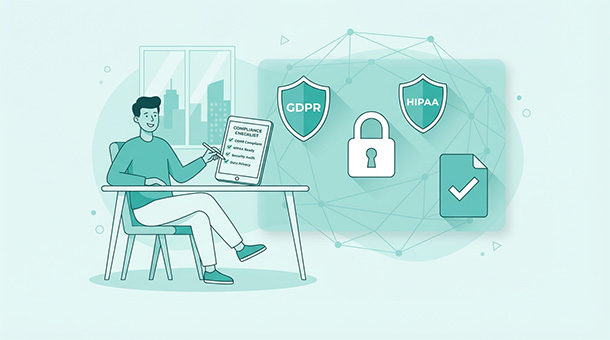
You’re collecting email addresses and names, maybe a profile photo. A lawyer friend mentions GDPR over coffee and suddenly you’re panicking about European data laws and multi-million dollar fines. Most founders confuse “handling data responsibly” with “hiring a compliance team.” The reality is far less dramatic.
What GDPR actually requires from small startups
GDPR is the European Union’s data protection law that applies to any business handling data from EU residents, regardless of where your company is based. If someone in Berlin signs up for your app, you’re subject to GDPR even if you’re running everything from a laptop in Austin.
The core principle is simple: users own their data and you’re just borrowing it. They have the right to know what you’re collecting, why you’re collecting it, how long you’ll keep it, and who else gets access to it. They can ask you to delete everything at any time, and you need to comply within 30 days.
This sounds burdensome until you realize most of it is just good business practice. You should already know what data you’re collecting and why. You should already have a way to delete user accounts. GDPR just formalizes what responsible founders already do.
The scary part is the fines, which can reach €20 million or 4% of global revenue, whichever is higher. The reality is that regulators go after large companies with egregious violations, not small startups making honest efforts to comply. If you’re transparent, responsive, and following basic rules, you’re not the target.
Understanding when HIPAA matters for your business
HIPAA is the US law governing health information, and it only applies if you’re handling protected health information, the medical records, treatment history, insurance details, or diagnostic results that identify specific individuals.
Most startups think they need HIPAA compliance because they’re tangentially related to health. A fitness tracker that logs workouts doesn’t need HIPAA compliance because workout data isn’t protected health information. A meditation app that tracks usage doesn’t need it. Even a symptom checker that asks health questions doesn’t need it unless you’re storing those answers alongside identifying information and sharing them with healthcare providers.
HIPAA matters when you’re a covered entity like a hospital, insurance company, or healthcare provider, or when you’re a business associate working directly with covered entities to process their patient data. If you’re building a scheduling tool for doctors’ offices that stores patient names and appointment reasons, you need HIPAA compliance. If you’re building a general wellness app that users download independently, you don’t.
The compliance requirements are significant: encryption for data at rest and in transit, audit logs tracking who accessed what information, business associate agreements with every vendor touching the data, and regular security assessments. This is why most startups avoid HIPAA-regulated spaces entirely unless healthcare is their core business.
The basic compliance checklist every founder needs
Start with a privacy policy that explains in plain language what data you collect, why you collect it, how long you keep it, and who else sees it. Skip the legal jargon and write it like you’re explaining to a friend. Users should understand your policy without a law degree.
Add cookie consent for EU visitors. If you’re using analytics, advertising, or any tracking beyond essential functionality, EU visitors need to explicitly consent before those cookies load. A simple banner that lets them accept or decline is enough, and you need to respect their choice.
Implement data export and deletion. Users should be able to download everything you have about them in a readable format, and they should be able to delete their account and all associated data with a few clicks.
Enable two-factor authentication as an option. You don’t need to force it on everyone, but offering it shows you take security seriously. Most regulations don’t require it for basic consumer apps, but it’s becoming an expected standard.
Log access to sensitive data. If you’re handling anything beyond basic profile information, keep audit logs showing who accessed what data and when. This isn’t paranoia, it’s accountability. If something goes wrong, logs help you identify the problem and prove you were monitoring access properly.
Choosing vendors that handle compliance for you
The easiest way to stay compliant is choosing backend services that are already compliant and pass those protections to you. Supabase is GDPR-compliant because it’s built on PostgreSQL with data centers in multiple regions, letting you store EU user data in EU servers. They handle encryption, access controls, and regular security audits so you don’t have to.
When evaluating any third-party service, ask three questions: where is data stored physically, how is it encrypted, and are they GDPR or HIPAA certified if you need those protections. If they can’t answer clearly, find a different vendor.
Email services like Resend or SendGrid, payment processors like Stripe, and analytics tools like Plausible all offer compliant options. The key is reading their compliance documentation before integrating, not after you’ve built your entire app around a tool that doesn’t meet your requirements.
Compliance requirements don’t exist in isolation — they’re directly shaped by the security architecture of your backend. Understanding how authentication, encryption, access controls, and incident response work together is what makes compliance stick in practice rather than just on paper. The Entrepreneur’s Guide to App Security and Data Safety covers each of those layers in depth so you know exactly what your platform needs to have in place before regulators or enterprise customers come asking.
Understanding data residency and regional requirements
Data residency is where user data physically lives on servers. GDPR strongly prefers that EU user data stays in EU data centers, though it allows transfers to other regions under specific conditions. If your backend lets you choose server regions, put EU users on EU servers and US users on US servers.
This matters more for some industries than others. A SaaS tool for businesses might face stricter requirements than a consumer social app. Government contractors or healthcare-adjacent businesses often face explicit data residency requirements written into contracts or regulations.
Most modern platforms handle this with region selection during setup. Supabase lets you choose your database region when creating a project, and that choice determines where your data lives permanently. Pick the wrong region initially and you’re migrating databases later, which is painful.
Some countries have specific requirements beyond GDPR. Canada’s PIPEDA, California’s CCPA, and Brazil’s LGPD all have similar principles around user data rights but different technical requirements. If you’re serving users globally, research the major markets you’re targeting and confirm your setup meets their baseline requirements.
Handling data breaches without panicking
A data breach is when unauthorized people access user data, whether through a hack, an employee mistake, or a vendor security failure. Under GDPR, you have 72 hours to notify regulators if the breach poses a risk to user rights and freedoms. Under most US state laws, you need to notify affected users within a reasonable timeframe.
This sounds terrifying until you realize what actually triggers notification requirements. If someone guesses a weak password and accesses their own account, that’s not a breach requiring notification. If a hacker dumps your entire user database including passwords, that absolutely is.
The key is having a response plan before anything happens. Know who you’ll contact, how you’ll assess the damage, what your notification templates look like, and which lawyer or advisor you’ll call for guidance. Most breaches happen because of preventable mistakes like exposed API keys or unpatched security vulnerabilities, not sophisticated attacks.
Building user trust through transparency
Compliance isn’t just about avoiding fines, it’s about building trust. Users who understand what you’re doing with their data and feel confident you’re protecting it are more likely to sign up, pay for premium features, and recommend your app to others.
Put your privacy policy in the footer of every page and write it in plain language. Avoid legal templates that sound like they’re hiding something. Explain that you collect email addresses to send login links and product updates, that you store profile photos on secure servers, and that you’ll delete everything if they ask.
When you make changes to data handling, notify users directly. If you’re adding a new analytics tool or changing payment processors, send an email explaining what’s changing and why. Users appreciate transparency even when the changes don’t directly affect them.
Offer users control over their data. Let them download their information, adjust privacy settings, or delete specific items without deleting their entire account. These features take extra development time but pay dividends in user confidence and regulatory compliance.
When to hire a lawyer versus handling it yourself
Most startups can handle basic compliance without legal help. If you’re collecting standard user data like names, emails, and profile information, and you’re using compliant vendors for backend services, you probably just need a solid privacy policy and cookie consent.
Hire a lawyer when you’re handling sensitive data like financial information beyond payment processing, health-related data that might border on HIPAA territory, or data from children under 13, which triggers COPPA requirements in the US. Hire one if you’re raising venture capital and investors want proof of compliance. Hire one if you’re serving enterprise customers who require compliance certifications.
A single consultation with a tech-focused lawyer costs $500 to $1,500 and gives you clarity on what you actually need versus what you’re worrying about unnecessarily. They’ll review your setup, identify gaps, and tell you which risks are real versus theoretical.
Don’t hire a lawyer to write your privacy policy from scratch. Use a template from a reputable source, customize it for your specific data practices, and have a lawyer review it if you’re uncertain. A custom privacy policy from a lawyer costs $3,000 to $10,000 when a $200 template review catches the same issues.
Preparing for compliance audits and certifications
Most startups never face a compliance audit unless they’re pursuing enterprise customers or have a significant security incident. If you do face an audit, the auditor wants to see documentation proving you do what your privacy policy claims.
Keep records of when users consented to data collection, when they requested data exports or deletions, and how you fulfilled those requests. Keep vendor agreements showing your third-party services are compliant. Keep security logs showing who accessed what data and when.
Certifications like SOC 2, ISO 27001, or HIPAA compliance are expensive and time-consuming, typically costing $20,000 to $100,000 for the audit process alone. They’re worth pursuing only when they unlock significant revenue from enterprise customers who require them contractually.
Understanding why structured data keeps your business clean means organizing records so you can prove compliance when asked. A messy database with inconsistent data practices makes audits painful and expensive. A well-structured system with clear data flows and audit logs makes compliance verification straightforward.
The cost of non-compliance versus the cost of compliance
GDPR fines sound scary but they’re rare for small startups making good-faith efforts. The massive fines you read about target companies like Google and Facebook that ignored repeated warnings and violated user trust at scale. A startup that misconfigures a cookie banner or takes 40 days instead of 30 to delete an account isn’t getting fined millions.
The real cost of non-compliance is losing users who care about privacy, getting rejected by enterprise customers who require certifications, or facing expensive remediation after a security incident that could have been prevented. These costs are harder to quantify but more likely to impact your business.
The cost of basic compliance is minimal: a few hours writing a privacy policy, configuring cookie consent correctly, and implementing data export and deletion features. If you’re using compliant backend services, most of the work is already done for you.
The cost of advanced compliance for HIPAA or enterprise certifications is significant, but it’s an investment that unlocks specific markets. Don’t pursue it until you need it, but don’t ignore basic compliance hoping nobody notices.
Legal compliance protects you from regulators, but it won’t protect you from surprise infrastructure bills as your user base grows. Before you hit your first pricing cliff, Avoiding Bill Shock shows you how to forecast your monthly tech costs so growth feels like a milestone rather than a budget emergency.
About the Author

AISalah
Bridges linguistics and technology at PointOfSaaS, exploring AI applications in business software. English Studies BA with hands-on back-end and ERP development experience.
Did you find this helpful?
Your feedback helps us curate better content for the community.