

Every tool in this comparison claims to be simple. That word has been used so many times in SaaS marketing that it has almost lost meaning. A platform with 200 features and a 40-page help documentation calls itself simple. A tool that requires three onboarding calls before your team can use it calls itself intuitive. The label means nothing without a standard to measure it against.
So before getting into the tools themselves it is worth being clear about what simple actually means in the context of this comparison.
A simple project management tool for small business does four things without friction. It lets you create a task in under ten seconds. It makes ownership and deadlines immediately visible without clicking through layers. It can be understood by a new team member within an hour of signing up. And it stays usable as your workload grows without forcing you to restructure everything you built.
Every tool in this comparison gets evaluated against those four criteria not against its marketing copy. The result is a Simplicity Score for each platform based on real adoption behavior rather than feature counts. That score is what separates this comparison from the ones that just list capabilities side by side and call it a day.
The tools covered here are the ones not yet addressed in depth across the existing content on this site ClickUp, monday.com, Notion, Teamwork, Zoho Projects, Hive and Paymo. Each one has a legitimate claim to the small business market. Whether that claim holds up under the simplicity filter is what this comparison answers.
How the Simplicity Score works
Each tool is rated across four dimensions on a scale of one to five.
Setup speed how quickly a solo founder or small team can go from signing up to having real work inside the tool. Not sample projects. Not templates. Actual tasks with actual owners and actual deadlines.
Adoption ease how quickly team members who were not involved in the setup can start using the tool productively without training. This is the dimension most comparison guides ignore and the one that determines whether the tool survives past week two.
Interface clarity how much cognitive work it takes to understand what is happening across all active projects at a glance. A clear interface shows you what matters without requiring you to know where to look.
Mobile usability how functional the mobile app is for someone working away from a desk. For contractors, field operators and entrepreneurs who move between locations this is not a secondary concern. It is a daily requirement.
The maximum Simplicity Score is 20. A score of 16 or above means the tool genuinely earns the simple label for small business use. Below 12 means the tool may be excellent for other reasons but simplicity is not its strength.
ClickUp Simplicity Score: 13/20
ClickUp is the most feature-rich tool in this comparison and that is both its greatest strength and its most significant liability for small businesses prioritizing simplicity.
Setup speed is where ClickUp stumbles first. The initial workspace configuration involves more decisions than most small business owners expect choosing between different hierarchy structures, understanding spaces versus folders versus lists, deciding which views to enable. A founder who goes in without a plan can easily spend a full day building a workspace that does not reflect how their business actually operates.
Once it is set up correctly ClickUp is genuinely powerful. The free plan is among the most generous available, covering unlimited tasks and unlimited team members with a feature depth that most small businesses will not outgrow quickly. The interface becomes clearer with use and the range of available views list, board, calendar, timeline means different team members can work in the format that suits them.
The adoption challenge is real though. Team members who were not involved in the setup often find ClickUp confusing on first contact. The number of options visible at any given moment can feel overwhelming to someone who just needs to know what they are supposed to be working on today.
Best for: Founders who are comfortable investing time in setup and want one tool to replace several. Not the right starting point for teams that need something immediately usable.
Pricing: Free plan available. Paid plans from $7 per user per month.
| Dimension | Score |
|---|---|
| Setup speed | 2/5 |
| Adoption ease | 3/5 |
| Interface clarity | 4/5 |
| Mobile usability | 4/5 |
| Total | 13/20 |
monday.com Simplicity Score: 15/20
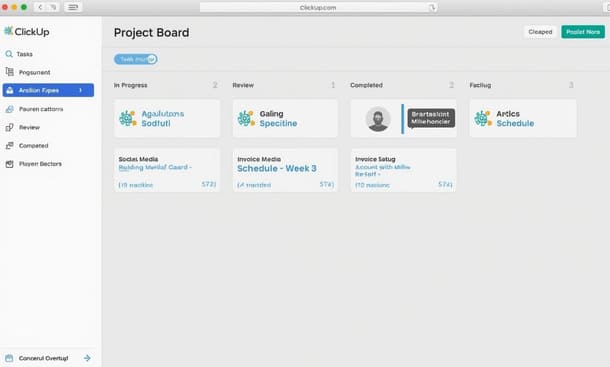
monday.com sits in an interesting position in this comparison. It is more visually polished than almost anything else on the market and that polish does real work a color-coded board that makes project status immediately readable at a glance reduces the cognitive load of running multiple projects simultaneously in a way that plain task lists simply do not.
Setup is faster than ClickUp but requires some intentional thought about board structure. The template library is one of the better ones available and using a template as a starting point rather than building from scratch cuts the initial setup time significantly. Most small teams can have a functional workspace within a half day of signing up.
Adoption is where monday.com performs well above average. The interface is approachable enough that team members who have never used project management software before can usually figure out what they are looking at within minutes. The visual design does a lot of the explaining that other tools leave to documentation.
The main friction point is pricing. There is no meaningful free tier just a 14 day trial and the minimum seat requirements on paid plans mean that a two or three person team pays for more seats than they actually need. For early stage businesses watching overhead carefully that gap between what you need and what you pay for is a genuine obstacle.
Best for: Small teams that prioritize visual clarity and can absorb the pricing. Particularly effective for client-facing project delivery where the interface needs to be approachable to external stakeholders.
Pricing: 14-day free trial. Paid plans from $9 per seat per month with a minimum of three seats.
| Dimension | Score |
|---|---|
| Setup speed | 4/5 |
| Adoption ease | 4/5 |
| Interface clarity | 5/5 |
| Mobile usability | 2/5 |
| Total | 15/20 |
Notion Simplicity Score: 11/20
Notion is the tool that attracts the most passionate advocates and produces the most abandoned workspaces. Both outcomes make sense once you understand what Notion actually is.
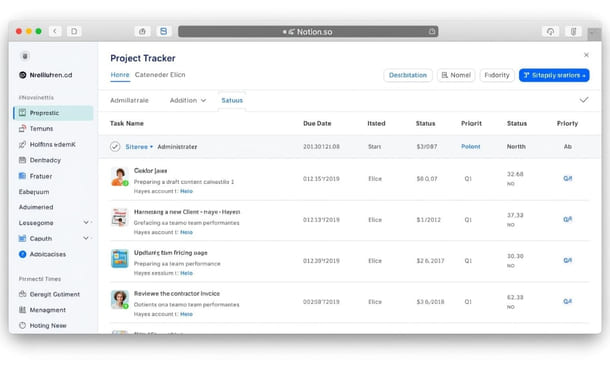
It is not a project management tool. It is a flexible workspace that can function as one if you build it correctly. The distinction matters because it means Notion’s simplicity is entirely dependent on the quality of its setup. A well-built Notion workspace can be genuinely elegant and efficient. A poorly built one is a collection of nested pages that nobody can navigate.
For founders who enjoy systems thinking and are willing to invest real time in building their workspace the payoff is significant. Everything lives in one place. Documents connect to tasks. Meeting notes link to project pages. The workspace evolves with the business instead of constraining it.
For everyone else Notion’s blank canvas is a barrier rather than a feature. The absence of a pre built project management structure means you make hundreds of small decisions during setup that a purpose-built tool has already made for you. Those decisions consume time and cognitive energy that most small business owners do not have to spare.
Best for: Solo founders and small teams with a high tolerance for setup investment who want one workspace to replace multiple tools. Not suitable for teams that need something functional on day one.
Pricing: Free individual plan. Paid plans from $8 per user per month.
| Dimension | Score |
|---|---|
| Setup speed | 1/5 |
| Adoption ease | 2/5 |
| Interface clarity | 3/5 |
| Mobile usability | 5/5 |
| Total | 11/20 |
Teamwork Simplicity Score: 16/20
Teamwork is the tool on this list that most directly targets the small business and agency market and the product design reflects that focus in ways that matter in daily use.
Setup is fast. The onboarding flow walks you through creating your first project in a structured way that results in a functional workspace within an hour. The template library covers the most common small business project types client work, internal projects, recurring operations with enough detail that most teams can start from a template and customize rather than building from scratch.
The interface is purpose-built for project visibility rather than general-purpose flexibility. You can see task ownership, deadlines, project health and team workload from the same dashboard without navigating between multiple views. For a small business owner who needs to know what is happening across several active projects simultaneously that consolidated visibility is genuinely valuable.
The mobile app is one of the stronger ones in this category functional enough to use on a job site or between client meetings without feeling like a degraded version of the desktop experience.
The limitation is that Teamwork’s free plan is quite restricted and the tool becomes more relevant as team size grows. For a solo operator it may feel like more structure than necessary.
Best for: Small agencies, consultancies and service businesses managing multiple client projects simultaneously. Strong fit for teams of three to ten people who need consolidated project visibility.
Pricing: Free plan for up to five users with basic features. Paid plans from $10.99 per user per month.
| Dimension | Score |
|---|---|
| Setup speed | 4/5 |
| Adoption ease | 4/5 |
| Interface clarity | 4/5 |
| Mobile usability | 4/5 |
| Total | 16/20 |
Zoho Projects Simplicity Score: 14/20
Zoho Projects sits in an underappreciated position in the small business market. It is significantly more capable than its profile suggests and considerably more affordable than most comparable tools particularly for small teams that need time tracking and basic reporting alongside task management.
Setup takes longer than monday.com or Teamwork but the depth of functionality available at the entry pricing tier justifies the investment. The interface is less visually polished than the top performers in this comparison but task management, milestone tracking and team collaboration features work reliably and without the kind of friction that causes teams to disengage.
The strongest case for Zoho Projects is its pricing structure. The free plan supports up to three users with two projects limited but genuinely functional for a micro business. Paid plans are among the most affordable in this category and integrate cleanly with the broader Zoho ecosystem if you are already using Zoho CRM, Zoho Books or other tools in the suite.
Best for: Budget-conscious small businesses already using other Zoho tools. Strong value to price ratio for teams that need time tracking built in without paying for a separate app.
Pricing: Free plan for up to three users. Paid plans from $4 per user per month.
| Dimension | Score |
|---|---|
| Setup speed | 3/5 |
| Adoption ease | 3/5 |
| Interface clarity | 3/5 |
| Mobile usability | 5/5 |
| Total | 14/20 |
Hive Simplicity Score: 15/20
Hive takes a different approach to project management than most tools in this comparison. Rather than organizing work primarily around projects and tasks it builds the interface around actions individual units of work that connect to projects, to team members and to timelines in a way that feels more natural for teams that work across multiple concurrent workstreams.
The setup experience is faster than ClickUp and comparable to monday.com. The onboarding flow is well-designed and the default views are clean enough that most teams can orient themselves quickly without needing to restructure everything.
Where Hive stands out is in its native communication features. Most project management tools require a separate Slack integration to handle team messaging. Hive builds messaging directly into the workspace which reduces the number of context switches your team makes in a day and keeps conversation connected to the work it relates to.
The free plan covers up to ten users with core features intact one of the more generous free tiers in this comparison for teams in the two to eight person range.
Best for: Small teams that want project management and team communication in one place without managing a separate messaging app integration.
Pricing: Free plan for up to ten users. Paid plans from $12 per user per month.
| Dimension | Score |
|---|---|
| Setup speed | 4/5 |
| Adoption ease | 3/5 |
| Interface clarity | 4/5 |
| Mobile usability | 4/5 |
| Total | 15/20 |
Paymo Simplicity Score: 16/20
Paymo is the tool on this list that most directly solves the problem independent contractors and small service businesses face when they realize that project management and billing are not actually separate problems.
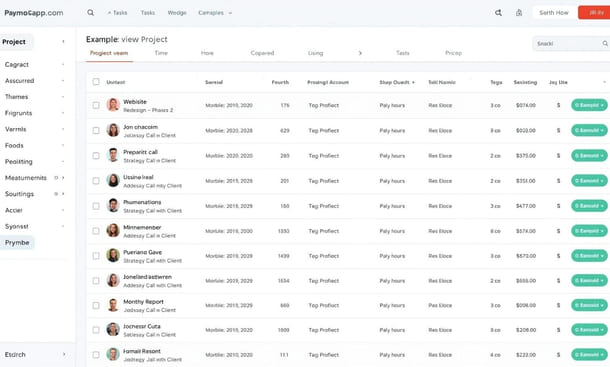
Most project management tools track work. Paymo tracks work and connects it directly to time entries, invoices and client billing in a workflow that does not require switching between platforms or manually reconciling hours logged against invoices sent.
For a New York-based contractor, consultant or creative professional who currently manages projects in one tool and invoicing in another Paymo consolidates both into a single workspace with a learning curve that is shorter than the combined learning curve of the two tools it replaces.
The interface is clean and focused. Task management is straightforward. The time tracking integration is the smoothest available in this price range. And the client portal which gives clients a clean view of project status and outstanding invoices without accessing your full workspace is genuinely well-executed.
Best for: Independent contractors, freelancers and small service businesses where time tracking and invoicing are as important as task management. One of the strongest value propositions in this comparison for solo operators and teams of two to five.
Pricing: Free plan for one user. Paid plans from $9.90 per user per month.
| Dimension | Score |
|---|---|
| Setup speed | 4/5 |
| Adoption ease | 4/5 |
| Interface clarity | 4/5 |
| Mobile usability | 4/5 |
| Total | 16/20 |
The comparison at a glance
| Tool | Setup Speed | Adoption Ease | Interface Clarity | Mobile Usability | Simplicity Score |
|---|---|---|---|---|---|
| Teamwork | 4/5 | 4/5 | 4/5 | 4/5 | 16/20 |
| Paymo | 4/5 | 4/5 | 4/5 | 4/5 | 16/20 |
| monday.com | 4/5 | 4/5 | 5/5 | 2/5 | 15/20 |
| Hive | 4/5 | 3/5 | 4/5 | 4/5 | 15/20 |
| Zoho Projects | 3/5 | 3/5 | 3/5 | 5/5 | 14/20 |
| ClickUp | 2/5 | 3/5 | 4/5 | 4/5 | 13/20 |
| Notion | 1/5 | 2/5 | 3/5 | 5/5 | 11/20 |
Which tool should you actually pick
The Simplicity Score gives you a framework but it does not replace the workflow filter from the previous step in this series.
If you are an independent contractor or freelancer who tracks billable hours Paymo is the clearest recommendation in this comparison. It solves more of your actual problems than any other tool at a comparable price point.
If you are running a small agency or service business managing multiple client projects Teamwork or monday.com will serve you better than the alternatives. Teamwork if budget is a consideration, monday.com if visual clarity and client-facing collaboration are priorities.
If you want one tool that can eventually replace several and are willing to invest in setup ClickUp has the ceiling to support that ambition even if the initial experience is more complex than the others.
If you are still figuring out which of these fits your specific operation the full guide to simple project management software for small business in 2026 lays out the complete framework before you commit to anything.
Once the tool is chosen the work that determines whether it actually delivers value happens in the setup phase specifically in the first 48 hours after you sign up. That is where most small business owners either build a habit that sticks or create a workspace they quietly stop opening. Understanding how to set up simple project management software in your small business from day one is what separates the two outcomes.
About the Author

Pamela
Pamela is a dynamic professional with a deep passion for SaaS and emerging technologies. She provides valuable insights into software trends, digital innovation, and cutting-edge tools that empower businesses to thrive and expand.
Did you find this helpful?
Your feedback helps us curate better content for the community.