

A certain type of small project feels like working in a never-ending emergency. Deadlines catch you by surprise, and tasks pile up without completion. You spend a lot of time trying to understand the situation instead of getting the work done. Your team is busy, but you don’t always know what’s keeping them busy.
The most common assumption among founders in such cases is the effort being put in. They work longer hours, send more follow-ups, and create more detailed spreadsheets. But the effort isn’t the problem; the problem lies in the infrastructure.
A project management system (PMS) is essential infrastructure for small businesses. It’s the operational backbone that defines for all members of your team, including you, what needs to be done, who is responsible, and when it’s due. When the system is working efficiently, you stop reacting to chaos and start managing your business with conscious and well-defined planning.
This guide covers everything. Why you need a system in the first place, how to choose the right tool for your specific situation, which platforms perform best in actual use, how to set everything up without complicating things, and what it’s like when it’s actually running, through the stories of founders who have gone through this experience.
If you’re working alone, have a two-person startup, or a small team that’s growing faster than your current operation can handle, you’re in the right place.
Why every small business needs a project management system
Let’s be realistic first. Many small business owners hear the term “project management system” and picture a system designed for large corporations with specialized operations teams and quarterly planning meetings. That’s not what we’re talking about.
For small businesses, a project management system is simply a shared platform where their work is managed. Tasks, deadlines, responsibilities, and context are all in one place that everyone can access and trust. It sounds incredibly simple, but the absence of this particular element causes more operational damage to small businesses than almost anything else.
The cost of operating without a system manifests itself in predictable ways. Deadlines are missed unexpectedly. Two people are working on the same task because no one knows who is responsible. A client requests a status update, forcing you to spend 20 minutes gathering information from three different apps. A new team member takes weeks to adjust because your company’s way of working only exists in your mind.
These are not signs of the company failing, but rather signs that it has moved beyond the stage of informal coordination. Once anyone is added to the team—whether a contractor, part-time employee, or co-founder—the informal coordination begins to fade.
There’s also the mental burden to consider. Carrying every task, every deadline, and every project detail in your mind generates a persistent, mild anxiety because your brain is aware that it might forget something. A well-organized system alleviates this burden and places it in a clear and manageable location. This isn’t a luxury; it’s how you protect your ability to think clearly and make sound decisions.
Not only do founders who build systems early on manage their businesses better, but they also enjoy managing them more. They move at a faster pace because they don’t have to constantly rebuild their business from memory. And they scale more smoothly because the habits they acquired in a five-person team translate to a fifteen-person team without everything falling apart.

If you’re still unsure whether you actually need this, it’s important to recognize the telltale signs. You’ll constantly find yourself in a “Wait, wasn’t this supposed to be delivered today?” situation. You have no reliable way of knowing what your team is currently working on. Clients are following up too much. You feel like you’re always reacting to things instead of leading them.
Any one of these indicators is a sign. However, the presence of all of them means that the system problem is already costing you time, money, and opportunities that you are too distracted to utilize optimally.
The good news is that the barrier to getting organized is lower than most people expect. You don’t need a technical background, a big budget, or weeks of setup time. You need a decision and a willingness to start imperfectly and improve from there.
Understanding why a structured project management system matters for your daily operations is often the clearest first step especially if you’re still trying to convince yourself or a skeptical co-founder that this is worth the time.
how to choose the right project management system for your small business
Here’s where most people go wrong. They start with the tool instead of starting with themselves.
Someone recommends ClickUp in a Facebook group. A founder they admire posts about Notion on LinkedIn. They sign up, spend a weekend exploring the interface, and three weeks later nobody on the team is using it anymore. Not because the tool was bad but because the decision was made backwards.
The right project management system for your small business is not the most popular one or the one with the longest feature list. It’s the one that fits how your team actually works. And figuring that out requires an honest look at your operation before you open a single comparison article.
Start with a few foundational questions. How does work currently move through your business through email, chat, verbal handoffs, something else? Where does it most commonly fall apart? How many people need to use the system, and how comfortable are they with new software? Do you work with external clients who might need visibility into projects, or is everything internal? What does your budget actually look like, not your aspirational budget but your real one?
Those answers shape everything that comes after. A solo founder managing her own workload has completely different needs than a founder running a team of six across two time zones. A business that does client-facing project delivery needs different features than one that’s purely internal. Getting clear on this before you start evaluating tools saves you weeks of trial-and-error switching.
Once you know your situation, you can evaluate tools against the features that actually matter for small businesses not the ones that look impressive in a demo.
Task management is the foundation and every tool has it, but quality varies. You want clear task names, assignable owners, due dates, and enough room to add context so anyone can pick up a task without asking three follow-up questions. If the task view feels cluttered or confusing during your free trial that’s a signal worth taking seriously.
Multiple views matter more than people expect. Some people think in lists. Others need a visual board. Some want a calendar to see deadlines mapped across time. The best tools let you switch between views because different moments call for different perspectives and different team members have different working styles.
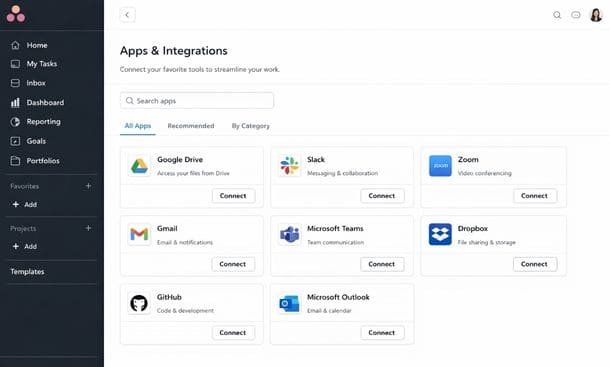
Integrations are not optional. Your project management tool lives inside an ecosystem of other tools your team uses every day. If it doesn’t connect to your email, your calendar, your file storage, or your communication app you’ll be manually transferring information between systems which defeats most of the purpose. Before committing to anything check the integrations list against the tools your team already depends on.
Ease of adoption is the factor that gets underweighted most often. A tool is only useful if people use it consistently. The most feature-rich platform in the world is a waste of money if your team finds it confusing or annoying to work in. Be realistic about your team’s comfort with new software and factor that into your evaluation.
Scalability deserves a thought even at the early stage. You don’t need to plan for a 50 person company right now but you should at least check that your chosen tool can handle more users, more projects, and more complexity without forcing you to migrate everything in a year.
The most efficient way to make a final call is to pick two or three tools that match your answers to the foundational questions, start free trials on each, and move real work into them not made-up test tasks but actual things you’re currently managing. After one week ask one question: does this feel easier or harder than what i was doing before. The answer is usually obvious.
A deeper look at exactly how to choose project management software that fits your specific business walks through this evaluation process in more detail including the questions most comparison guides forget to ask.
the best project management tools for small teams in 2026
Once you know what you need, the next step is finding the tool that actually delivers it. The market is crowded but for small businesses and early-stage startups the real contenders narrow down quickly. Five platforms come up consistently in conversations with founders who’ve done their homework: Asana, ClickUp, Monday.com, Notion and Trello.
Each one has a different personality. Each one has a different ideal user. Here’s the honest breakdown.
Asana is the most polished team coordination tool in this group. The interface is clean, task management is intuitive, and the timeline view which lets you see all your projects and deadlines mapped across a calendar is genuinely excellent for spotting bottlenecks before they become emergencies. If you’re managing multiple people across multiple projects and need real visibility into who’s doing what and when, Asana handles that better than most.
The free plan works for small teams with basic needs but locks you out of timeline view and reporting, which are two of the things that make Asana worth using. Paid plans start around $10 to $13 per user per month. For teams of three or more who want a reliable, well-built experience and are willing to pay for it, Asana is hard to argue with.
ClickUp is the tool that does almost everything. It is one of the most feature-rich platforms available and it is priced aggressively the free plan is among the most generous in the industry, with unlimited tasks, unlimited members, and a feature set that takes most businesses further than expected before hitting any real limits.
The tradeoff is complexity. ClickUp rewards people who invest time in setup and punishes people who go in without a plan. If you build your workspace thoughtfully you end up with something genuinely powerful. If you don’t you end up with a chaotic collection of folders your team quietly stops using. For founders who want one tool to replace several and don’t mind a learning curve, ClickUp is worth the investment of time. For teams that need something simple and fast to adopt, it can be too much.
Monday.com is the most visually polished option on this list and that’s not a small thing. The color-coded board interface makes project status immediately readable at a glance which is genuinely valuable when you need your whole team to understand what’s happening without sitting through a status meeting. It also handles client-facing collaboration well, with an interface approachable enough to bring external stakeholders into without a long explanation.
The pricing is where Monday.com loses some people. There’s no meaningful free tier, just a trial, and the minimum seat requirements on paid plans can feel steep for very small teams. You’re paying for a premium experience and the question is whether that premium is justified at your current stage.
Notion occupies a unique position because it isn’t purely a project management tool. It’s a flexible workspace that can function as a project manager, a wiki, a content calendar, a lightweight CRM and a document hub all at once if you’re willing to build it that way. For founders who are comfortable with systems thinking and want one place where everything lives, Notion can be extraordinary.
The limitation is that it starts as a blank canvas. Out of the box there’s no pre-built project management structure waiting for you. You have to build it, which requires intentional setup time that not everyone has. The pricing is very reasonable the free plan covers individuals well and paid tiers are among the most affordable on the list but the real cost is the time investment upfront.
Trello is where a lot of small businesses start, and for good reason. It is the simplest tool on this list by a significant margin. If you understand the concept of sticky notes on a board to do, in progress, done you already understand Trello. The learning curve is almost nonexistent, which means your team can be operational within an hour of signing up.
The limitation shows up as your business grows. There’s no native timeline view on the free plan, reporting is minimal, and managing multiple overlapping projects with several people can start to feel fragmented. Trello is a genuinely excellent starting point but many businesses outgrow it faster than they expect.
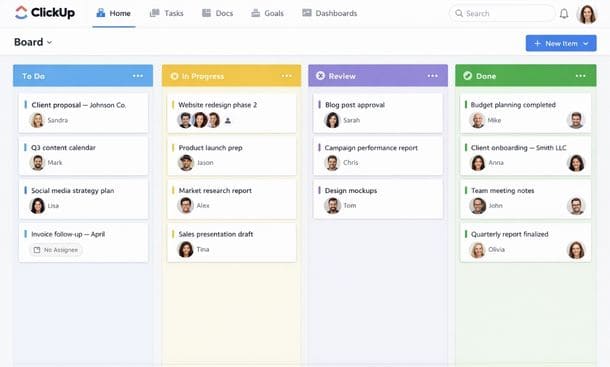
The honest summary looks like this. For ease of adoption, Trello wins. For free plan quality, ClickUp leads. For visual clarity and client collaboration, Monday.com stands out. For all in one flexibility at a low cost, Notion is hard to beat. For team coordination at a growing startup, Asana is the most reliable choice.
None of these tools is objectively the best. The best one is the one your team will actually open every morning and use without being reminded. That determination comes from trying them not just browsing their marketing pages but running real work through them during a free trial period.
A full side-by-side breakdown of the best project management tools for small teams goes deeper on each platform including pricing details, feature comparisons, and specific recommendations based on team size and use case.
how to set up a project management system for your small business from scratch
Choosing a tool is one decision. Building something your team will actually use is a different challenge entirely and it’s the one that determines whether your project management system becomes a genuine operational asset or an expensive tab nobody opens anymore.
The good news is that a solid setup doesn’t require weeks of work or a technical background. It requires a logical sequence and the discipline to follow it before jumping ahead.
Start before you touch the tool.
The most common setup mistake is opening a blank workspace and starting to build without any clarity on what the system needs to hold. Spend 30 minutes before you log in mapping out the actual work your business produces recurring work that happens on a regular cycle and project-based work that has a defined start and end.
Recurring work looks like weekly content, monthly reporting, client check-ins, invoicing cycles. Project-based work looks like a website redesign, a product launch, onboarding a specific client. Write these categories down without organizing them yet. You want an honest picture of the volume and variety of work your system needs to manage before you start building structure around it.
This step feels slow. It saves you hours of restructuring later.
Build your top-level structure around how you actually work.
Every project management tool organizes work into some version of the same hierarchy workspaces, folders, projects, tasks. The exact labels vary by platform but the logic is consistent. Your job is to map your business onto that hierarchy in a way that reflects how work actually flows, not how you wish it flowed.
For most small businesses, three to six top-level categories covers everything without getting complicated. Something like client work, internal projects, marketing, operations and team management is a reasonable starting point. The rule i follow is simple: if you can’t explain the purpose of a folder to a new team member in one sentence it probably shouldn’t exist yet.
Resist the urge to build for the business you hope to have in two years. Build for the business you have right now and add structure as the need genuinely arises. Over-engineering your setup before you understand how you’ll actually use it is one of the most reliable ways to end up with a beautiful system nobody touches.
Define what a task actually looks like in your system.
This is where most setups quietly fall apart. Tasks named “website stuff” or “follow up” or “check on client” are not actionable. They’re placeholders that will sit in your system untouched until you either do the thing without logging it or delete it six months later during a cleanup.
A task in your system needs four things at minimum. A clear action-oriented name that describes what done looks like not “client proposal” but “write first draft of Q2 proposal for Miller Co.” A single owner, because shared ownership almost always means no ownership. A due date, even a soft one, because undated tasks are just wishes. And enough context a link, a note, a reference that anyone can pick up the task and start working without asking three questions first.
Build this standard early and hold your team to it from the beginning. It feels like overhead in week one. By week six it’s the thing that keeps your system functional.
Use templates for anything that repeats.
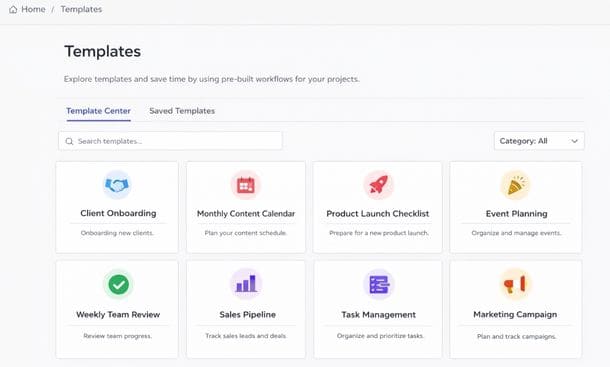
One of the highest-leverage things you can do during setup is build templates for your recurring work. A template is a pre-built project structure you duplicate every time a predictable cycle starts. If you onboard a new client every month, build that onboarding sequence once every task, every owner, every checkpoint and duplicate it when the next client comes in. Customize what needs to be customized and you’re ready in minutes instead of starting from scratch every time.
The same logic applies to content calendars, product launches, monthly reporting, and any other work that follows a recognizable pattern. The time you invest building one good template pays back every single time you use it. Start with your highest frequency recurring work and build that template first. Even one solid template will change how your week feels.
Bring your team in before the system is perfect.
This is the mistake that kills more setups than any other. The founder spends two weeks building an elaborate system every folder organized, every template created, every color coded and then rolls it out to the team expecting immediate adoption. What actually happens is the team doesn’t understand the logic, asks questions that feel obvious, makes changes that break the structure, and within a month the system gets quietly abandoned.
The fix is counterintuitive. Bring one or two people into the setup process before it’s finished. Let them see the structure while it’s being built. Ask whether it makes sense for how they actually work. Give them ownership over part of the setup. People adopt systems they helped shape at a significantly higher rate than systems handed to them fully formed.
Then run a short walkthrough 20 to 30 minutes before you go live as a team. Not a formal training session, just a walkthrough showing how a task moves from creation to completion. Set a check-in for two weeks later to address whatever isn’t working. That check-in is important. No system survives first contact with reality completely intact and planning for iteration from the start means problems get fixed instead of accumulating until someone gives up.
Connect the tools your team already uses.
Your project management system works best when it’s integrated into the daily flow of your team’s work rather than sitting separately as one more thing to remember to check. If your team communicates in Slack, connect Slack so relevant notifications come through there. If files live in Google Drive, link them directly inside tasks. If your team runs on Gmail, check whether your tool can turn emails into tasks in one click.
Most major platforms Asana, ClickUp, Monday.com, Notion have integration libraries that connect to dozens of other apps. Spending an hour on this during your setup week eliminates a significant amount of the manual friction that makes systems feel like a burden. Start with the two or three tools your team uses every single day and get those connected first.
A realistic setup timeline for most small businesses is somewhere between one and three weeks of active work followed by four to six weeks of adoption and refinement. The system you have at week eight will look different from the system you built in week one and that’s exactly how it should work. Iteration is not failure it’s how a system becomes genuinely useful instead of theoretically useful.
The complete walkthrough of how to set up a project management system step by step goes deeper on each of these phases including how to handle the messy middle period when the system is new and your team is still building the habit of using it.
real results from founders who stopped winging it
Reading about systems is one thing. Seeing what they actually produce in real businesses run by real people is something else entirely. The stories below come from founders at different stages, in different industries, using different tools. What they share is a turning point the moment they decided to stop operating on memory and gut feel and build something their whole team could rely on.
The creative agency that reclaimed its Sundays.
Maya runs a small brand and content agency in Tampa. When she started it was just her and one contractor, and they managed everything through a shared Google Drive folder and an email thread she describes as “genuinely unreadable by month three.”
By the time she brought on two more people the cracks were serious. Deadlines were getting missed not because the work wasn’t being done but because nobody had a shared understanding of when things were due. Clients were following up more than they should have been. Maya was spending her Sunday evenings mentally reconstructing the state of every active project.
She moved everything into Asana over a single weekend. The first version was rough and she restructured it twice in the first month. But within six weeks her team had a rhythm. Tasks had owners. Deadlines were visible to everyone. Client communication became proactive instead of reactive.
The change she talks about most isn’t a feature or a workflow. It’s her Sunday evenings. She stopped working them not because there was less to do but because she no longer needed to manually rebuild the picture of her business from memory. It was all there, current, visible, trusted.
Her agency has since grown to eight people. She credits the early decision to systematize as the thing that made that growth feel manageable instead of overwhelming.
The e-commerce founder who counted his way to clarity.
Daniel built an outdoor gear brand from his apartment in Orlando and ran everything through spreadsheets for the first year. Inventory, supplier communication, content calendar, customer feedback all of it inside a Google Sheets document that had grown into something he is reluctant to describe in detail.
When he hired his first two full-time employees he shared the spreadsheet and quickly discovered that what worked as a personal system collapsed completely as a shared one. People were overwriting each other’s entries. Nobody could tell which version of a task list was current. His operations manager left after two months and cited “total lack of clarity” on her way out.
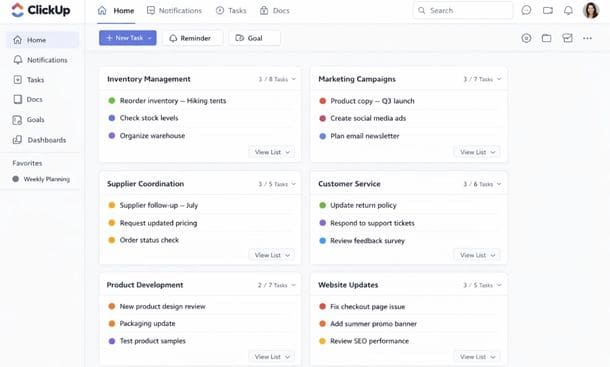
Daniel spent a week researching before landing on ClickUp, specifically because of the free plan and the ability to manage everything from product development to customer service in a single workspace. Setup took closer to three weeks of iteration than he expected. But the result was a workspace where his team could see every active project and every upcoming deadline without asking him anything.
The metric he tracks is what he calls “clarification messages” the Slack messages his team used to send asking where something stood or what they should be working on. In the three months before ClickUp he counted an average of 22 per week. Three months after the system stabilized that number dropped to four.
Those four messages are about things that genuinely require his input. The other 18 simply stopped happening because the answer was visible in the system.
The two-person startup that looked like a real company.
Priya and her co-founder Marcus bootstrapped a B2B SaaS product in Miami while both kept part-time consulting work on the side. For about eight months they operated through Notion docs and voice memos over WhatsApp a system that worked perfectly inside their heads and nowhere else.
The problem surfaced during an early investor conversation. When asked to walk through their product roadmap and current development priorities, Priya and Marcus gave slightly different answers in the same meeting. Not because they disagreed but because they had never documented their shared understanding in one place where both of them could point to the same source of truth.
That meeting didn’t go anywhere.
The week after, Priya decided they needed to operate like a real company even though they were two people working from a spare bedroom. They rebuilt their entire operation inside Notion product roadmap, sprint tracking, investor CRM, content pipeline, partnership log. Because they already used Notion for notes the behavioral shift wasn’t huge. The difference was intentionality. They went from using Notion as a dumping ground to using it as a structured operating system with clear ownership and consistent updates.
Six months later they closed a pre-seed round. During due diligence the investor noted that their operational clarity was unusual for a company at their stage. Any project, any decision, any roadmap item had a full documented history they could pull up in seconds.
Priya doesn’t attribute the fundraise to their Notion setup. But she believes the discipline of maintaining that system changed how they thought about their business and that showed up in every investor conversation they had.
What these stories have in common.
These three businesses are different in almost every way industry, team size, stage, tool of choice, geography. But the turning point they each describe follows the same logic.
The problem was never effort. Every one of these founders was working hard. The problem was visibility. Without a shared system the work that was happening was invisible to teammates, to clients, to investors, sometimes even to the founder. Nobody could see what was in flight, what was blocked, what was coming up next.
The solution in each case wasn’t a specific tool. It was the decision to stop carrying the business inside a single person’s head and move it somewhere the whole team could see and trust.
That decision made early enough and followed through with enough consistency is what separates the founders who scale smoothly from the ones who hit a ceiling they can’t quite explain. It’s also worth noting that none of these setups were perfect from day one. Maya restructured hers twice. Daniel iterated for three weeks before his team stopped complaining. Priya and Marcus still update their Notion structure every quarter as the business evolves.
A project management system is not a one-time build. It’s a living thing that grows with your business. The founders who understand that from the start are the ones who actually stick with it long enough to see the results.
The full collection of project management success stories from small business founders includes more detail on each of these journeys including the specific setups they built and the metrics that changed once those systems were in place.
the system is the strategy
There’s a version of this conversation where i tell you that finding the right project management system is complicated, that it takes months to figure out, and that you need to do extensive research before making any decisions.
That’s not actually true.
The honest version is simpler. Most small businesses and early-stage startups are running on informal coordination that worked fine at the beginning and is now quietly costing them in missed deadlines, in team confusion, in mental load that never fully switches off. The fix is not a perfect system built overnight. It’s a decision to start building something better than what you have right now and improving it from there.
The founders who figure this out early don’t just run more efficient businesses. They enjoy running them more. They spend less time in reactive mode and more time doing the work that actually moves things forward. They scale more smoothly because the habits and structures they build at five people hold up at fifteen. They show up to client conversations and investor meetings with the kind of operational clarity that most businesses at their stage don’t have.
That clarity is not a personality trait. It’s not something you either have or don’t have. It’s infrastructure. And infrastructure is something you build.
Here’s what the full picture looks like when you put it all together.
It starts with understanding the importance of the system, not just theoretically, but within the context of your company’s current operations and its shortcomings. Then it moves to choosing a tool that actually fits your workflow, rather than one that looked good in a comparison article. Next, it’s about identifying which platforms prove their worth in real-world, everyday use, and which only look good in demos. Then comes the actual setup: building a system your team uses consistently, rather than one that looks great and is then neglected. Finally, the proof lies in the stories of founders who have already done this, who can show you the other side of the coin.
Each of these steps is linked to the next. If one is skipped, the entire system will be less stable than it should be.
If you’re trying to figure out where to start, the most important step is understanding what it takes to build a project management system for your small business from scratch . Then the decision becomes action, and you move from simply knowing you need a system to having one that your team uses daily.
The work isn’t as difficult as it seems from the outside. All it takes is getting started.
About the Author

Pamela
Pamela is a dynamic professional with a deep passion for SaaS and emerging technologies. She provides valuable insights into software trends, digital innovation, and cutting-edge tools that empower businesses to thrive and expand.
Did you find this helpful?
Your feedback helps us curate better content for the community.