
Your app handles user emails, passwords, and payment information. A data breach could expose thousands of people’s personal details, destroy your reputation overnight, and potentially bankrupt your startup through legal fees and fines. Security feels overwhelming when you’re not a technical expert, like being handed the keys to a vault without knowing how locks work.
The gap between what security experts recommend and what first-time founders can realistically implement feels insurmountable. Consultants throw around terms like “zero-trust architecture” and “defense in depth” while you’re just trying to figure out whether your passwords are stored safely. Most security advice is written for enterprise IT teams with dedicated security staff, not solo founders building their first product.
The truth is simpler than the jargon suggests. You don’t need a security team or a computer science degree to protect your users’ data. You need to understand a few fundamental principles, implement basic protections correctly, and choose tools that handle the complex parts automatically. Modern platforms do the heavy lifting if you know what to look for and how to configure them properly.
Understanding the Threats That Actually Matter
Most security threats you worry about will never happen to your startup. Nation-state hackers aren’t targeting your task management app, and sophisticated coordinated attacks aren’t aimed at products with 500 users. The threats that actually matter are mundane and preventable: weak passwords, unencrypted data, and misconfigured access controls.
Password-based attacks are the most common security issue startups face. Users choose weak passwords like “password123” or reuse the same password across dozens of services. When one of those services gets breached, attackers try those credentials everywhere, including your app. If you’re not enforcing basic password requirements or offering two-factor authentication, you’re vulnerable to account takeovers that don’t require any sophisticated hacking.
SQL injection is the second most common threat, where attackers send malicious code through form fields that manipulate your database queries. An attacker types '; DROP TABLE users;-- into a login form, and if your code isn’t properly sanitized, that command could delete your entire user database. This sounds terrifying but it’s completely preventable with modern development practices that treat user input as untrusted by default.
Exposed data through misconfigured access controls happens constantly. Your database is accidentally set to public instead of restricted, your API doesn’t verify that users can only access their own data, or your file storage allows anyone to view uploaded documents by guessing URLs. These aren’t sophisticated attacks, they’re basic mistakes that happen when founders don’t understand how permissions work.
The threats you can ignore for now include advanced persistent threats where attackers maintain long-term access to your systems, zero-day exploits targeting vulnerabilities that haven’t been publicly disclosed, and coordinated DDoS attacks designed to take your service offline. These threats are real for large companies and high-value targets, but they’re not what keeps small startups up at night.
Understanding threat probability helps you allocate effort appropriately. Spending weeks implementing advanced intrusion detection when you haven’t configured basic authentication properly is backwards.
The psychology of security threats is worth understanding. Founders often worry about dramatic scenarios because they’re memorable and scary, while ignoring mundane vulnerabilities because they’re boring. A database breach caused by a misconfigured permission setting doesn’t feel as threatening as imagining hackers in hoodies, but it’s exponentially more likely to actually happen.
Social engineering is where non-technical attacks become relevant. An attacker calls your hosting provider pretending to be you, convinces them to reset your password, and gains access to your entire infrastructure. Or they send a convincing phishing email to your developer asking them to click a link that installs malware. These attacks exploit trust and human error rather than technical vulnerabilities.
The practical takeaway is focusing security effort on the fundamentals: strong authentication, encrypted data storage, proper access controls, and regular backups. Get these basics right and you’ve eliminated 95% of realistic threats. Then you can gradually add more advanced protections as your app grows and becomes a more valuable target.
Compliance requirements often dictate security priorities more than actual threats. If you’re handling European user data, GDPR requires specific protections regardless of threat level. If you’re processing payments, PCI compliance mandates certain security controls.
Building Authentication That Actually Works
Authentication is how your app verifies that users are who they claim to be, and it’s the first line of defense against unauthorized access. Get it wrong and nothing else matters because attackers can simply log in as legitimate users and bypass all your other security measures.
Password storage is the foundation that most founders get wrong initially. Never store passwords in plain text where anyone with database access can read them. Never store passwords encrypted with reversible encryption where they can be decrypted back to the original. Always store passwords hashed with modern algorithms like bcrypt or Argon2 that turn passwords into one-way fingerprints that can’t be reversed.
The difference matters enormously during a breach. If an attacker dumps your database and finds plain text passwords, they have immediate access to all accounts plus they can try those passwords on other services where users likely reused them. If they find properly hashed passwords, the hashes are useless without massive computational effort to crack each one individually.
Modern platforms handle password hashing automatically. The platform uses industry-standard hashing, manages password resets securely, and updates to stronger algorithms as security standards evolve. You configure policies, not cryptographic implementations.
Password requirements balance security with usability. Requiring 8+ characters with a mix of letters, numbers, and symbols prevents the weakest passwords but doesn’t stop users from choosing “Password1!” which technically meets requirements but is trivially weak. Better approaches include checking passwords against databases of commonly used passwords and rejecting anything that appears in breach datasets.
Two-factor authentication adds a second verification step beyond passwords. Even if an attacker steals a password, they can’t log in without the second factor, typically a code from an authenticator app or SMS message. This dramatically reduces account takeover risk, especially for accounts with elevated privileges like administrators or users handling sensitive data.
Making two-factor authentication optional rather than mandatory balances security with user convenience. Require it for admin accounts and offer it as an option for regular users. The users who care most about security will enable it, while casual users won’t be frustrated by extra login steps for a low-stakes application.
Session management controls how long users stay logged in and when they need to re-authenticate. Sessions that never expire are convenient but risky because stolen session tokens provide permanent access. Sessions that expire too quickly frustrate users who get logged out constantly. The balance is typically 30 days for low-security apps and 1-7 days for apps handling sensitive data.
Rate limiting prevents brute force attacks where attackers try thousands of password combinations automatically. After 5 failed login attempts from the same IP address or for the same account within 10 minutes, block further attempts for an hour. This makes automated attacks impractical while barely affecting legitimate users who occasionally mistype passwords.
Social login through Google, Apple, Facebook, or other providers delegates authentication to companies with security teams and billions in infrastructure. When users “login with Google,” you’re not storing their password at all, you’re trusting Google’s authentication and receiving a verified identity token. This reduces your security burden while often improving user experience.
The trade-off with social login is dependency on third-party services and potential privacy concerns. If Google’s authentication goes down, your users can’t log in. Some users distrust giving apps access to their social accounts. Offering social login alongside traditional email/password authentication gives users choice while reducing your password management burden.
Password reset flows are surprisingly dangerous security-wise. The standard “email a reset link” approach is only as secure as the user’s email account. If an attacker compromises their email, they can reset passwords for every service they use. There’s no perfect solution, but you can limit damage by making reset links expire quickly, requiring users to confirm their identity with security questions, or sending notifications when passwords change.
Authentication workflows like sending verification emails, processing password resets, and triggering two-factor authentication codes need to secure themselves, using encrypted connections, validating inputs, and logging all authentication events for audit purposes.
Magic links are an alternative to passwords where users receive a one-time login link via email. Click the link and you’re authenticated without remembering a password. This is more convenient but only as secure as email, and it requires users to have email access every time they want to log in. It works well for infrequent-access apps but poorly for apps users open multiple times daily.
Biometric authentication like fingerprint or face recognition works on mobile devices through platform APIs. You’re not storing biometric data yourself, you’re asking the device to confirm the user’s identity using whatever biometric method they’ve configured. This provides strong security with excellent user experience but only works on supported devices.
The practical authentication stack for most startups includes email/password as the base, social login for convenience, optional two-factor authentication for security-conscious users, and proper session management with reasonable expiration. This combination handles 99% of use cases without requiring you to become an authentication expert or implement exotic security measures.
Protecting Data at Rest and in Transit
Data exists in two states: in transit when it’s moving between your users and your servers, and at rest when it’s stored in databases or file systems. Both states need protection because attackers can intercept data during transmission or steal it directly from storage if it’s not encrypted.
HTTPS encryption protects data in transit by creating an encrypted tunnel between users’ browsers and your servers. When someone logs into your app over HTTPS, their password travels encrypted so anyone monitoring the network sees gibberish instead of the actual password. Without HTTPS, passwords, session tokens, and user data travel in plain text visible to anyone between the user and your server.
SSL certificates enable HTTPS by proving your server’s identity and establishing encryption keys. These used to cost money and require manual renewal, creating friction that led many startups to skip HTTPS. Modern platforms provide free SSL certificates through Let’s Encrypt that renew automatically, eliminating all excuses for not using HTTPS everywhere.
The “everywhere” part matters because many startups use HTTPS for login pages but not for the rest of their app. This is insufficient because session tokens and user data transmitted after login also need protection. Browsers are increasingly marking non-HTTPS sites as “not secure,” and search engines penalize them in rankings. HTTPS should be enforced for every page, API endpoint, and resource your app serves.
Encryption at rest protects stored data so that even if an attacker gains access to your database files or disk storage, they can’t read the data without encryption keys. This matters during database breaches, stolen backup drives, or when disposing of old storage hardware that might contain user data.
Database-level encryption encrypts the entire database on disk, protecting against physical theft of servers or hard drives. Application-level encryption encrypts specific sensitive fields like passwords, credit card numbers, or personal health information before storing them. Both approaches have trade-offs in complexity, performance, and which threats they protect against.
Modern platforms like Supabase handle database encryption automatically. Encrypt data at rest by default, using industry-standard encryption that’s transparent to you as a developer. You don’t configure encryption keys or manage certificates, the platform handles it as part of infrastructure.
The encryption keys used to encrypt data are often more sensitive than the data itself. If an attacker steals your encrypted database and your encryption keys, the encryption provides no protection. Keys need to be stored separately from encrypted data, rotated periodically, and protected with strict access controls limiting who can retrieve them.
Key management is complex enough that most startups shouldn’t handle it themselves. Cloud platforms provide key management services that store keys separately, rotate them automatically, and audit access. Using these services costs slightly more than managing keys yourself but eliminates the catastrophic risk of losing encryption keys or exposing them to attackers.
File uploads require special attention because users can upload malicious files disguised as images, documents, or videos. Store uploaded files outside your web root so they can’t be executed as code even if someone uploads a file containing scripts. Scan files for malware using antivirus services integrated into your upload pipeline. Verify file types match their extensions so attackers can’t bypass restrictions by renaming malicious files.
Storing photos, videos, and documents for your users securely means using platforms designed for file storage rather than bolting storage onto your database. Services like Supabase Storage handle encryption, access controls, and malware scanning as standard features. They also provide signed URLs that grant temporary access to files without making them publicly accessible.
Backup encryption protects your backups with the same rigor as production data. A common mistake is encrypting production databases but backing them up to unencrypted storage where backups become the weak point. Encrypted backups stored in geographically separate locations protect against data loss from hardware failure, natural disasters, or ransomware attacks.
Data in use, when it’s being actively processed by your application, is harder to protect than data at rest or in transit. The data needs to be unencrypted for your application to work with it, creating a window where it’s vulnerable. The best protection is minimizing how much data is decrypted simultaneously and ensuring proper access controls limit who can access running processes.
Transport layer security for APIs ensures that third-party integrations and mobile apps communicate with your servers over encrypted connections. API keys and tokens transmitted in API calls need the same HTTPS protection as user passwords. Many API security breaches happen because developers hardcode API keys in mobile apps or client-side JavaScript where attackers can extract them.
The practical implementation for startups is using platforms that enforce HTTPS automatically, encrypt databases at rest by default, and provide secure file storage with built-in protections. Security features like encryption and SSL are included in platform pricing, not expensive add-ons that inflate your bill.
Verifying encryption is actually working requires testing. Check that your site loads over HTTPS, that mixed content warnings don’t appear, and that API endpoints reject non-HTTPS requests. Tools like SSL Labs test your SSL configuration and identify weaknesses. Regular security audits, even simple ones you conduct yourself, catch misconfigurations before they become breaches.
Implementing Access Controls and Permissions
Access control determines who can see, modify, or delete data in your application. Poor access controls are the most common cause of data breaches in small startups because they’re easy to misconfigure and the mistakes aren’t obvious until someone exploits them.
The principle of least privilege means users should only access data necessary for their role. Regular users see their own data, team administrators see their team’s data, and system administrators see everything. Each level of access is explicitly granted rather than assuming everyone should see everything unless specifically restricted.
Row-level security implements access controls at the database level rather than in application code. When a user queries for their tasks, the database automatically filters results to show only tasks they own, regardless of what the application requests. This prevents bugs or oversights in application code from accidentally exposing data users shouldn’t see.
Protecting your assets by controlling who sees what in your database through row-level security means that even if an attacker bypasses your application and queries the database directly, they still can’t access data they’re not authorized to see. The database enforces permissions independent of application logic, creating defense in depth where multiple layers protect data.
Role-based access control groups permissions into roles like “viewer,” “editor,” and “admin” rather than assigning permissions to individual users. You define once that editors can modify documents but not delete them, then assign users to the editor role. This scales better than managing individual permissions as your user base grows.
Attribute-based access control makes decisions based on user attributes, resource attributes, and environmental factors. A user might access sensitive reports only during business hours from company IP addresses, but not from personal devices or outside normal work times. This provides more granular control than simple role-based systems.
For most startups, role-based access control is sufficient initially. You need users, admins, and possibly team owners. Attribute-based controls add complexity that’s only justified when compliance requirements or business needs demand fine-grained access policies. Start simple and add complexity only when necessary.
API authentication requires different considerations than user authentication. APIs need machine-readable credentials like API keys or OAuth tokens rather than passwords. These credentials often have longer lifespans and broader permissions than user sessions, making them valuable targets for attackers.
API keys should be treated like passwords: stored securely, never committed to version control, rotated periodically, and revoked immediately if compromised. Many breaches happen because developers accidentally commit API keys to public GitHub repositories where automated scanners find and exploit them within minutes.
OAuth provides delegated access where users grant your application limited permissions to access their data on other services without sharing passwords. When someone connects their Google Drive to your app, OAuth gives you a token with specific permissions like “read files” without ever seeing their Google password. This is more secure than asking users to share credentials across services.
Webhook authentication verifies that incoming webhook requests actually come from the claimed source. When Stripe sends a webhook about a payment, you verify the signature proves it came from Stripe rather than an attacker pretending to be Stripe. Without verification, attackers could trigger fake payment confirmations or manipulate your application’s behavior.
Business autopilot through edge functions that automate tasks requires those functions to respect access controls. An automated email function should only access user data it’s authorized to see, not bypass permissions because it’s running server-side. Functions authenticate with appropriate credentials and log their actions for audit trails.
Temporary access grants time-limited permissions for specific tasks. A user needs to share a document with someone outside your system, so you generate a signed URL that expires after 24 hours. The recipient can view the document without creating an account, and the link becomes useless after expiration. This provides convenience without permanent security compromises.
Audit logging records who accessed what data and when, creating accountability and investigation trails. When a user views sensitive information, that access is logged with timestamp, user ID, and what was accessed. During security incidents, audit logs help determine what data was compromised and by whom.
The challenge with audit logs is balancing detail with storage costs and privacy. Logging every database query generates massive log files that are expensive to store and difficult to analyze. Logging only suspicious activities might miss important context during investigations. Most startups log authentication events, permission changes, and access to sensitive data while skipping routine operations.
Access control testing verifies that permissions work as intended. Create test accounts with different roles and verify they can only access appropriate data. Try to access other users’ data and confirm the system blocks the attempt. Test edge cases like users who belong to multiple teams or users who’ve been removed from teams but had cached credentials.
Understanding the “free tier” trap and what tech companies don’t tell you about growth includes recognizing that some platforms charge extra for advanced access control features. Row-level security might be included in free tiers while attribute-based access control requires enterprise plans. Know which features you need and what they cost before architecting your security model.
Third-party access requires special consideration when integrating external services. When you grant a service access to your database for analytics or reporting, you’re trusting their security. Limit third-party access to read-only permissions where possible, grant access to specific tables rather than the entire database, and review third-party access regularly to revoke unused integrations.
The practical implementation for most startups is row-level security for data access, role-based access control for application features, proper API key management, and basic audit logging of authentication and permission changes. This foundation handles security needs through early growth without requiring dedicated security infrastructure.
Monitoring, Incident Response, and Staying Secure
Security isn’t a one-time implementation, it’s ongoing monitoring and response to threats that emerge over time. The difference between a minor incident and a catastrophic breach often comes down to how quickly you detect and respond to problems.
Failed login monitoring detects brute force attacks where automated systems try thousands of password combinations. A sudden spike in failed logins from the same IP address or targeting the same account signals an attack in progress. Automated blocking after multiple failures prevents these attacks from succeeding while legitimate users who mistype passwords only experience minor inconvenience.
Unusual access patterns indicate compromised accounts or insider threats. A user who normally accesses your app from New York suddenly logs in from Romania, or an account that typically views 10 records daily suddenly downloads your entire user database. These anomalies deserve investigation even if they’re false alarms, because catching real breaches early limits damage.
Setting up alerts for security-relevant events means you learn about problems quickly instead of discovering them weeks later during routine audits. Alert when administrators are added or removed, when permission settings change, when backup failures occur, or when error rates spike above normal levels. Too many alerts create noise that gets ignored, so focus on events that indicate actual security issues.
Avoiding “bill shock” by predicting your monthly tech costs applies to monitoring costs too. Some monitoring services charge based on log volume or event count, turning high-traffic apps into expensive monitoring bills. Platform-included monitoring tools like those in Supabase provide basic security alerts without separate charges, though advanced monitoring might require paid services as you scale.
Security updates and patches need to be applied promptly when vulnerabilities are announced. The challenge for custom infrastructure is knowing when updates are needed and testing that they don’t break your application. Managed platforms handle this automatically, applying security patches without requiring your attention or risking application downtime.
Dependency vulnerabilities in the libraries and frameworks your application uses create security holes even if your own code is perfect. Tools like Dependabot or Snyk scan your dependencies and alert you when vulnerabilities are discovered. Updating dependencies regularly prevents the accumulation of known vulnerabilities that attackers actively exploit.
Backup verification ensures your backups actually work when you need them. Many founders discover during disasters that their backups were corrupted, incomplete, or not encrypted properly. Regular restore tests, where you actually restore a backup to a test environment and verify the data is intact and usable, catch backup problems before they matter.
Backup frequency balances data loss risk against storage costs. Daily backups mean you lose at most one day of data during failures. Hourly backups reduce potential loss to one hour but multiply storage costs. For most startups, daily backups with hourly transaction logs that can replay recent changes provide good protection at reasonable cost.
Geographic backup distribution protects against regional disasters. If your primary database and backups are in the same data center, a fire or natural disaster destroys both. Backing up to geographically separate regions means a disaster in one location doesn’t eliminate your ability to recover. Cloud platforms make geographic redundancy simple through automated cross-region backup replication.
Incident response planning prepares you for breaches before they happen. Document who to contact, what steps to take, how to notify affected users, and what legal obligations you have. During a breach, having a plan prevents panic decisions that make situations worse. You’re not figuring out next steps while under pressure, you’re executing a predetermined process.
GDPR requires notification within 72 hours of discovering a breach. US state laws have various notification requirements. Knowing these timelines in advance helps you respond appropriately rather than discovering legal requirements after the fact.
Communication during security incidents balances transparency with avoiding unnecessary panic. If a breach exposes passwords, you need to notify affected users immediately and force password resets. If a brief misconfiguration potentially exposed data but logs show no unauthorized access occurred, notification might be legally required but the message should provide context so users understand the actual risk.
Post-incident analysis identifies what went wrong and how to prevent recurrence. A misconfigured permission setting led to data exposure, so you implement automated permission audits. A phishing attack compromised an admin account, so you require two-factor authentication for all administrators. Learning from incidents makes your security stronger than it was before the incident.
Penetration testing where security professionals attempt to break into your system identifies vulnerabilities before real attackers exploit them. This is expensive for small startups, typically costing thousands of dollars for basic assessments. Most startups can’t justify penetration testing until they’re handling significant sensitive data or serving enterprise customers who require it.
Bug bounty programs offer rewards to security researchers who find and report vulnerabilities rather than exploiting them. Platforms like HackerOne coordinate these programs, managing researcher relationships and vulnerability disclosure. Bug bounties work well once you have revenue and users, but they’re premature for pre-launch products where vulnerabilities are expected.
Edge functions that automate tasks should include security monitoring functions that check for anomalies, verify backup completion, and alert on suspicious patterns. These automated checks provide continuous security monitoring without requiring manual review, catching issues that would otherwise go unnoticed until they cause problems.
Rate limiting on API endpoints prevents abuse where attackers or misbehaving clients flood your services with requests. After 100 requests per minute from the same IP address, throttle further requests or block the IP temporarily. This protects your infrastructure from overload while allowing legitimate high-volume users to continue working.
Security headers in HTTP responses protect against common web vulnerabilities. Content Security Policy prevents cross-site scripting attacks, X-Frame-Options prevents clickjacking, and Strict-Transport-Security enforces HTTPS. These headers are simple configuration changes that provide meaningful protection against entire categories of attacks.
The balance between security and usability means not every security measure is worth implementing. Requiring password changes every 30 days frustrates users and leads to weaker passwords as they cycle through predictable patterns. Blocking all international logins prevents attackers but also prevents legitimate users traveling abroad. Security decisions should improve protection without making your product unusable.
Making Security Decisions Without Becoming a Security Expert
Security expertise takes years to develop, and most founders don’t have that time while building their first product. The good news is that you don’t need to become a security expert if you understand which decisions to make yourself and which to delegate to platforms and specialists.
Choosing platforms that are secure by default eliminates hundreds of decisions you’d otherwise make wrong. Modern platforms like Supabase encrypt data automatically, enforce HTTPS, provide authentication systems built by security experts, and handle infrastructure security so you can focus on product features. The platform makes secure choices the path of least resistance.
The checklist for evaluating platform security includes asking whether they encrypt data at rest and in transit, whether they comply with relevant regulations like GDPR or SOC 2, whether they have public security audits, and whether they provide security features like two-factor authentication and row-level security. Platforms that can’t answer these questions clearly aren’t taking security seriously.
Supabase handles authentication, encryption, access controls, and infrastructure security as standard features. You configure policies and permissions, but you’re not implementing cryptography, managing SSL certificates, or patching server vulnerabilities. The hard parts are handled by specialists.
Security trade-offs require balancing protection against usability and development speed. Adding biometric authentication improves security but requires mobile app development and platform-specific implementation. Requiring two-factor authentication for all users improves security but frustrates casual users who don’t perceive high risk. The right choice depends on what data you’re protecting and who your users are.
Regulatory compliance often drives security decisions more than actual threat analysis. If you’re collecting data from European users, GDPR requires specific protections regardless of whether those protections address your highest risks. If you’re handling payments, PCI compliance mandates security controls even if simpler approaches would be technically sufficient.
Custom-built security is almost always worse than platform-provided security. The developer you hire isn’t a security specialist, and they’re implementing authentication and encryption for the first time while platforms have refined these systems across millions of users.
Security debt accumulates when you defer security decisions to move faster initially. Launching without HTTPS because SSL certificates seemed complicated, storing passwords poorly because proper hashing was unfamiliar, or skipping access controls because they slow development. Each shortcut creates technical debt that becomes harder to fix as your user base grows and data accumulates.
The cost of fixing security debt grows exponentially over time. Migrating from plain text passwords to properly hashed passwords is simple when you have 50 users and devastating when you have 50,000 users who need to reset their passwords simultaneously. Building security correctly from the beginning is cheaper and easier than retrofitting it later.
Feature flags allow you to deploy security improvements gradually rather than all at once. You implement two-factor authentication but make it optional initially, then gradually require it for administrator accounts, then for all users. Gradual rollout reduces user friction while improving security incrementally rather than forcing disruptive changes all at once.
Third-party security services handle specialized security needs beyond basic platform features. Web application firewalls filter malicious traffic before it reaches your application. DDoS protection services absorb attack traffic that would otherwise overwhelm your infrastructure. Managed security services monitor for threats and respond to incidents. These services become relevant as you grow but are overkill for early-stage products.
Bbasic security is included in platform pricing while advanced security services cost extra. Use platform-included security features fully before paying for separate services. Most startups don’t need dedicated security tools until they’re serving thousands of users or handling highly sensitive data.
Security by obscurity doesn’t work as a long-term strategy. Keeping your database schema secret or hiding API endpoints through non-obvious URLs provides minimal protection once attackers target you specifically. Real security comes from proper authentication, authorization, and encryption, not from hoping attackers don’t discover your application’s structure.
Open source platforms provide security through transparency rather than obscurity. Open source code is reviewed by security researchers worldwide who find and report vulnerabilities. Closed source platforms hide their code but also hide their vulnerabilities until attackers exploit them.
Insurance and legal protection complement technical security. Cyber insurance covers costs associated with breaches including notification, legal fees, and potential damages. Incorporating as an LLC or corporation limits personal liability if security incidents lead to lawsuits. These protections don’t prevent breaches but they limit financial damage when breaches occur.
Founder priorities should focus on implementing authentication correctly, encrypting all data in transit and at rest, configuring proper access controls, maintaining regular backups, and choosing platforms with strong security track records. These fundamentals protect against the vast majority of threats startups actually face.
The questions to ask yourself include whether user passwords are hashed properly, whether your site enforces HTTPS everywhere, whether users can only access their own data, whether backups are tested and encrypted, and whether you’d know within hours if a security incident occurred. If you can answer yes to these questions, your security is probably adequate for an early-stage product.
Security improvements should be continuous and incremental rather than one-time projects. Each sprint or development cycle, address one security enhancement: add two-factor authentication support, implement stricter password requirements, improve audit logging, or test backup restoration. Gradual improvement is sustainable where massive security overhauls often get deferred indefinitely.
The “technical interview” and questions to ask your developer about your backend should include security-specific questions: how are passwords stored, how is data encrypted, what happens during a breach, and how would we respond to security vulnerabilities. Developers who can’t answer these questions clearly either don’t understand security or aren’t prioritizing it appropriately.
The honest assessment most founders need is that perfect security is impossible and pursuing it prevents you from shipping products. Good enough security that protects users from common threats while staying within your budget and technical capabilities is the realistic goal. Start with platform-provided security, implement basic best practices, and improve incrementally as your product grows and revenue justifies additional investment.
Conclusion
Security feels overwhelming because the stakes are high and the technical complexity is real. Data breaches destroy trust, violate regulations, and potentially end startups before they’ve found product-market fit. The gap between enterprise security practices and what bootstrapped founders can realistically implement creates anxiety that either paralyzes decision-making or leads to ignoring security entirely.
The middle path is understanding that modern platforms have made basic security accessible to non-technical founders. You don’t need a security team if you’re using tools built by security teams. You don’t need to become an encryption expert if you’re using platforms that encrypt by default. You don’t need to build authentication systems if you’re using platforms with authentication built-in.
The fundamentals that matter are choosing secure platforms, implementing authentication correctly, encrypting data everywhere, configuring access controls properly, maintaining tested backups, and monitoring for security incidents. These practices protect against the realistic threats startups face without requiring security expertise or expensive consultants.
Starting with security built-in is easier than adding it later. Choose platforms that make security decisions for you, configure the security features they provide, and improve incrementally as you learn more about your specific risks and requirements. Security is a journey, not a destination, and the journey begins with understanding what you’re protecting and which threats actually matter for your stage and scale.
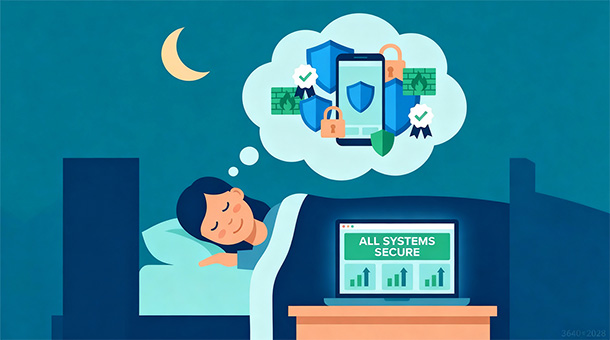
The peace of mind that comes from knowing your users’ data is protected, your compliance obligations are met, and you have plans for handling security incidents is worth the time invested in understanding these fundamentals. You won’t become a security expert overnight, but you can make informed decisions that keep your business running and your users safe without losing sleep over scenarios that are unlikely to affect your startup.
About the Author

AISalah
Bridges linguistics and technology at PointOfSaaS, exploring AI applications in business software. English Studies BA with hands-on back-end and ERP development experience.
Did you find this helpful?
Your feedback helps us curate better content for the community.