

Running a small business in 2026 does not get simpler just because the tools available to you keep multiplying. If anything the opposite is true. The more options exist the more time gets spent evaluating them and the harder it becomes to commit to anything long enough to see results.
Most small business owners have been through at least one failed project management implementation. They signed up for a tool that looked capable, spent a weekend configuring it and watched it quietly get abandoned within a month by their team, by themselves or by both. The tool did not fail because it was bad. It failed because the complexity it introduced was greater than the problem it was supposed to solve.
That is the core argument of this guide. For small businesses solo operators, lean startups, independent contractors, small agencies the right project management software is almost never the most powerful option available. It is the simplest one that covers what the business actually needs. Simple project management software for small business is not a compromise. It is a strategic choice that directly affects whether your team uses the tool consistently or treats it as one more obligation to ignore.
This comparison covers the full picture. Why simplicity outperforms complexity at small business scale. How to choose the right tool without spending three weeks in evaluation paralysis. Which platforms genuinely earn the simple label in 2026 based on real adoption behavior rather than feature counts. How to set the whole thing up so it sticks. And what the results look like for operators who made the switch and followed through.
why simple project management software is the smarter choice for small business
The assumption that more features equal more value is one of the most expensive mistakes a small business owner can make when choosing operational software.
Enterprise project management platforms are built to solve enterprise problems resource allocation across hundreds of people, capacity planning across multiple departments, reporting pipelines that feed into quarterly board presentations. Those are real problems worth solving. They are not your problems if you are running a five person operation or managing your own client workload as an independent contractor.
When a small business adopts a tool built for that scale of complexity something predictable happens. The setup takes longer than expected because there are more configuration decisions than the business actually needs to make. The interface presents options that have no relevance to how the business operates. Team members open the tool, feel disoriented and default back to email and Slack because those feel familiar even if they are less effective.
The tool gets blamed. The real culprit is the mismatch between tool complexity and operational reality.
Simple project management software solves a different problem. It removes the decisions that slow small teams down where does this task live, which view should I use, what does this status label mean and replaces them with a structure clear enough that anyone can orient themselves quickly and start contributing without a training session.
That clarity has a direct effect on adoption. And adoption is the only metric that determines whether any project management tool delivers value. A platform with 200 features that your team uses inconsistently produces worse outcomes than a platform with 20 features that your team opens every morning without being reminded.
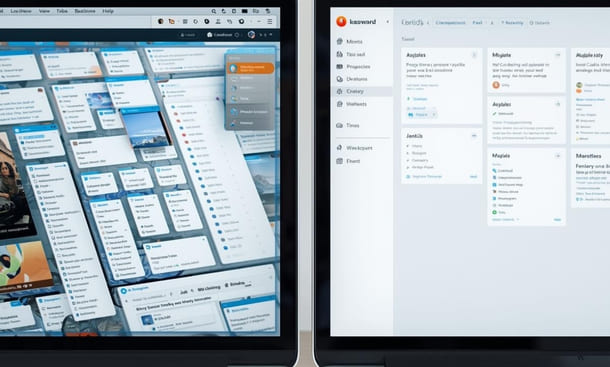
The businesses that get the most consistent value from project management software are not the ones using the most sophisticated platforms. They are the ones using the simplest tool that covers their actual workflow and using it every day.
There is also a cost argument worth making plainly. Most small businesses do not need the features locked behind premium pricing tiers of enterprise grade tools. They need task ownership, deadline visibility and a shared space where project status is current and accessible. Several platforms deliver all of that on a free plan or at a pricing tier well below what complex tools charge for capabilities the business will never use.
The question is not which tool has the most to offer. The question is which tool fits the way your business actually operates your team size, your workflow type, your clients and your team’s honest tolerance for learning something new.
That question is where the evaluation should start. And it is the question that most comparison guides skip entirely in favor of feature lists that tell you what a tool can do rather than whether it will actually get used.
Understanding why simple project management software consistently outperforms complex alternatives at small business scale goes deeper on this argument including the specific patterns that cause over engineered tool implementations to fail and what the adoption data actually shows about complexity versus consistency.
how to choose simple project management software without wasting weeks on trials
The evaluation process is where most small business owners lose the most time. They open a comparison article, find a ranked list of fifteen tools, sign up for three free trials simultaneously and spend two weeks clicking through dashboards without any clear criteria for what they are actually looking for.
At the end of it they either pick the most familiar name or the one with the prettiest interface. Six weeks later nobody on the team is using it and the cycle starts again.
The problem is not the tools. It is the absence of a filter before the evaluation begins.
Choosing simple project management software is not about finding the option with the best marketing or the longest changelog. It is about matching a tool to how your business actually operates. That match requires honest answers to four questions before you open a single free trial.
Where do tasks actually come from in your business? Do they arrive through client emails, internal meetings, Slack messages, phone calls on a job site? The entry point of your work tells you whether you need strong email integration, a fast mobile capture experience or a client-facing intake form. A tool that does not connect naturally to where your work originates creates friction from the very first step.
Where does work most often break down? Is it at the handoff between team members? Is it tracking whether something was actually completed rather than just discussed? Is it knowing what is coming up next week before it becomes urgent today? The breakdown point tells you which core feature matters most for your specific situation and which ones you can safely ignore during evaluation.
How many people need to use this tool consistently? A solo consultant managing her own workload has fundamentally different needs than a contractor coordinating six subcontractors across two active sites. Some tools are genuinely built for individuals and become unnecessarily complex with more users. Others require a team to make sense of their structure at all.
Do clients ever need visibility into your projects? If the answer is yes even occasionally that changes your requirements in a meaningful way. You need a tool that either has a clean client-facing view or makes sharing project status straightforward without exposing your entire internal workspace to someone who did not need to see it.
Write these answers down before you evaluate anything. They become your filter. Any tool that does not pass through that filter is not worth your time regardless of how many five star reviews it has accumulated.
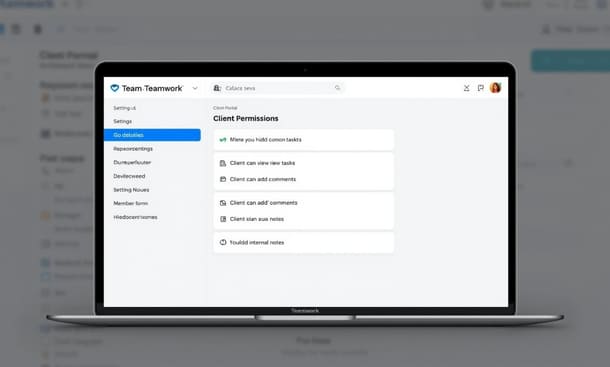
Once the filter is in place the evaluation narrows quickly. The tools that survive are the ones that match the shape of your actual operation rather than asking your operation to reshape itself around their structure.
From there five practical questions separate good fits from poor ones in any remaining shortlist. How long does it take to create a task because a tool that requires filling out eight fields before a task exists will stop being used within days. Can a new team member be productive inside it within an hour of signing up without watching tutorial videos first. What does the mobile experience actually feel like on a phone being used on a job site or between meetings. What is available at the pricing tier the business can genuinely afford not the premium tier used in the demo. And does the tool handle the three most common workflows in your business without requiring workarounds.
The final call should come from running real work through the tool during the trial not sample tasks, not template projects, but the actual projects your business is managing right now with the actual people who will use the system daily. If the tool makes that work feel clearer after one week it is the right choice. If it adds steps without adding clarity it is not.
Set a hard deadline of two weeks for the decision. After two weeks the additional information gained from continued comparison is almost never worth the time spent not being organized. The business pays a real cost every day it operates without a functional system and no amount of additional evaluation recovers that cost.
A detailed walkthrough of how to build a decision framework around the simplicity filter before evaluating any specific tool covers each of these steps in depth including the questions most comparison guides skip and the evaluation mistakes that cause small businesses to cycle through tools indefinitely without building anything that sticks.
the best simple project management tools for small business in 2026
Every tool in this category claims to be simple. The word has been used so often in SaaS marketing that it carries almost no information on its own. A platform with 200 features and a 40-page help center calls itself simple. A tool that requires three onboarding calls before your team can navigate it calls itself intuitive. The label means nothing without a standard to measure it against.
The standard used in this comparison is a Simplicity Score four dimensions rated on a scale of one to five, with a maximum total of 20. The four dimensions are setup speed, adoption ease, interface clarity and mobile usability. These are the factors that determine whether a small business actually uses a tool consistently, not the factors that look most impressive in a feature comparison table.
The tools covered here are the ones not yet addressed in depth elsewhere on this site ClickUp, monday.com, Notion, Teamwork, Zoho Projects, Hive and Paymo. Each one has a legitimate claim to the small business market. Whether that claim holds up under the simplicity filter is what this section answers.
ClickUp Simplicity Score: 13/20
ClickUp is the most feature-rich tool in this comparison and that is simultaneously its greatest strength and its most significant liability for small businesses prioritizing simplicity.
The free plan is genuinely one of the most generous available unlimited tasks, unlimited team members and a feature depth that most small businesses will not exhaust quickly. For a bootstrapped operation watching overhead carefully that accessibility matters.
The challenge is setup. The initial workspace configuration involves more decisions than most small business owners expect. Understanding the hierarchy of spaces, folders and lists before building anything takes time. A founder who goes in without a clear plan of how their business operates can spend a full day building a workspace that does not reflect their actual workflow.
Adoption follows a similar pattern. Team members who were not involved in setup often find ClickUp disorienting on first contact. The range of options visible at any moment can overwhelm someone who simply needs to know what they are supposed to be working on today.
Best for: Founders willing to invest setup time in exchange for a tool that can eventually replace several others. Pricing: Free plan available. Paid plans from $7 per user per month. Simplicity Score: 13/20
monday.com Simplicity Score: 15/20
Monday.com is the most visually polished tool in this comparison and that polish does real operational work. A color-coded board that communicates project status at a glance reduces the cognitive load of running multiple projects in a way that plain task lists simply cannot match.
Setup is faster than ClickUp. The template library is one of the better ones available and using a template as a starting point cuts initial configuration time significantly. Most small teams reach a functional workspace within half a day of signing up.
Adoption is where monday.com performs well above average. The interface is approachable enough that team members who have never used project management software before can usually understand what they are looking at within minutes. The visual design does much of the explaining that other tools leave to documentation.
The friction point is pricing. There is no meaningful free tier — just a 14-day trial — and minimum seat requirements mean very small teams pay for more capacity than they currently need.
Best for: Small agencies and service businesses managing client-facing delivery where visual clarity and external stakeholder access matter. Pricing: 14-day free trial. Paid plans from $9 per seat per month with a three-seat minimum. Simplicity Score: 15/20
Notion Simplicity Score: 11/20
Notion is not a project management tool. It is a flexible workspace that can function as one if built correctly. That distinction matters because Notion’s simplicity depends entirely on the quality of its setup a well built Notion workspace is elegant and efficient, a poorly built one is a collection of nested pages nobody can navigate.
For founders who enjoy systems thinking and are willing to invest real time in building their workspace the payoff is significant. Documents connect to tasks, meeting notes link to project pages and the workspace evolves with the business rather than constraining it.
For everyone else the blank canvas is a barrier. The absence of a pre-built project management structure means hundreds of small decisions during setup that purpose-built tools have already resolved. Those decisions consume time and energy most small business owners cannot spare.
Best for: Solo founders and small teams comfortable with setup investment who want one workspace to replace multiple tools. Pricing: Free individual plan. Paid plans from $8 per user per month. Simplicity Score: 11/20
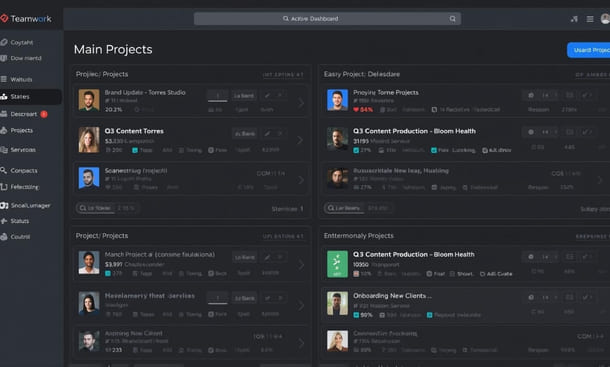
Teamwork Simplicity Score: 16/20
Teamwork is the tool on this list that most directly targets the small business and agency market and the product design reflects that focus in ways that matter daily.
Setup is fast. The onboarding flow walks you through creating your first project in a way that results in a functional workspace within an hour. The template library covers the most common small business project types with enough structure that most teams can start from a template and customize rather than building from scratch.
The interface is purpose-built for project visibility. Task ownership, deadlines, project health and team workload are visible from the same dashboard without navigating between views. For a small business owner managing several active projects simultaneously that consolidated clarity is genuinely valuable.
Best for: Small agencies, consultancies and service businesses managing multiple client projects with teams of three to ten people. Pricing: Free plan for up to five users. Paid plans from $10.99 per user per month. Simplicity Score: 16/20
Zoho Projects Simplicity Score: 14/20
Zoho Projects sits in an underappreciated position in the small business market. It is significantly more capable than its profile suggests and considerably more affordable than most comparable tools particularly for teams that need time tracking and basic reporting alongside task management without paying for a separate app.
The strongest case for Zoho Projects is its pricing structure. The free plan supports up to three users and paid plans are among the most affordable in this category. For businesses already using other tools in the Zoho ecosystem CRM, Books, Desk the integration between them adds meaningful operational value without additional cost or configuration complexity.
Best for: Budget-conscious small businesses already inside the Zoho ecosystem or teams that need time tracking built in at the lowest possible price point. Pricing: Free plan for up to three users. Paid plans from $4 per user per month. Simplicity Score: 14/20
Hive Simplicity Score: 15/20
Hive takes a different structural approach than most tools in this comparison. Rather than organizing work primarily around projects and tasks it builds the interface around actions individual units of work that connect to projects, team members and timelines in a way that feels natural for teams operating across multiple concurrent workstreams.
Where Hive stands out is in its native communication features. Most project management tools require a separate integration to handle team messaging. Hive builds messaging directly into the workspace reducing context switches and keeping conversation connected to the work it relates to.
The free plan covers up to ten users with core features intact one of the more generous free tiers in this comparison for teams in the two to eight person range.
Best for: Small teams that want project management and communication in a single workspace without managing a separate messaging integration. Pricing: Free plan for up to ten users. Paid plans from $12 per user per month. Simplicity Score: 15/20
Paymo Simplicity Score: 16/20
Paymo is the tool that most directly solves the problem independent contractors and small service businesses face when they realize that project management and billing are not actually separate problems.
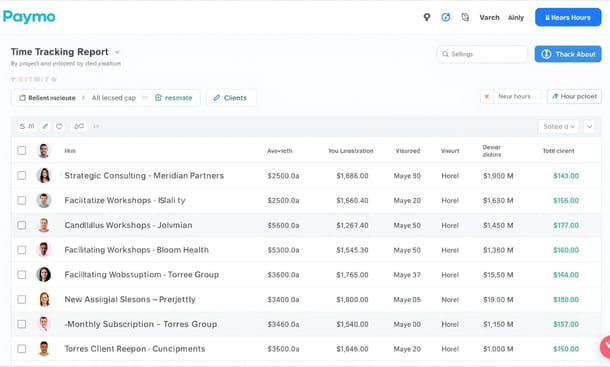
Most project management tools track work. Paymo tracks work and connects it directly to time entries, invoices and client billing in a workflow that does not require switching between platforms. For a contractor or consultant who currently manages projects in one tool and invoicing in another Paymo consolidates both into a single workspace with a combined learning curve shorter than the two tools it replaces.
The client portal which gives clients a clean view of project status and outstanding invoices without accessing the full workspace is one of the best-executed features in this category at this price point.
Best for: Independent contractors, freelancers and small service businesses where time tracking and invoicing matter as much as task management. Pricing: Free plan for one user. Paid plans from $9.90 per user per month. Simplicity Score: 16/20
The comparison at a glance
| Tool | Setup Speed | Adoption Ease | Interface Clarity | Mobile Usability | Simplicity Score |
|---|---|---|---|---|---|
| Teamwork | 4/5 | 4/5 | 4/5 | 4/5 | 16/20 |
| Paymo | 4/5 | 4/5 | 4/5 | 4/5 | 16/20 |
| monday.com | 4/5 | 4/5 | 5/5 | 2/5 | 15/20 |
| Hive | 4/5 | 3/5 | 4/5 | 4/5 | 15/20 |
| Zoho Projects | 3/5 | 3/5 | 3/5 | 5/5 | 14/20 |
| ClickUp | 2/5 | 3/5 | 4/5 | 4/5 | 13/20 |
| Notion | 1/5 | 2/5 | 3/5 | 5/5 | 11/20 |
The Simplicity Score gives you a framework but it does not replace the workflow filter from the previous section. An independent contractor who tracks billable hours gets more value from Paymo at 16/20 than from monday.com at 15/20 not because the scores are different but because one tool solves more of the actual problems that contractor faces every day.
A deeper look at each platform’s Simplicity Score with full dimension breakdowns and specific recommendations by business type covers the complete evaluation including the specific scenarios where each tool outperforms its score and the ones where it underperforms.
how to set up simple project management software in your small business
Choosing the right tool is one decision. Building something your team will actually use three months from now is a different challenge entirely and it is the one that determines whether the investment pays off or quietly gets abandoned.
The failure point for most small business project management implementations is not the tool. It is the setup approach. Founders either over engineer a system before they understand how they will actually use it or do so little configuration that the tool never feels real enough to return to. Both outcomes produce the same result an empty workspace that gets checked occasionally and trusted never.
There is a sequence that works. It is not complicated but it does require following steps in order rather than clicking around until something useful emerges.
Before the tool: the 30-minute clarity session
The most effective thing you can do before opening your new project management software is spend 30 minutes on paper first.
Write down every active project your business is currently running. Not tasks projects. A project has a start point, an end point and more than one step between them. For each project write three things: what done looks like, the next two or three concrete actions required to move it forward and who on your team is involved.
This exercise produces a realistic inventory of what the system needs to hold before you start building structure around it. Founders who skip this step build workspaces around imaginary workflows instead of real ones. The result looks organized and functions poorly within two weeks.
Thirty minutes on paper before opening the tool saves hours of restructuring later. It is the step most setup guides do not mention and the one that makes the largest difference in whether the initial configuration reflects how the business actually operates.
Hour one: structure that reflects reality
The goal of hour one is not a perfect system. It is a skeleton that reflects your business today and contains your real work.
Start with three to five top-level categories the major areas of work your business produces. Client projects, internal operations, marketing, team management, finance. Pick the ones that apply and create a space or folder for each. Do not create categories for work you intend to do someday. Build for what exists right now.
Bring in your active projects from the clarity session. Create a project for each one inside the appropriate category. Name each project specifically enough that someone new to your business would understand what it refers to without an explanation.
At the end of hour one the workspace has your actual categories, your actual active projects and nothing hypothetical. It will look sparse. That is correct. A sparse workspace with real content is more useful than an elaborate structure with no work inside it.
Hours two and three: tasks that communicate clearly
Task quality is where most setups quietly fail. A task named “website” or “follow up” or “check on client” is not actionable. It is a placeholder that will sit in the system untouched until someone either does the work without logging it or deletes it during a cleanup six months later.
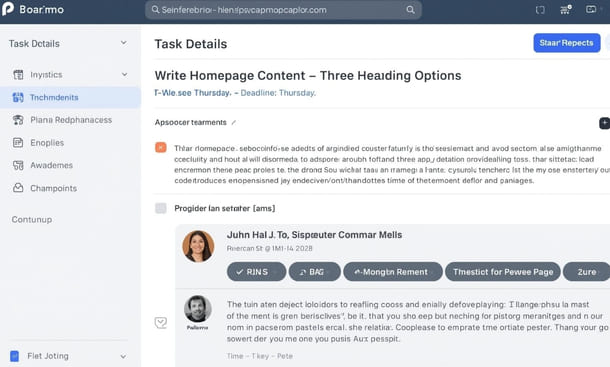
Every task in the system needs four things. A specific action oriented name that describes what done looks like not “client proposal” but “write first draft of Q3 proposal for Harrison Partners.” A single owner one named person, not the team, not two people sharing accountability. A due date even if it is approximate. And enough context attached that the assigned person can start working without sending a follow-up message first.
Go through each active project and add the tasks that represent the next concrete steps forward. Not every task that will ever exist just the next two or three actions needed in the coming two weeks. The goal is to get enough real work into the system that it starts functioning as a genuine operational tool rather than an empty structure waiting to be filled.
Hour four: one template for recurring work
Most small businesses have at least one type of project that repeats on a regular cycle. A new client onboarding. A monthly content production run. A weekly team review. A product launch sequence.
Identify the one that repeats most frequently and build a template for it during hour four. A template is a pre-built project structure you duplicate each time that recurring work begins all the standard tasks in the correct sequence, with ownership assigned and relative due dates that adjust when you set the project start date.
One good template built in hour four changes how that recurring work feels indefinitely. Instead of recreating the same structure from scratch each time or forgetting steps because there is no structure to prompt you you duplicate the template, customize what needs to change and start the project in ten minutes instead of an hour.
Start with your highest-frequency recurring work. Even one solid template produces a noticeable shift in how organized that area of the business feels from the first time you use it.
End of day one: the team walkthrough
By the end of the first day the workspace has real structure, real projects, real tasks and at least one working template. The next step is the one that determines whether the tool survives beyond your own use.
Bring your team in before the system is finished. A system handed to team members fully formed all decisions already made, all categories already named, all workflows already defined gets lower adoption than one built with even minimal team input. People adopt systems they helped shape at a significantly higher rate than systems handed to them.
Schedule a 20 to 30 minute walkthrough before the end of day one. Not a training session a walkthrough. Show how a task moves from creation to completion. Show where each type of project lives. Ask one question at the end: does anything about this structure feel confusing or wrong for how you actually work?
Set a specific check in date two weeks out to review what is working and what needs adjustment. Write it in the calendar before closing the tool. That check-in is not optional no system survives first contact with reality completely intact and a scheduled moment to address friction prevents small problems from becoming reasons to abandon the whole thing.
Day two: integrations and daily rhythm
The second day is for connecting the tools your team already uses and establishing the daily habit that makes the system self-sustaining.
Connect the two or three tools your team uses every single day most commonly email, a calendar and a communication platform. The goal is to embed the project management tool inside the daily flow of work rather than positioning it as a separate destination that requires a deliberate decision to visit. A Slack message that becomes a task in one click removes a step that would otherwise be skipped under time pressure.
The daily habit is simpler than most people expect. It comes down to one consistent behavior opening the tool at the start of each workday and spending five minutes reviewing what is due today, what is overdue and what needs an update before starting on anything else.
That five-minute morning review is the habit that keeps the system alive. It is also the habit most small business owners skip which is why most project management implementations fail not because the setup was wrong but because the daily practice never formed. Make it non-negotiable for the first 30 days. After 30 days it becomes automatic.
The complete step by step guide to setting up simple project management software in your small business during the critical first 48 hours covers each phase in full detail including how to handle the messy middle period between week two and week six when the system is real but the habit is not yet stable.
real small business owners who switched to simple project management software and what changed
Theory is useful up to a point. At some point in the evaluation process the feature comparisons stop mattering and the question becomes simpler and more personal has this actually worked for someone running a business like mine?
That is a fair question and it is one that most comparison guides never answer because it requires something those guides deliberately avoid: specificity. Real businesses. Real workflows. Real outcomes.
The stories below come from operators across different industries who made the same fundamental decision to stop managing their work through memory, email threads and group chats and to move everything into a single simple system. What each of them gave up, what they gained and what surprised them is more useful than any feature comparison because it shows what the transition actually looks like from the inside.
The Brooklyn creative agency that stopped losing Fridays
Nina runs a five person brand and content agency in Brooklyn. For the first two years the agency operated through a combination of email, a shared Google Drive folder and a Slack workspace that had grown into something she describes as genuinely unnavigable.
The work was getting done. Clients were mostly satisfied. But every Friday afternoon Nina spent two to three hours manually reconstructing the status of every active project pulling information from email threads, checking Slack for updates, opening documents to see whether deliverables had been completed or just discussed.
She moved the agency onto Teamwork after a two-week evaluation. Setup took one full day and a second partial day for team onboarding. Within three weeks the Friday reconstruction sessions had dropped from two to three hours to under 30 minutes. Within six weeks she stopped doing them entirely because project status was current and visible inside the tool at all times.
The change she talks about most is not the time saved. It is the quality of client conversations. Because she can see the real time status of every deliverable without asking her team she answers client questions immediately and accurately. That responsiveness changed how several long-term clients described the agency in referral conversations and referrals are where most of her new business comes from.
The Manhattan consultant who recovered his Sundays
David runs a one-person management consulting practice in Manhattan with four to six active client engagements at any given time. For three years he managed everything through his email inbox, a legal pad he carried everywhere and a mental model of his workload that he describes as always feeling one missed detail away from collapse.
He tried ClickUp first too complex for a solo operation. Tried Notion next built an elaborate workspace over a weekend that he stopped using within a month because maintaining it felt like a second job. Landed on Paymo after a recommendation from another independent consultant specifically because the time tracking was built directly into the project workflow rather than being a separate tool he had to remember to use separately.
The shift in his working pattern was not immediate. The first two weeks he kept defaulting to the legal pad out of habit. By week four the tool had become the default. By month two he had stopped working Sunday mornings entirely.
The metric that surprised him most was billable hour recovery. Because Paymo connected time tracking to projects automatically he discovered in the first month that he had been consistently under-billing for a specific type of client work not by a small amount. The visibility that came from having time tracked against actual projects rather than estimated in a spreadsheet revealed a gap he had been absorbing for years without realizing it. The tool paid for itself in the first month through recovered billing alone.
The Queens contractor who got his subcontractors online
Marcus runs a general contracting operation in Queens managing residential renovation projects across three to four active sites simultaneously. His team is a mix of direct employees and subcontractors most of whom had never used a project management tool before he introduced one.
He had tried two tools before landing on monday.com. Both failed for the same reason: the interface was complex enough that his subcontractors stopped logging in after the first week. He was the only one updating the system which meant it reflected his perspective on project status rather than actual ground-level reality which made it nearly useless as an operational tool.
Monday.com worked where the others had not for a reason that had nothing to do with features. The interface was visual enough that his subcontractors could understand what they were looking at without any explanation. Color coded status columns communicated project health without requiring anyone to read a description. A subcontractor on a job site could open the mobile app, find their tasks for the day and update a status in under a minute.
Within six weeks all of his regular subcontractors were updating their own task statuses consistently. That single change moving from Marcus being the sole updater to the whole team maintaining the system transformed the tool from a personal tracker into a genuine operational hub. Material ordering became more accurate. Client update calls became shorter. One client mentioned in a contract renewal conversation that the project communication had been the best they had experienced with any contractor they had worked with.
The Miami startup that walked into due diligence with confidence
Valentina and her co-founder Jorge bootstrapped a B2B logistics software company in Miami while both maintained part time consulting work on the side. For eight months they ran the entire operation through a shared Notion document that had started as a clean product roadmap and evolved into something neither of them could fully navigate anymore.
The problem surfaced in an investor meeting. A potential pre-seed lead asked them to walk through their current development priorities and go to market timeline. Both founders knew the answers but the answers they gave were slightly different. Not because they disagreed but because the information existed in multiple places and neither version was definitively current. The investor passed.
They rebuilt their entire operation inside Hive over a long weekend product roadmap, sprint tracking, investor pipeline, content calendar, partnership outreach. The act of rebuilding forced explicit decisions about what lived where, who owned what and how updates would be maintained. The clarity that had existed in their heads got externalized into a structure both of them could point to as the single source of truth.
Four months later they closed a $650,000 pre-seed round. During due diligence the lead investor reviewed their Hive workspace as part of the operational assessment. The feedback afterward included a specific comment about the clarity of their roadmap and the quality of their task ownership documentation described as unusual for a company at their stage and noted explicitly as a positive signal.
The pattern underneath every story
Four businesses. Four different industries. Four different tools. The outcomes they describe are remarkably consistent.
In every case the problem was not the quality of the work being done. The work was getting done. The problem was that the work was invisible to team members, to clients, to investors and sometimes to the operators themselves. Nobody could see what was in flight, what was blocked, what was coming up next or who was responsible for what without asking someone directly.
The tools did not fix the work. They made the work visible. And that visibility changed everything downstream client communication, team accountability, billing accuracy, investor confidence, personal working hours.
The second pattern worth noting is that none of these transitions were smooth from day one. Nina restructured her workspace twice in the first month. David abandoned two tools before finding the right fit. Marcus waited six weeks before his subcontractors adopted the system consistently. Valentina and Jorge rebuilt from scratch after a failed first attempt.
The operators who got results were not the ones who found a perfect tool and had a perfect implementation. They were the ones who stayed consistent through the messy middle period and made targeted adjustments instead of starting over when week two felt difficult.
That persistence is not a personality trait. It is a decision. And it is the one that separates businesses that end up with a functioning operational system from businesses that cycle through tools indefinitely without building anything that lasts.
The full stories including the specific setups each operator built and the metrics that shifted once the system was stable are covered in detail in the experiences of real small business owners who switched to simpler project management software and what concretely changed in their operations.
There is a version of getting organized that makes your business harder to run. It involves choosing the most capable tool available, spending weeks configuring it and watching it quietly get abandoned because the complexity it introduced was greater than the problem it was supposed to solve.
Most small business owners have lived that version at least once. The tool gets blamed. The real issue is almost always the same a mismatch between what the software was built for and the scale of the business trying to use it.
Simple project management software for small business exists to solve that mismatch directly. Not by offering less but by offering exactly what a lean operation actually needs task ownership, deadline visibility, shared project status and a structure clear enough that team members use it without being reminded. That combination, used consistently, produces outcomes that no amount of feature complexity can replicate: a business that operates on information rather than memory and a team that knows what they own and when it is due without asking anyone.
The argument across every section of this guide points to the same conclusion. Simplicity is not a compromise for small businesses that cannot afford better tools. It is the correct strategic choice for operations where adoption determines value and complexity destroys adoption.
The evaluation process starts with four honest questions about how your business actually operates before any tool enters the picture. The comparison that follows is filtered through a Simplicity Score that measures real adoption behavior rather than feature counts and the tools that score highest are the ones built for the scale of problem you are actually solving. The setup sequence matters as much as the tool choice and the first 48 hours determine whether the system becomes a lasting habit or another abandoned workspace. And the results, across the businesses in this guide that followed through, are consistent visibility replaces memory, accountability replaces assumption and the business runs on a system rather than on the founder’s ability to hold everything in their head simultaneously.
None of the transitions described here were immediate or painless. Every operator who got results went through a messy middle period where the system was real but the habit was not yet stable. The ones who stayed consistent through that period came out the other side with something genuinely valuable. The ones who rebuilt from scratch at the first sign of friction stayed in the same cycle.
The decision is not which tool to choose. Every platform in this comparison is capable of delivering value to the right business used in the right way. The decision is whether to commit to the evaluation process, to the setup sequence, to the daily habit of opening the tool and working inside it long enough for the system to become the way the business actually operates rather than an aspiration that never quite materialized.
If there is one place to start before anything else it is with the question of why simplicity specifically is the right filter for a small business evaluation because understanding that argument changes how you approach every subsequent decision about tools, setup and adoption. That case is made in full in why simple project management software is the smarter choice for small business owners who want systems that actually get used.
About the Author

Pamela
Pamela is a dynamic professional with a deep passion for SaaS and emerging technologies. She provides valuable insights into software trends, digital innovation, and cutting-edge tools that empower businesses to thrive and expand.
Did you find this helpful?
Your feedback helps us curate better content for the community.