
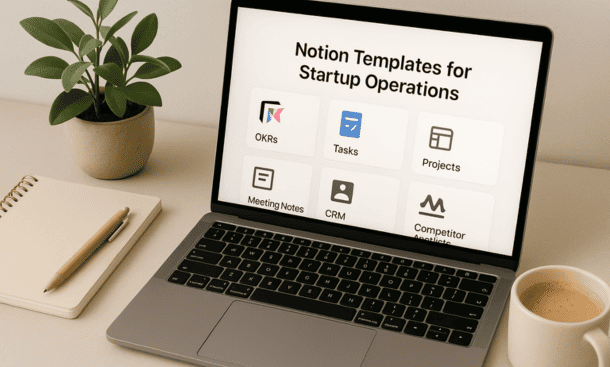
I wasted two hours designing a meeting notes format that I used exactly once before realizing it was too complicated. Then I spent another hour creating an OKR tracker from scratch that looked nothing like how we actually tracked goals. Templates would have saved me all that time.
Templates are pre-built structures you duplicate and customize instead of starting from a blank page every time. They encode best practices, ensure consistency, and let you focus on content rather than formatting. For startups where time is your scarcest resource, templates are leverage.
Why Templates Matter for Startups
Every minute you spend rebuilding the same structure is a minute not spent on actual work. When you need meeting notes, you shouldn’t be deciding what sections to include. When you kick off a project, you shouldn’t be remembering which information to capture. Templates handle structure so you handle substance.
Consistency across your team improves collaboration. When everyone uses the same meeting notes template, people know where to find action items. When all project pages follow the same format, switching between projects feels seamless. This standardization reduces cognitive load.
Templates also embed your processes into your workspace. A good onboarding template ensures you don’t skip critical steps. A hiring pipeline template reminds you to check references. The template itself becomes documentation of how you do things.
New team members ramp faster with templates. Instead of asking how to format a status update or structure a project brief, they just duplicate the template and fill it in. This independence reduces interruptions and helps people contribute immediately.
Essential Templates Every Startup Needs
Some templates are universally useful regardless of what you’re building or how you operate. These cover recurring situations that every startup faces.
Meeting notes templates keep discussions organized and action items trackable. Include sections for date, attendees, agenda items, discussion notes, decisions made, and action items with owners and due dates. I add a relation property to link meetings to relevant projects so context stays connected.
The key is making action items a database rather than a bullet list. This lets you track them separately, assign owners, set due dates, and follow up systematically. Meetings generate commitments and those commitments need visibility.
Project kickoff templates ensure you capture everything needed to start work successfully. Include project name, objective, success metrics, timeline, team members, stakeholders, assumptions, constraints, and related documentation. This template forces clarity before work begins.
I also include a risks section where we list what could go wrong and how we’ll mitigate it. This upfront thinking prevents surprises later and shows you’ve thought things through when presenting to stakeholders.
Status update templates create consistency in how you communicate progress. Include sections for what shipped, what’s in progress, what’s blocked, and what’s coming next. Add metrics if relevant to your project. These updates become your project history and show momentum over time.
OKR or goals templates help you track objectives and key results quarterly. Structure it with objective at the top, key results as checkboxes or database items, and status updates throughout the quarter. Link to projects and initiatives that support each objective so strategy connects to execution.
One-on-one templates make manager conversations more productive. Include sections for topics from the team member, topics from the manager, feedback, wins, challenges, and action items. Keep notes from previous conversations visible so you can reference past discussions and track follow-through.
Hiring pipeline templates standardize your recruiting process. Track candidates through stages like Applied, Screened, Interview, Offer, and Hired. Include properties for role, referral source, interview feedback, and hiring manager. This database view of hiring prevents candidates from falling through cracks.
Templates for Specific Functions
Beyond universal templates, different functions need specialized structures. Build these as your team grows into functional areas.
For product teams, feature spec templates capture what you’re building and why. Include problem statement, proposed solution, success metrics, user stories, technical considerations, and design requirements. Link to customer research and roadmap items for context.
Sprint planning templates help engineering teams organize their work cycles. Include sprint goals, capacity planning, story selection, and retrospective sections. If you use story points or other estimation methods, build those into the template.
For marketing, campaign brief templates ensure consistency. Include campaign objective, target audience, key messages, channels, timeline, budget, and success metrics. Link to content assets and track results as the campaign runs.
Content calendar templates help you plan and track publishing. Use a database with properties for content title, type, author, due date, publish date, status, and distribution channels. Views by month or status give you different perspectives on your pipeline.
Sales teams benefit from deal tracking templates. Include deal name, company, contact, value, stage, close date, and next steps. Link to meeting notes and proposal documents. Views by stage create your sales pipeline and views by close date show what’s coming.
Customer onboarding templates ensure new customers have a consistent experience. Create a checklist of onboarding steps, include timeline for completion, assign owners for each step, and track progress. This prevents dropped balls during the critical early relationship.
Building Your Own Templates
The templates you build yourself are often more valuable than ones you download because they match exactly how you work. The process is straightforward once you know what to capture.
Start by doing the task manually a few times. Notice what information you consistently need, what questions you always ask, and what format makes sense. This real-world experience informs better templates than theoretical planning.
Create a page with the structure you want to reuse. Add headings, text blocks, databases, properties, and any standard content. Format it exactly how you want it to appear each time. This becomes your master template.
Test the template by duplicating it for real work. Does it have everything you need? Is anything unnecessary? Are the instructions clear? Use it several times and refine based on actual usage.
Store templates in a dedicated Templates page or database that’s easy to find. Organize them by function or use case. Add brief descriptions so people know when to use each template.
Make templates discoverable by mentioning them in context. When someone asks how to format something, share the template. Reference templates in onboarding materials. The more people see them, the more they’ll use them.
Database Templates for Repeated Entries
Notion lets you create templates within databases that auto-populate properties and structure. These are perfect for entries you create repeatedly with similar characteristics.
In your tasks database, create a template for bug reports that pre-fills the priority, adds specific fields for reproduction steps, and includes a checklist for resolution. Now filing bugs is faster and more consistent.
For your projects database, create templates for different project types. A marketing campaign template might include different sections than a product launch template. People select the right template when creating new projects.
Meeting notes databases benefit from templates for different meeting types. Your weekly standup template looks different from your quarterly planning template. Pre-filling attendees, agenda structure, and linked projects saves time.
To create a database template, open the database dropdown menu and select New template. Configure the entry exactly how you want it to appear by default. Give it a clear name and description so people know when to use it.
Adapting Templates from Others
You don’t have to build everything from scratch. The Notion community shares thousands of templates and many are excellent starting points. The key is adaptation rather than blind copying.
When you find a template that looks useful, duplicate it into your workspace and examine how it works. Look at the structure, properties, and relationships. Understand the thinking behind the design before you modify it.
Simplify downloaded templates aggressively. Many community templates are overbuilt with features you don’t need. Strip out unnecessary complexity and keep only what serves your specific situation. Simpler templates get used more.
Rename things to match your terminology. If a template calls something a “client” but you say “customer,” change it. If they use “sprint” and you say “cycle,” update the labels. Making templates feel native to your company increases adoption.
Combine ideas from multiple templates to create something custom. Take the task structure from one template, the timeline view from another, and the status workflow from a third. Synthesis often produces better results than using any single template unchanged.
Encouraging Template Usage
Building great templates doesn’t matter if nobody uses them. Adoption requires deliberate effort and consistent reinforcement.
Make templates the path of least resistance. If someone needs to create meeting notes, the template should be more visible and easier than starting from scratch. Put templates in obvious places and mention them frequently.
Lead by example by always using templates yourself. When you consistently use the meeting notes template, others notice and follow. When you reference project templates in discussions, people remember they exist.
Celebrate when people use templates correctly. A quick acknowledgment like “thanks for using the project template, this has everything I need” reinforces the behavior. Positive feedback drives adoption more than criticism.
Update templates based on feedback. When someone says a template is missing something or has unnecessary fields, adjust it. Templates should evolve with your needs and treating them as living documents shows you’re listening.
Create template walkthroughs for complex structures. A quick Loom video showing how to use your OKR template or project kickoff template reduces barriers. People are more likely to use something when they understand how it works.
Maintaining Your Template Library
Templates accumulate over time and without curation, your library becomes overwhelming. Regular maintenance keeps it useful.
Review templates quarterly and archive ones nobody uses. If a template hasn’t been duplicated in three months, it’s probably not valuable. Keep your active library focused on templates people actually need.
Update templates when processes change. If you modify your hiring process, update the hiring template. If you add fields to project tracking, update project templates. Stale templates cause confusion and reduce trust.
Consolidate similar templates that have proliferated. Sometimes people create slight variations instead of using existing templates. Merge these variations into one flexible template that handles different cases.
Document when to use each template. A simple guide that says “use this template when” helps people choose correctly. This is especially valuable as your library grows.
Your template library becomes infrastructure that makes your team more efficient. The notion startup templates you build and maintain should eliminate repetitive formatting work and embed your best practices into daily operations, giving you back time to focus on building your actual business rather than building the scaffolding around it.
About the Author

Melanie Hart
Co-founder of Point of SaaS | SaaS Strategist Helping businesses leverage software innovation to optimize performance, streamline workflows, and achieve sustainable growth.
Did you find this helpful?
Your feedback helps us curate better content for the community.