
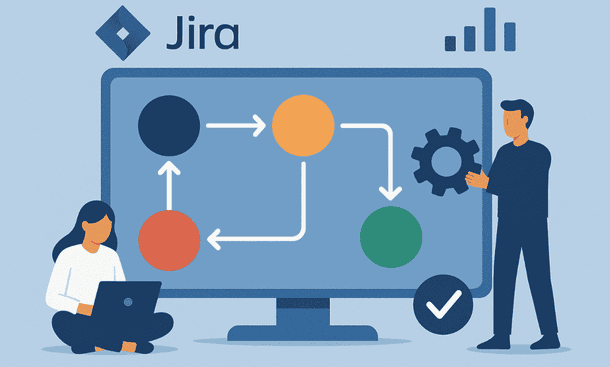
A strong workflow is one of the simplest ways to keep a team focused and aligned. In Jira, the workflow defines how tasks move from idea to completion. It also shapes how people collaborate and how fast work flows across your product stages. A well designed structure supports clarity and helps your team avoid confusion when priorities shift. If you want a broader view of how workflows fit into a full product management system, the Jira project management guide gives good perspective and helps connect the dots.
Why workflows matter when your team is moving fast
Early teams grow in intensity before they grow in size. You often switch between planning, building and fixing issues in the same day. Without a clear workflow, tasks fall through the cracks or stay stuck in the wrong stage. A workflow organizes your cycle in predictable steps so the team can focus on the work instead of the process.
When everyone knows what each step means, collaboration becomes smoother. Engineers understand when to start, designers know when assets are needed and product owners see progress at a glance. Clarity helps reduce friction and keeps the team focused on outcomes rather than chasing information.
Starting with a simple workflow
Many founders try to design the perfect workflow from day one. That approach usually creates slow and heavy systems. Your first version should be simple. A basic structure such as To Do, In Progress and Done works for most teams in the early stage.
This minimal setup gives you a clean board and a direct understanding of what needs attention. You can expand your workflow later when your processes become more stable. Keeping it simple at the start also helps new team members adopt the tool without confusion.
The most important rule is that each stage must have a clear meaning. If the team is unsure about a step, remove it. A workflow should help, not create questions.
Adding steps when your product becomes more complex
As your startup grows, your work will require more structure. You may need a Review stage to check the quality of tasks. You might add a Testing stage for technical work. If your product has heavy regulation, you may need an Approval stage before release.
Expand your workflow only when the real need appears. Each new step must solve a problem you already feel. Creating steps for future scenarios leads to unnecessary complexity. A good workflow grows with your team, not ahead of it.
Discuss changes openly with your team before making them. Even small adjustments can change the rhythm of work. When everyone understands why a new step exists, adoption becomes natural and the workflow stays healthy.
Using transitions to guide progress
Transitions are the links between steps. They define how tasks move across the workflow. Clear transitions reduce mistakes and support accountability. A good transition tells the team when an issue is ready to move forward.
For example, moving an issue from In Progress to Review might require a simple condition such as completed development or updated documentation. You do not need heavy rules. The goal is to create predictable signals that help people understand when their part starts.
Transitions are also helpful for spotting bottlenecks. If many tasks remain stuck in a single transition, it shows where the process needs attention.
Mapping responsibilities across the workflow
Each step in your workflow should align with a clear role. This does not mean creating strict boundaries. It means giving your team direction and reducing confusion.
Designers might own early ideation tasks. Developers might lead In Progress tasks. Product leaders might handle Review or Acceptance steps before a feature goes live.
The benefit is simple. Ownership creates momentum. When a task enters a stage, the responsible person knows it is their turn to move. That clarity prevents tasks from waiting without action.
Improving collaboration with comments and simple rules
Workflows become more effective when communication is part of the routine. Encourage the team to add short comments when they move tasks or when something blocks progress. These notes help everyone understand what is happening without extra meetings.
Some teams also add simple rules to guide expectations. For example, a Review stage can include a rule such as two sets of eyes for approval. A Testing stage may include a rule about basic checks before moving to Done.
Keep these rules light. They should support work, not slow it down.
Using workflow schemes to organize multiple projects
When you grow into several teams or product areas, you may need more than one workflow. Jira allows you to assign workflows to different issue types across multiple projects. This is helpful when each team has a different rhythm.
For example, your engineering team may use a more detailed workflow. Your marketing team may prefer a three step model. Workflow schemes help you maintain structure while giving each team the flexibility they need.
Managing multiple workflows requires discipline. Keep them aligned in spirit even if the steps differ. This avoids fragmentation and keeps collaboration smooth.
Automating parts of your workflow for speed
Automation is one of the easiest ways to remove repetitive work. You can trigger actions when a task enters a stage. For example, moving a task to Review can notify the reviewer. Moving a task to Done can send a message to your customer support team.
Automation works best when it supports real actions your team already performs. It should remove small tasks rather than introduce new ones.
Consistent automation also helps reduce delays. When signals happen at the right time, your workflow remains active and predictable.
Keeping your workflow honest with regular reviews
Workflows are living systems. They need attention from time to time. Every few weeks, take a moment to review how your team uses each step. If a stage stays empty, remove it. If a stage becomes too crowded, explore why. Healthy workflows reflect how your team truly works.
Small adjustments can make a big difference. Removing unnecessary steps often increases speed. Adding a needed step can improve quality. Your goal is to build a system that evolves with your team, not one that you set once and forget.
A well designed workflow helps every team stay organized and maintain momentum. It supports collaboration, gives clarity and helps your product grow without chaos. When your workflow matches your pace, your board becomes a simple reflection of real progress. If you want to explore how visual boards enhance your delivery rhythm, you can read Jira Agile Boards: Configure Scrum and Kanban Effectively for the next step.
About the Author

Pamela
Pamela is a dynamic professional with a deep passion for SaaS and emerging technologies. She provides valuable insights into software trends, digital innovation, and cutting-edge tools that empower businesses to thrive and expand.
Did you find this helpful?
Your feedback helps us curate better content for the community.