
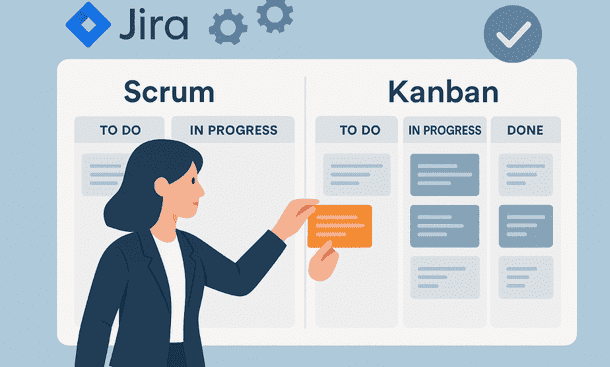
Agile boards give your team a clear view of work in motion. They turn tasks into a visual map that shows what matters now, what is coming next and what needs attention. In Jira, boards help you keep momentum and remove confusion when your team moves fast. Whether you prefer Scrum or Kanban, the right setup supports your delivery rhythm. For a broader understanding of how these boards connect to your full workflow system, the Jira project management guide offers helpful context.
Why agile boards matter for early teams
When your team works in short cycles, visibility becomes essential. Agile boards let you see progress at a glance. A single view shows the work in progress, the work waiting and the work that may need support. This reduces unnecessary status meetings and keeps everyone aligned during busy weeks.
Boards also help you spot blockers early. If a column becomes crowded, you know where the process needs attention. This is especially helpful when your team is small and each delay has a visible impact on delivery. With a simple board, you stay focused on real progress.
Choosing between Scrum and Kanban boards
Scrum and Kanban support different ways of working. Scrum works well if your team delivers in defined cycles such as one or two week sprints. Kanban fits teams that prefer a continuous flow without fixed deadlines. Neither approach is better. What matters is choosing the structure that matches how your team naturally works.
Scrum boards help you plan predictable cycles. You set a goal, start a sprint and focus until you close it. Kanban boards help you maintain steady flow and limit work in progress. They keep your team moving without the pressure of sprint boundaries.
You can switch later if your rhythm changes. Early teams often start with Kanban because it is simple, then move to Scrum when they need more planning structure.
Setting up a clean Scrum board
A good Scrum board starts with a clear backlog. Add your ideas, tasks and improvements. Then refine what matters for the upcoming sprint. Your sprint should have a realistic amount of work. Overloading a sprint slows your team and reduces clarity.
Once the sprint begins, move tasks across the board as you work. The team should update the board daily. This keeps progress visible and helps you adjust early instead of late. A clean board saves time and avoids misunderstandings.
Scrum also encourages a short review at the end of each cycle. Use that moment to understand what went well and what needs attention. These small adjustments help your team grow faster than heavy planning.
Building an effective Kanban board
Kanban is simple by design. You move tasks from left to right across a small number of columns. The real power comes from limiting how many tasks can be in progress at the same time. This forces your team to finish work before starting new work. It also keeps the board clean and prevents chaos.
Start with a basic structure such as To Do, In Progress and Done. Add a Review or Testing column only if your team needs it. The goal is clarity, not complexity. Too many columns make the board harder to use.
A Kanban board grows stronger when the team respects work in progress limits. When the In Progress column becomes full, someone must finish a task before taking a new one. This creates steady rhythm and prevents hidden bottlenecks.
Using swimlanes to organize work
Swimlanes help you categorize tasks in a clear way. You can group work by priority, by team member or by type of work. This is helpful when your board becomes busy. Swimlanes add structure without adding more columns.
For example, you can create a top swimlane for urgent tasks that need immediate attention. Or create a dedicated lane for bugs so your team does not lose track of them. Swimlanes keep the board readable even when your backlog grows.
Use them with intention. Too many swimlanes make the board harder to understand at a glance. Choose simple categories that match your workflow.
Keeping the board healthy by refining regularly
Boards become messy when tasks stay stuck for too long. A healthy board reflects the reality of your work. Set aside a short moment once or twice a week to clean it. Remove old tasks. Update ongoing work. Move completed items to Done.
Small maintenance keeps your board useful and reduces confusion. If a column stays full, discuss why. Maybe your team needs support in that stage. If a task stays untouched for weeks, decide if it still matters.
Boards work best when they mirror real progress. Honest reflection helps you maintain that quality as your workload grows.
Using filters and quick views to stay focused
Jira allows you to filter work by assignee, priority, label or sprint. Filters help you focus during busy moments. You can review only your tasks, or only the work planned for the current cycle. This makes reviews faster and helps you make decisions without scanning every card.
Use filters lightly. They should help you stay focused, not hide important information. The board should still give a shared view for the whole team.
Integrating your board with your workflows
Agile boards become stronger when they work together with your workflow. Each column on the board should reflect a clear step in your process. When the two match, your team understands exactly where each task stands.
This connection also helps when you automate actions. For example, moving a card to Review may notify the reviewer. Moving a card to Done may update documentation or send a small message to your team. These small touches keep your board active and reduce manual follow up.
Encouraging team habits around the board
A board becomes valuable when your team uses it consistently. Encourage short updates during the day. Ask team members to move their tasks as they work. Make the board part of your meetings so everyone shares the same view.
When updates become a habit, your board stays alive. It becomes a shared space where work is visible and progress becomes easier to track.
A well configured board gives your team clarity and steady pace. It supports quick decisions and helps you stay organized even when your workload grows. Whether you use Scrum or Kanban, a clean and active board becomes a simple guide for your daily work. If you want to explore how automation strengthens your process, you can read Jira Automation: Save Time With Smarter Workflows for the next step.
About the Author

Pamela
Pamela is a dynamic professional with a deep passion for SaaS and emerging technologies. She provides valuable insights into software trends, digital innovation, and cutting-edge tools that empower businesses to thrive and expand.
Did you find this helpful?
Your feedback helps us curate better content for the community.