
Table of contents
- What “free” actually means in Supabase land
- When free stops being free (and what it costs)
- The hidden costs nobody warns you about
- How to budget Supabase for the next 12 months
- The real value of staying on Supabase long-term
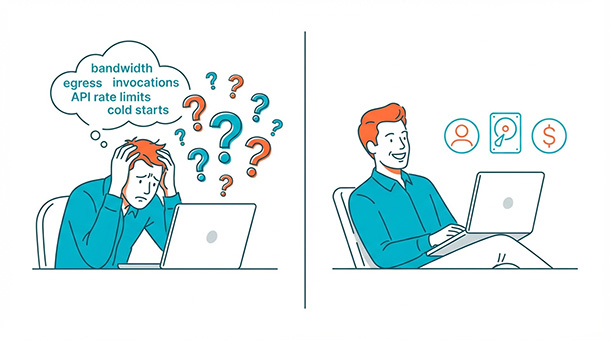
You found Supabase, saw the word “free,” and got excited. Then you scrolled down and saw terms like “database egress,” “edge function invocations,” and “storage bandwidth.” Suddenly, free doesn’t feel so simple anymore. Most founders don’t need a computer science degree to pick a backend, they need to know what it costs when they hit 100 users, 1,000 users, or 10,000 users. Understanding the entrepreneur’s guide to Supabase pricing structure means you can budget confidently without surprise bills killing your runway.
What “free” actually means in Supabase land
Supabase offers a free tier that’s genuinely usable, not a glorified demo. You get a working database, authentication for users logging in, file storage for images and documents, and even those edge functions that automate tasks. This isn’t a 14-day trial or a feature-locked preview.
The catch isn’t hidden fees or credit card requirements upfront. It’s usage limits, and those limits are surprisingly generous for most early-stage startups.
Think of it like a gym membership with a guest pass. You can use the equipment, take classes, and shower afterward. But if you start bringing 50 friends every day, the gym will politely ask you to upgrade.
Supabase’s free tier gives you 500mb of database space, 1gb of file storage, and 50,000 monthly active users. For a brand-new startup testing an idea or building an MVP, that’s more than enough runway to validate your concept without spending a dollar. Most founders stay free for months while they figure out product-market fit.
The real question isn’t whether free exists. It’s how long you can stay free before your business outgrows it, and what happens when you do.
When free stops being free (and what it costs)
The three triggers that move you to paid
You’ll hit the paid tier when one of three things happens. Your database grows past 500mb because you’re storing thousands of customer records with order histories, preferences, and activity logs. Your file storage exceeds 1gb because users are uploading profile photos, product images, or PDF invoices. Or you cross 50,000 monthly active users, which honestly means you’ve built something people want and can probably afford $25 per month.
Most founders hit the database limit first, especially if they’re tracking user behavior or storing detailed product catalogs. A basic user profile with email, name, and preferences takes about 1kb of space. Multiply that by 10,000 users and you’re only at 10mb, which sounds safe.
But add purchase history, activity logs, notifications, and settings, and suddenly each user consumes 50kb. Now 10,000 users eat 500mb, and you’re at the ceiling. That moment happens faster than you expect, usually right when your app starts gaining traction.
What the pro plan actually gives you
The pro plan costs $25 monthly and bumps you to 8gb of database space, 100gb of file storage, and 100,000 monthly active users. That’s the plan most early-stage startups live on for their first year or two. It’s predictable, affordable, and scales with your growth without requiring a finance degree to interpret.
Beyond pro, there’s a team plan at $599 monthly for larger companies needing priority support, staging environments, and higher limits. Then there’s enterprise pricing for businesses processing millions of requests daily. But if you’re reading this article, you’re probably not worried about enterprise pricing yet.
You’re trying to figure out if you can afford to launch, and the answer is yes, you can.
The hidden costs nobody warns you about
Bandwidth is the silent budget killer
Here’s where founders get surprised, and it’s the part most tutorials skip entirely. Supabase charges for bandwidth, which is the amount of data traveling between your database and your users. Every time someone loads a page, uploads a photo, fetches their profile, or syncs data, that’s bandwidth usage.
The free tier includes 5gb of bandwidth monthly. The pro plan gives you 250gb. That sounds like a lot until you run the math on a real app.
Bandwidth sounds abstract until you realize that a single high-resolution image can be 5mb. If 1,000 users each load one product photo, that’s 5gb burned through instantly. If you’re building a photo-heavy app like a portfolio site, social platform, or e-commerce store, bandwidth becomes your biggest cost faster than database size ever will.
The founders who get caught off guard are the ones building image galleries, dashboards with live charts, or apps that sync large datasets frequently. They launch, users love it, traffic spikes, and suddenly they’re paying bandwidth overage fees they never budgeted for.
Database egress creeps up quietly
The other sneaky cost is database egress, which measures data leaving your Supabase database to external services. If you’re syncing customer data to a CRM like HubSpot, sending reports to a third-party analytics platform like Mixpanel, or exporting daily backups to cloud storage, egress adds up fast.
The free tier includes 2gb of egress monthly. The pro plan gives you 50gb. Go over that, and you’re paying $0.09 per additional gigabyte. That doesn’t sound like much until you’re exporting 100gb monthly and paying an extra $4.50 just for data leaving your system.
Most founders don’t track egress until they get a bill, which is why the smart move is setting up usage alerts in your Supabase dashboard as soon as you launch. Supabase lets you configure email notifications when you hit 80% of any limit, giving you time to optimize or upgrade before costs spiral.
How to budget Supabase for the next 12 months
Start with realistic user projections
Begin by estimating your user count and monthly activity honestly, not optimistically. If you’re launching a waitlist or MVP with under 500 users, the free tier works fine for at least three to six months. You’ll have time to test, iterate, and validate your idea without spending anything on infrastructure.
Once you hit product-market fit and start marketing aggressively, budget $25 monthly for pro. That’s less than a single lunch meeting with an investor, and it buys you room to grow from hundreds of users to tens of thousands without hitting limits.
Add another $10 to $20 monthly buffer for bandwidth overages if your app is media-heavy, involves frequent data syncing, or lets users upload files regularly. Most startups spend between $25 and $100 monthly on Supabase during their first year.
Compare that to the alternatives
Compare that to building a custom backend with AWS or Google Cloud, where founders regularly get surprise bills for $500+ monthly because they misconfigured an API gateway, forgot to shut down a test server, or enabled logging that consumed terabytes of storage. Those platforms are powerful, but they’re built for engineers who know what they’re doing.
Supabase pricing is predictable, transparent, and designed for people who’d rather spend money growing their business than decoding invoices. You know what you’re paying, you know what you’re getting, and you know when you’ll need to upgrade.
That clarity alone is worth the cost.
The real value of staying on Supabase long-term
Switching costs are brutal
Switching backends later is painful, expensive, and risky. You’re not just moving data from one system to another like transferring files between hard drives. You’re rebuilding authentication systems, rewriting every API call your app makes, reconfiguring security rules, and praying nothing breaks during migration.
Most founders who start cheap with a random backend because it saved them $50 monthly end up paying $50,000 in developer time when they outgrow it and have to rebuild everything. That’s not an exaggeration, that’s the real cost of technical debt catching up.
Supabase scales without forcing a rebuild
Supabase scales from free to enterprise without forcing you to rebuild anything. The database structure stays the same, the API calls don’t change, and your authentication system keeps working exactly as it did on day one. You’re just paying for more capacity.
That means the $25 you spend monthly now is an investment in not spending $50,000 rebuilding later. It’s insurance against the nightmare scenario where your app goes viral and your backend can’t handle the traffic because you cheaped out early.
That’s the hidden ROI nobody puts on a pricing page, but every founder who’s been through a backend migration wishes they’d understood earlier.
Understanding how Supabase pricing protects your long-term business strategy is just as important as knowing the monthly cost. If you’re ready to explore what happens after you sign up, learn how to navigate the Supabase dashboard without feeling lost.
About the Author

AISalah
AISalah bridges linguistics and technology at PointOfSaaS, exploring AI applications in business software. English Studies BA with hands-on back-end and ERP development experience.
Did you find this helpful?
Your feedback helps us curate better content for the community.