
Introduction
Startups move fast and tools that slow you down don’t survive. I’ve watched teams abandon project management software after two weeks because it was too rigid, seen documentation scattered across Google Docs that nobody could find, and experienced the chaos of important decisions living only in Slack threads that disappeared into history.
Notion solves these problems by being flexible enough to adapt as your startup evolves. It’s a workspace that combines notes, databases, tasks, wikis, and project management in one place. You’re not forced into someone else’s workflow, you build what makes sense for your team.
The challenge isn’t whether Notion can work for startups, it clearly can. The challenge is setting it up properly so it becomes infrastructure rather than another tool people ignore. Get the foundation right and Notion scales with you from three people in a coffee shop to thirty people across multiple teams.
This guide walks through setting up Notion specifically for startup needs. You’ll learn how to structure your workspace, what databases to create, how to manage projects and knowledge, which templates save time, and how to connect Notion with your other tools. The goal is a system that makes collaboration easier, keeps information accessible, and grows as you grow.
Most startups I talk to either use Notion as a fancy notes app, which wastes its potential, or they over-engineer elaborate systems that collapse under their own complexity. The approach here finds the middle ground between those extremes. Enough structure to be useful, enough flexibility to adapt, and enough simplicity that your team actually uses it.
Setting Up Your Notion Workspace for Team Collaboration
Your workspace is the foundation everything else builds on. Poor structure at this level creates problems that multiply as you add content, while solid structure makes everything easier.
Start by thinking about your workspace as shared infrastructure rather than a personal tool. When it was just you, organizing pages however felt natural worked fine. With a team, you need patterns that make sense to everyone.
The sidebar is what people see first when they open Notion. A clean sidebar means quick navigation to important areas. A messy sidebar means wasted time hunting for pages and frustrated team members. I organize mine with top-level sections for major functional areas like Projects, Company, Resources, and Team.
Teamspaces let you create separate areas with their own permissions and structure. If you have distinct groups like engineering and sales who don’t need constant visibility into each other’s daily work, teamspaces provide that separation. Most small startups can skip this initially and add it later when team size makes it valuable.
Permissions matter more than you might think initially. The default approach of making everything editable by everyone works until someone accidentally deletes important content or overwrites something they shouldn’t touch. I use full edit access for core team members on their functional areas, comment-only for stakeholders who need visibility, and view-only for reference materials that shouldn’t change.
Page hierarchy should be shallow enough that people don’t click through five levels to reach what they need daily. Three levels deep is usually the limit. If something is buried deeper than that, either it’s not important enough to keep or it belongs somewhere else in your structure.
Naming conventions prevent confusion. Decide whether you include dates in page titles, how you label templates versus active pages, and what abbreviations are acceptable. Document these patterns somewhere visible so new people follow them. Consistency makes search and navigation dramatically better.
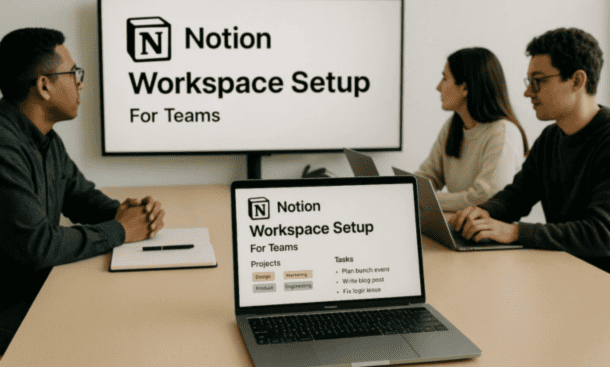
The onboarding experience for new team members sets expectations. Create a Start Here page that explains your workspace layout, links to key resources, and answers common questions. When someone joins, point them there and give them 30 minutes to explore. This investment prevents dozens of small questions later. For a deeper look at workspace mechanics, check out our guide on notion workspace setup for teams.
Creating a Product Roadmap in Notion
Your product roadmap is the strategic narrative of what you’re building and when. It needs to be detailed enough for planning but flexible enough to change as you learn from customers and market realities.
Traditional roadmap tools force you into specific formats that work for established companies but feel constraining for startups. Notion’s database approach lets you maintain one source of truth about your product plans while displaying it in whatever format serves your current need.
Build your roadmap as a database with properties that support your decision-making. Feature name, status, priority, timeline, owner, customer segment, and effort estimate cover the basics. Add properties for whatever else drives your prioritization like strategic theme, revenue impact, or technical risk.
The real power comes from multiple views of the same data. A timeline view shows executives when features ship across quarters. A kanban board grouped by status helps your product team manage the pipeline. A table view supports detailed planning sessions where you evaluate trade-offs. One database, many perspectives, zero duplicate maintenance.
Link your roadmap items to actual execution. When a feature moves from planned to in progress, connect it to the project page where implementation happens. This relationship means anyone can click from the roadmap into current sprint boards, technical specs, and progress updates without asking for status reports.
Roadmaps change constantly at startups and that’s healthy. A customer churns because you’re missing a capability so you reprioritize. A technical constraint makes something harder than expected so you adjust timelines. Update your roadmap weekly to reflect reality rather than maintaining a fiction of perfect predictability.
Different audiences need different levels of detail. Give your team full access to see everything including internal debates and uncertain items. Create a filtered view for customers that shows only committed features. Share timeline views with investors during quarterly updates to demonstrate execution and strategic thinking.
The mistake most startups make is overcommitting. They add 20 features to next quarter because everything feels important, then deliver five and damage credibility. Better to plan eight, deliver eight, and maintain trust. Look at what you shipped last quarter as a baseline for what’s realistic this quarter. Building your notion product roadmap properly means being honest about capacity.
Building a Knowledge Base in Notion for Your Startup
Information scattered across Slack, email, and people’s heads creates inefficiency and frustration. A knowledge base centralizes everything your team needs to know in one searchable organized place.
Everything that someone might reference more than once belongs in your knowledge base. Company information like mission and values, product documentation explaining what you built and how it works, process documentation for recurring tasks, policies and procedures, resources and tools, and meeting notes capturing decisions.
Structure your knowledge base with top-level categories that match how people think about work. I use Company, Product, Operations, Resources, and Teams as my main sections. Under each, create second-level pages for major topics. Keep nesting shallow because information buried four levels deep might as well not exist.
Write documentation for someone who knows nothing about the topic. Use simple language, short sentences, and clear examples. Break content into scannable sections with descriptive headings. Add visuals when they clarify things text can’t. Link liberally to related pages so people can navigate by following connections.
The challenge isn’t creating documentation, it’s keeping it current. Assign owners to major areas so someone feels responsible for updates. Build documentation updates into your workflows so when you ship a feature, updating docs is part of shipping. Add last updated dates to important pages so people can assess if information might be stale.
Make your knowledge base discoverable through search. Use descriptive page titles that include keywords people would actually type. Add synonyms in content so if you call something a client but people search for customer, both terms appear. Create FAQ pages for common questions since these rank well in search.
Encourage adoption by leading with example. When someone asks a documented question, send them the link rather than answering directly. This trains people where to look and reinforces that the knowledge base is the authoritative source. Make it easy to contribute so documentation isn’t bottlenecked on one person.
Your knowledge base grows with your company and what works for five people might need adjustment at twenty. Stay flexible and listen to how people search for and use information. The best knowledge base is the one your team references when they need answers. Our article on building a notion knowledge base for startups goes deeper into documentation strategies.
Managing Projects and Tasks with Notion Databases
Projects collapse under complexity when information scatters across multiple tools. You end up with tasks in Trello, timelines in Google Sheets, and updates in Slack with nobody having complete visibility.
Notion databases solve this by putting everything in one flexible system where tasks, timelines, notes, and files live together. The database approach means the same information displays as a board, calendar, timeline, or table depending on what helps you right now.
Start with a projects database tracking your active initiatives. Properties should include project name, status, priority, owner, start and end dates, team members, and relations to other connected projects. This high-level view shows what your team is working on and how those efforts relate.
Build a separate tasks database for actual work items. Task name, assigned to, due date, status, priority, project relation, effort estimate, and tags cover most needs. The project relation connects tasks to their parent initiatives creating bidirectional navigation between strategic and tactical work.
Views transform your databases from static tables into dynamic work tools. Create a board view for your tasks grouped by status and you have a kanban flow where people drag cards as work progresses. Add a timeline view to your projects and you see schedules revealing resource conflicts. Build a calendar view and you prevent everything from piling up on the same day.
The relationships between databases mirror how work actually happens. Your tasks link to projects, projects link to clients, clients link to team members. Click into any item and see everything connected to it. This web of information eliminates the endless question of where something lives.
Use rollups to surface task information at the project level. A rollup can count completed tasks or calculate completion percentage. Now your project cards show progress metrics without clicking through to details.
Maintain your databases with regular cleanup. Archive completed projects quarterly so they don’t clutter active work views. Delete orphaned tasks that no longer connect to anything. Review properties and remove ones nobody uses. The database should evolve with your needs not calcify around old patterns.
Database templates within your projects and tasks help with common entry types. A bug report template pre-fills priority and adds specific fields. A marketing campaign project template includes different sections than a product launch. These templates ensure consistency and save setup time. The full guide on notion project management databases covers advanced techniques for complex workflows.
Notion Templates for Startup Operations
Templates are pre-built structures you duplicate and customize instead of starting from scratch every time. They encode best practices, ensure consistency, and let you focus on content rather than formatting.
Every startup needs certain templates regardless of industry. Meeting notes templates with sections for date, attendees, agenda, discussion, decisions, and action items. Project kickoff templates capturing objective, success metrics, timeline, team, and constraints. Status update templates showing what shipped, what’s in progress, and what’s blocked. OKR templates tracking objectives and key results quarterly.
One-on-one templates make manager conversations more productive with topics from both people, feedback, wins, challenges, and action items. Hiring pipeline templates standardize recruiting by tracking candidates through stages with properties for role, source, feedback, and hiring manager.
Beyond universal templates, different functions need specialized structures. Product teams want feature spec templates. Engineering teams need sprint planning templates. Marketing teams use campaign brief templates. Sales teams benefit from deal tracking templates. Build these as your team grows into functional areas.
Create your own templates by doing the task manually a few times first. Notice what information you consistently need and what format makes sense. Build a page with that structure, format it exactly right, and store it in a Templates area that’s easy to find.
Database templates auto-populate properties and structure for repeated entries. In your tasks database, create a bug report template that pre-fills fields. In your projects database, create templates for different project types. These speed up entry and maintain consistency.
Don’t build everything from scratch when the Notion community shares thousands of templates. Download ones that look useful, examine how they work, then simplify aggressively. Most community templates are overbuilt. Strip unnecessary complexity and rename things to match your terminology.
Encourage usage by making templates the path of least resistance. Put them in obvious places, mention them frequently, and lead by example. Update templates based on feedback because they should evolve with your needs. Review quarterly and archive ones nobody uses to keep your library focused.
Your template library becomes infrastructure that eliminates repetitive formatting work and embeds your best practices into daily operations. Check out our collection of notion startup templates for ready-to-use structures.
Integrating Notion with Your Startup Tech Stack
Your startup probably uses multiple tools and constantly switching between them kills productivity. Integrations let data flow between systems automatically so you’re not copying information manually or wondering if you have the latest version.
Notion connects to other tools through native integrations built directly in, the Notion API for custom development, automation platforms like Zapier that translate between systems, and embed capabilities that display external content inside Notion pages.
The Slack integration solves the problem of important conversations disappearing into chat history. Share Notion pages into Slack channels as rich previews. Set up notifications from Notion to Slack for database updates. Use Slack commands to create Notion pages without context switching. This separates ephemeral discussion from permanent documentation.
Google Drive integration lets you embed Docs, Sheets, and Slides directly in Notion pages. The embedded view is live so changes in Drive appear immediately in Notion. This works well for financial models or documents that need visibility in project pages while specialists continue working in their preferred tools.
Zapier connects thousands of apps using triggers and actions. When someone submits a form, create a Notion database entry. When you create a calendar event, add it to Notion. When a task completes, send a Slack notification. These automated workflows eliminate manual data entry and keep systems synchronized.
Development tools like GitHub integrate so you can link pull requests and issues to Notion pages. Mention a Notion page in a GitHub comment and it appears as a backlink. For deeper integration, use the API or automation tools to sync more data bidirectionally.
The Notion API enables custom integrations if you have development resources. Common uses include syncing data from internal systems, automated reporting that pulls from Notion and formats for external consumption, and two-way syncs keeping Notion and specialized tools aligned.
Avoid integration overload by connecting only where manual work is painful or error-prone. Start with high-impact integrations that save meaningful time. Document what’s connected so the team understands how systems relate. Test thoroughly before relying on automation for critical workflows.
Your integrations should make Notion more powerful without making it complicated. The goal is seamless information flow working invisibly in the background. Our guide on notion integrations and tools covers specific setup instructions for popular connections.
Conclusion
Setting up Notion for your startup isn’t about creating the perfect system on day one. It’s about establishing solid foundations that support how your team actually works and adapting as you learn what serves you best.
Start with the basics: a clear workspace structure, a way to track projects and tasks, a knowledge base for important information, and templates for recurring work. Get these core elements in place and you have infrastructure that makes collaboration easier rather than harder.
The real value emerges over time as your Notion workspace becomes the central nervous system of your operation. Information lives in one place instead of scattered across tools. New team members ramp faster because documentation is accessible. Projects stay organized because everyone follows consistent patterns. Decisions get documented so you’re not relitigating the same discussions repeatedly.
Your setup will evolve and that’s expected. What works for three people needs adjustment at ten and transformation at thirty. Stay flexible, listen to how people actually use the workspace, and modify accordingly. The best system is the one your team uses consistently not the one that looks impressive but sits ignored.
Notion scales with startups specifically because it doesn’t force you into rigid workflows. You can start simple and add complexity only where it provides value. You can experiment with new structures without migrating data or learning new tools. This flexibility matters when your priorities and processes change monthly.
The investment you make in proper setup pays dividends in reduced friction, better visibility, and faster execution. When people know where to find information, where to document their work, and how different pieces connect, they spend less time coordinating and more time building.
If you’re looking for immediate value, the notion startup templates we’ve covered give you ready-to-use structures that eliminate starting from blank pages. Templates for meetings, projects, and common workflows let you hit the ground running while you gradually customize Notion to fit your specific needs.
Your startup has enough challenges without your tools adding to them. Notion set up properly removes obstacles, creates clarity, and gives your team the infrastructure to move fast without falling apart.
About the Author

Melanie Hart
Co-founder of Point of SaaS | SaaS Strategist Helping businesses leverage software innovation to optimize performance, streamline workflows, and achieve sustainable growth.
Did you find this helpful?
Your feedback helps us curate better content for the community.