
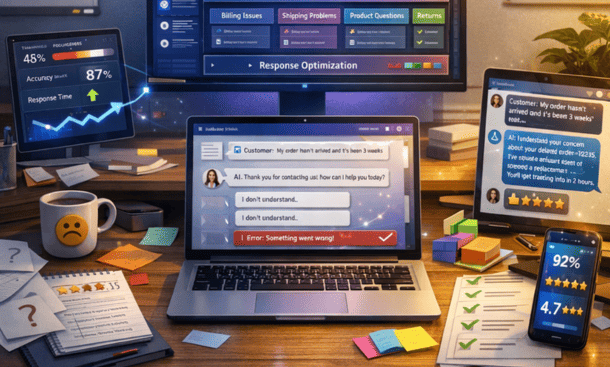
Training an AI agent goes beyond uploading documentation and hoping for accurate responses. Effective training requires curating high-quality knowledge bases, writing clear prompt instructions, testing edge cases, and continuously refining based on real conversations. The difference between an agent that frustrates customers and one that delights them often comes down to how well you’ve mapped your product’s nuances into the training data. This training process represents just one component of the full automation workflow detailed in our resource on how to automate customer service with intelligent systems.
Building a knowledge base that AI can actually use
Your knowledge base forms the foundation of everything your AI agent knows about your business. Most entrepreneurs make the mistake of dumping existing documentation into the system and expecting good results. AI agents need information structured specifically for machine comprehension.
Start by auditing your current documentation. Pull together product manuals, FAQ pages, policy documents, support articles, and any other resources your human agents reference when helping customers. Spread these documents across your desk or screen and look for gaps, contradictions, and outdated information.
Organize content by topic with clear hierarchies. Create top-level categories like product features, billing and payments, shipping and returns, technical troubleshooting, and account management. Within each category, break information into specific subtopics. Under billing, you might have separate documents for payment methods, invoice questions, refund policies, and subscription changes.
Writing for machine comprehension
AI agents understand information best when it’s presented in clear, direct language without ambiguity. Take a typical FAQ answer like “We usually ship orders within 2-3 business days, though sometimes it might take a bit longer during busy periods.” An AI agent might interpret “usually” and “might” differently across conversations.
Rewrite for clarity: “Standard shipping: Orders ship within 2-3 business days. During peak seasons (November-December and major sale periods), shipping may take 4-5 business days.” This version removes vague language and provides specific parameters the AI can reference consistently.
Avoid pronouns and implied context. Instead of “After you’ve done that, the next step is,” write “After verifying the customer’s email address, confirm their shipping address.” Be explicit about what “that” or “it” refers to because AI doesn’t infer context as naturally as humans.
Include examples for complex concepts. If you’re explaining how your tiered pricing works, provide sample scenarios: “Example: A customer using 5,000 API calls monthly pays $49. A customer using 15,000 calls monthly pays $99.” These concrete examples help the AI understand how to apply pricing rules to specific situations.
Teaching the AI your brand voice and tone
AI agents can sound robotic and generic if you don’t deliberately train them on your brand’s communication style. Your knowledge base should include explicit guidelines about how the agent should interact with customers.
Document your tone across different scenarios. How should the agent respond to angry customers versus someone asking a simple question? What level of formality do you use? Do you embrace humor or keep things strictly professional?
Create response templates for common situations that demonstrate your preferred style. Instead of just listing what information to provide, show how to provide it. Write out complete example responses the AI can learn from.
Setting boundaries and handling sensitive topics
Define explicitly what the AI should and shouldn’t attempt to handle. Complex refund decisions requiring manager approval shouldn’t be automated. The AI needs clear instructions to recognize these scenarios and escalate appropriately.
Write escalation triggers in specific terms. “If the customer mentions words like lawyer, legal action, lawsuit, or Attorney General, immediately route to a human agent and flag as priority” gives the AI concrete criteria. Vague instructions like “escalate serious complaints” leave too much room for interpretation.
Include empathy guidelines for difficult situations. Train the AI to acknowledge frustration before attempting to solve problems: “I understand this situation is frustrating. Let me look into this right away and see how I can help resolve it.”
Testing with real scenarios before going live
Theoretical training only gets you so far. Your AI agent needs exposure to actual customer conversations to learn your business’s specific patterns and edge cases.
Gather your last 100-200 support tickets across different categories. These represent real questions from real customers, phrased in authentic ways. Use these as your test dataset.
Feed each ticket into your AI agent and evaluate the responses. Does the agent understand what the customer is asking? Does it provide accurate information? Is the response complete or does it leave obvious follow-up questions unanswered? Would this response satisfy the customer?
Identifying and fixing failure patterns
You’ll quickly notice patterns in where the AI struggles. Maybe it consistently misunderstands questions about a specific product feature. Perhaps it provides technically correct but overly complex answers that confuse customers. These patterns tell you where to focus your training efforts.
When the AI fails to understand a question, add that phrasing to your knowledge base. If customers ask “how do I cancel” but your documentation only mentions “subscription termination,” the AI might not make the connection. Add “cancel,” “stop my subscription,” and “end my account” as synonyms.
For responses that are technically accurate but unhelpful, revise your training to provide more context. An AI agent that responds to “why did my payment fail” with just “payment failed due to insufficient funds” misses the opportunity to guide the customer toward resolution. Train it to add “You can update your payment method in your account settings or contact your bank to authorize the charge.”
Continuous learning from live conversations
Launch your AI agent to a limited audience first. Route maybe 20 percent of incoming inquiries to the AI while the rest still go to human agents. This controlled rollout lets you monitor performance closely and catch issues before they impact your entire customer base.
Review every AI conversation during the first two weeks. Yes, every single one. This sounds tedious but it’s the fastest way to identify problems and improve accuracy. You’ll spot patterns that testing missed because real customers ask questions in unexpected ways.
Create a feedback loop where human agents can flag problematic AI responses. When an agent sees that the AI gave incorrect information or failed to understand a question, they should be able to mark that conversation for review. These flagged interactions become your priority training targets.
Measuring what actually matters
Track containment rate, which shows what percentage of conversations the AI resolves without human intervention. A well-trained AI agent should achieve 60-70 percent containment within the first month and improve to 80 percent or higher over time.
Monitor customer satisfaction scores specifically for AI interactions. Send a quick survey after AI-resolved conversations asking if the customer got what they needed. If satisfaction drops below your baseline for human-assisted support, investigate what’s causing frustration.
Pay attention to conversation length. Interactions that drag on for 10-15 exchanges often indicate the AI is struggling to understand or resolve the issue. These long conversations should escalate to humans rather than wasting customer time.
Updating training as your business evolves
Your AI agent’s training is never truly finished. Products change, policies update, new questions emerge, and customer expectations shift. Schedule regular training reviews to keep your agent current.
Set a monthly review where you analyze the past 30 days of conversations. Look for new question patterns, identify topics where accuracy has declined, and spot opportunities to expand the AI’s capabilities.
When you launch new products or features, update your AI’s knowledge base before customers start asking questions. Don’t wait for the AI to fail repeatedly before adding the information. Proactive training prevents customer frustration.
Document seasonal patterns. If you’re an e-commerce business, your AI needs different training emphasis during holiday seasons when shipping questions spike. Prepare enhanced holiday shipping documentation in October, not December when you’re already overwhelmed.
Advanced techniques for sophisticated implementations
Once your basic training is solid, you can layer in more advanced capabilities that significantly improve customer experience.
Sentiment analysis lets your AI detect frustration or anger and adjust its responses accordingly. A customer typing in all caps with exclamation points needs a different approach than someone casually asking a question. Train your AI to recognize these signals and escalate or adjust its tone appropriately.
Multi-turn context retention makes conversations feel more natural. The AI should remember what was discussed earlier and not ask for information the customer already provided. Choosing the right AI customer service platform with strong context management capabilities makes this possible without extensive custom development.
Personalization based on customer data creates better experiences. An AI that knows a customer’s purchase history, subscription tier, and previous support interactions can provide more relevant assistance. A premium customer asking about a feature should get different treatment than someone on a free trial.
Successfully training an AI agent transforms it from a simple FAQ bot into a capable support team member. The agent handles routine inquiries accurately, escalates appropriately when needed, and maintains your brand voice throughout every interaction. As your agent matures and proves its value, you’ll want concrete metrics to demonstrate ROI and justify expanding your automation investment. Our guide to customer service automation metrics walks through exactly which numbers matter and how to track them effectively.
About the Author

Mateo
I’m Mateo, a SaaS blogger and digital strategist dedicated to helping startups accelerate growth through automation, data-driven decision-making, and performance-focused marketing systems. Over the past few years, I’ve worked with early-stage software companies to refine their go-to-market strategies, optimize conversion funnels, and implement scalable automation frameworks that drive measurable revenue growth. On my blog, I share proven insights from real-world SaaS cases, including actionable frameworks for churn reduction, onboarding optimization, and lead-to-customer conversion. My mission is simple: to empower founders and marketers with practical strategies that turn innovative software into sustainable, profitable success.
Did you find this helpful?
Your feedback helps us curate better content for the community.