

I spent three weeks trying to pick a project management tool before i actually picked one.
Three weeks. And i have a degree. I read tech blogs for fun. I genuinely enjoy this stuff. And i still ended up paralyzed because the options were endless and every review i read made a different tool sound like the obvious choice.
If you’ve ever been in that spiral, this is for you. Because the problem usually isn’t that you’re indecisive it’s that most comparison guides skip the part that actually matters: figuring out what your business needs before you start looking at tools.
That’s where we’re starting today.
Why most people pick the wrong tool
Here’s what typically happens. Someone on your team mentions they’ve been using Trello. Or you see a ClickUp ad for the fifth time and finally click it. Or your favorite founder on YouTube swears by Notion. So you sign up, spend a weekend setting things up, and three weeks later nobody’s using it anymore.
Sound familiar?
The tool wasn’t necessarily bad. It just wasn’t the right fit for how your team actually works. And that mismatch is almost always the result of skipping one step: defining your needs before comparing features.
A project management tool is only useful if people use it consistently. And people only use it consistently if it fits naturally into their workflow instead of adding friction to it.
Step one: know your own workflow before anything else
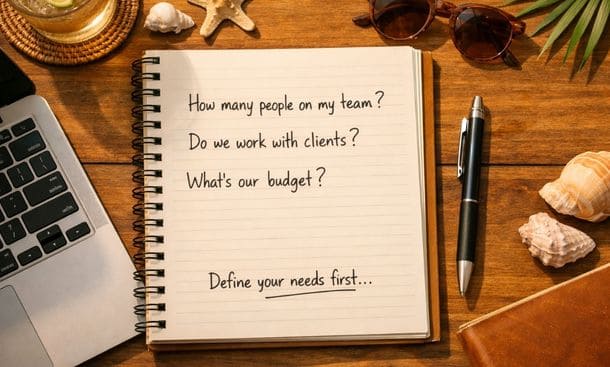
Before you open a single review article or watch a single demo, sit down and answer these questions honestly.
How does work actually move through your business right now. Not how you want it to work how it actually works today. Are projects handed off verbally, over email, through a chat app? Where do things fall apart most often?
How many people need to use this system. A solo founder choosing a tool for herself has very different needs than a founder managing a team of six. Some tools are genuinely built for individuals. Others shine with teams.
Do you work with external clients or just internally. If clients need visibility into your projects or if you need to share deliverables regularly you’ll want a tool that handles external collaboration or at least has solid file-sharing and comment features.
What does your budget actually look like. Some of the best tools for small businesses have generous free tiers that can take you pretty far. Others get expensive fast once you add team members. Know your ceiling before you fall in love with a premium feature.
How technical is your team. Some tools require a learning curve and reward people who are willing to invest time in setup. Others are genuinely plug-and-play. Be honest about where your team sits on that spectrum because the best tool in the world is useless if your team won’t adopt it.
The features that actually matter for small businesses
Once you know your workflow, you can start evaluating tools based on what actually moves the needle not on which one has the longest feature list.
Task management is the foundation. Every tool has it, but the quality varies a lot. You want to be able to assign tasks, set due dates, add context or attachments, and see everything clearly at a glance. If the task view feels cluttered or confusing in the free trial, that’s a signal.
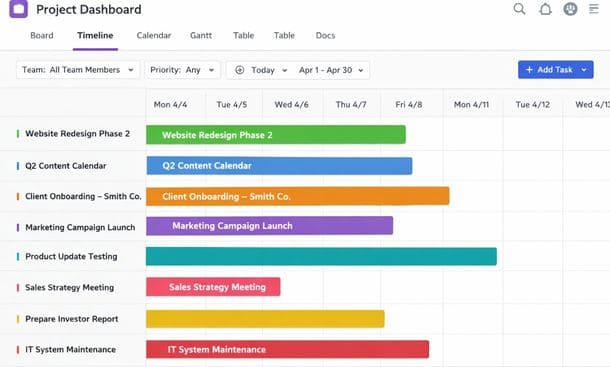
Multiple views are underrated. Some people think in lists. Others prefer a visual board. Some want a calendar so they can see deadlines mapped out. The best tools let you switch between views depending on what you need in the moment. If you’re managing a team with different working styles, this flexibility matters.
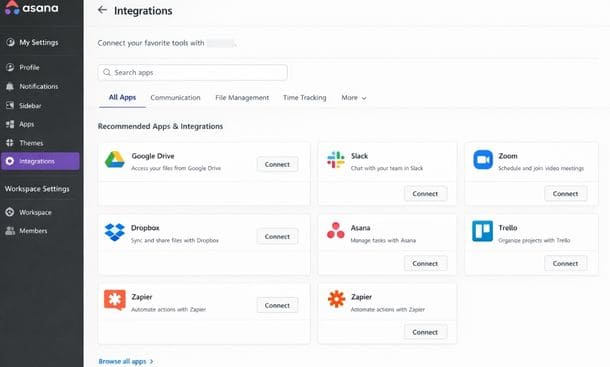
Integrations are not optional. Your project management tool doesn’t live in a vacuum. It needs to talk to your email, your calendar, your file storage, maybe your invoicing software. Before committing to anything, check whether it connects to the tools you already use. A tool that forces you to manually transfer information between apps will create more work than it saves.
Notifications and reminders need to be smart. The goal is to be informed without being overwhelmed. Look for tools that let you customize notification settings so your team isn’t drowning in pings or worse, missing critical updates because everything got muted.
Reporting and visibility matter more as you grow. Right now you might just need to know what’s done and what isn’t. But six months from now you might want to see team workload, project timelines, or progress toward quarterly goals. It’s worth picking a tool that can grow with you rather than one you’ll outgrow quickly.
The questions most people forget to ask
There are a few things that rarely show up in comparison charts but make a big difference in the real world.
What happens when someone new joins your team. Onboarding a new team member into your project management system should be relatively painless. If the tool requires hours of training just to understand the basics, that’s going to be a recurring cost every time you hire.
How good is the mobile experience. If you or your team ever work from a phone and most of us do the mobile app matters. Some tools have excellent desktop interfaces and terrible mobile apps. Test it on your phone during the trial period before you commit.
What does customer support actually look like. For small businesses without a dedicated IT person, being able to get help quickly when something breaks is important. Check whether the plan you’re considering includes live support or just a knowledge base and community forum.
Is there a free plan that’s actually useful. Some tools offer free tiers that are genuinely functional for small teams. Others lock everything meaningful behind a paywall. Know what you’re getting before you build your whole workflow around a free plan that’ll cap out in two weeks.
A simple framework to make the decision
Here’s what i actually recommend to people who are stuck in the comparison spiral.
Pick two or three tools that look like a strong fit based on your answers to the questions above. Start a free trial on each most offer 14 to 30 days. Don’t just explore the interface. Actually move real work into each tool. Use it for tasks you’re currently working on. Get at least one other person on your team to try it with you.
After one week, ask yourself and your team two things: does this feel easier or harder than what we were doing before, and could i see us actually using this six months from now.
The answer is usually pretty clear at that point.
The goal isn’t to find the tool with the most features. The goal is to find the one your team will actually use — consistently, without being nagged into it.
If you want a broader foundation to stand on before making this call, understanding the full scope of what a well-built project management system for small business involves can help you approach the evaluation with a lot more clarity.
What to do once you’ve chosen
Once you’ve picked your tool, resist the urge to build out a perfect system on day one. It’s tempting to spend a whole weekend creating templates and automations and color coded categories. But over engineering your setup before you actually understand how you’ll use it is how you end up with a beautiful system that doesn’t reflect how your business actually works.
Start with the basics. Create a space for your current projects. Add your active tasks. Assign owners and due dates. That’s it. Use it for two to four weeks and let the tool teach you what you actually need. Then build from there.
The most effective project management systems are the ones that evolved from real use not the ones that looked perfect in a setup tutorial and never got touched again.
And when you’re ready to go from choosing to actually building your setup from scratch, the guide on how to set up a project management system step by step walks you through exactly how to do that without overcomplicating it.
About the Author

Pamela
Pamela is a dynamic professional with a deep passion for SaaS and emerging technologies. She provides valuable insights into software trends, digital innovation, and cutting-edge tools that empower businesses to thrive and expand.
Did you find this helpful?
Your feedback helps us curate better content for the community.