
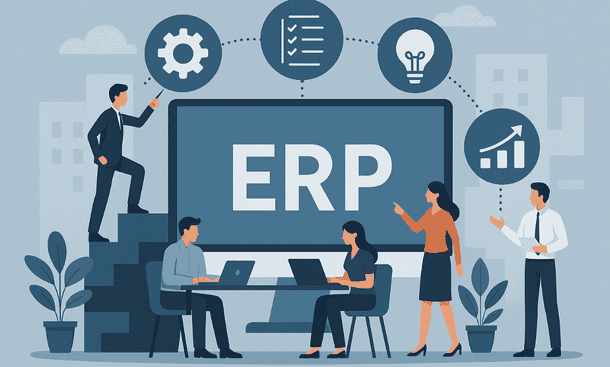
Implementing an ERP system can feel overwhelming for a small business. It touches multiple areas—finance, inventory, sales, and reporting—so getting it right is critical. Done well, ERP transforms operations, improves decision making, and gives teams more control. Done poorly, it slows workflows, frustrates employees, and wastes money. Over the years, I’ve seen small companies struggle when they rush into ERP without a clear plan. A structured approach helps reduce risk and accelerates adoption.
The first step is understanding what the business really needs. Every team, process, and workflow should be mapped before choosing a system. Many small businesses start by referring to broader comparisons of ERP options, but the real benefit comes from aligning software capabilities with day-to-day operations. Planning carefully at the start sets the tone for a smoother implementation.
Step 1: Define clear objectives
Start by asking why you need an ERP and what outcomes you expect. Are you aiming to reduce manual work, improve inventory accuracy, streamline reporting, or integrate multiple tools? Defining objectives ensures you choose a system that matches priorities. Objectives also help measure success after implementation. When the team knows what success looks like, decisions during setup become easier and conflicts are reduced.
Step 2: Map workflows and processes
Understanding your current workflows is critical. Document how orders flow, how invoices are processed, how stock is managed, and how projects are tracked. Identify bottlenecks or gaps. This exercise often reveals inefficiencies that ERP can solve. Mapping workflows also ensures the system is configured to match real operations instead of forcing the team into unfamiliar routines. For small businesses, simplicity and alignment with existing habits are more valuable than extensive customization.
Step 3: Prepare your data
Clean, accurate data is the backbone of ERP. Customer lists, product catalogs, financial records, and inventory data should be reviewed, duplicates removed, and inconsistencies corrected. Poor data quality leads to errors, delays, and frustration during the go-live phase. Investing time upfront saves hours of troubleshooting later. Data preparation also makes training more effective because users see correct information from the start.
Step 4: Select the right ERP and vendor
Choosing a system goes beyond feature lists. Evaluate usability, support, scalability, and industry fit. Cloud-based systems often simplify maintenance and reduce IT overhead, while on-premise solutions provide more control but demand internal resources. Look at vendor experience with small businesses in your sector. Implementation support, training resources, and responsive customer service make a significant difference in success.
For small businesses, the goal is a system that balances functionality, simplicity, and cost. It should solve the core pain points without overcomplicating daily operations.
Step 5: Configure the system
Configuration means setting up modules, user roles, permissions, and workflows according to your business needs. Avoid over-customizing. Focus on aligning the system with key processes and critical reporting requirements. A lean configuration reduces implementation time, limits errors, and simplifies future updates. Involving team members who will actually use the system ensures practicality and buy-in.
Step 6: Train your team
Training is essential for adoption. Users need to understand how to navigate the system, enter data correctly, and use reporting tools. Structured training sessions, supplemented with guides or tutorials, accelerate familiarity. Training should be role-specific so each team member focuses on the tasks they perform daily. A well-trained team reduces errors, increases efficiency, and ensures the system delivers value quickly.
Step 7: Test and go-live
Before going live, conduct thorough testing. Check that workflows operate as expected, data is accurate, and reporting functions correctly. Pilot the system with a small group if possible. Address issues before full deployment. A phased approach reduces disruptions and builds confidence in the new system. Communicate the schedule clearly to the team so everyone knows what to expect.
Step 8: Monitor and improve
Implementation doesn’t end at go-live. Track performance against initial objectives, gather feedback from users, and adjust configuration as needed. ERP is a dynamic tool; continuous improvement ensures it grows with the business. Small adjustments over time prevent frustration and maximize the system’s benefits.
Automation and reporting improvements can be gradually added once the team is comfortable. This ensures growth in capability without overwhelming employees. Linking daily operations back to strategic goals keeps the ERP relevant and effective.
A structured ERP implementation transforms small business operations. Clear objectives, clean data, careful configuration, and thorough training make adoption smoother and more effective. The goal is a system that supports everyday work, provides reliable insights, and adapts to growth without disrupting the team.
For guidance on selecting the right system that aligns with your sector and budget, the article on Industry-Specific ERP Solutions for Small Business Growth offers actionable insights to match ERP features with real business needs.
About the Author

mike
Mike is a tech enthusiast passionate about SaaS innovation and digital growth. He explores emerging technologies and helps businesses scale through smart software solutions.
Did you find this helpful?
Your feedback helps us curate better content for the community.