

Look, I’m just gonna say it – the number you see on that ERP proposal? That’s not what you’re actually going to spend. Not even close.
Every week I talk to California entrepreneurs who budgeted one amount for their ERP implementation and ended up spending two or three times that much. The crazy part is, nobody lied to them. The vendors told the truth about their pricing. The problem is what didn’t get asked about.
ERP implementation cost includes way more line items than software licenses, and if you don’t plan for the full picture, you’re setting yourself up for budget shock halfway through your project. That’s when things get really uncomfortable because you’re too committed to back out but don’t have enough capital to finish properly.
Let me break down every cost category you need to account for before signing anything.
Software licensing models and what they actually mean
The foundation of your ERP cost is obviously the software itself, but even here, the pricing gets complicated fast.
Subscription-based pricing is standard now for cloud ERP. You’re paying per user per month, which sounds straightforward until you dig into the details. Some vendors count every employee who might occasionally log in, while others only charge for active daily users. That difference can double your licensing costs.
Then you’ve got tier structures. Basic users who just view reports cost less than power users who create transactions. Administrative users with full system access cost even more. During budgeting, most companies underestimate how many power users they actually need.
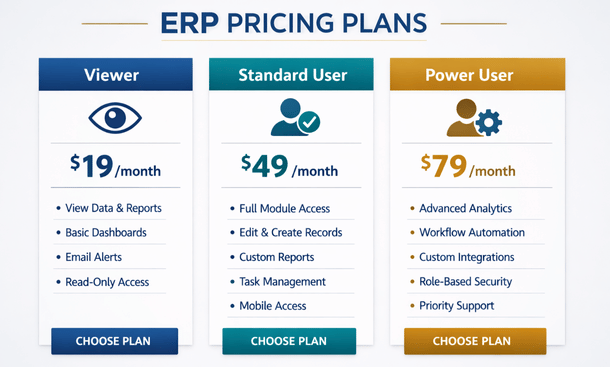
Some vendors offer unlimited user licensing for a flat rate. Sounds great, except those vendors typically charge much higher base fees and add costs through transaction volume, data storage, or module access instead.
Module-based pricing is another trap. The core system looks affordable, then you realize inventory management is an add-on, multi-location support costs extra, advanced reporting requires the premium tier, and CRM integration is a separate module. You’re building a la carte, and the bill adds up fast.
For California businesses planning real growth, pay attention to pricing at scale. A system that costs $200 per user monthly looks reasonable when you’ve got 10 users. When you hit 50 users, that’s $10,000 monthly or $120,000 annually just for software access.
Implementation services aren’t optional
Here’s where the real money gets spent. ERP implementation costs typically run between one and three times your annual software cost, and that’s for relatively smooth projects.
You’re paying for professional services that include system configuration, data migration, custom development, integration setup, testing, and go-live support. Vendors either provide these services directly or partner with implementation consultants who bill separately.
Consultant rates in California run higher than national averages. You’re looking at $150 to $300 per hour for qualified ERP consultants, and a typical small business implementation requires 200 to 500 hours of professional services. Do that math – you’re talking $30,000 to $150,000 in implementation labor alone.
Some vendors offer fixed-price implementation packages. These work if your business processes match their standard configuration templates. The moment you need customization or have complex workflows, you’re buying additional hours at premium rates.
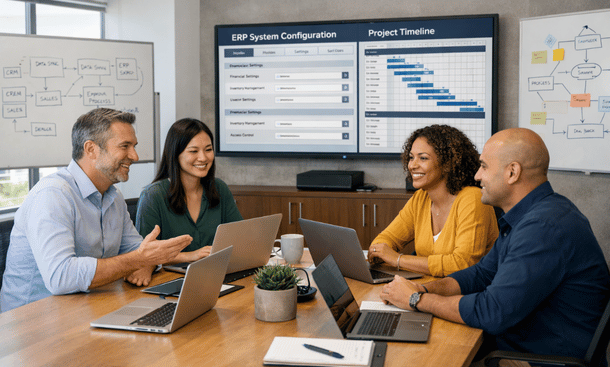
Project management is another cost that catches people off guard. Somebody needs to coordinate between your team and the implementation consultants, make decisions, resolve issues, and keep everything on track. Many companies assume an existing employee can handle this part-time. That almost never works.
Effective ERP project management requires 20 to 40 hours weekly during implementation. Either you’re paying a consultant for project management or you’re pulling a valuable employee away from their regular responsibilities for three to six months. Both options cost money.
Data migration complexity and cost
Moving your existing data into the new ERP sounds simple in theory. In practice, data migration is where implementation timelines blow up and budgets get wrecked.
Your current data lives in old software, spreadsheets, paper files, and people’s heads. It’s inconsistent, incomplete, formatted differently across sources, and full of errors that accumulated over years. You can’t just dump that mess into a new system.
Data cleanup requires hours of manual work. Somebody needs to standardize customer names, consolidate duplicate records, verify inventory counts, validate vendor information, and correct historical transactions. For small businesses with years of operational history, this process takes weeks or months of dedicated effort.
Then there’s the technical migration work – extracting data from old systems, transforming it to match the new ERP’s requirements, and loading it correctly. This requires technical skills most small businesses don’t have in-house, so you’re paying consultants or the vendor’s migration team.
Budget at least $10,000 to $30,000 for data migration on even straightforward projects. Complex migrations with multiple source systems, years of history, or messy data can easily hit $50,000 or more.
Training costs that scale with your team
Your ERP is worthless if your team doesn’t know how to use it. Training isn’t a nice-to-have, it’s a make-or-break investment in adoption and productivity.
Vendor-provided training usually comes in packages – a certain number of hours or days of instruction included in your implementation. Sounds generous until you realize it’s not enough. Standard training packages might cover 20 hours of instruction for your entire team. If you’ve got 15 employees who need training, that’s barely over an hour per person.
Quality ERP training requires different approaches for different roles. Your warehouse team needs hands-on inventory management training. Your accounting staff needs detailed financial module instruction. Your managers need reporting and analytics training. Your executives need dashboard and KPI training.
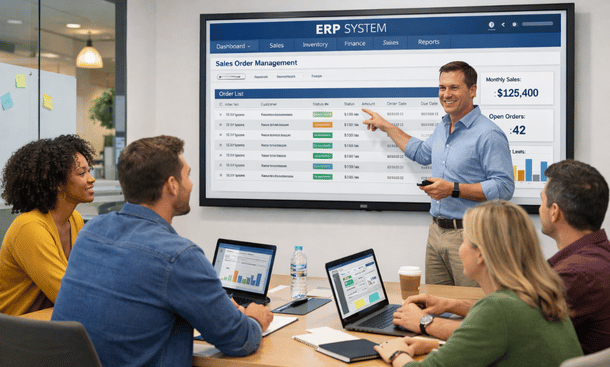
Interactive ERP Training
Most companies need 40 to 80 hours of role-specific training across their organization. At $150 to $250 per hour for a qualified trainer, you’re looking at $6,000 to $20,000 in training costs beyond what’s included in your implementation package.
Then factor in the productivity loss while people learn. For the first month after go-live, your team operates at maybe 60 percent efficiency while they’re figuring out the new system. That hidden cost doesn’t show up on invoices but definitely impacts your bottom line.
Customization and integration expenses
Every business has unique requirements that don’t fit the standard ERP configuration. The question isn’t whether you’ll need customization, it’s how much and at what cost.
Custom report development is the most common request. The system’s standard reports don’t show data the way you need it, so you’re paying for custom report building. Simple reports might cost $500 to $1,000 each. Complex reports with multiple data sources and custom calculations can run $2,000 to $5,000.
Workflow customization changes how the system operates to match your business processes. Maybe you need custom approval routing, automated notifications, or specific validation rules. These customizations require developer time at $150 to $250 per hour, and even straightforward workflows can take 10 to 20 hours to build and test.
Integration with other systems is where costs really add up. You need your ERP talking to your e-commerce platform, your CRM, your payment processor, your shipping software, and maybe a dozen other tools.
Native integrations work out of the box and don’t cost extra beyond subscription fees. Custom API integrations require development work. Budget $5,000 to $15,000 per custom integration for professional development, testing, and documentation.
Third-party integration platforms like Zapier or Workato reduce custom development costs but add monthly subscription fees. Those fees scale with usage, so as your business grows, your integration costs grow too.
Ongoing support and maintenance fees
The costs don’t stop after go-live. ERP systems require ongoing support, and vendors charge for it.
Basic support is usually included – email or ticket-based help during business hours. Need phone support? That’s a premium tier. Want 24/7 support? Even more expensive. Guaranteed response times for critical issues? You’re paying for priority support.
Support contracts typically cost 15 to 25 percent of your annual software fees. So if you’re paying $50,000 yearly for licenses, add another $7,500 to $12,500 for support.
System updates and upgrades are handled differently by different vendors. Cloud ERP usually includes automatic updates, but major version upgrades might require additional implementation work to reconfigure customizations or retrain users.
As your business changes, you’ll need ongoing system adjustments. New workflows, additional integrations, updated reports, or expanded functionality all require consultant time. Budget at least $500 to $2,000 monthly for ongoing optimization and adjustments.
Infrastructure and peripheral costs
Cloud ERP eliminates most infrastructure costs, but you’re not completely free from technical requirements.
Your team needs reliable internet connections to access cloud systems. If your internet goes down, your ERP goes down. Many California businesses add redundant internet connections or cellular backup specifically for business continuity. That’s another $100 to $300 monthly.
Mobile device management becomes necessary if employees access the ERP from phones or tablets. You need security policies, device monitoring, and remote wipe capabilities. Mobile device management platforms cost $5 to $15 per device monthly.
Some ERP systems require specific hardware like barcode scanners, label printers, mobile computers, or specialized equipment. Budget for these peripherals separately – they’re not included in software pricing.
Building a realistic total cost projection
Here’s how to build an honest budget that won’t blow up mid-project.
Start with software licensing for three years, not just year one. Include reasonable growth in user count based on your hiring plans. Add 20 percent buffer for unexpected additional users or premium features you’ll need.
Add implementation services at two times your annual software cost as a baseline. Adjust up if you have complex requirements, multiple locations, or messy data. Adjust down only if you’re doing a very simple, standardized implementation.
Include data migration, training, customization, and integration as separate line items. Don’t accept vague estimates – get specific hours and rates in writing.
Project ongoing costs including support contracts, monthly optimization, integration subscriptions, and infrastructure requirements.
Add a 15 percent contingency for unexpected costs because something always comes up. Maybe you need an extra integration, maybe data migration takes longer than planned, maybe you need additional training.
This approach gives you a realistic total cost of ownership over three years. Yes, the number is higher than the vendor’s initial proposal. But it’s what you’re actually going to spend, and planning for reality beats getting surprised every quarter when unexpected invoices arrive.
Successfully managing ERP change management strategies often determines whether your investment pays off or becomes an expensive disaster.These cost considerations connect directly to understanding common ERP implementation mistakes that turn reasonable budgets into financial nightmares.
About the Author

mike
Mike is a tech enthusiast passionate about SaaS innovation and digital growth. He explores emerging technologies and helps businesses scale through smart software solutions.
Did you find this helpful?
Your feedback helps us curate better content for the community.