
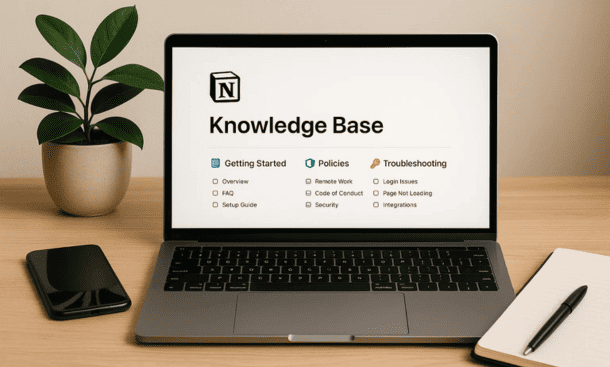
The breaking point came during our fifth month of operation when I realized I’d explained our refund policy to four different people in four different conversations, each time slightly differently. We had no single source of truth, just scattered information in my head, random Slack messages, and a few Google Docs nobody could find.
A knowledge base fixes this by centralizing everything your team needs to know in one searchable, organized place. It’s not about creating perfect documentation, it’s about making information accessible so people can find answers without interrupting someone else’s work.
What Belongs in a Knowledge Base
Everything that someone might need to reference more than once belongs in your knowledge base. This sounds broad because it is. The scope depends on your company size and complexity, but some categories are universal.
Company information includes your mission, values, and history. These pages don’t change often but new hires need them. I also include things like our communication guidelines, meeting principles, and decision-making frameworks. This is the cultural foundation that helps people understand how we operate.
Product documentation covers what you build and how it works. Feature specifications, technical architecture, API documentation, and user guides all live here. If someone asks how something works, you should be able to link them to a page.
Process documentation explains how to do recurring tasks. How to onboard a new customer, how to handle support tickets, how to submit expenses, how to run a sprint retrospective. These SOPs save time and ensure consistency.
Policies and procedures include the official stuff like your code of conduct, security practices, data handling guidelines, and legal requirements. This protects your company and gives people clear boundaries.
Resources and tools covers the software you use, login information, vendor contacts, and guides for common tools. When someone joins and needs access to everything, this section is their starting point.
Meeting notes and decisions capture what was discussed and decided. I link these from other pages so when someone wonders why we chose a specific approach, they can trace it back to the original conversation.
Structuring Your Knowledge Base
Organization makes or breaks a knowledge base. Perfect information that nobody can find is useless. I’ve tried elaborate taxonomies and nested hierarchies, and I’ve learned that simpler usually wins.
Start with top-level categories that match how people think about work. I use Company, Product, Operations, Resources, and Teams. These are broad enough to be obvious but specific enough to be meaningful.
Under each top-level category, create second-level pages for major topics. Under Product you might have Features, Technical Docs, and User Research. Under Operations you might have Processes, Policies, and Tools. This second level is where most navigation happens.
Keep nesting shallow. If someone has to click through four levels to reach information they need regularly, they’ll stop looking and start asking. Three levels deep is my maximum for frequently accessed content.
Use a consistent page structure across similar content types. All process documents should follow the same template with sections for purpose, steps, responsible parties, and related pages. This predictability helps people scan quickly and find what they need.
Create a homepage for your knowledge base that serves as the entry point. This page should have quick links to the most important sections, a search tip if your team isn’t familiar with Notion’s search, and maybe a few recently updated pages. Think of it like a table of contents that guides people in.
Writing Effective Documentation
Good documentation is clear, concise, and maintained. Bad documentation is vague, outdated, or missing. The difference isn’t writing skill, it’s approach.
Write for someone who knows nothing about the topic. Assume they’re reading this page for the first time with no context. Define terms, explain acronyms, and walk through steps in order. I pretend I’m writing for myself six months from now when I’ve forgotten everything.
Use simple language. Documentation isn’t the place to impress people with vocabulary. Short sentences, active voice, and plain words make content more accessible. If you can explain something in 10 words instead of 20, do it.
Break content into scannable sections with clear headings. People skim documentation looking for the specific piece they need. Walls of text hide information. Short paragraphs, bullet points for lists, and descriptive headings help people navigate.
Include examples wherever possible. Abstract explanations confuse people. Concrete examples show exactly what you mean. If you’re documenting a process, walk through a real scenario. If you’re explaining a feature, show how a customer would use it.
Add visuals when they clarify things that text can’t. Screenshots, diagrams, and quick videos can be more helpful than paragraphs of description. Notion lets you embed images and videos inline, so use that when it adds value.
Link liberally to related pages. If you mention another process or tool, link to its documentation. These connections help people discover related information and understand how different pieces fit together. It also reduces redundancy because you don’t have to repeat information that exists elsewhere.
Keeping Documentation Current
Documentation becomes obsolete the moment you publish it unless you have a maintenance plan. Processes change, products evolve, and pages that were accurate last month are misleading today.
Assign owners to major documentation areas. Someone needs to feel responsible for keeping product docs updated, someone else owns process documentation. When ownership is clear, updates happen. When nobody owns it, pages rot.
Build documentation updates into your workflows. When you ship a new feature, updating the docs is part of shipping. When you change a process, updating the SOP is part of the change. This prevents documentation from lagging behind reality.
Add a last updated date to important pages. I include this at the top so people can quickly assess if information might be stale. Notion shows page history, but a visible date is easier to spot.
Review your knowledge base quarterly. Set aside time to read through major sections and identify what needs updating, what can be archived, and what’s missing. This systematic review catches things that slip through daily maintenance.
Use page analytics if you have them, or just ask your team which pages they reference most. High-traffic pages deserve more attention and better maintenance than rarely accessed content.
Making Your Knowledge Base Discoverable
Organization helps, but search is how most people find information. Notion’s search is powerful if you set yourself up for success.
Use descriptive page titles that include the keywords people would search for. Instead of titling a page “Customer Process” call it “How to Onboard a New Customer.” The second version matches what someone would actually type.
Add synonyms and related terms in the page content. If you call something a “client” in your company but some people search for “customer,” include both terms. This increases the chances of search returning the right page.
Create redirect pages for common search terms. If people often search for “expenses” but your page is titled “Reimbursement Process,” make a short page titled “Expenses” that links to the full process doc. This bridges the gap between search behavior and your structure.
Tag pages with relevant categories using a select property. If you have a database for your knowledge base, tags help people filter to specific types of content. You might tag pages as Process, Policy, Guide, or Reference.
Build a wiki structure with lots of internal links. When pages link to each other, people can navigate by following connections. This is especially useful when someone isn’t sure exactly what they’re looking for but knows the general area.
Consider creating FAQ pages for common questions. These rank well in search and provide quick answers. I have an FAQ page for each major area like Product, Operations, and Tools.
Encouraging Adoption
Building a knowledge base is the easy part. Getting your team to actually use it is harder. People default to asking questions rather than searching because it’s faster in the moment, even if it’s inefficient long term.
Lead by example. When someone asks you a question that’s documented, send them the link instead of answering directly. This isn’t rude if you’re helpful about it. Say something like “great question, here’s the page that covers this” and they learn where to look next time.
Make the knowledge base the first place you go when you need information. If your team sees you searching the docs and referencing pages, they’ll do the same. Culture follows behavior.
Celebrate good documentation. When someone writes a clear guide or updates an important page, acknowledge it publicly. This signals that documentation matters and isn’t just busywork.
Reduce friction to contributing. If adding to the knowledge base requires multiple approvals or complicated formatting, people won’t do it. Make it easy to create new pages, and trust your team to write clearly without heavy process.
Onboard new hires with the knowledge base. Make reading key pages part of their first week. Show them how to search and navigate. When they see it as the authoritative source from day one, they’ll continue using it.
Connecting Your Knowledge Base to Daily Work
Documentation that lives in isolation gets forgotten. Your knowledge base should be integrated into how your team works, not separate from it.
Link to knowledge base pages from project pages. If you’re working on something that involves a specific process, link to that process doc. This contextual linking helps people learn workflows as they encounter them.
Reference knowledge base pages in Slack and email. When you’re discussing something documented, drop the link. This gradually trains everyone to think of the knowledge base as the source of truth.
Use templates that include knowledge base links. If your project kickoff template has a section for relevant documentation, people will naturally connect their work to existing knowledge.
Add knowledge base searches to your team rituals. In weekly meetings, when questions come up that should be documented, assign someone to either find the page or create it. This makes documentation a team responsibility.
Your knowledge base grows with your company. The structure I described works for small teams but might need adjustment as you scale. Stay flexible and listen to how people actually search for and use information. The best knowledge base is the one your team actually references when they need answers, and building that foundation using the principles from our notion for startups guide ensures it stays relevant as you grow.
About the Author

Melanie Hart
Co-founder of Point of SaaS | SaaS Strategist Helping businesses leverage software innovation to optimize performance, streamline workflows, and achieve sustainable growth.
Did you find this helpful?
Your feedback helps us curate better content for the community.