
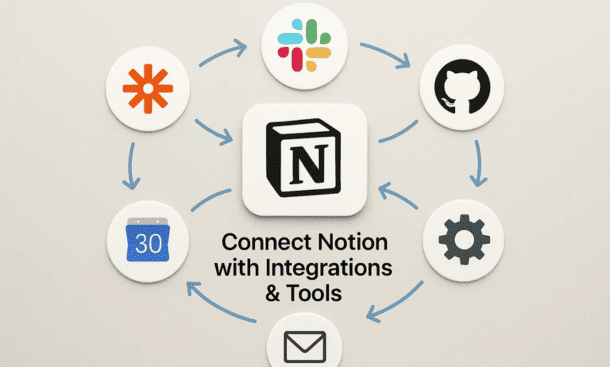
The turning point came when I realized I was copying customer feedback from Typeform into Notion manually, then updating our Slack channel about it, then adding it to our product roadmap. Three tools, three manual steps, wasted time everywhere.
Integrations fix this by letting information flow between systems automatically. You’re not eliminating tools, you’re connecting them so data moves without human intervention. Notion becomes your central hub while specialized tools handle what they do best.
Understanding Notion’s Integration Options
Notion connects to other tools in several ways and understanding the differences helps you choose the right approach for each situation.
Native integrations are built directly into Notion and require minimal setup. Slack, Google Drive, and GitHub have official connections you can enable from Notion’s settings. These tend to be the most reliable and easiest to configure.
The Notion API lets developers build custom integrations. If you have technical resources or work with developers, the API opens possibilities beyond pre-built connections. You can push data into Notion, pull data out, or sync bidirectionally based on your specific needs.
Automation platforms like Zapier, Make, and n8n sit between Notion and other tools, translating data and triggering actions. These no-code solutions let non-technical people build powerful workflows without writing code. Most startups start here.
Embed capabilities let you display content from other tools inside Notion pages. You can embed Google Docs, Figma designs, Loom videos, and dozens of other content types. This keeps everything accessible in one place even if the original lives elsewhere.
Connecting Notion and Slack
Slack and Notion integration solves the problem of conversations disappearing into chat history while important information needs permanence. The connection works both directions.
Install the Notion app in Slack from the Slack app directory. Once connected, you can share Notion pages directly into Slack channels. The page appears as a rich preview with the title, icon, and beginning text. People can click through to read the full page without leaving Slack.
I share meeting notes, project updates, and important documentation this way. The Slack message creates a notification and discussion point while the Notion page holds the actual content. This separates ephemeral conversation from permanent documentation.
Set up notifications from Notion to Slack for database updates. When someone changes a task status, adds a comment, or updates a property, Slack can notify relevant people or channels. This keeps teams informed without constant Notion checking.
Use Slack commands to create Notion pages without opening Notion. Type a command in Slack and it generates a page in your workspace. This lowers the barrier to documentation because you can capture information in the moment without context switching.
The reverse direction matters too. Use automation tools to capture important Slack messages in Notion. When someone shares a customer insight or makes a key decision in chat, send it to a Notion database so it doesn’t disappear. I have a command that saves messages to our insights database.
Syncing Notion with Google Drive
Most startups already have files in Google Drive when they adopt Notion. Rather than migrating everything, connect the two so you can access Drive content from Notion.
Enable the Google Drive integration in Notion’s settings. This lets you embed Google Docs, Sheets, and Slides directly in Notion pages. The embedded view is live, so changes in Google Drive appear immediately in Notion.
I use this for financial models that live in Google Sheets but need visibility in project pages. The sheet embeds in Notion where the project team can see current numbers without switching contexts. The finance team continues working in Sheets where they have the tools they need.
For documents, you can link rather than embed. Add a Google Docs link to a Notion page and Notion creates a preview card. This works well for documents you reference but don’t need to see inline.
Use automation to create new Notion entries from Google Drive activity. When someone uploads a file to a specific folder, create a Notion page that links to it. This automatic logging ensures nothing gets missed and creates a searchable record in Notion.
Building Workflows with Zapier
Zapier connects thousands of apps and Notion is fully supported. The platform uses triggers and actions where something happening in one app causes something to happen in another.
A common workflow is form responses to Notion databases. When someone submits a Typeform, Google Form, or similar, Zapier creates a new entry in your Notion database with their responses. This eliminates manual data entry and ensures immediate capture.
I use this for customer feedback, feature requests, and job applications. The form is simple and public-facing while Notion gives me powerful views, filtering, and workflow management for processing responses.
Calendar events can sync to Notion too. When you create a Google Calendar event, Zapier can add it to a Notion database. This works both directions so you can manage events in either tool and stay synchronized.
Email to Notion workflows capture important messages. Forward emails to a Zapier address and they become Notion pages. This is useful for customer communications, vendor quotes, or any email you want permanently documented.
Status updates between tools keep everyone aligned. When a GitHub issue closes, update the related Notion task. When a Notion task moves to complete, send a Slack notification. These automated status syncs reduce manual updates and prevent information lag.
Multi-step workflows handle complex processes. When a sales deal reaches a certain stage in your CRM, create a Notion project page, notify the team in Slack, and add tasks to your database. One trigger cascades through multiple actions automatically.
Connecting Development Tools
Engineering teams often want to connect Notion with their development workflow. GitHub, GitLab, and similar platforms have integration options.
The official GitHub integration lets you link pull requests and issues to Notion pages. Mention a Notion page in a GitHub comment and it appears as a backlink in Notion. This connects code changes to the documentation or project pages they relate to.
For deeper integration, use the API or automation tools to sync more data. Create Notion pages automatically when GitHub issues are opened. Update Notion task status when pull requests merge. Track deployment information in Notion databases.
I’ve seen teams embed GitHub commit graphs and activity feeds in Notion project pages. This gives non-technical stakeholders visibility into development progress without requiring them to navigate GitHub.
Jira users can build similar connections. While there’s no official integration, Zapier and Make support Jira extensively. Sync issues between Jira and Notion so product and engineering can work in their preferred tools while staying aligned.
Using Notion API for Custom Solutions
If you have development resources, the Notion API enables custom integrations tailored exactly to your needs. The API lets you read and write Notion content programmatically.
Common use cases include syncing data from internal systems. If you have a custom CRM or inventory system, you can push that data into Notion databases for broader visibility. Your sales team works in the CRM but leadership sees dashboards in Notion.
Automated reporting pulls data from Notion and formats it for external consumption. Generate weekly status reports from your projects database. Create customer-facing roadmap pages from internal tracking. The API retrieves current data and transforms it however you need.
Two-way syncs keep Notion and specialized tools aligned. Your support team uses Zendesk but customer information should appear in Notion. Build a sync that updates both systems so changes in either place propagate automatically.
Data migration is another API use case. When you’re moving from another tool to Notion, the API can automate bulk imports. Structure the data correctly and push thousands of records into Notion databases without manual entry.
The API requires technical knowledge but the documentation is solid. If you’re not technical, consider hiring a freelance developer for a specific integration project. The upfront investment often pays off quickly in time saved.
Embedding External Content
Beyond data syncing, Notion lets you embed rich content from other platforms. This creates a unified workspace where you access everything without leaving Notion.
Figma designs embed beautifully. Paste a Figma link and it renders as an interactive preview. Designers share work directly in project pages and stakeholders can view and comment without Figma accounts.
Loom and YouTube videos embed inline. Record a video walkthrough, paste the link, and it plays directly in Notion. This is perfect for training materials, feature demos, and asynchronous communication.
Code snippets from CodePen, GitHub Gists, and similar platforms embed with syntax highlighting. Technical documentation can show actual code without copying and pasting, and updates to the original automatically appear in Notion.
Maps from Google Maps embed for location-based content. If you’re planning events, managing field operations, or documenting locations, embedded maps provide geographic context.
Spreadsheets, presentations, and documents from Google, Microsoft, and other platforms all embed. This lets you reference existing assets without forcing people to download or open separate applications.
Avoiding Integration Overload
It’s tempting to connect everything but too many integrations create complexity. Each connection is something to maintain, debug, and explain to new team members.
Connect tools where manual work is painful or error-prone. If you’re copying data between systems multiple times per day, automate it. If you do something once per quarter, manual is fine.
Start with high-impact integrations that save meaningful time. The Slack integration affects daily communication. The form-to-database automation eliminates data entry. These have immediate visible benefits that justify the setup effort.
Document your integrations so the team understands what’s connected and how. I keep an Integrations page listing each connection, what it does, and who set it up. This helps with troubleshooting and knowledge transfer.
Test integrations thoroughly before relying on them for critical workflows. Automation can fail and when it does, you need fallback processes. Always have a manual path for important operations even when automation usually handles them.
Monitor integration health periodically. Connections break when APIs change, authentication expires, or services update. Set reminders to verify key integrations are still working as expected.
Making Integrations Work for Your Team
Technology alone doesn’t improve workflows. People need to understand and trust the integrations for them to provide value.
Explain to your team what’s automated and why. When feedback forms automatically populate your database, tell people so they know to check Notion rather than the form responses. Clear communication prevents confusion.
Involve your team in choosing what to integrate. They know their pain points better than anyone. Ask where they waste time on manual work and solve those problems first.
Train people on both sides of the integration. They should understand how to use the source tool and where to find the resulting data in Notion. Gaps in either understanding reduce adoption.
Celebrate time saved from automation. When an integration eliminates a tedious task, acknowledge it. This reinforces the value and encourages people to suggest other automation opportunities.
Your integrations should make Notion more powerful without making it more complicated. The goal is seamless information flow where the notion integrations you’ve set up work invisibly in the background, letting your team focus on their actual work instead of moving data between systems, and when combined with your complete notion for startups infrastructure, these connections turn Notion into a true central nervous system for your operation.
About the Author

Melanie Hart
Co-founder of Point of SaaS | SaaS Strategist Helping businesses leverage software innovation to optimize performance, streamline workflows, and achieve sustainable growth.
Did you find this helpful?
Your feedback helps us curate better content for the community.