
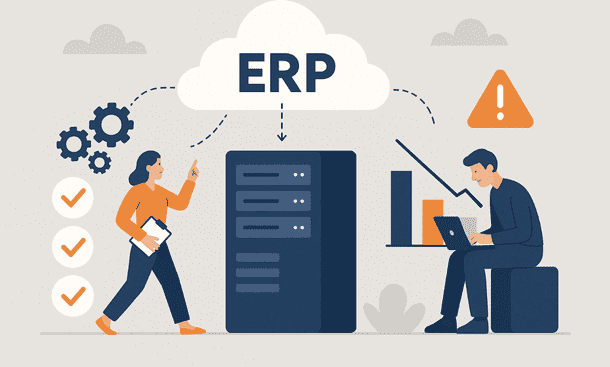
Moving to a cloud ERP has become a turning point for many small companies in the United States. More entrepreneurs now see cloud platforms as a way to modernize daily operations without carrying the weight of old servers or high maintenance costs. I meet business owners all year who reach a moment when their tools slow them down more than they help. They start looking for more flexible systems and land on the idea of a cloud based solution. The shift can feel exciting and stressful at the same time. No one wants a migration that stops sales or distracts a team. Most want a path that is smooth and predictable.
Cloud ERP has earned attention because it is accessible, scalable, and often easier to maintain than older setups. But the move itself brings questions. People ask how long it will take, what data might break, whether team members will accept the new workflows, and what problems usually show up during the transition. I have seen many small teams worry about migration because they fear the unknown. The good news is that most challenges can be avoided with early planning and clear priorities.
This article walks through the practical benefits of cloud ERP and the real obstacles that companies face when they migrate. It helps business owners see the full picture so they feel more confident about their decision. It also connects naturally to the wider evolution of enterprise systems highlighted in the ERP trends shaping 2025. The momentum toward automation, lower infrastructure costs, and simplified deployment continues to grow. Cloud migration sits at the center of that shift.
The push toward cloud ERP
Many small companies move to cloud ERP because their current setup no longer supports growth. Some use spreadsheets that break with every update. Others rely on outdated desktop software that cannot connect with sales tools or inventory apps. As business models change faster, owners want systems that follow them with less friction.
One strong driver is the reduction in hardware responsibilities. When everything sits on local servers, the company must deal with storage limits, system crashes, and expensive replacements. Cloud ERP reduces that load. The vendor handles updates, backups, and performance. The business focuses on operations instead of trying to become an IT department.
Another driver is accessibility. Teams work from multiple locations now. A cloud platform gives everyone the same information in real time. Sales, finance, and operations no longer send files back and forth. They look at one shared dashboard.
Cloud ERP also plays well with new automation trends. Tools that simplify workflows, connect data between platforms, or support predictive planning require a flexible architecture. Cloud systems make these integrations easier to manage over time.
All these motivations appear month after month when small companies explore future ready platforms. They match the broader movement described in the analysis of future ERP technology, where cloud first infrastructures have become a long term standard rather than a temporary trend.
Key benefits of moving to cloud ERP
Lower maintenance and predictable costs
One of the most appreciated advantages is the reduction of hidden costs. Traditional on site systems require support teams, hardware replacements, and costly upgrades. Cloud ERP usually runs under a subscription model. The price stays stable. Updates come automatically. Maintenance is handled by the vendor.
A small business can then focus spending on real priorities. Budgets become easier to plan because large unexpected expenses disappear. Many owners who migrate tell me they finally stopped losing sleep over servers that fail at the wrong moment.
Better security and compliance
Some entrepreneurs worry that cloud means less control. The truth is that most cloud ERP vendors offer stronger protection than what a small team can maintain locally. Encryption, backups, access control, and constant monitoring are part of the package.
Regulatory requirements also change often. Finance and payroll processes evolve across states. A cloud provider keeps the system up to date so the business does not fall behind.
Faster deployment and updates
On site ERP usually takes months to install and configure. Cloud systems shorten that timeline. The platform is ready from day one. The team only needs to configure workflows, import data, and activate integrations.
Updates no longer disrupt operations. The vendor handles them in the background. The system stays current without version conflicts or long installation sessions.
Growth without infrastructure limits
As a company grows, its system must grow too. A cloud platform makes it easier to add new users, new locations, or new stock levels. Scaling up does not require more hardware or major technical work.
This flexibility supports the expansion plans that many small companies pursue. It lets them respond faster to market changes without feeling constrained by their own tools.
These benefits align with the bigger shift toward flexible architectures that supports next generation platforms described in the evolution of AI driven ERP technologies.
Real world challenges during cloud ERP migration
A migration always comes with obstacles. Even when the benefits are clear, the transition phase must be planned with intention. The main challenges that small companies face share a common pattern.
Data quality issues
The most time consuming step is usually the preparation of data. Many companies realize during migration that their records contain duplicates, outdated entries, or inconsistent formats. Sales, inventory, and accounting often use different structures.
Cleaning data takes patience. But it prevents errors once the new system goes live. If the old information is messy, the new setup will not magically fix it. Successful migrations always start with a solid data review.
Limited internal resources
Small businesses do not always have IT teams. When a migration begins, daily work does not pause. Staff members must learn new tools, assist with testing, and help with data validation. That can feel heavy during busy months.
Planning the project in phases helps reduce stress. It also prevents the team from becoming overwhelmed by every task at once.
Workflow changes and team adoption
Cloud ERP often introduces new ways of working. Approval paths, inventory counts, or financial reports may follow updated logic. Some employees adapt quickly. Others need time.
Resistance usually comes from fear of losing control or comfort. When training is clear and paced, adoption moves forward smoothly. When training is rushed, problems persist longer.
Integration with existing tools
Most companies already use several apps for sales, payroll, ecommerce, or customer support. Connecting these apps to the new ERP can bring technical friction. The difficulty depends on the vendor, the API quality, and the age of the old tools.
Planning integrations early reduces surprises. Many owners delay this step until late in the project and then face last minute pressure.
Short-term disruption
Even with the best preparation, a migration may cause a short adjustment period. Teams test new workflows while still finishing daily tasks. Some reports look different. Some processes run slower for a few days until everyone settles into the new rhythm.
This temporary disruption is normal. Confidence grows as the team becomes familiar with the platform.
Practical steps for a smooth transition
A transition to cloud ERP becomes easier when the business follows a clear path. The steps below reflect what I have seen work across different industries.
Start with goals, not features
Many companies choose a platform without defining the outcomes they want. The team should identify the biggest points of friction first. It can be slow inventory updates, manual invoicing, or late reporting.
Clear goals prevent the project from drifting. They guide the configuration and training plan.
Build a simple roadmap
A migration roadmap should not be a heavy document. A short sequence of phases is enough. When each phase has a time frame and owner, the project stays structured.
Roadmaps also help with communication. Everyone knows what will happen next. That reduces stress and confusion.
Clean data gradually
Data preparation should start early. The team can handle one dataset at a time. For example, inventory can be cleaned in week one, customers in week two, and suppliers in week three.
Gradual cleaning keeps the project moving without overwhelming anyone.
Test before going live
Testing is not about finding every minor issue. It is about validating that essential workflows run well. A few test runs of purchase orders, sales orders, bank reconciliation, or production planning can reveal if the system is aligned with the company’s needs.
Prepare training that feels natural
Training should follow real scenarios. People learn faster when exercises relate to their daily tasks. Short sessions spread across days often work better than a long training marathon.
These steps echo some of the best practices seen across modern deployments highlighted in the exploration of cloud migration strategies within ERP modernization.
A cloud ERP migration is a major step for any small business. It reduces maintenance pressure, improves access to real time information, increases security, and supports future growth. The transition requires planning, but most challenges can be managed with early preparation and clear priorities.
When entrepreneurs see the bigger movement shaping 2025, the shift toward automated, scalable, cloud based systems becomes easier to understand. The migration is not only a technical upgrade. It is a strategic move that sets the foundation for long term performance.
If you want to explore how automation transforms everyday workflows after a cloud migration, the satellite article on AI automation inside modern ERP systems offers a detailed look at the next wave of improvements that small companies can adopt.
About the Author

mike
Mike is a tech enthusiast passionate about SaaS innovation and digital growth. He explores emerging technologies and helps businesses scale through smart software solutions.
Did you find this helpful?
Your feedback helps us curate better content for the community.