
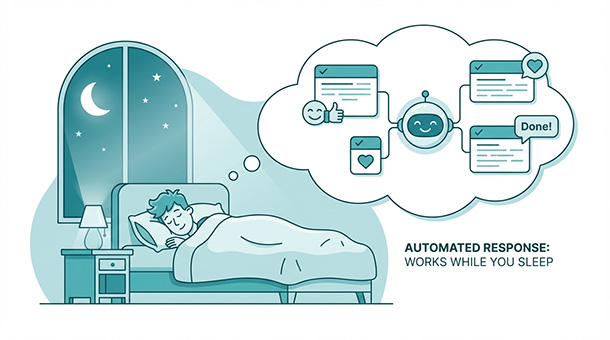
Your inbox fills with the same five questions every day. Users ask about password resets, pricing tiers, and feature availability while you’re trying to build the actual product. Hiring a support team costs thousands monthly, but ignoring messages kills trust. AI chatbots handle repetitive questions instantly, escalating complex issues to you when needed. Connecting a chatbot through your BaaS platform takes an afternoon, and suddenly your app answers common questions at three in the morning without you waking up.
The support trap that drains founder time
You launch your product and users start signing up. Within days, your email becomes a support ticket system you never built. Someone can’t log in. Another person wants clarification on your free trial terms. A third user uploaded a file wrong and needs help reversing it.
Each question takes five to ten minutes to answer properly. Multiply that by twenty questions daily, and you’ve lost three hours that should’ve gone to product development. Hire a support person at three thousand monthly, and your burn rate jumps before you’ve validated product-market fit.
The frustrating part is most questions repeat endlessly. You’ve answered “how do I reset my password” forty times this month, each time typing similar instructions or sending the same help article link. The knowledge exists, but delivery requires human intervention every single time.
Chatbots break this cycle by handling repetitive questions automatically while routing complex issues to you. The bot answers “where’s my invoice” instantly by pulling data from your database. It explains feature limitations using pre-written responses. It only bothers you when a question falls outside its training or when a user explicitly requests human help.
What BaaS platforms provide for chatbot deployment
Traditional chatbot development meant training natural language processing models, hosting them on servers, managing API integrations, and monitoring uptime constantly. That’s a full-time engineering project before you’ve answered a single customer question.
BaaS platforms eliminate most of that complexity by providing the infrastructure and AI connections out of the box. You define what questions your bot should answer, connect your database for dynamic data, and deploy through a simple API endpoint or widget script.
Supabase edge functions act as the middleware between your chatbot interface and AI providers like OpenAI or Anthropic. A user asks a question, your function receives it, sends it to the AI with relevant context from your database, and returns the response. The function runs globally on distributed servers, so response times stay fast regardless of where users connect from.
Authentication happens through your existing BaaS user system. The chatbot knows who’s asking questions, so it can pull their account details, order history, or subscription status to provide personalized answers. A logged-in user asking “when does my trial end” gets an accurate date, not generic information.
Storage for conversation history lives in your database tables. Each message gets saved with timestamps, user IDs, and metadata. This lets you review conversations later to identify common pain points, improve your bot’s training, or hand off complex threads to human support when needed.
Building your first support bot in one afternoon
Start by listing the ten most common questions users ask. Password resets, billing questions, feature explanations, account settings, and trial information typically dominate. Write clear, accurate answers for each one as if you’re explaining to a new user over email.
Connect your BaaS platform to an AI provider. OpenAI’s GPT models work well for conversational responses, while Anthropic’s Claude handles complex reasoning better. Both offer straightforward APIs where you send a message and receive a response. Your BaaS dashboard usually has built-in integrations or quick-start templates for popular AI services.
Create an edge function that accepts user messages, adds context from your database, sends everything to the AI, and returns formatted responses. The context matters enormously. If you send just the user’s question, the AI only knows what they asked. If you include their subscription tier, signup date, and recent activity, the AI provides relevant, personalized answers.
Test conversations manually before exposing the bot to real users. Ask every question on your list plus variations to see how the AI responds. Catch hallucinations where the AI invents features that don’t exist. Identify edge cases where the bot needs explicit instructions to escalate to human support instead of guessing.
Deploy the bot as a chat widget on your app or website. Most BaaS platforms let you embed a simple JavaScript snippet that adds a floating chat button. Users click it, type questions, and receive instant responses without leaving your app.
Training your bot with real conversations and feedback
Your first version will answer maybe seventy percent of questions correctly. The other thirty percent include edge cases, ambiguous phrasing, or topics you hadn’t considered. That’s normal and fixable through iterative training.
Monitor conversations daily during the first week. Read what users ask and how the bot responds. When answers miss the mark, add those scenarios to your training instructions or context. Users asking “can I export my data” should trigger a response that explains export features clearly, not generic privacy policy statements.
Add fallback responses for when the AI isn’t confident. Instead of guessing or making up information, the bot should say “I’m not sure about that specific question, let me connect you with our team” and create a support ticket automatically. Users appreciate honesty over confidently wrong information.
Use conversation ratings to identify problems systematically. After each interaction, ask users if the response helped. Low ratings indicate where your bot needs improvement. High ratings confirm what’s working and should be preserved.
Expand capabilities gradually based on actual demand. If fifty users ask about API rate limits and your bot keeps escalating those questions, add API documentation to its training. Don’t try to train the bot on every possible question upfront. Let real usage guide where you invest time.
Handling escalations without losing context
Some questions require human judgment, access to private information, or decisions beyond the bot’s scope. The transition from bot to human should feel seamless, not like starting over.
When escalating, the bot should summarize the conversation and pass it to your support system. The human sees what the user already asked, what the bot answered, and where the conversation stalled. This prevents users from repeating themselves and speeds up resolution.
Supabase lets you trigger notifications when escalations happen. An edge function detects when the bot can’t help, sends a Slack message to your team, or creates a ticket in your support tool with full conversation history attached. You handle the complex case while the bot continues managing simple questions from other users.
After resolving escalated issues, feed solutions back into the bot’s training. If three users asked about a billing edge case the bot couldn’t handle, document the answer and update the bot’s instructions. The fourth user with that question gets helped automatically.
Track which topics escalate most frequently. If twenty percent of questions need human intervention and they’re all about refund policies, your refund documentation probably needs clarification. Fix the root cause by improving help articles, not just training the bot better.
Your chatbot handles common questions automatically, but it’s just the starting point for what AI can do in your product. Understanding how chatbots, vector databases, multimodal features, and automation work together as a complete system helps you make better architectural decisions from the beginning. The founder’s guide to AI: how to give your app “brains” using BaaS connects all these pieces, showing you the full picture of how BaaS platforms turn AI capabilities into features your users actually need.
Costs and limits you’ll actually encounter
AI providers charge per token, which roughly translates to words processed. A typical support conversation might use one thousand tokens, costing about one cent. If your bot handles two hundred conversations monthly, that’s two dollars in AI costs.
BaaS edge function pricing typically includes generous free tiers that cover thousands of bot interactions. Supabase offers 500,000 function invocations monthly on the free plan, far more than early-stage startups need for chatbot traffic.
The bigger cost consideration is your time spent training and maintaining the bot. Plan for five to ten hours during initial setup, then one to two hours weekly reviewing conversations and improving responses. That’s still cheaper than hiring support staff and scales better as user volume grows.
Set usage limits to prevent runaway costs if traffic spikes unexpectedly. Configure your edge function to stop processing after a certain number of requests daily. Alert yourself when you hit eighty percent of your monthly budget so you can optimize before exceeding limits.
When bots work and when they don’t
Chatbots excel at answering factual questions with clear, documented answers. Pricing, feature availability, account settings, and troubleshooting steps all work beautifully because the information exists and doesn’t change frequently.
They struggle with emotional situations where empathy matters more than information. An angry customer who feels wronged needs human acknowledgment, not automated responses. Route those conversations to humans immediately based on sentiment detection or explicit user requests.
Avoid using bots for sales conversations unless you’ve explicitly trained them for that purpose. Helping someone choose between pricing tiers or explaining complex features benefits from human nuance. Bots work better for post-purchase support than pre-purchase persuasion.
B2B products with enterprise customers should use bots cautiously. Enterprise buyers expect human interaction and may view automated support as a sign you’re not taking their business seriously. Use bots for tier-one screening but hand off to humans quickly.
Going beyond support into proactive assistance
Once your bot handles reactive support well, extend it to proactive scenarios. When users complete onboarding, the bot can offer tips on advanced features. When trial periods near expiration, it can explain upgrade benefits and answer pre-purchase questions.
In-app guidance benefits from bot integration. Instead of static tooltips, users click a help icon and ask questions about the feature they’re viewing. The bot provides contextual answers based on where they are in your app.
Onboarding sequences improve when users can ask questions instead of reading documentation linearly. The bot becomes an interactive guide that adapts to each user’s pace and curiosity rather than forcing everyone through identical tutorials.
Resource recommendations work when the bot knows user behavior. Someone struggling with a feature gets linked to relevant help articles or video tutorials automatically. The bot notices patterns in questions and suggests preventive resources before users get stuck.
Your chatbot handles common questions automatically, but what happens when you want it to answer using your private business data without exposing sensitive information to AI providers? Beyond ChatGPT: connecting your business data to AI safely walks through the security architecture that lets you feed context to AI models while keeping customer details, financial records, and proprietary information locked down where they belong.
About the Author

AISalah
Bridges linguistics and technology at PointOfSaaS, exploring AI applications in business software. English Studies BA with hands-on back-end and ERP development experience.
Did you find this helpful?
Your feedback helps us curate better content for the community.