
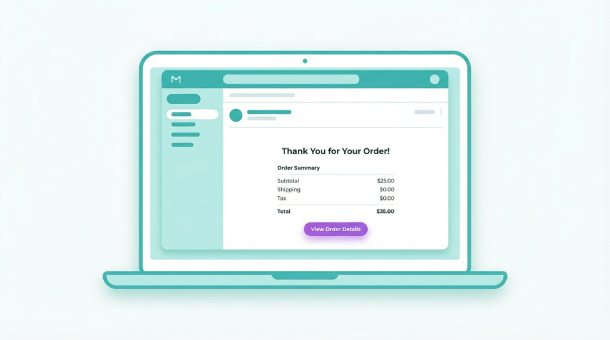
A customer completes checkout and waits for a confirmation email. Five minutes pass, nothing arrives. They check spam, still nothing. Now they’re worried the order failed and they’re emailing support. An automated receipt prevents this anxiety and builds trust. Your backend triggers an email the moment payment succeeds, pulling order details from the database and sending a formatted receipt through SendGrid or Resend. The same system sends shipping confirmations when you mark orders fulfilled and follow-up emails days later asking for reviews.
Why the email after purchase matters more than the sale itself
Closing a sale feels like the finish line, but for your customer it’s the starting line of a relationship they’re uncertain about. They handed over money for something they haven’t received yet. Every minute without confirmation increases doubt. Did the payment go through? Did the site glitch? Should they call their bank?
That anxiety window between purchase and confirmation is where trust is built or destroyed. A confirmation email arriving within seconds says your business is professional, organized, and on top of things. A confirmation arriving 45 minutes later, or not at all, says the opposite.
The stakes are higher than most founders realize. Customers who receive instant confirmation are significantly less likely to file chargebacks, contact support, or leave negative reviews. The confirmation email isn’t just a receipt, it’s the first signal that your business delivers on its promises. Everything after this moment, shipping updates, follow-up emails, review requests, builds on the foundation that first email establishes.
What your backend does in the three seconds after payment
When a customer clicks “buy now” and Stripe confirms the payment, your backend springs into action before the customer even sees the success screen. It writes the order to your database, assigns an order number, and immediately triggers an edge function responsible for sending confirmation emails.
The edge function pulls everything needed from the database: the customer’s name, email address, items purchased, quantities, prices, shipping address, and estimated delivery date. It formats this information into an email template and sends it through your email service provider, SendGrid, Resend, or Postmark, within seconds of payment confirmation.
The customer sees a “thank you for your order” page on your site and simultaneously receives a confirmation email. The synchronization feels seamless because it is. From the customer’s perspective, the email appears almost magically. From your backend’s perspective, it’s a straightforward sequence of database queries and API calls that runs automatically every time.
This entire post-purchase automation is one piece of a larger transaction workflow that your backend orchestrates from the moment a customer starts checkout. Understanding how a backend handles your digital cashier shows how payment processing, inventory updates, and customer communications connect into one seamless system.
The four emails every e-commerce business needs to automate
Most founders think about confirmation emails and stop there. A complete post-purchase email sequence has four distinct touchpoints, each serving a different purpose in the customer relationship.
The order confirmation arrives within seconds of payment. It includes the order number, itemized list of purchases, total charged, billing address, and shipping address. This email exists purely to eliminate anxiety and give the customer a reference number for future questions.
The shipping confirmation triggers when you mark the order as shipped in your system. Your backend detects the status change in the database and sends an email with the tracking number, carrier name, and estimated delivery date. Customers who receive shipping confirmations contact support 60% less often asking where their order is.
The delivery confirmation triggers when the carrier marks the package as delivered. Your backend checks tracking status automatically through the carrier’s API and sends a brief email saying the package arrived, along with a prompt to contact support if anything is wrong. This proactive communication prevents the common scenario where a package sits on a porch for days while the customer assumes it’s lost.
The review request sends 7-14 days after delivery, giving the customer time to use the product before forming an opinion. This email has the highest conversion rate of any marketing email you’ll send because the customer already had a positive experience and just needs a nudge to share it.
Personalization that makes automated emails feel human
Automated emails have a reputation for feeling cold and robotic because most businesses use generic templates with minimal personalization. Your backend has access to everything needed to make automated emails feel genuinely personal.
Use the customer’s first name, not their full name or email address. Pull the specific product names they ordered rather than generic descriptions. Reference their city if you’re shipping locally. If it’s their second purchase, acknowledge their loyalty. If they used a discount code, thank them for being part of your community.
These details live in your database already. Your edge function simply queries the right fields and inserts them into the email template. The technical effort is minimal, maybe ten extra lines of code, but the customer experience difference is significant. An email that says “Hi Sarah, your ceramic mug is on its way to Brooklyn” feels fundamentally different from “Dear Customer, your order has been processed.”
The tone matters as much as the content. Write confirmation emails the way you’d write to a friend who just bought something from your store. Warm, clear, and brief. Customers don’t read long confirmation emails, they scan for the order number, total, and delivery date. Put those three things front and center and keep everything else minimal.
Handling edge cases that break automated email sequences
Happy path automation is straightforward. The complexity emerges when orders don’t follow the expected sequence: partial shipments, backorders, address corrections, and cancellations all require different email responses.
A customer orders three items but only two are in stock. Your backend ships the available items immediately and holds the third for later fulfillment. The customer needs to know this, otherwise they’ll assume the missing item was lost. Your backend detects partial shipments by comparing items shipped against items ordered, then sends a customized email explaining which items shipped today and when to expect the remainder.
A customer realizes they entered the wrong shipping address minutes after completing checkout. They email support frantically. If your backend catches the address correction before the order ships, it updates the shipping address in both your database and the carrier’s system, then sends a confirmation email showing the corrected address. Automating this response saves a support ticket and prevents a misdelivered package.
A customer cancels their order before it ships. Your backend immediately stops the fulfillment process, triggers a refund through Stripe, and sends a cancellation confirmation with the refund timeline. The entire sequence happens without human intervention, and the customer receives clear communication about every step.
Connecting email automation to your review and retention strategy
Post-purchase emails aren’t just operational communications, they’re marketing assets that generate revenue long after the initial sale. A well-timed review request generates social proof that converts future customers. A follow-up email with related products generates repeat purchases. A satisfaction survey identifies unhappy customers before they leave negative reviews publicly.
Your backend tracks the timeline from purchase to delivery and schedules follow-up emails accordingly. The review request goes out seven days after delivery confirmation, not seven days after purchase, because customers who haven’t received their order yet can’t review it. The related products email goes out 14 days after delivery when the customer has had time to use the product and might be thinking about complementary items.
Segmentation makes these emails more effective. Customers who ordered a beginner product receive emails recommending intermediate products. Customers who spent over $100 receive loyalty program invitations. Customers who haven’t purchased in 90 days receive win-back offers. Your backend handles all of this segmentation automatically based on purchase history stored in your database.
Why email deliverability depends on your backend setup
Beautiful email templates mean nothing if emails land in spam folders. Deliverability, the rate at which your emails reach the inbox rather than spam, depends on technical configuration that your backend handles during setup.
Your backend needs to authenticate outgoing emails using three standards: SPF, the list of servers authorized to send email for your domain; DKIM, a cryptographic signature proving the email wasn’t modified in transit; and DMARC, the policy that tells receiving servers what to do with emails that fail SPF or DKIM checks. These aren’t optional extras, they’re requirements for reliable inbox delivery in 2026.
Email service providers like SendGrid and Resend handle the actual sending infrastructure, but your backend configures the authentication correctly during setup. A misconfigured DKIM record means your confirmation emails land in spam, customers think their order failed, and support tickets multiply. Correct configuration means emails arrive reliably in the inbox within seconds.
Monitor your deliverability metrics through your email provider’s dashboard. Bounce rates above 2% indicate list quality problems. Spam complaint rates above 0.1% trigger deliverability restrictions from providers. Your backend should automatically remove bounced addresses from future sends and flag accounts with high complaint rates for review.
The cost of not automating post-purchase communication
A support team handling “where is my order” emails at $15 per hour, spending 30 minutes per ticket, costs $7.50 per inquiry. A business processing 200 orders monthly with 20% of customers emailing support about order status spends $300 monthly answering questions that automated emails would have prevented.
Automated shipping confirmations with tracking numbers eliminate 60-70% of these inquiries. Delivery confirmations eliminate another 15%. Review requests generate an average of 5-10 additional reviews monthly per 200 orders, each review worth far more than its cost in social proof and conversion rate improvement.
The Supabase edge functions running this automation cost pennies per month in compute time. SendGrid’s free tier handles 100 emails daily, enough for most early-stage businesses. Scaling to paid tiers costs $15-20 monthly for thousands of emails. The ROI on post-purchase email automation is immediate and measurable, reduced support costs, higher review counts, and improved customer retention from the very first order.
Once the complete post-purchase experience runs automatically, fraud prevention becomes the final layer protecting both your revenue and your customers’ trust. Using your backend to spot bad actors before they buy ensures that the seamless experience you’ve built for legitimate customers stays protected from those who would abuse it.
About the Author

AISalah
AISalah bridges linguistics and technology at PointOfSaaS, exploring AI applications in business software. English Studies BA with hands-on back-end and ERP development experience.
Did you find this helpful?
Your feedback helps us curate better content for the community.