

Jira has become a cornerstone for startups and early-stage companies looking to organize work, manage projects, and scale without losing control. It provides a central place where tasks, priorities, and progress are visible to the whole team. When used effectively, Jira helps teams move faster, spot bottlenecks early, and maintain clarity even as the workload grows. This guide focuses on practical strategies to structure Jira for your team, from basic setup to advanced workflows, boards, and automation.
Mastering Jira Basics for Fast-Growing Teams

Starting with Jira can feel complex, but a structured approach makes it manageable. At the core, Jira organizes work into projects, issues, and boards. Projects are containers for everything your team needs to deliver. Each project can have a specific template, usually Scrum or Kanban, depending on how your team prefers to manage tasks.
Issues are the smallest units of work. They can be stories, tasks, or bugs, but the real value comes from clarity. A clear title and concise description help anyone understand the task without extra questions. Assign each issue to the right person and set a priority that reflects real urgency. Overusing high priority labels can create noise and reduce focus.
Workflows define how issues move from start to finish. For early-stage teams, simplicity is key. A three-step workflow — To Do, In Progress, Done — often works well. It provides structure without slowing down the pace of work. Columns on boards should match the workflow stages so that visual representation mirrors reality. This alignment helps the team see progress at a glance.
The board is where everything becomes visible. For Scrum, it shows sprints and backlogs. For Kanban, it reflects continuous flow. Start by limiting the number of tasks on the board to maintain focus. Each task should be actionable in the near term, avoiding clutter that can overwhelm the team.
Labels and components help categorize tasks without adding complexity. Use only the ones that provide meaningful insight, such as frontend, backend, design, or marketing. A small set of labels is more effective than a long list that creates confusion.
A clean backlog is also crucial. Regularly review and remove outdated tasks, group similar ideas, and make titles clear. This ensures the team can pick the right tasks for upcoming work. Consistent updates keep the board reflecting reality and allow decisions to be based on accurate information.
Strong habits make Jira effective. Encourage team members to move tasks as progress happens, add brief comments when issues are blocked, and update statuses regularly. These practices keep the system alive and reduce the need for extra meetings.
For teams who want to explore these basics in more detail, the Jira Tutorial: A Clear Starting Point for Fast Teams expands on setting up projects, organizing issues, and building an initial workspace that aligns with your growing needs.
Setting Up Efficient Jira Workflows
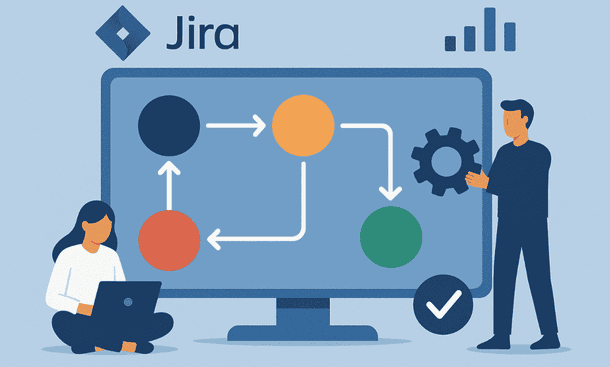
Workflows are the backbone of Jira, defining how tasks move from creation to completion. For early-stage teams, a well-designed workflow keeps work visible, predictable, and easy to manage. The goal is not to create an overly detailed process but to provide clear steps that everyone understands and can follow consistently.
Start by mapping the stages your team naturally goes through. A basic workflow often includes To Do, In Progress, and Done. As your processes evolve, you can add stages such as Review, Testing, or Approval. Each additional step should address a real need rather than a hypothetical scenario. This prevents unnecessary complexity that can slow your team down.
Transitions between workflow stages guide progress. Clear transitions tell team members when a task is ready to move forward. For instance, moving an issue from In Progress to Review might require the developer to complete code and update documentation. Well-defined transitions reduce confusion and ensure accountability.
Assign responsibilities at each workflow stage. Designers, developers, and product owners can own specific steps to maintain momentum and reduce bottlenecks. Ownership ensures that tasks move smoothly and no one is left wondering who should act next.
Workflow automation is another key element. Simple rules, such as automatically assigning a reviewer when a task enters the Review stage or notifying the team when an issue is blocked, save time and reduce errors. Automation supports the workflow without replacing critical human decisions.
Regularly review and refine your workflows. Track which stages frequently get clogged or which transitions cause delays. Adjust only as needed to maintain clarity and efficiency. Workflows are living structures that evolve with your team and product.
For teams seeking a deeper dive into designing scalable and agile workflows, the Jira Workflows: Build Agile Processes That Scale article provides practical tips and examples to create workflows that grow with your startup.
Organizing Work with Jira Boards
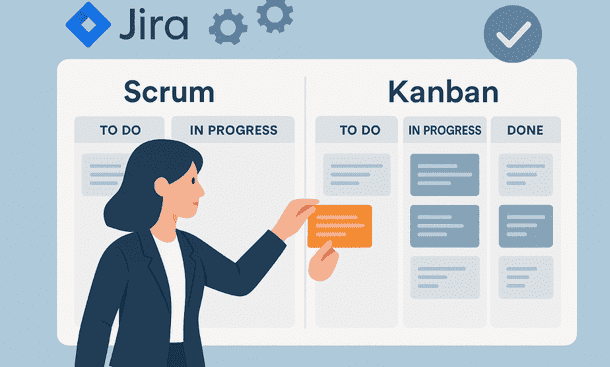
Jira boards give teams a visual representation of their work, making progress and priorities clear at a glance. They turn tasks and issues into an actionable map that reflects real workflow, helping teams stay aligned and focused.
Scrum boards are ideal when your team works in timeboxed cycles. They include a backlog, sprint planning, and a clear view of the work for each cycle. Start by adding tasks to the backlog and refining the ones that matter for the upcoming sprint. Keep sprint scope realistic to prevent overload and maintain team focus. Updating the board daily ensures visibility and allows for early adjustments.
Kanban boards work well for continuous flow, where tasks move without fixed cycles. They rely on limiting work in progress to maintain steady delivery. A simple three-column structure — To Do, In Progress, Done — keeps boards clear. Adding columns like Review or Testing is optional, only if your process requires it. Work-in-progress limits prevent bottlenecks and keep the team focused on finishing tasks before starting new ones.
Swimlanes and filters enhance board clarity. Swimlanes can organize work by priority, type, or team member, making it easier to navigate busy boards. Filters allow each team member to focus on their current tasks or the work relevant to the sprint. Both tools keep boards readable without adding unnecessary complexity.
Regular board maintenance is essential. Remove outdated tasks, move completed issues to Done, and address columns that appear congested. Healthy boards accurately reflect the state of work, enabling better decisions and smoother collaboration.
For a practical guide on setting up Scrum and Kanban boards, the Jira Agile Boards: Configure Scrum and Kanban Effectively article shows how to create boards that match your team’s workflow and maintain clarity even under heavy workloads.
Leveraging Jira Automation for Efficiency

Automation in Jira transforms repetitive tasks into predictable processes, reducing manual work and freeing your team to focus on high-value activities. For early-stage startups, even small efficiencies can have a significant impact on delivery and team alignment.
Begin by identifying repetitive actions that consume time. Common examples include moving tasks between workflow stages, notifying team members about updates, or assigning issues based on labels or components. Mapping these points in your workflow helps determine where automation provides the most value.
Set up simple automation rules that reflect real actions. For instance, when an issue moves to Review, the responsible person can be automatically assigned, and the team notified. When a task reaches Done, it can trigger a summary update or archive process. The key is to automate routine actions while keeping critical decisions in human hands.
Automation also helps maintain backlog health. Tasks that remain inactive for a set period can trigger notifications or move to an archive column, ensuring the backlog stays relevant and manageable. This reduces clutter and allows the team to focus on work that truly matters.
Combining automation with labels and components further organizes your projects. Labels can trigger specific actions or route tasks to the correct team, while components help categorize work for better reporting and clarity. Use them sparingly to avoid creating noise in the system.
Dashboards and automated reports provide insight without manual effort. Tracking cycle time, bottlenecks, or blocked tasks allows teams to make data-driven adjustments. Automation keeps these insights current and actionable, helping maintain a predictable and efficient workflow.
Regularly review your automation rules. Remove outdated or redundant actions, and ensure new rules align with the team’s current processes. Well-maintained automation grows with your team and prevents unnecessary complexity.
For hands-on guidance on setting up effective automation, the Jira Automation: Save Time With Smarter Workflows article offers strategies to streamline processes and maximize productivity across your team.
About the Author

Pamela
Pamela is a dynamic professional with a deep passion for SaaS and emerging technologies. She provides valuable insights into software trends, digital innovation, and cutting-edge tools that empower businesses to thrive and expand.
Did you find this helpful?
Your feedback helps us curate better content for the community.