
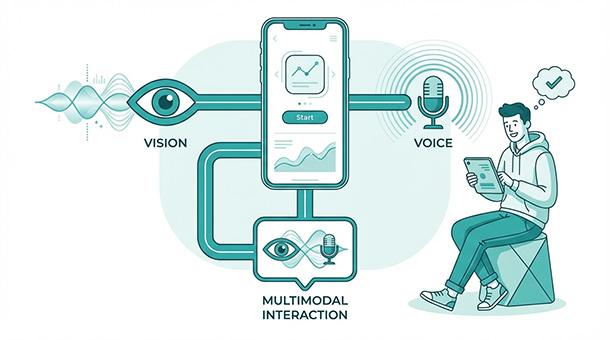
Users upload profile photos that violate guidelines. Accessibility users want voice navigation instead of typing. Competitors offer visual search while your app still relies on text-only queries. Image and voice AI used to require specialized teams and months of model training. Now BaaS platforms connect your app to pre-trained models through simple APIs. You send an image or audio file, the AI processes it, and you get structured data back. Your app suddenly sees, hears, and responds without you becoming a machine learning expert.
Why text-only apps feel outdated in 2025
Users grew up with voice assistants, photo filters, and visual search on their phones. They expect apps they pay for to understand images, process speech, and respond naturally. When your SaaS product forces everything through typed text, it feels like a step backward compared to free consumer apps they use daily.
Accessibility drives multimodal features beyond just “cool factor.” Screen reader users navigate apps through audio descriptions. Users with motor impairments prefer voice commands over typing. Multilingual users speak faster than they type, and voice input reduces language barriers when paired with real-time translation.
Competitive positioning matters too. A project management tool that lets users photograph physical sticky notes and digitize them instantly stands out against tools that require manual data entry. A customer service platform that understands voice complaints processes issues faster than one that only reads typed messages.
The gap between “we have this feature” and “we built custom AI for this” shrinks every month. Pre-trained models handle image recognition, speech transcription, and text-to-speech at quality levels that rival specialized teams. BaaS platforms wire them into your app without the research lab.
How image recognition actually works for your app
You don’t train image recognition models from scratch. Companies like Google, OpenAI, and Amazon have already trained models on millions of images and made them available through APIs. You send an image, their model analyzes it, and you receive structured descriptions of what it contains.
A user uploads a product photo to your marketplace. Your app sends that image to a vision API, which returns labels like “electronics,” “laptop,” “silver color,” and a confidence score for each label. Your app uses those labels to auto-categorize the product listing, saving the seller from manually selecting categories.
Content moderation uses the same pattern. Every uploaded image gets scanned for violence, nudity, or other policy violations before appearing publicly. The API returns flagged categories and severity scores. Your edge function decides whether to approve, quarantine, or reject the image based on thresholds you define.
Receipt scanning transforms expense tracking from a tedious manual process into a quick photo snap. Users photograph receipts, the vision API extracts vendor name, date, total amount, and line items, and your app populates expense forms automatically. Accuracy reaches ninety percent or higher with modern models, requiring only occasional human correction.
OCR, optical character recognition, that capability to read text from images, works through the same APIs. Documents, handwritten notes, screenshots, and physical signs all become searchable text with minimal code. Your BaaS platform handles the API connection while your database stores the extracted text.
Adding voice to your app without audio engineering
Speech-to-text converts spoken words into written text. A user speaks a command, the audio gets processed by an AI model, and your app receives the transcribed text to act on. Text-to-speech does the opposite, converting written responses into natural-sounding audio your app plays back.
Both capabilities connect through APIs that work the same way as image recognition. You send an audio file or stream, receive text back. You send text, receive an audio file back. The complexity of understanding human speech, accents, background noise, and natural pauses stays entirely within the AI provider’s systems.
Voice search transforms how users find information in your app. Instead of typing keywords and hoping the search algorithm understands intent, users describe what they want in natural language. “Show me the dashboard from last Tuesday” works better as a voice command than as a search query because it captures intent more naturally.
Dictation features help users who struggle with typing. Customer feedback forms, support tickets, and content creation all benefit from voice input. Users speak their thoughts, your app transcribes them, and optionally clean up grammar and formatting before saving.
Voice notifications keep users informed without requiring them to check screens. Order updates, appointment reminders, and alert escalations work beautifully as audio notifications when users opt in. Accessibility users particularly benefit from audio output options alongside traditional visual interfaces.
Real-time transcription enables live captions for video calls, recorded webinars, or customer support conversations. The audio streams to an API, text returns in near-real-time, and your app displays it alongside the audio source. This feature alone justifies multimodal investment for companies running regular virtual meetings.
Connecting multimodal features through your BaaS platform
Supabase edge functions serve as the routing layer for multimodal requests. A user uploads an image through your app’s frontend, the request hits an edge function, and that function decides which AI service to call, formats the request properly, and returns results to your app.
Authentication ensures only authorized users trigger expensive AI processing. An edge function checks the user’s session or API key before forwarding files to vision or speech APIs. Unauthenticated requests get rejected before they cost you anything.
File handling happens through your BaaS storage system. Users upload images or audio files, your platform stores them securely, and the edge function retrieves them when needed for processing. Processed results get stored in your database alongside the original files for future reference.
Webhooks notify your app when processing completes, especially for longer tasks. Video transcription might take thirty seconds, and you don’t want the user waiting with a loading spinner for that entire duration. The edge function processes the request, stores results, and triggers a notification when finished. The user sees a “processing” state briefly, then gets redirected to completed results.
Error handling catches API failures gracefully. If OpenAI’s vision API times out or returns an error, your edge function logs the failure, retries once, and if still failing, notifies the user with a friendly message instead of a cryptic error code. The user tries again in thirty seconds without knowing a technical failure occurred.
Practical use cases that generate real revenue
E-commerce platforms differentiate through visual search. Users photograph products they see in the wild and find similar items in your catalog. The vision API extracts visual features, matches them against your product database using vector similarity, and surfaces relevant results. Conversion rates improve when users find products through recognition rather than guessing keywords.
Healthcare adjacent apps use voice input for accessibility and speed. Medical professionals documenting patient notes dictate instead of typing, cutting documentation time by sixty percent. The speech-to-text API transcribes speech in real-time, and your app formats it into structured medical note templates automatically.
Education platforms benefit from both image and voice capabilities. Students photograph textbook problems and receive step-by-step explanations. Language learning apps listen to pronunciation and provide feedback using audio analysis APIs. Both features make learning more interactive without building custom educational AI.
Real estate apps let agents photograph properties and automatically extract details. Room dimensions, materials, architectural features, and condition assessments can all be identified through vision APIs. Property listings populate faster when photos do the heavy lifting instead of manual description entry.
Customer onboarding improves when voice guides walk new users through setup instead of static written instructions. Text-to-speech converts your onboarding documentation into audio walkthroughs that users follow along with while actually doing things in the interface. Engagement increases when learning feels conversational rather than bureaucratic.
Adding sight and sound to your app opens new possibilities, but these features work best when they’re part of a thoughtfully designed AI architecture. Memory through vector databases, secure data handling, automated workflows, and cost controls all support the multimodal capabilities users interact with directly. The founder’s guide to AI: how to give your app “brains” using BaaS shows how all these layers fit together, helping you build features that feel intelligent without the infrastructure complexity that used to make AI inaccessible.
Managing costs for multimodal processing
Vision and speech APIs charge differently than text-based AI. Image processing typically costs per image analyzed, ranging from fractions of a cent for basic classification to several cents for detailed analysis. Speech-to-text charges per minute of audio processed, usually around one cent per minute for standard quality.
A marketplace with 1,000 product uploads daily processes around 1,000 images, costing between one and five dollars depending on analysis depth. Speech transcription for a platform handling 500 support calls at ten minutes average totals 5,000 minutes, costing roughly fifty dollars monthly. Both costs remain manageable for startups generating revenue.
Optimize by processing images at appropriate resolution. Sending a 4K image for basic classification wastes API budget when a resized thumbnail provides the same result. Compress audio before transcription to reduce processing time without sacrificing accuracy.
Cache results aggressively. If ten users search with similar images, processing the first one and storing results means subsequent similar searches hit your cache instead of calling the API again. Vector similarity on cached results delivers fast responses without repeated API costs.
Set spending alerts through your BaaS platform dashboard. Multimodal processing costs scale with user activity, and a viral moment where thousands of users upload images simultaneously could spike your bill unexpectedly. Knowing when you hit seventy percent of your budget gives you time to add rate limiting or upgrade your plan before costs become surprises.
Accessibility as a business advantage
Screen readers already exist for web browsers, but building accessibility directly into your app creates a better experience than relying on browser-level tools. Voice navigation, audio descriptions of visual elements, and text-to-speech responses make your product usable for people who competitors ignore.
Accessibility compliance requirements vary by region and industry. WCAG guidelines recommend voice and audio alternatives for visual content. Government contracts and healthcare applications often mandate accessibility features. Building multimodal support early avoids expensive retrofitting when compliance becomes required.
Users with disabilities represent a significant market that most SaaS products underserve. A product that works well for everyone, including people with visual, motor, or hearing differences, captures users that competitors lose by default. Accessibility isn’t charity, it’s market expansion.
Voice interfaces also reduce friction for all users, not just those with disabilities. Dictating a support ticket takes thirty seconds versus two minutes of typing. Speaking a search query captures intent more naturally than constructing keyword combinations. Everyone benefits from multimodal options even when no accessibility requirement exists.
Testing accessibility features requires intentional effort. Use screen readers yourself during development. Test voice input in noisy environments. Verify audio descriptions make visual content understandable without seeing it. Accessibility testing catches problems that standard QA misses entirely.
Knowing when multimodal features justify the investment
Not every app needs image or voice capabilities. A project planning tool might never process photos or audio. A financial reporting dashboard communicates entirely through charts and text. Adding multimodal features to apps that don’t need them wastes development time and adds unnecessary complexity.
Start with the multimodal feature that solves your users’ biggest friction point. If users frequently upload documents that need data extraction, vision APIs solve a real problem. If your support conversations happen via phone and you need transcription, speech-to-text earns its place immediately.
Prototype before committing to a full feature build. Spend an afternoon connecting a vision API to a simple upload form, test whether the results are accurate enough for your use case, and gather user feedback before investing weeks of engineering time. BaaS platforms make this kind of rapid prototyping possible because the infrastructure already exists.
Measure the business impact of multimodal features after launching them. Track whether image search increases conversion, whether voice input reduces support ticket creation time, or whether accessibility features attract new user segments. Features that move metrics stay. Features that add complexity without measurable benefit get cut.
Once your app can see and hear users, the next concern becomes how much all of this actually costs month to month. The cost of AI: budgeting for your app’s monthly brain bill breaks down realistic pricing for vision APIs, speech services, and text-based AI combined, showing you how to forecast expenses and set smart limits before your bill becomes a budget disaster.
About the Author

AISalah
Bridges linguistics and technology at PointOfSaaS, exploring AI applications in business software. English Studies BA with hands-on back-end and ERP development experience.
Did you find this helpful?
Your feedback helps us curate better content for the community.