
Notion project management feels a lot like slow travel. You are not rushing through a checklist just to say you were there. You are shaping the journey as you go, stopping where it matters, and adjusting the route when plans change. That flexibility is exactly why so many entrepreneurs and small teams are drawn to Notion.
I have used Notion while planning trips, organizing writing projects, and collaborating with remote teams. Each time, the same question comes up. Can Notion really handle project management, or is it just a nice-looking notebook? The answer depends on how you work and what you expect from a tool.
What makes notion different for project management
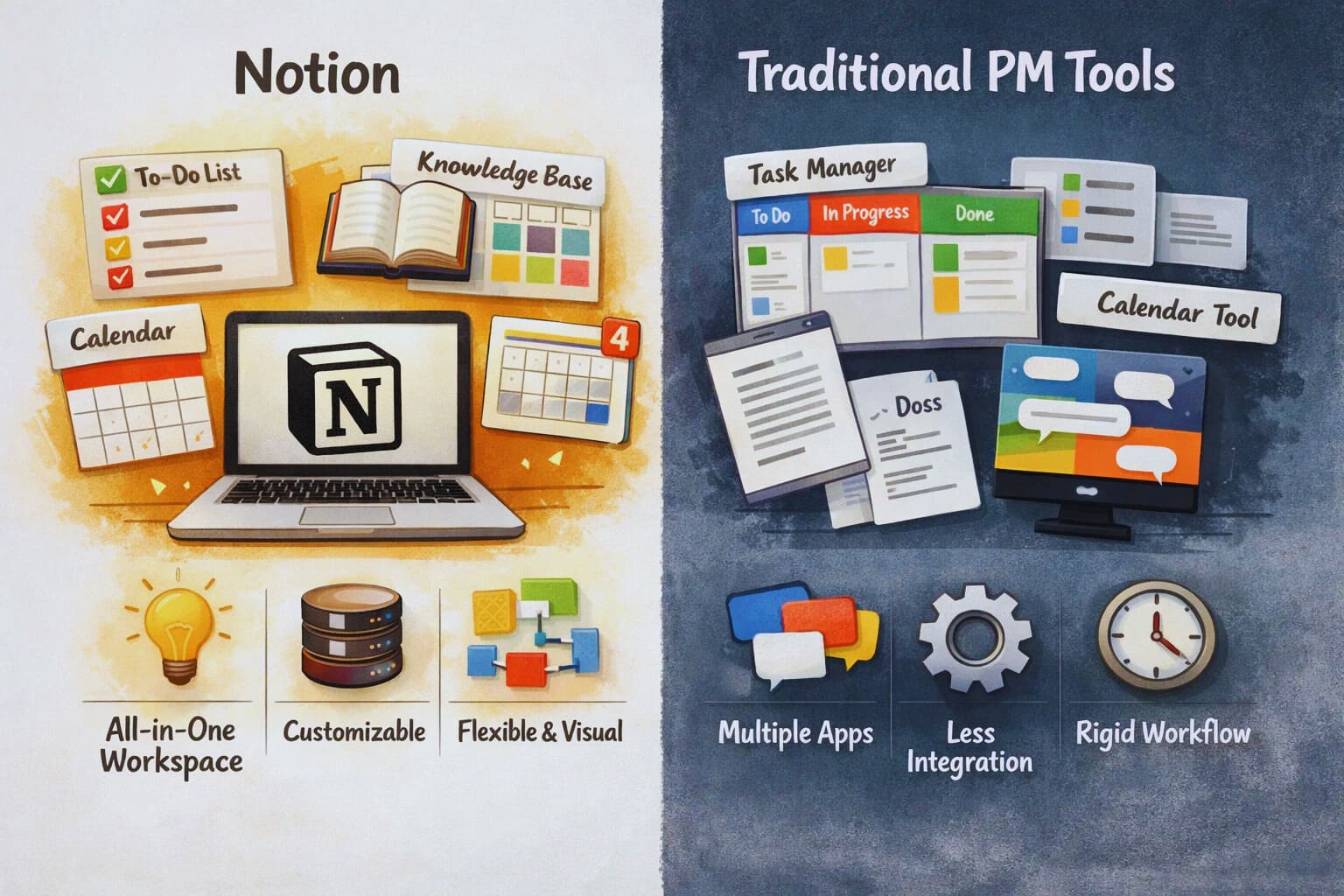
Notion is not built as a traditional project management tool. There are no rigid workflows forced on you from day one. Instead, you start with building blocks. Pages, databases, tables, boards, and timelines. You combine them in a way that matches your thinking.
For many entrepreneurs, this is refreshing. You can manage tasks, documents, roadmaps, and notes in one place. A project page can include a task board, meeting notes, goals, and reference links without jumping between tools.
Notion also works well for people who think visually. You can switch between views easily. A list view in the morning, a board view in the afternoon, and a timeline when deadlines get closer. The same data, different perspectives.
core features entrepreneurs actually use
the heart of Notion project management is the database. This is where tasks, projects, and workflows live. You can create properties like status, priority, due date, owner, and tags. It sounds basic, but the power comes from how flexible it is.
Kanban boards are popular in Notion. They are clean, simple, and easy to customize. You can group tasks by status, by team member, or by project. Timelines add another layer, especially useful for launches and content calendars.
Templates save a lot of time. Many founders create a standard project template with tasks, milestones, and notes already laid out. Every new project starts with the same structure, but you can still adjust it when needed.
Collaboration is smooth for small to mid-sized teams. Comments, mentions, and real-time editing make it easy to stay aligned. Permissions allow you to control who can edit or just view content, which helps when working with freelancers.
real-world use cases where notion shines
Notion works best when projects are connected to thinking, planning, and content. Content teams often use it to manage editorial calendars, article drafts, and publishing workflows. Everything from idea to publication stays in one workspace.
Startup founders use Notion to track product ideas, roadmap discussions, and internal documentation. Instead of separating project management from knowledge management, Notion blends them together.
Agencies and consultants use it as a client workspace. Each client gets a page with tasks, timelines, and shared notes. It feels more personal than a rigid ticketing system.
Solo entrepreneurs benefit the most. If you are juggling marketing, operations, and strategy alone, Notion keeps everything visible without overwhelming you with rules.
where notion starts to struggle
Notion project management is not perfect. As projects grow more complex, cracks start to show. Automation is limited compared to dedicated tools. You can automate some actions using integrations, but it is not built for heavy workflow automation.
Reporting is another weak spot. If you need detailed progress reports, workload analysis, or sprint metrics, Notion will feel basic. You can build dashboards, but they require manual setup and maintenance
Performance can slow down with very large databases. teams managing thousands of tasks sometimes notice lag, especially when loading complex pages.
For engineering teams, Notion often feels too loose. There is no native issue tracking, sprint planning, or backlog grooming in the way developers expect. This is where tools like Jira start to make more sense.
notion for different team types
For non-technical teams, Notion is often enough. Marketing, operations, content, and strategy teams enjoy the freedom to shape their workspace. The learning curve is gentle, especially compared to enterprise tools.
For hybrid teams, Notion works as a planning layer. Some teams plan projects in Notion and execute technical tasks elsewhere. It becomes the source of truth for goals and context not task execution.
For fast-scaling startups, the decision becomes more strategic. Notion can support early growth, but at a certain point, structure becomes more important than flexibility. That transition is where many founders reconsider their stack.
ricing and value perspective
Notion’s pricing is attractive, especially for startups. The free and low-cost plans offer a lot of functionality. This makes it easy to experiment without committing to expensive licenses.
However, cost is not just about price. Time spent building and maintaining systems matters too. Notion rewards thoughtful setup. If no one owns the workspace structure, it can become messy over time.
Final thoughts on using notion for project management
Notion project management works best when you value clarity over control. It is ideal for entrepreneurs who want one place to think, plan, and execute without feeling boxed in. It supports creativity and organization in a way few tools do.
If your projects depend on strict processes, heavy automation, or detailed reporting, you may outgrow Notion. That does not mean it failed. It simply means your needs evolved
For a deeper look at how Notion compares with more structured tools, especially around workflows and scalability, you may want to explore the detailed breakdown of notion vs jira project management to see which approach fits your way of working.
About the Author

Norman
Tech enthusiast and SaaS strategist helping startups choose, build, and scale digital tools that drive real growth through automation and smart systems.
Did you find this helpful?
Your feedback helps us curate better content for the community.