
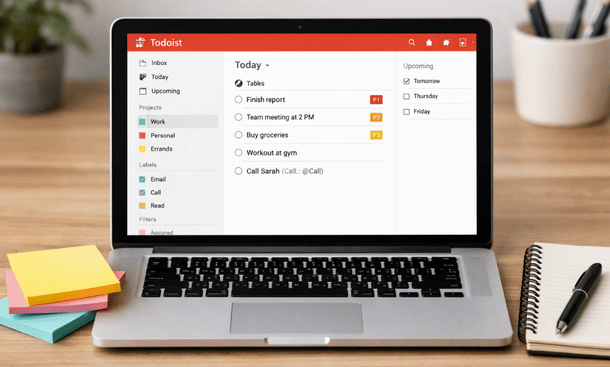
Running a startup is like juggling while riding a unicycle. There are so many moving parts, and one misstep can throw off everything. Todoist helps tame the chaos, but only if you set it up the right way. A proper setup makes your productivity system almost effortless. You can focus on what actually moves your business forward instead of spending time hunting for lost tasks. foundational Todoist guide for entrepreneurs.
Starting With Projects
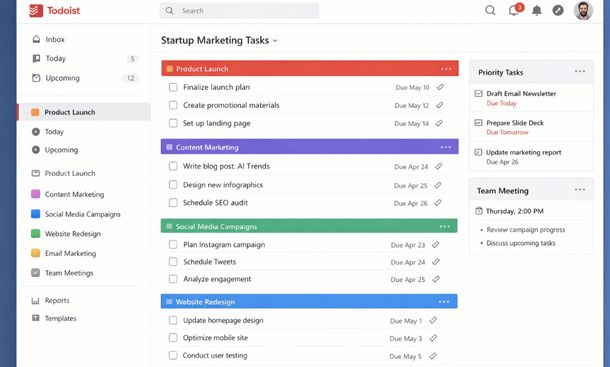
Projects are the backbone of Todoist. Each major area of your startup—marketing, product, customer support—should have its own project. Subdivide them into smaller tasks or sub-projects. For example, under “Marketing,” you might have “Email Campaigns,” “Social Media Content,” and “SEO Optimization.”
Projects let you visualize the work ahead and avoid tasks hiding in a massive to-do list. Color coding adds another layer of clarity, so at a glance, you know which area needs attention.
Priorities and Labels
Assigning priorities is essential. Todoist allows you to mark tasks from P1 (critical) to P4 (low). When your list grows, priorities make it easy to see what must happen today versus what can wait.
Labels are like filters for context. Use them for location, type of work, or urgency. For example, “Calls,” “Follow-ups,” or “Quick Wins.” Combining labels and priorities with filters creates dynamic views tailored to your workflow. This ensures nothing important falls through the cracks.
Recurring Tasks and Templates
Many tasks are repetitive. Weekly check-ins, client follow-ups, or social media posting schedules can all be set to recur automatically. Recurring tasks remove the mental burden of remembering routine work and free up brain space for critical decisions.
Todoist also lets you create templates. If you often launch campaigns or product sprints, templates save time by preloading standard tasks. For small teams, this creates consistency across projects without constant explanation.
Filters and Views
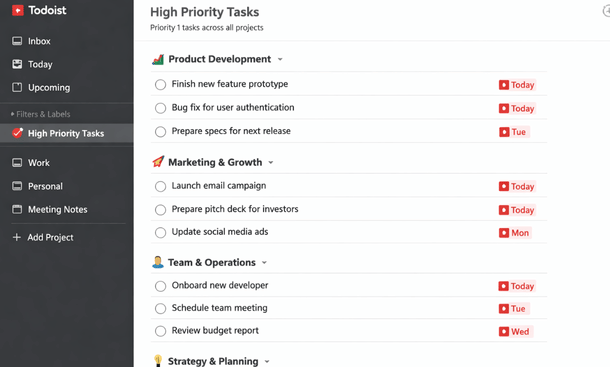
Filters are a hidden superpower in Todoist. They allow you to see tasks across projects based on custom rules. For example, you can pull up all high-priority tasks due this week or every task labeled “Call.”
Views like “Today” and “Upcoming” give a quick snapshot of your day and week. Entrepreneurs often underestimate the value of seeing everything in one glance. A strong filter setup prevents overwhelm and keeps focus on what matters most.
Team Collaboration
Even as a solo founder, a good setup prepares you for growth. Shared projects, assigned tasks, and comments ensure seamless collaboration when new team members join. Everyone stays on the same page, deadlines are clear, and accountability is maintained without micromanagement.
The setup process also helps establish a personal workflow. Knowing how you like to organize tasks—by project, priority, or context—makes Todoist intuitive and reduces friction over time.
Setting up Todoist the right way can transform how you manage a startup. Clear projects, thoughtful priorities, recurring tasks, and smart filters help you stay on top of the work that drives growth. Once your setup is solid, you’ll spend less time organizing and more time executing.
For advanced workflows and more automation ideas, check out Todoist vs Other Task Management Tools. This will guide you to compare platforms and refine your system as your startup scales.
About the Author

Pamela
Pamela is a dynamic professional with a deep passion for SaaS and emerging technologies. She provides valuable insights into software trends, digital innovation, and cutting-edge tools that empower businesses to thrive and expand.
Did you find this helpful?
Your feedback helps us curate better content for the community.