
You built your app. It works. Users can sign up, create accounts, and interact with your core features.
Now you need to charge them. You need to send confirmation emails. You need to track which features they’re using so you know what to build next. You need to send SMS reminders when their subscription is about to renew.
None of these things happen inside your app. They happen because your backend knows how to talk to Stripe, SendGrid, Google Analytics, and Twilio.
This is what APIs do. They let your backend communicate with other software tools automatically, without you writing the code that processes payments or sends emails from scratch.
For non-technical founders, APIs sound like something only developers understand. But they’re actually the reason you can launch a feature-rich SaaS without hiring a team of engineers or spending six months building infrastructure that already exists.
Understanding how your backend connects to the rest of your business stack is essential when you’re building a subscription business that needs to do more than just store data. APIs are the glue that turns isolated tools into a functioning business system.
What an api actually does for your business
An API, application programming interface, is just a set of instructions that lets two pieces of software exchange information.
Think of it like a restaurant. You don’t walk into the kitchen and cook your own food. You tell the waiter what you want. The waiter tells the kitchen. The kitchen prepares it. The waiter brings it back to you.
The API is the waiter. Your app is the customer. The external service like Stripe or SendGrid is the kitchen. Your app makes a request. The API delivers that request to the service. The service processes it and sends back a response. Your app receives the response and acts on it.
This happens invisibly and instantly. When a user clicks “subscribe” on your website, your backend sends an API request to Stripe saying “charge this card $29.” Stripe processes the payment and sends back a confirmation. Your backend updates the user’s account status and triggers an email through SendGrid’s API saying “thanks for subscribing.”
You didn’t build a payment processor. You didn’t build an email delivery system. You connected to tools that already do these things, and your backend orchestrated the conversation.
This is why modern SaaS companies can launch in months instead of years. APIs let you rent best-in-class infrastructure instead of building everything yourself.
Why integration unlocks growth without hiring developers
Every business tool you need already exists. Payment processing. Email delivery. SMS notifications. Analytics. CRM systems. Accounting software. Project management tools.
The question isn’t whether these tools exist. The question is whether your backend can talk to them.
APIs are what make integration possible. Stripe has an API that lets your backend charge credit cards. SendGrid has an API that lets your backend send transactional emails. Google Analytics has an API that lets your backend log user behavior. Twilio has an API that lets your backend send text messages.
If your backend is built on a modern platform like Supabase, connecting to these services takes minutes instead of weeks. Most APIs use standard authentication methods and documented endpoints, the specific URLs where you send requests to perform actions. Your backend sends a properly formatted request. The service responds with the data or confirmation you need.
This is the difference between spending three months building a custom email system and spending thirty minutes connecting to SendGrid. This is the difference between hiring a payment processing expert and copying five lines of code from Stripe’s documentation.
APIs don’t just save development time. They let you add features your users expect without expanding your team. Want to add calendar integrations? Use Google Calendar’s API. Want to accept online payments? Use Stripe’s API. Want to send push notifications? Use Firebase Cloud Messaging’s API.
Every feature you add through an API is one less feature you have to build, maintain, and debug yourself.
How apis reduce operational chaos
APIs don’t just add features. They eliminate manual work that would otherwise consume your entire day.
Let’s say a customer subscribes to your $49 monthly plan. Without APIs, you’d need to manually log into Stripe, confirm the payment, open your database, update their account status, open your email tool, send them a welcome email, open your spreadsheet, record the revenue, and hope you didn’t miss a step.
With APIs, the entire workflow happens automatically. Stripe charges the card and sends a webhook, an automated notification from one service to another, to your backend. Your backend receives the webhook, updates the customer’s account status in the database, triggers a welcome email through SendGrid’s API, and logs the transaction for your revenue reports.
You do nothing. The systems talk to each other and execute the workflow exactly the same way every time.
This is why APIs are critical for scaling. At ten customers, manual workflows are annoying but manageable. At a thousand customers, they’re impossible. APIs let you serve a thousand customers with the same operational workload as ten customers.
They also reduce errors. Humans make mistakes when copying data between systems. APIs don’t. If a payment fails, your backend knows immediately because Stripe’s API sends a failure notification. You can trigger an automated email asking the customer to update their payment method before they even realize there was an issue.
This kind of proactive automation is only possible when your backend is connected to the right tools through reliable APIs.
How to connect your backend to business tools without writing code
Most first-time founders assume APIs require a developer to set up. That used to be true. It’s not anymore.
Modern backends like Supabase support API integrations through simple configuration instead of custom code. You paste your Stripe API key into your backend settings. You enable the Stripe extension. Your backend can now process payments and handle webhooks automatically.
The same pattern applies to most major tools. SendGrid gives you an API key. You add it to your backend. Your app can now send emails. Twilio gives you credentials. You add them to your environment variables, the secure settings where your backend stores sensitive information like passwords and API keys. Your app can now send SMS messages.
You’re not writing authentication logic. You’re not debugging HTTP requests. You’re not managing rate limits or retry logic. The backend platform handles the technical complexity. You just connect the accounts and define what should happen when certain events occur.
This is the real advantage of building on a BaaS platform instead of a custom backend. The infrastructure for integrating with other tools already exists. You’re configuring connections, not building them from scratch.
API integrations don’t exist in isolation — they’re one piece of a larger backend infrastructure that determines whether your subscription business can scale without multiplying operational costs. The platform you choose to manage your Stripe webhooks and SendGrid connections is the same one handling your data structure, frontend communication, multi-tenant security, and user authentication. If you’re still evaluating which backend fits your overall revenue model, How to Pick a Backend That Grows With Your Revenue breaks down all six of these factors together — so you can evaluate your integration strategy alongside every other architectural decision your subscription business depends on.
The bottom line
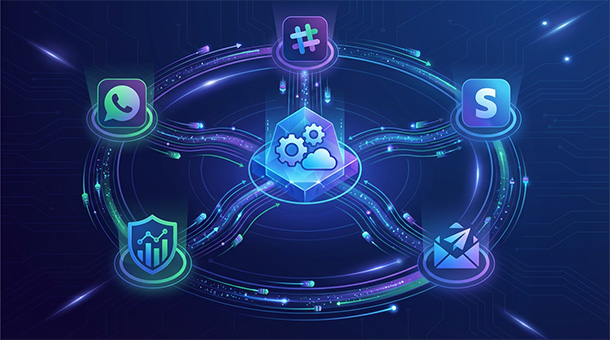
Your app is not an island. It’s the center of a business ecosystem that includes payment processors, email services, analytics platforms, and dozens of other specialized tools.
APIs are what connect these tools into a functioning system. They let your backend orchestrate complex workflows without manual intervention. They let you add features in hours instead of months. They let you scale without multiplying your operational workload.
When you’re building a subscription business, APIs are not optional. They’re the infrastructure that determines whether you’re running a modern, automated operation or whether you’re drowning in manual tasks that should have been automated from day one.
As your API integrations grow, the data flowing between them needs a solid foundation — here’s why structured data is the backbone of a well-organized subscription business.
About the Author

AISalah
Bridges linguistics and technology at PointOfSaaS, exploring AI applications in business software. English Studies BA with hands-on back-end and ERP development experience.
Did you find this helpful?
Your feedback helps us curate better content for the community.