
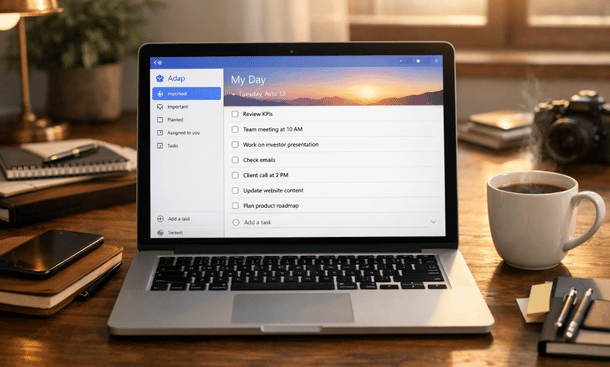
Execution is where most startups struggle. Ideas are easy. Consistent action is not. I am Pamela, 35 years old, bac+3, and I spend most of my time building systems that help founders move from intention to action. Microsoft To Do works well for startup execution because it stays grounded in daily reality. It does not try to manage your business. It helps you manage yourself inside the business.
Founders who already understand the value of Microsoft To Do for business often ask how to actually use it day after day. Not theoretically. In real startup conditions. This is where simple workflows matter. If you want to see how this execution layer fits into a complete productivity system, this Microsoft To Do guide for entrepreneurs provides the full structure.
Start with one capture list
The first mistake founders make is creating too many lists too early. This creates friction.
Start with one main list. Everything goes there. Ideas. Tasks. Reminders. Nothing stays in your head.
This list acts as your inbox. It is not meant to be organized. It is meant to be complete.
Once your brain trusts the system, stress drops. You stop worrying about forgetting things.
Use My Day as your execution engine
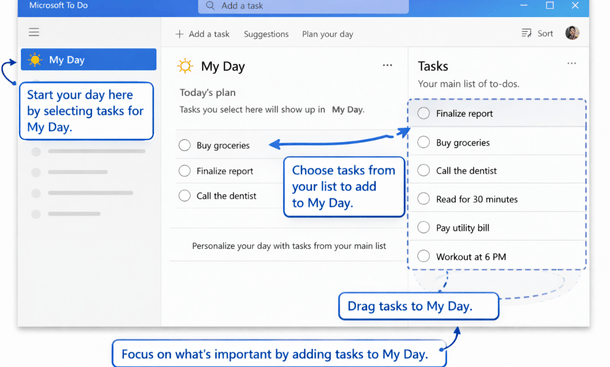
My Day is where execution happens. Every morning, you open Microsoft To Do and choose tasks for today.
Do not overload it. Five to eight tasks is enough. This forces prioritization.
Tasks left out are not ignored. They simply wait. This reduces pressure and improves focus.
Many founders treat My Day like a daily contract with themselves. When it is done, the day counts.
Assign meaning with due dates and importance
Not all tasks are equal. Microsoft To Do gives you two simple signals. Due dates and importance.
Use due dates for real deadlines. Use importance for strategic priority.
Avoid using both on every task. Overuse removes meaning.
This light structure helps founders see what truly matters without drowning in rules.
Break tasks into steps to avoid resistance
Big tasks create resistance. Breaking them down removes it.
Use steps inside tasks to define the next action. Not the whole plan. Just the next step.
For example, instead of launch landing page, use steps like write copy, review design, publish.
Progress becomes visible. Momentum builds naturally.
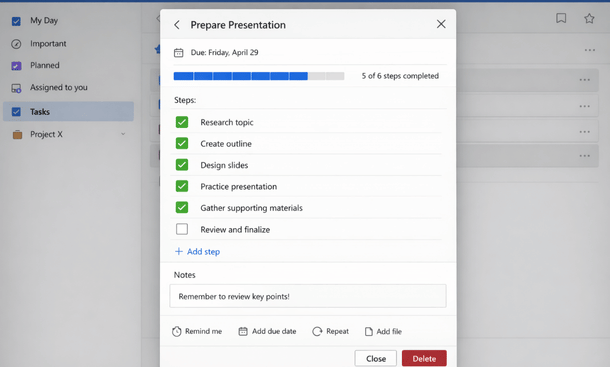
Task Completion Progress
Build simple recurring routines
Startups rely on routines more than motivation.
Use recurring tasks for weekly reviews, invoicing, content publishing, and follow ups.
This removes decision making. The task appears when needed. You execute.
Founders who automate reminders for routines free mental space for creative work.
Review weekly, not constantly
One weekly review is enough.
Once a week, scan your main list. Remove outdated tasks. Adjust priorities. Plan recurring work.
Do not reorganize daily. Constant optimization wastes energy.
Consistency beats perfection in early stage execution.
Use shared lists only when needed
Collaboration is useful, but personal execution comes first.
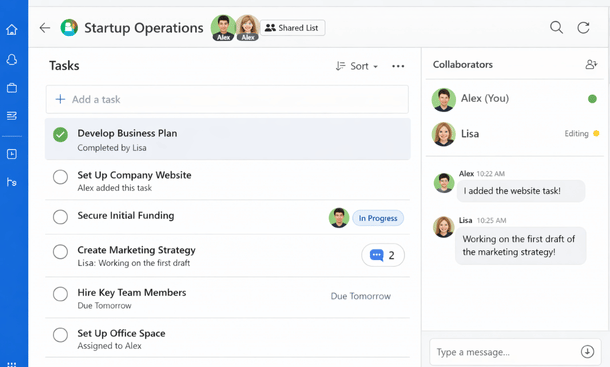
Use shared lists for simple coordination with cofounders or assistants. Keep them focused.
Examples include content calendars, admin tasks, or operational checklists.
Avoid turning Microsoft To Do into a project management tool. Let it stay light.
Common mistakes founders should avoid
Over organizing tasks at the start.
Using too many lists.
Ignoring My Day.
Treating the tool as a planning system instead of an execution system.
Microsoft To Do works best when it supports action, not structure obsession.
How this supports long term startup momentum
Execution compounds. Small daily actions create progress over time.
Microsoft To Do supports this by reducing friction and mental noise.
Founders who stick with simple systems build trust with themselves. That trust fuels momentum.
Knowing how to use Microsoft To Do effectively turns it from a task list into an execution partner. The power comes from simplicity, consistency, and clear daily focus.
When your workflow aligns with how you actually work, productivity feels natural.
Execution improves when your system stays aligned with your business reality. Revisiting why Microsoft To Do works so well for entrepreneurs helps reinforce those habits over time. This practical guide on Microsoft To Do for business explains the mindset behind the workflows. To reconnect everything into one structured approach, this complete Microsoft To Do guide for entrepreneurs offers the full framework.
About the Author

Pamela
Pamela is a dynamic professional with a deep passion for SaaS and emerging technologies. She provides valuable insights into software trends, digital innovation, and cutting-edge tools that empower businesses to thrive and expand.
Did you find this helpful?
Your feedback helps us curate better content for the community.