
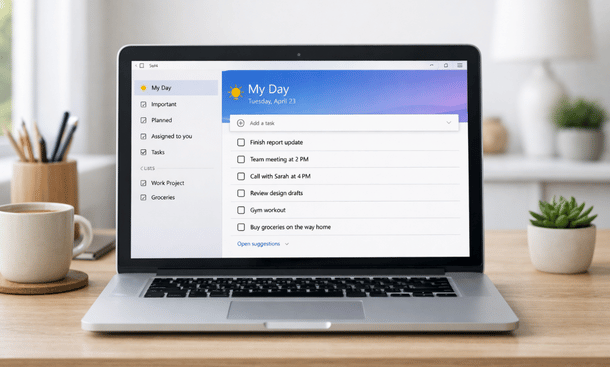
Productivity tools only matter when they reduce friction. I am Pamela, 35 years old, bac+3, and I have tested more SaaS tools than I can count. Over time, I noticed a pattern. Founders do not need more features. They need the right ones, used consistently. Microsoft To Do features work well for startups because they stay focused on execution, not decoration.
Entrepreneurs who already see the value of Microsoft To Do for business often ask the same question. What should I actually use inside the app. Understanding the core features helps turn a simple task list into a system that supports growth. If you want to see how these features fit into a broader structure, this Microsoft To Do guide for entrepreneurs connects everything clearly.
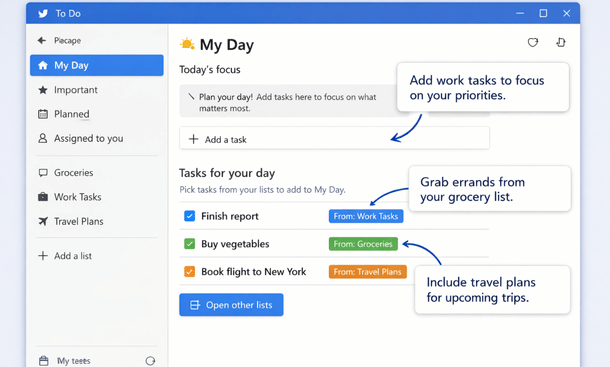
My Day as a daily execution filter
My Day is the most underrated feature in Microsoft To Do. It is simple, and that is exactly why it works.
Each morning, you choose which tasks deserve attention today. Nothing is automatic unless you want it to be. This forces a quick decision. What matters now.
For startup founders, this reduces overwhelm. Long lists stay intact, but today feels manageable. You stop reacting and start choosing.
Many entrepreneurs treat My Day as a short commitment list. Five to eight tasks. No more. Once completed, the day feels productive even if the master list is still long.
Smart lists that organize work without effort
Smart lists like Planned, Important, and Assigned to Me create structure without manual sorting.
Planned collects tasks with due dates. This helps founders see deadlines without scanning every list. Important acts as a priority flag when something deserves extra attention.
These lists update automatically. That matters when your workload changes daily. You do not waste time reorganizing tasks.
For entrepreneurs managing sales calls, follow ups, and admin work, smart lists act like safety nets. Nothing slips through quietly.
Due dates and reminders that respect attention
Microsoft To Do handles reminders in a calm way. Notifications are clear, not aggressive.
You can set due dates for accountability and reminders for awareness. That distinction is important. Due dates define commitment. Reminders support memory.
Founders often use reminders for follow ups and due dates for deliverables. This keeps pressure where it belongs.
Recurring tasks are also useful here. Weekly reviews. Monthly invoices. Simple routines that keep the business running without mental load.
Notes and steps for breaking down tasks
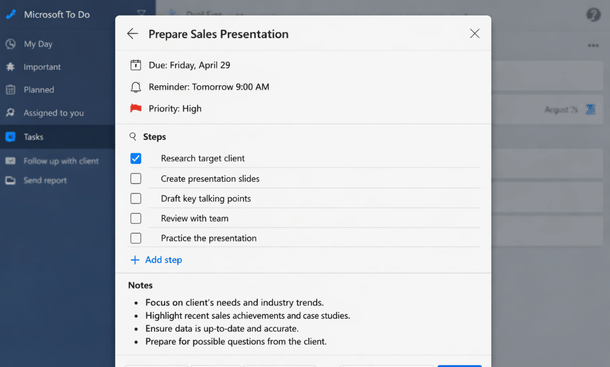
Complex tasks often fail because they are vague. Microsoft To Do allows adding steps inside tasks.
This feature shines for startup work. A task like prepare client proposal becomes manageable when broken into steps. Research. Outline. Review. Send.
Notes inside tasks also help. You can paste links, ideas, or short context. Everything stays in one place.
This reduces switching between tools. Less context switching means better focus.
Cross device sync for founders on the move
Startup life is not desk bound. Founders work from phones, laptops, and sometimes borrowed devices.
Microsoft To Do syncs smoothly across platforms. Tasks added on mobile appear instantly on desktop. This builds trust in the system.
When a tool feels reliable, you use it more. Consistency beats advanced features every time.
For entrepreneurs traveling or working remotely, this reliability supports daily habits without extra effort.
Sharing lists for lightweight collaboration
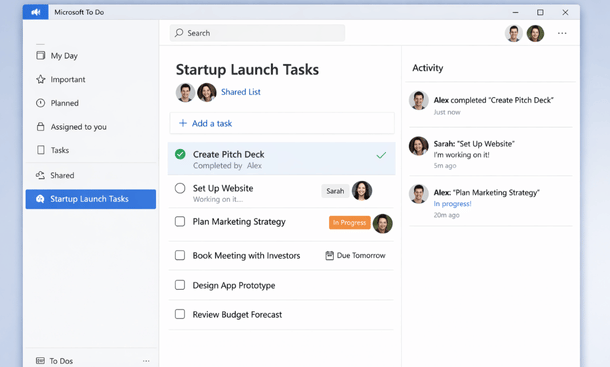
While Microsoft To Do is not a full team management tool, shared lists work well for small teams.
You can share a list with a cofounder or assistant. Tasks update in real time. This keeps coordination simple.
Use cases include content publishing, admin tasks, or customer support checklists. No meetings needed.
This is often enough for early stage startups before complexity increases.
How founders combine features into workflows
Features alone do nothing. Workflows make them useful.
A common founder setup looks like this. One main list for everything. My Day for daily focus. Planned for deadline review. Important for priorities.
Weekly review happens once a week. Clear completed tasks. Adjust priorities. Plan recurring tasks.
This system stays flexible. It adapts as the startup grows.
Strengths and limits of Microsoft To Do features
Microsoft To Do features are strong for execution. They are not designed for analytics or complex project tracking.
For many founders, this is acceptable. Early stage startups benefit more from action than reports.
When complexity grows, Microsoft To Do can still act as a personal execution layer alongside other tools.
Microsoft To Do features support startup productivity by staying simple and reliable. They reduce mental clutter and help founders focus on what matters now.
Features only matter when they match the right context. Many founders start questioning their setup when comparing tools side by side. A focused comparison like Microsoft To Do vs Todoist for startups helps clarify which approach fits your way of working. To step back and see how features support a complete system, this Microsoft To Do guide for entrepreneurs gives the strategic overview.
About the Author

Pamela
Pamela is a dynamic professional with a deep passion for SaaS and emerging technologies. She provides valuable insights into software trends, digital innovation, and cutting-edge tools that empower businesses to thrive and expand.
Did you find this helpful?
Your feedback helps us curate better content for the community.