
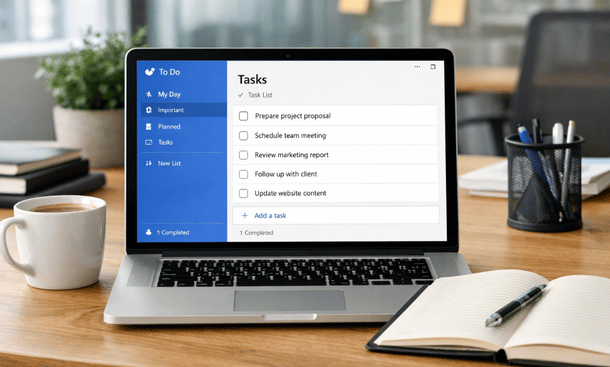
Running a business often means carrying too many things in your head. Ideas, deadlines, follow ups, small tasks that feel harmless until they pile up. I am Pamela, 35 years old, bac+3, and I have worked with many SaaS tools over the years. I keep coming back to simple systems. Microsoft To Do for business is one of those tools that does not try to impress you. It tries to help you finish things.
For entrepreneurs and early stage startups, this matters more than fancy dashboards. You need clarity, speed, and a system you actually open every day. That is why many founders quietly rely on Microsoft To Do as the backbone of their daily execution. If you want to understand how it fits into a broader productivity system, this complete Microsoft To Do guide for entrepreneurs gives the full context.
Why entrepreneurs choose Microsoft To Do for business
Most startups do not fail because of a lack of tools. They fail because of poor focus. Microsoft To Do for business works because it respects your attention.
The interface is clean. Tasks are easy to add. Lists make sense without configuration. You do not need onboarding sessions or tutorials. You open it and start working.
Entrepreneurs often work alone or with very small teams. They switch between strategy, operations, sales, and support. A heavy project management tool creates friction. Microsoft To Do stays lightweight while still covering the essentials like due dates, reminders, and recurring tasks.
Another strong point is trust. Microsoft has been around forever. Sync works well across devices. Tasks added on your phone appear on your laptop without drama. When your task manager fails once, you stop trusting it. That rarely happens here.
How Microsoft To Do fits early stage startup workflows
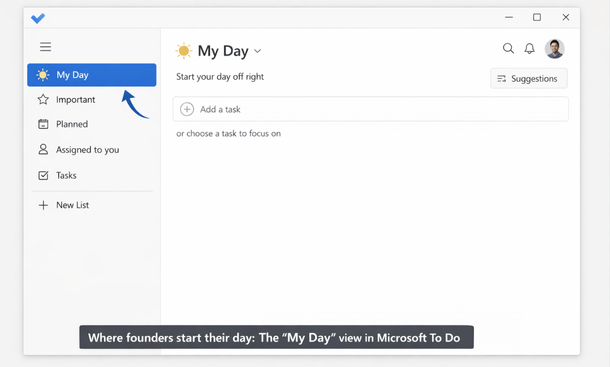
Microsoft To Do Walkthrough
Early stage startups are messy by nature. Plans change weekly. Priorities move fast. Microsoft To Do adapts well to that reality.
Many founders use one main list for everything and rely on My Day to filter what matters now. Each morning, you pick tasks that deserve attention today. This creates a natural boundary. The rest stays parked without noise.
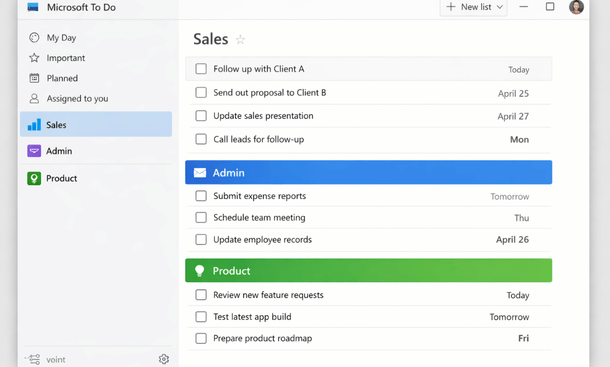
Others prefer separating lists by role. One list for admin. One for sales. One for product. This works well when your brain needs context switching without losing tasks.
Microsoft To Do does not force a single method. It allows personal structure without complexity. That flexibility is valuable when your startup is still finding its rhythm.
Integration with the Microsoft ecosystem
If you already use Microsoft tools, the value increases quickly. Outlook integration is a big win for business users.
Emails can become tasks. Flagged emails show up automatically. Meeting follow ups stop living inside your inbox. This reduces mental load.
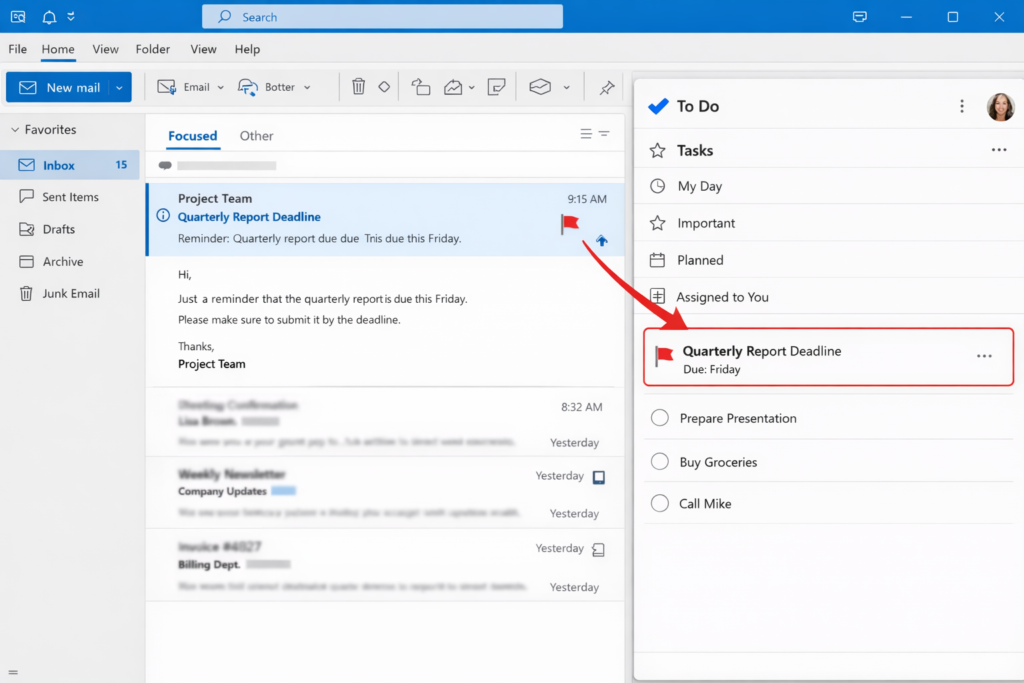
For founders dealing with partners, clients, and suppliers, email is still central. Turning messages into tasks without copy paste saves time and avoids mistakes.
Microsoft To Do also works well with Teams for small teams. Shared lists help coordinate simple operations. It is not a full project tool, but for basic collaboration it does the job.
Cost efficiency for startups
Startups care about burn rate. Every subscription adds up. Microsoft To Do is free for most use cases.
This matters more than it seems. Founders hesitate to commit to tools they might abandon. Free removes that friction. You can adopt it fully without financial pressure.
For startups already paying for Microsoft 365, Microsoft To Do becomes a no brainer. It is already included. No extra approvals. No extra contracts.
This makes it easier to standardize task management early. Habits built at this stage often stay for years.
Strengths and limitations you should know
No tool is perfect. Microsoft To Do is strong at personal and small team task management. It is not designed for complex project planning.
If your startup needs Gantt charts, dependencies, or sprint planning, you will hit limits. That is not a flaw. It is a design choice.
For entrepreneurs, this simplicity is often an advantage. You spend less time organizing work and more time doing it.
Another limitation is reporting. There are no analytics dashboards. If you need performance metrics, you will need another layer. Many founders accept this trade off early on.
Real use cases from entrepreneurs
I have seen solo founders use Microsoft To Do as their daily command center. Sales calls. Content ideas. Admin reminders. All in one place.
Small agencies use shared lists for recurring client tasks. Publishing. Invoicing. Reviews. It keeps everyone aligned without meetings.
Ecommerce founders track operations like supplier follow ups and inventory checks. Simple recurring tasks prevent costly mistakes.
These use cases work because the tool stays out of the way. It supports execution instead of demanding attention.
Is Microsoft To Do for business right for you
If you are an entrepreneur who values clarity over complexity, the answer is often yes. Microsoft To Do for business shines when you want a reliable place to think less and act more.
It is especially effective when combined with a clear personal workflow. Task managers amplify habits. They do not create them.
If you are still exploring how Microsoft To Do compares with other tools and how to unlock its full feature set, the article on Microsoft To Do features that drive startup productivity is a good next step.
To build a stronger task system, understanding the tool itself matters as much as choosing it. The next step is to explore the Microsoft To Do features that drive startup productivity and see how each function supports daily execution. For a broader perspective on how everything fits together, this complete Microsoft To Do guide for entrepreneurs connects all the pieces into one clear workflow.
About the Author

Pamela
Pamela is a dynamic professional with a deep passion for SaaS and emerging technologies. She provides valuable insights into software trends, digital innovation, and cutting-edge tools that empower businesses to thrive and expand.
Did you find this helpful?
Your feedback helps us curate better content for the community.