
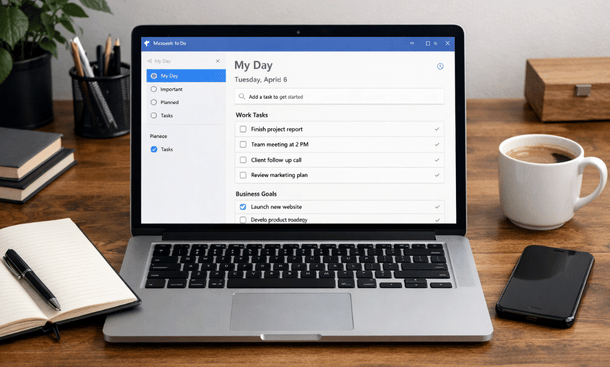
Managing a startup means juggling multiple priorities every day. Emails, meetings, product deadlines, and personal tasks can quickly become overwhelming without a clear system. Microsoft To Do has emerged as a reliable tool for entrepreneurs who want a lightweight, flexible way to organize tasks and maintain focus. Its simplicity is its strength, providing the right features without adding unnecessary complexity. Over time, this allows founders to maintain clarity, stay productive, and execute consistently.
Understanding how Microsoft To Do fits into an early-stage workflow requires looking at both its features and its strategic application. Entrepreneurs who use the tool successfully often combine simplicity, routine, and thoughtful prioritization to keep momentum. For those curious about more detailed practical usage, the guide on Microsoft To Do for business demonstrates actionable workflows and daily routines that help founders stay on top of tasks.
Why Microsoft To Do Is a Smart Choice for Entrepreneurs
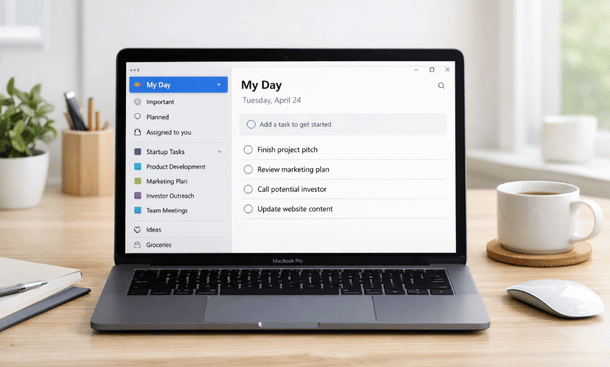
Entrepreneurs often underestimate how much friction a tool can create. A poorly designed task manager can slow you down, distract from execution, or create more stress than it solves. Microsoft To Do works because it prioritizes simplicity. Its interface is clear, and adding tasks is fast. Lists and My Day provide structure without requiring configuration or complex onboarding.
For early-stage founders, every minute counts. The tool’s cross-device sync ensures that tasks added on a phone appear instantly on a laptop. This reliability builds trust, reducing mental load and allowing founders to focus on execution rather than chasing updates.
Another reason entrepreneurs favor Microsoft To Do is its flexibility. Startups often require quick pivots, and rigid systems struggle to keep up. With Microsoft To Do, you can create a single master list or separate lists by function—admin, sales, product—without sacrificing simplicity. This flexibility allows founders to adapt their workflows without learning a new system every time priorities shift.
Integration with existing tools is another practical advantage. Microsoft 365 users benefit from automatic syncing with Outlook. Emails flagged for follow-up appear directly as tasks, ensuring nothing slips through the cracks. Teams integration provides lightweight collaboration for small teams, while shared lists allow coordination without complex project management overhead.
Cost efficiency is also critical. Microsoft To Do is free for most users, and fully included with Microsoft 365 subscriptions. Startups often hesitate to adopt tools that increase burn rate, so a no-cost, reliable solution reduces adoption barriers. This allows habits to form naturally, which often translates into long-term productivity gains.
While no tool is perfect, Microsoft To Do’s strengths align with the needs of entrepreneurs: clarity, reliability, simplicity, and adaptability. Its limitations, such as the lack of advanced project management features or detailed reporting, rarely impact early-stage startups because execution consistency matters more than analytics at this stage.
For founders seeking a deeper dive into the practical features and how each supports daily productivity, exploring Microsoft To Do features that drive startup productivity provides actionable insights for building an effective task management routine.
Key Features of Microsoft To Do That Boost Startup Productivity
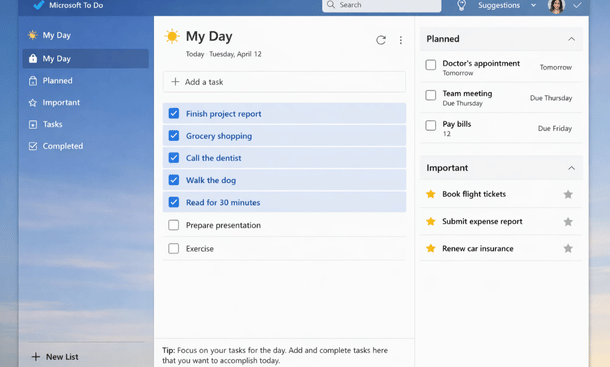
The strength of Microsoft To Do lies in its focused, practical features. They are simple, yet they solve real problems that startups face every day. My Day, for example, acts as a daily execution filter. Entrepreneurs select a small number of tasks each morning to focus on. This prevents overwhelm, turns intention into action, and helps maintain clarity in a fast-moving environment.
Smart lists such as Planned, Important, and Assigned to Me add a subtle layer of organization without extra effort. Planned collects all tasks with due dates, Important flags high-priority items, and Assigned to Me is useful for shared responsibilities. These lists keep the workflow structured while remaining adaptable to shifting priorities.
Due dates and reminders provide just enough accountability. Founders use due dates for real deadlines and reminders for follow-ups, helping maintain momentum without creating unnecessary pressure. Recurring tasks are ideal for weekly reviews, invoices, content publishing, and other routine operations. By automating reminders, founders free mental space for strategy and creative work.
Breaking down complex tasks into steps is another productivity booster. Instead of leaving large items vague, you can create actionable subtasks. For example, “launch marketing campaign” can be divided into writing copy, designing visuals, and publishing. Notes within tasks allow storing context, links, or quick ideas without switching platforms.
Cross-device sync ensures founders can stay productive anywhere. Tasks added on mobile appear immediately on desktop, and vice versa. This reliability builds trust in the system and encourages consistent use. Shared lists support lightweight collaboration. Teams can coordinate small projects or recurring operational tasks without needing a heavy project management platform.
These features combine to support practical, repeatable workflows that keep startups running smoothly. Founders who embrace these tools often report feeling more in control of their day and less reactive to external pressures.
For entrepreneurs interested in seeing how these features compare with alternatives and which one suits different work styles, the comparison on Microsoft To Do vs Todoist highlights key differences in approach and execution.
Microsoft To Do vs Other Task Management Tools (Todoist, Notion, Asana)
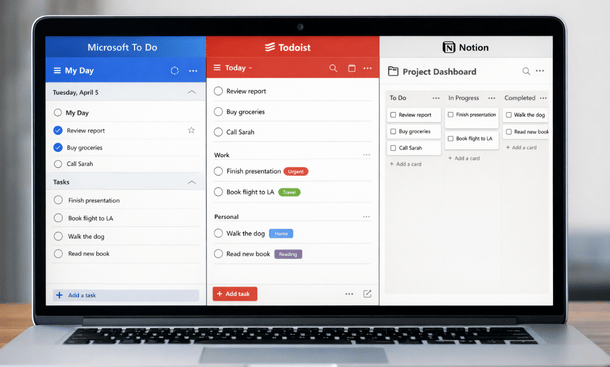
Choosing a task management tool goes beyond features. It is about fit. Microsoft To Do, Todoist, and Notion all aim to improve productivity, but they take different approaches. Understanding these differences helps founders pick a system that supports execution instead of creating extra work.
Microsoft To Do prioritizes simplicity and reliability. It focuses on task capture, daily focus through My Day, reminders, and lightweight collaboration. Todoist adds structure with labels, priorities, and filters, offering flexibility for more complex workflows. Notion excels as an all-in-one workspace with project boards, databases, and notes, but it requires setup and ongoing maintenance.
Daily use is where these differences matter most. Founders who need speed and minimal overhead often favor Microsoft To Do. Tasks can be captured instantly and organized quickly without disrupting the flow. Todoist appeals to those who enjoy customizing workflows and building complex task hierarchies. Notion is better suited for teams that want to integrate project planning with documentation and knowledge management.
Collaboration varies across platforms. Microsoft To Do supports shared lists, ideal for small teams handling operational tasks. Todoist allows shared projects with comments and roles, suitable for slightly larger teams. Notion enables full project collaboration with pages and boards, but it introduces more cognitive load due to complexity.
Pricing and adoption are practical considerations. Microsoft To Do is free for most users, while Todoist offers a free tier but limits features. Notion is free for individuals but may require paid plans for advanced team functionality. Startups often need cost-efficient tools that encourage consistent use.
Habit formation is another factor. Microsoft To Do’s low learning curve supports consistent daily execution. Todoist’s structure is powerful but requires investment in setup and maintenance. Notion demands even more time to learn and maintain, which may be a barrier in the early stage of a startup.
For founders focused on execution and simplicity, Microsoft To Do offers a balance of speed, reliability, and low friction. If you want to see practical examples of applying these insights to daily startup workflows, the guide on how to use Microsoft To Do for startup execution provides step-by-step routines and actionable strategies.
How to Use Microsoft To Do Effectively for Startup Execution
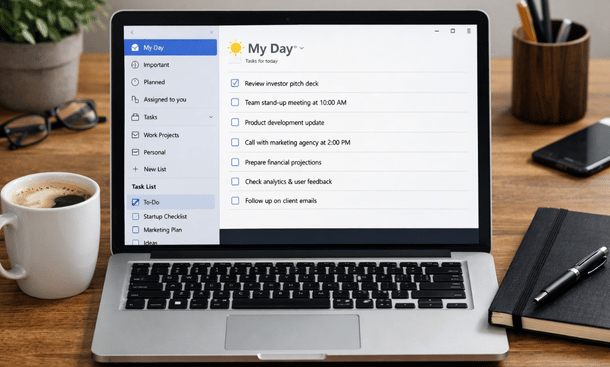
Execution is where productivity tools prove their value. Microsoft To Do shines because it supports action without adding complexity. For founders, the key is creating repeatable routines that align with the fast pace of early-stage startups.
Start with a single master list. Everything goes here: ideas, tasks, reminders. This becomes the inbox of your work. By keeping one central location, nothing slips through the cracks, and you reduce mental load.
Use My Day as the daily focus engine. Each morning, pick a limited number of tasks—five to eight is often enough—to execute that day. Remaining tasks stay in the master list for later. This method prevents overwhelm and creates a sense of accomplishment at the end of the day.
Break larger tasks into smaller steps. For example, instead of “launch marketing campaign,” create subtasks like “draft copy,” “design visuals,” and “publish.” Adding notes with context, links, or instructions ensures all information is in one place, reducing distractions from switching between tools.
Recurring tasks automate routines. Use them for weekly reviews, invoicing, or regular operational steps. This creates consistency and frees mental space for strategic work. Weekly reviews help maintain the system: remove outdated tasks, adjust priorities, and plan for the upcoming week.
Shared lists allow lightweight collaboration. They are perfect for coordinating with cofounders or assistants on small operational projects. This keeps team communication simple without turning Microsoft To Do into a full project management tool.
Cross-device sync ensures productivity anywhere. Tasks added on mobile appear on desktop instantly, supporting founders who move between offices, meetings, and remote locations. Reliability fosters trust in the system, encouraging consistent use.
Avoid over-organization early. Resist creating too many lists or overly complex hierarchies. Focus on daily execution and building habits first. Complexity can be added later as your startup scales.
For founders looking to strengthen daily execution through these practical routines, the guide on Microsoft To Do for business explains the reasoning behind these workflows and how to structure them for maximum impact.
Microsoft To Do provides a task management system that combines simplicity, reliability, and adaptability, making it particularly suitable for entrepreneurs and early-stage startups. Its features—My Day, smart lists, reminders, steps, and recurring tasks—support daily execution without adding complexity. By integrating these features into consistent routines, founders can maintain focus, reduce mental clutter, and execute effectively even in a fast-moving startup environment.
The choice of Microsoft To Do over more complex tools often comes down to fit and habit. Its low learning curve, cross-device sync, and free availability lower friction and encourage consistent use. For entrepreneurs who want to move from intention to action seamlessly, understanding how to use the tool effectively is essential.
For those looking to immediately improve their daily workflows, exploring the guide on Microsoft To Do features that drive startup productivity provides actionable tips and practical examples that can be applied right away, helping founders turn a simple task list into a powerful execution system.
About the Author

Pamela
Pamela is a dynamic professional with a deep passion for SaaS and emerging technologies. She provides valuable insights into software trends, digital innovation, and cutting-edge tools that empower businesses to thrive and expand.
Did you find this helpful?
Your feedback helps us curate better content for the community.