
Table of contents
- Why getting authentication right protects your entire business
- The authentication methods users expect
- How Firebase makes authentication nearly foolproof
- How Supabase handles authentication and security
- Protecting user data beyond authentication
- The security mistakes that first-time founders make
- Implementing two-factor authentication for high-value accounts
- Making security decisions without becoming a security expert
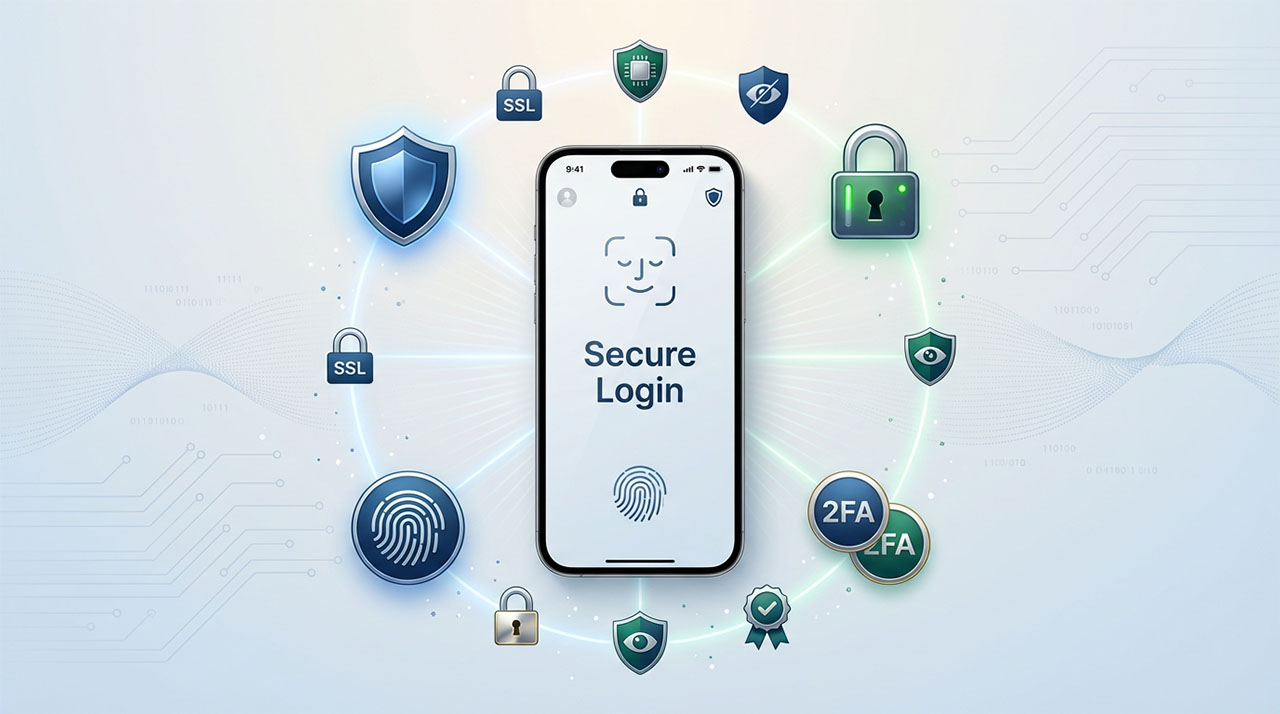
Authentication sounds intimidating—tokens, OAuth, encryption, password hashing—but it’s the foundation of user trust. Get it wrong and you risk data breaches, angry users, and sleepless nights. Get it right and your users barely notice, which is exactly the point. The beauty of modern backend-as-a-service platforms is they’ve solved these security challenges for you, implementing industry-standard practices so you don’t need a cybersecurity degree. While our comprehensive mobile backend guide introduced authentication as a core evaluation criterion, this article walks you through exactly how different platforms protect your users, what “secure by default” really means, and the few critical decisions you still need to make yourself.
A user creates an account in your app. They trust you with their email, maybe their phone number, possibly payment information. That trust is fragile. One security breach, one compromised account, one leaked password, and you’ve destroyed something that took months to build.
Authentication and security sound intimidating. Terms like JWT tokens, OAuth flows, encryption standards, and password hashing feel like they belong in computer science textbooks, not conversations about launching your first mobile app.
Here’s the reality: you don’t need to become a security expert. Modern backend platforms have solved the hard cryptographic problems for you. They implement industry-standard security practices so you can focus on building features users care about.
But you do need to understand the decisions you’re making and why they matter. Choosing between authentication methods, configuring security rules, and managing user data carries real consequences for your users’ safety and your app’s trustworthiness.
Why getting authentication right protects your entire business
Authentication isn’t just about letting users log in. It’s the foundation of trust between you and every person who uses your app.
When users create accounts, they’re making themselves vulnerable. They’re trusting that you’ll protect their information, that hackers can’t access their data, that their private content stays private. Violate that trust once and users leave permanently.
The business consequences of security failures extend beyond user trust. Data breaches trigger mandatory disclosure laws in most regions. You’ll face potential lawsuits, regulatory fines, and mandatory breach notifications. App stores can remove apps with security vulnerabilities. Insurance companies might deny coverage if you weren’t following basic security practices.
For first-time founders, these risks feel abstract until something goes wrong. Then they become existential threats to your business. The good news is that backend platforms have made implementing strong security dramatically easier than building it yourself.
Your job isn’t implementing encryption algorithms or designing authentication protocols. Your job is making smart configuration decisions and understanding what your platform is doing to protect users.
The authentication methods users expect
Users have clear expectations about how they should access your app. Meeting these expectations requires understanding the tradeoffs between different authentication approaches.
Email and password remains the most common authentication method. Users enter an email address and create a password. Your backend verifies credentials and grants access.
This approach is universal. Every user understands email/password login. It doesn’t require external accounts or permissions. Users maintain control over their credentials.
The security challenge with email/password is that users create weak passwords, reuse passwords across services, and fall victim to phishing attacks. Your platform can enforce minimum password requirements, but you can’t control whether users reuse the same password everywhere.
Social authentication lets users sign in with existing accounts: Google, Apple, Facebook, Twitter. This approach reduces friction because users don’t create new credentials. They click “Sign in with Google” and grant permission.
Social login improves security in some ways. These providers use sophisticated fraud detection, two-factor authentication, and security monitoring that individual apps can’t match. Users only need to secure one account rather than credentials for every app.
The tradeoff is dependency on external platforms and privacy concerns. Some users avoid social login because they don’t want Facebook tracking their activity. Others appreciate the convenience. Offering multiple options respects different user preferences.
Phone authentication uses SMS codes to verify users. This works well in markets where phone numbers are more permanent than email addresses. It also serves as second-factor authentication for high-security scenarios.
Phone auth carries costs since SMS messages cost money to send. International SMS can be expensive. Some users also lack reliable SMS access or use VoIP numbers that don’t receive verification codes.
Passwordless authentication emails users login links or codes. They click the link or enter the code instead of remembering passwords. This eliminates password-related security issues entirely.
Users either love passwordless auth for its simplicity or find it frustrating compared to remembered passwords in password managers. The best approach often involves supporting multiple authentication methods and letting users choose their preference.
Biometric authentication using fingerprint or face recognition provides the smoothest user experience. Once users authenticate initially, biometrics enable instant access without typing anything.
This approach leverages device security features. Your app never sees biometric data. The device verifies identity and tells your app whether authentication succeeded. It’s both more secure and more convenient than passwords.
How Firebase makes authentication nearly foolproof
Firebase Authentication was designed specifically to make security accessible for developers without security expertise.
The platform handles all cryptographic operations automatically. When users create passwords, Firebase hashes them using bcrypt with automatic salting. Even if someone gained database access, they couldn’t reverse-engineer passwords from stored hashes.
Enabling different authentication methods requires toggling switches in the Firebase console. Want to support Google sign-in? Toggle the Google provider and configure OAuth credentials. Apple sign-in? Same process. No security expertise needed.
Firebase manages authentication tokens automatically. When users log in, Firebase generates a JWT token that proves their identity. This token includes the user’s ID, expiration time, and custom claims you define. Your app includes this token with backend requests, and Firebase verifies it automatically.
Token expiration and refresh happens behind the scenes. Tokens expire after an hour for security, but Firebase refreshes them automatically before users notice. Users stay logged in across app sessions without constant re-authentication.
Email verification is built-in. Firebase can send verification emails automatically when users register. You configure email templates through the console without managing email infrastructure.
Password reset flows work similarly. Firebase handles sending reset emails, validating reset links, and updating passwords securely. You implement the UI. Firebase handles the security-critical operations.
The platform integrates with Firebase’s security rules for database access. You define rules like “users can only read their own data” or “authenticated users can read public posts” using Firebase’s rule language. These rules enforce access control at the database level, preventing unauthorized access even if someone bypasses your app code.
How Supabase handles authentication and security
Supabase built authentication on PostgreSQL’s row-level security, a feature that lets you define access control directly in your database.
The authentication API supports email/password, social providers, and passwordless authentication similar to Firebase. Setup requires slightly more configuration but provides comparable functionality.
Where Supabase differentiates itself is database-level security. Row-level security policies define who can access which rows in your tables using SQL-like syntax. A policy might state “users can only select rows where user_id matches their authenticated user ID.”
These policies execute at the database level before queries run. Even if someone crafted malicious API requests, the database wouldn’t return unauthorized data. This defense-in-depth approach provides stronger security guarantees than application-level checks.
Supabase also gives you direct access to user data in PostgreSQL. Users exist in a standard database table you can query and extend. Want to add custom user fields like “subscription_tier” or “onboarding_completed”? You’re working with regular database columns, not proprietary user management systems.
This flexibility comes with responsibility. You have more control over user data and security rules, which means more opportunity for misconfiguration. Firebase’s opinionated approach prevents certain mistakes through constraints. Supabase’s flexible approach requires you to make more security decisions carefully.
Authentication is just one piece of the backend infrastructure your app depends on. The platform you choose to handle user logins also determines how you store data, sync it in real time, manage file uploads, and scale as your user base grows. If you’re still in the process of selecting that foundation, The Founder’s Guide to Mobile Backends compares Firebase, Supabase, AWS Amplify, and other leading BaaS platforms across every core feature — so you can evaluate security capabilities alongside everything else your app needs before committing to a platform.
For teams comfortable with SQL and database concepts, Supabase’s row-level security provides powerful, granular control. For non-technical founders, Firebase’s automatic security handling might be safer.
Protecting user data beyond authentication
Authentication verifies who users are. Authorization determines what they can do. Both matter for security.
Your backend platform authenticates users automatically. You’re responsible for defining authorization rules that control data access.
The principle of least privilege should guide every authorization decision: users should access only the minimum data and features they need. A user viewing their profile shouldn’t have permission to modify other users’ profiles. Someone browsing public posts shouldn’t access private messages.
Both Firebase and Supabase let you define these rules declaratively. You specify conditions for data access without writing security-checking code throughout your application.
Firebase’s security rules check authentication state and data properties. A rule might specify: “Allow write access if the authenticated user ID matches the document’s owner ID.” Firebase evaluates these rules before allowing database operations.
Supabase’s row-level security policies work similarly but use PostgreSQL’s policy syntax. Policies can check user roles, timestamps, relationships between tables, or any condition you can express in SQL.
Beyond access control, data encryption protects information at rest and in transit. Both platforms handle this automatically. Data transmits over HTTPS, ensuring network snoopers can’t intercept it. Data stores with encryption at rest, protecting it even if someone gained physical access to servers.
You don’t configure encryption manually. It’s on by default. The important thing is understanding it’s happening and never implementing features that would undermine it, like storing sensitive data in unencrypted formats or transmitting credentials in URLs.
The security mistakes that first-time founders make
Understanding common security pitfalls helps you avoid them proactively.
Storing sensitive data client-side. Your app’s code runs on user devices where users can inspect, modify, or extract anything. Never store API keys, secrets, or sensitive credentials in client code. Use backend services for operations requiring secrets.
Trusting client input. Users can modify data sent from your app before it reaches your backend. Always validate and sanitize input on the backend. Security rules should never assume client data is accurate or safe.
Over-broad permissions. The easiest security rules grant everyone access to everything. This is dangerous. Start restrictive and gradually expand permissions as needed. It’s easier to loosen overly strict rules than recover from breaches caused by overly permissive ones.
Ignoring security updates. Platforms regularly patch security vulnerabilities. Keeping SDKs and dependencies updated protects against known exploits. Enable automatic updates where possible and monitor security bulletins for critical patches.
Skipping security testing. Test your security rules thoroughly. Try accessing data you shouldn’t be able to reach. Attempt operations without proper authentication. Verify rules work as intended before launching.
Exposing user data unnecessarily. Only request permissions your app actually needs. Don’t ask for contact lists if you’re not using them. Don’t collect location data unless features require it. Users notice excessive permissions and question your trustworthiness.
These mistakes are common because they’re easy to make and consequences feel distant. Security problems only manifest when attackers exploit them. Preventing issues proactively is exponentially easier than responding to breaches reactively.
Implementing two-factor authentication for high-value accounts
For apps handling financial transactions, sensitive personal information, or high-value accounts, two-factor authentication (2FA) adds crucial additional security.
2FA requires users to provide two forms of verification: something they know (password) and something they have (phone receiving SMS codes or authenticator app generating time-based codes).
Even if attackers steal passwords, they can’t access accounts without the second factor. This dramatically reduces account takeover risks.
Firebase supports SMS-based 2FA through phone authentication. After users log in with passwords, they receive SMS codes for verification. This flow integrates smoothly with Firebase’s existing authentication system.
For higher security, time-based one-time password (TOTP) apps like Google Authenticator or Authy generate codes that change every 30 seconds. These work offline and avoid SMS interception risks.
Implementing 2FA requires balancing security and convenience. Requiring 2FA for every login frustrates users with frequent sessions. Requiring it only for sensitive operations or when detecting unusual activity patterns provides security without excessive friction.
Common 2FA strategies include requiring it when users log in from new devices, before changing security settings like passwords or email addresses, before high-value transactions or data exports, or optionally for security-conscious users who enable it voluntarily.
Making security decisions without becoming a security expert
The overwhelming part of authentication and security is the sheer number of concepts and potential vulnerabilities. You don’t need to understand every attack vector or memorize cryptographic algorithms.
What you need is a framework for making good-enough security decisions and trusting your platform to handle the complex parts.
Start by enabling all authentication methods your users might want. Supporting email/password plus social login covers most preferences. Add phone authentication if your market prefers it.
Configure password requirements through your platform’s settings. Require minimum length (8-12 characters), encourage password managers, and enable Firebase or Supabase’s built-in password strength checking.
Implement security rules conservatively. Default to denying access and explicitly grant it where needed. The rule “authenticated users can read and write their own data” is a safe starting point for most apps.
Enable email verification before users can access full features. This prevents fake accounts and ensures you can contact users if needed.
Implement rate limiting to prevent brute force attacks. Firebase and Supabase both offer protections against rapid authentication attempts.
Monitor authentication logs for suspicious patterns: multiple failed login attempts, logins from unusual locations, or accounts accessed from many different devices simultaneously.
Trust your platform’s security defaults. Firebase and Supabase both follow industry best practices. Unless you have specific security requirements beyond typical apps, default configurations provide strong protection.
The goal isn’t perfect security—that doesn’t exist. The goal is making your app harder to compromise than the effort attackers want to invest. Modern backend platforms handle the hardest parts automatically. Your job is configuration and avoiding common mistakes.
Authentication and security ultimately come down to respecting user trust. Users give you access to their information believing you’ll protect it responsibly. Backend-as-a-service platforms have made honoring that trust technically achievable for first-time founders without security expertise.
Choose platforms with strong security foundations, configure authentication thoughtfully, test your security rules thoroughly, and stay updated on security patches. Get these fundamentals right and you’ve protected both your users and your business from the most common security threats.
Now that you understand how to secure and authenticate your users, you might want to explore how to keep them engaged with push notifications that feel helpful rather than intrusive, or learn how offline mode creates reliable experiences even when connectivity fails.
About the Author

AISalah
Bridges linguistics and technology at PointOfSaaS, exploring AI applications in business software. English Studies BA with hands-on back-end and ERP development experience.
Did you find this helpful?
Your feedback helps us curate better content for the community.