
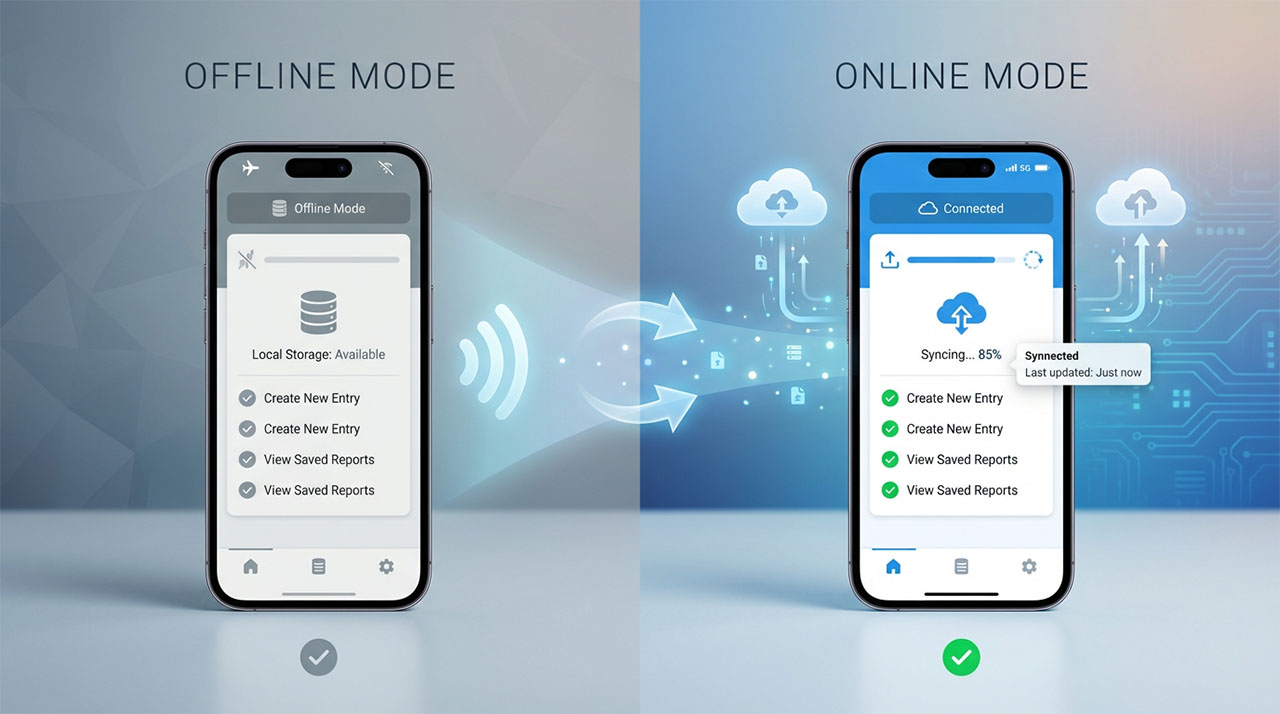
Your app works beautifully on WiFi—but what happens when your user enters a tunnel, boards a flight, or visits somewhere with spotty coverage? Apps that fail offline feel broken, frustrating users at the exact moment they need you most. Offline mode isn’t just about caching data; it’s about maintaining trust when connectivity disappears. Different backend platforms take wildly different approaches to this challenge, with major implications for user experience and your development timeline. Building on the feature evaluation framework we established in our guide to selecting mobile backends, this comparison shows you exactly how each major platform handles offline sync, conflict resolution, and the critical moment when connection returns.
Your user boards a plane, enters a subway tunnel, or visits a rural area with spotty coverage. If your app stops working, it feels broken. If it continues functioning seamlessly, it feels magical.
Offline mode isn’t just a nice-to-have feature anymore. Users expect apps to work regardless of connectivity. They don’t distinguish between “the app is broken” and “the app requires internet.” Both experiences feel like failure.
The challenge is that most mobile apps depend on backend servers for everything: storing data, running logic, managing user accounts. When the connection drops, the entire system stops functioning unless you’ve planned for offline scenarios.
Backend-as-a-service platforms handle much of this complexity, but they take fundamentally different approaches. Some offer robust offline support built into their core architecture. Others require you to implement offline capabilities manually. Understanding these differences helps you choose the right foundation for apps that work everywhere.
Why offline functionality matters for user trust
Users form judgments about your app within seconds of encountering problems. An app that displays error messages when connectivity drops creates anxiety. Users wonder if their data saved, if their actions went through, if they should try again or wait.
Apps that continue working offline build confidence. Users trust that their work won’t disappear, that they can be productive anywhere, that connectivity is the network’s problem, not your app’s limitation.
Consider the practical scenarios where offline support matters. Business travelers working on flights. Commuters on subways. Users in buildings with poor reception. Rural areas with inconsistent coverage. International travelers avoiding roaming charges. Battery-saving modes that disable background data.
These aren’t edge cases. They’re daily realities for millions of users. Every moment your app is unusable costs you engagement and trust.
The perception problem compounds the technical problem. Even brief connectivity interruptions frustrate users disproportionately. A three-second loading spinner waiting for network response feels longer than three seconds of local processing. Users blame the app, not their network provider.
Offline support shifts this perception entirely. Users appreciate apps that work reliably regardless of circumstances. This reliability becomes a competitive advantage, especially in categories where most apps require constant connectivity.
The three levels of offline support
Offline capabilities exist on a spectrum from basic to sophisticated. Understanding these levels helps you decide what your app needs.
Level 1: Read-only caching. The simplest offline support stores recently viewed data locally. Users can browse previously loaded content but can’t create or modify anything. When connectivity returns, the app loads fresh data.
This level works for content consumption apps: news readers, blogs, documentation viewers. Users can read articles they previously opened even without internet. It prevents the jarring “no connection” experience for passive browsing.
The implementation is straightforward. As users view content, cache it locally. When they request content offline, serve the cached version with a clear indication it might be outdated. Most backend platforms support basic caching with minimal configuration.
Level 2: Optimistic updates with sync. More sophisticated offline support lets users create and modify data while offline. The app saves changes locally and syncs them to the server when connectivity returns.
This approach works for productivity apps, note-taking tools, task managers, and forms. Users can work uninterrupted regardless of connectivity. Their changes queue up locally and upload automatically when online.
The complexity increases because you need to handle conflicts. What happens when a user edits data offline that someone else modified on the server? Different platforms resolve these conflicts with different strategies.
Level 3: Full offline-first architecture. The most robust offline support treats local storage as the primary data source. The app functions identically online or offline. Server communication happens in the background, invisible to users.
This level requires sophisticated conflict resolution, local query capabilities, and careful architecture. Apps like Notion, Linear, and Figma operate this way, providing seamless experiences regardless of connectivity.
Few first-time founders need this level immediately, but understanding it helps you choose platforms that can grow with your needs.
How Firebase handles offline mode
Firebase built offline support into its core architecture from the beginning. The platform assumes connectivity will be unreliable and designs around that reality.
Firebase’s offline persistence works automatically for both iOS and Android. Enable it with a single line of code, and Firebase starts caching data locally. When users access data, Firebase serves the local copy immediately while fetching updates in the background.
This approach makes apps feel fast even with slow connections. Users see cached data instantly, then receive updates when fresh data arrives. The experience feels responsive because local data loads without network delay.
When users modify data offline, Firebase queues changes locally. These changes appear immediately in the app interface, giving users instant feedback. When connectivity returns, Firebase automatically uploads queued changes to the server.
Conflict resolution uses last-write-wins by default. If two users modify the same data offline, whoever syncs second overwrites the first user’s changes. For many use cases, this simple strategy works fine. For scenarios requiring more sophisticated conflict handling, you can implement custom resolution logic.
Firebase’s offline support extends to authentication and security rules. Users can interact with locally cached data following the same security permissions that apply online. This prevents security gaps where offline users might access restricted data.
The main limitation is query capabilities. Complex queries that weren’t executed while online won’t work offline. Firebase can only serve locally cached data, which means data from previous queries. If users need to search or filter data they haven’t specifically loaded, offline mode won’t help.
Firebase’s approach works exceptionally well for apps with predictable data access patterns where users typically work with small subsets of data they’ve previously viewed.
How Supabase approaches offline functionality
Supabase takes a different philosophical approach to offline support, providing building blocks rather than automatic offline capabilities.
Unlike Firebase’s built-in offline persistence, Supabase requires implementing offline functionality using client-side libraries and local storage solutions. This gives you more control but requires more implementation work.
The typical Supabase offline strategy involves using libraries like WatermelonDB or PouchDB that provide local databases on the device. These libraries sync with Supabase’s PostgreSQL database when online, handling the synchronization logic.
This approach offers significant advantages for specific use cases. You get full SQL query capabilities offline because you’re running an actual database on the device. Complex filtering, joins across tables, and advanced queries work identically online and offline.
Conflict resolution becomes more flexible. You can implement custom merge strategies based on your app’s specific needs. Some fields might use last-write-wins while others maintain version history or prompt users to resolve conflicts manually.
The tradeoff is implementation complexity. Setting up offline support with Supabase requires architectural decisions, integration work, and testing that Firebase handles automatically. For teams with technical expertise, this flexibility is valuable. For non-technical founders, the additional complexity might not justify the benefits.
Supabase’s real-time capabilities add an interesting dimension. While offline, local changes accumulate. When connectivity returns, Supabase’s real-time sync can immediately broadcast changes to all connected devices. This creates a smooth transition from offline to online state.
Comparing offline support across major platforms
Beyond Firebase and Supabase, understanding how other popular platforms handle offline scenarios helps you make informed decisions.
AWS Amplify DataStore provides offline-first capabilities similar to Firebase but built on GraphQL. It automatically syncs data, resolves conflicts, and maintains consistency across devices. The implementation requires more configuration than Firebase but offers powerful query capabilities offline.
Realm is a mobile-first database that excels at offline scenarios. It provides full database functionality on devices with automatic sync to backend servers. Realm handles complex relationships and queries offline exceptionally well. However, it requires committing to Realm’s entire ecosystem.
PouchDB/CouchDB combinations offer sophisticated offline capabilities with bidirectional sync. These work well for apps requiring robust conflict resolution and complex offline query capabilities. The learning curve is steeper than managed platforms.
Most platforms fall into two camps: those that make offline support automatic but limit customization, and those that provide flexibility but require more implementation work. Your choice depends on whether you prioritize ease of implementation or control over offline behavior.
Implementing offline support without overwhelming yourself
For first-time founders, starting with offline support requires balancing user experience against development complexity.
Begin by identifying your app’s core use cases. Which features must work offline for your app to feel reliable? A messaging app needs offline message composition. A task manager needs offline task creation. A news reader needs offline article reading.
Focus offline support on these critical paths first. Don’t attempt to make every feature work offline immediately. Users understand that some advanced features require connectivity. They don’t understand why basic functionality fails without internet.
Communicate offline state clearly in your UI. When users are offline, show a subtle indicator. When they take actions that will sync later, acknowledge this clearly. Transparency prevents anxiety about whether their actions saved.
Test offline scenarios thoroughly during development. Airplane mode on test devices should become routine. Try making changes offline, force-quitting the app, then going online. Verify data syncs correctly without loss.
Plan for sync failures. Network connections don’t just exist or not exist. They’re slow, intermittent, and unreliable. Your offline implementation needs to handle partial uploads, interrupted syncs, and edge cases where data gets stuck.
Firebase’s automatic approach makes this easier for beginners. Enable offline persistence, test basic scenarios, and trust Firebase to handle complexity. As your app grows and you understand user patterns better, you can implement more sophisticated offline strategies.
Handling conflicts when multiple users edit offline
The trickiest aspect of offline support is conflict resolution when multiple users modify the same data while disconnected.
The simplest strategy is last-write-wins. Whoever syncs second overwrites previous changes. This works for many scenarios where conflicts are rare or overwrites are acceptable. Firebase uses this approach by default.
For collaborative apps where preserving all changes matters, operational transformation or conflict-free replicated data types (CRDTs) provide sophisticated solutions. These mathematical approaches merge conflicting changes intelligently, though implementation complexity increases significantly.
A practical middle ground involves field-level conflict detection. Instead of treating entire records as conflicting, check individual fields. If users edited different fields, merge both changes. If they edited the same field, apply a resolution strategy: keep latest, keep highest value, or prompt for manual resolution.
Some scenarios simply require user intervention. When two users edit the same text field with different content, there’s no automatic way to merge them meaningfully. Show users both versions and let them choose or manually merge.
The right conflict resolution strategy depends on your app’s domain. Financial transactions require rigorous conflict prevention. Social media posts can tolerate last-write-wins. Collaborative documents need sophisticated merging.
The performance benefits of offline-first design
Beyond working without connectivity, offline-first architecture improves performance even when users are online.
Reading from local storage is orders of magnitude faster than network requests. Apps that serve locally cached data while fetching updates in the background feel instantly responsive. Users perceive the app as fast because they see content immediately.
This perceived performance matters enormously for user satisfaction. Users prefer an app that shows slightly stale data instantly over an app that shows fresh data after three seconds of loading.
Offline-first design also reduces server load and costs. When apps primarily read from local caches and only sync changes, you’re making far fewer backend requests. This directly translates to lower infrastructure costs as you scale.
Battery life improves when apps minimize network activity. Every network request drains battery. Apps that batch syncs and work primarily with local data use significantly less power, something users notice and appreciate.
The development mindset shift toward offline-first forces better architectural decisions. You think carefully about data dependencies, minimize chatty network interactions, and design clearer data flows. These improvements benefit your app regardless of connectivity.
Making the offline decision for your app
Not every app needs sophisticated offline support, but every app needs a strategy for handling connectivity loss gracefully.
Minimum viable offline support means caching recently viewed data and displaying it when offline with clear indication that it might be stale. This prevents jarring error screens and maintains basic usability.
Apps in these categories should prioritize robust offline support: productivity tools where users expect to work anywhere, content consumption apps where reading cached content makes sense, messaging or social apps where composing offline feels natural, or field apps used in areas with poor connectivity.
Apps that can reasonably require connectivity include those with real-time pricing, live data visualizations, or complex server-side calculations, streaming services where offline storage isn’t practical, or apps where data freshness is critical for safety or accuracy.
Choose platforms based on how important offline support is to your core value proposition. If offline functionality is critical, Firebase’s automatic offline support or Realm’s offline-first architecture deserve serious consideration. If offline is nice-to-have, most platforms can handle basic caching with reasonable effort.
Offline mode transforms unreliable apps into dependable tools that users trust regardless of circumstances. Modern backend platforms have made implementing offline support more accessible, though approaches vary significantly.
The key is understanding what level of offline functionality your users need, choosing a platform whose offline philosophy aligns with those needs, and implementing offline support thoughtfully as a core feature rather than an afterthought.
For another essential feature that keeps users engaged, explore our guide to push notifications with BaaS platforms. Or return to our comprehensive founder’s guide to mobile backends to see how offline capabilities factor into your overall platform decision.
About the Author
