
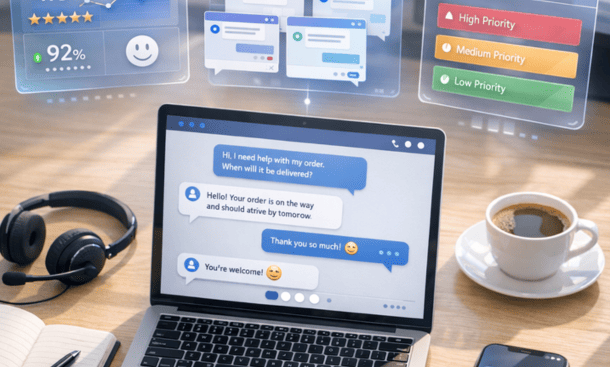
Customer service automation has evolved from a luxury reserved for enterprise companies into a practical necessity for businesses of all sizes. Entrepreneurs face mounting pressure to deliver instant, accurate support while managing tight budgets and small teams. The solution lies in AI-powered chatbots and agents that handle repetitive inquiries, operate around the clock, and scale effortlessly as your customer base grows.
This shift isn’t just about cutting costs. Modern automation technology improves customer satisfaction by delivering immediate responses, maintains consistency across every interaction, and frees your human team to focus on complex problems that actually require human judgment and creativity. The businesses that thrive over the next five years will be those that strategically blend automated and human support into seamless experiences.
The path to successful automation starts with understanding what these tools can realistically accomplish, choosing the right technology for your specific situation, implementing systematically, and continuously optimizing based on real performance data. Getting this right transforms customer service from a cost center into a competitive advantage that drives retention and growth.
What is AI customer service automation and why it matters for your business
AI customer service automation replaces repetitive manual tasks with software that handles common inquiries, routes complex issues to human agents, and maintains conversation context across multiple channels. The technology combines natural language processing with pre-programmed logic to interpret what customers are asking and deliver relevant responses without human intervention.
Traditional support models create a linear relationship between customer volume and staffing costs. When your ticket volume doubles, you need to double your support team. This means more salaries, benefits, training programs, and management overhead. Automation breaks this relationship by handling thousands of conversations simultaneously without degradation in response quality.
Modern AI systems understand context, sentiment, and intent to deliver personalized support experiences. Natural language understanding lets chatbots interpret questions phrased in different ways, recognizing that “where’s my order,” “I haven’t received my package,” and “can you track my shipment” all mean the same thing. Sentiment analysis detects frustration or anger and automatically escalates to human agents before situations deteriorate.
The cost savings come from three sources. Labor expenses decrease because you’re automating 60-70 percent of routine inquiries. Resolution times improve dramatically since automated systems respond in seconds rather than hours. Efficiency gains emerge as your human team focuses exclusively on complex issues that generate the most value.
A practical example illustrates the impact. An e-commerce business handling 1,000 support tickets monthly at 15 minutes per ticket consumes 250 hours of agent time. At $25 per hour, that’s $6,250 in monthly labor costs. Automating 700 of those tickets with a chatbot costing $500 monthly saves approximately $4,000 monthly while providing faster customer service.
The technology delivers the most value when you have predictable, high-volume inquiries that follow clear resolution patterns. E-commerce businesses benefit from automating shipping questions and return policies. SaaS companies automate password resets and billing inquiries. Service businesses automate appointment scheduling and intake forms. The inflection point typically occurs when your team spends more than half their time on repetitive questions that could be scripted.
Chatbots vs AI agents vs help desk automation: which tool fits your needs
The terms chatbot, AI agent, and help desk automation get used interchangeably, but they represent different levels of capability and complexity. Choosing the right tool requires understanding what each technology actually does and matching those capabilities to your specific support needs.
Chatbots operate on rule-based logic that maps specific inputs to predetermined outputs. You build conversation trees where each customer response triggers a specific branch in the dialogue. This approach works well for straightforward questions with consistent answers but struggles with anything requiring interpretation or judgment. Basic chatbots excel when you need to deflect high volumes of repetitive questions. Restaurant businesses use them to share menus and take reservations. Dental offices deploy them to confirm appointments. Setup time is minimal, often just a few hours using templates, and costs stay low at $50-100 monthly.
AI agents use machine learning models to understand natural language, interpret intent, and generate contextually appropriate responses. Instead of following rigid conversation trees, they analyze what customers are trying to accomplish and figure out how to help them. When a customer says “I need to change my delivery address because I’m moving next week,” the agent understands this involves updating account information and can walk through verification and modification without predefined scripts.
Context awareness sets AI agents apart. The agent remembers previous messages in the conversation and pulls relevant information from your systems. If a customer asks “can you cancel that,” the agent knows what “that” refers to based on earlier exchanges. AI agents manage complex workflows requiring multiple steps and system integrations. They process returns by verifying order details, generating return labels, initiating refunds, and updating inventory systems.
The tradeoff is cost and complexity. AI agents typically start around $500-1,000 monthly compared to $50-100 for basic chatbots. Implementation takes longer because you need to train the AI model on your specific business context by feeding it product documentation, common questions, and policy information.
Help desk automation sits between chatbots and AI agents, focusing on ticket management and workflow optimization rather than direct customer interaction. These systems automatically categorize incoming requests, route them to appropriate team members, suggest relevant knowledge base articles to agents, and track resolution progress. Zendesk and Freshdesk exemplify help desk automation platforms.
The decision between these tools depends on query complexity, ticket volume, and your tolerance for setup time. Start with a basic chatbot if customers primarily ask simple factual questions. Consider an AI agent when you’re fielding requests that require understanding context, making decisions, or completing actions across multiple systems. Help desk automation makes sense when you have a team of human agents but struggle with ticket routing and prioritization.
Many businesses ultimately use a combination of these technologies in a tiered system where the chatbot handles initial triage, complex requests route to an AI agent, and issues requiring human judgment escalate to live agents. This approach optimizes costs by using the minimum necessary technology for each inquiry type.
Best AI customer service platforms for small business and startups
Selecting a customer service platform requires balancing functionality against cost and implementation time. Integration capability tops the list because your support platform needs to communicate with your CRM, e-commerce system, email platform, and any other software where customer data lives. Ease of setup determines how quickly you’ll see value from your investment. Scalability matters even when starting small because your platform should handle growing message volumes without dramatic price increases.
Some platforms are designed for non-technical users while others assume you have developers on staff. No-code platforms let you build and deploy chatbots using drag-and-drop interfaces. Low-code platforms offer visual builders for common tasks but allow developers to write custom code when needed. Developer-focused platforms give you maximum control through APIs but expect you to handle most configuration through code.
Tidio and ManyChat serve very small businesses just starting with automation. Both platforms offer free tiers that handle basic chatbot functionality. Tidio focuses on website chat and provides templates for e-commerce scenarios. Paid plans start at $29 monthly. ManyChat specializes in social media automation, particularly Facebook Messenger and Instagram, with pro plans beginning at $15 monthly.
Intercom and Zendesk represent the middle market where most small to medium businesses land. Intercom combines live chat, chatbots, and help desk functionality in one platform. Pricing starts around $74 monthly for basic features, with the complete platform running $395 to $999 monthly. Zendesk provides ticketing, live chat, and AI-powered bots. Plans start at $55 per agent monthly for basic support features, with AI capabilities beginning at $115 per agent monthly.
Drift and Ada push into sophisticated AI agent territory with natural language understanding and automated workflow completion. Drift emphasizes conversational marketing alongside support, with pricing typically starting around $2,500 monthly. Ada focuses purely on automated customer service with an AI agent that handles complex conversations. Pricing starts around $1,000 monthly.
Some platforms target particular verticals with pre-built functionality. HealthTap and Luma Health serve healthcare providers with HIPAA-compliant automation. Podium focuses on local service businesses at around $289 monthly. Industry-specific platforms cost more than general solutions but save implementation time because they’re pre-configured for your use case.
Platform subscription fees represent just part of your total automation investment. Budget 10-20 hours for team training, 40-60 hours for content development, and 5-10 hours monthly for ongoing optimization. Integration work may require $2,000-5,000 for custom development if your needs extend beyond standard integrations.
Step-by-step guide to setting up your first customer service chatbot
The biggest mistake entrepreneurs make is trying to automate everything at once. Begin with a single, high-volume use case. Look at your support tickets from the past 30 days and identify which question appears most frequently. For e-commerce businesses, this is usually order status inquiries. SaaS companies typically see password reset requests or billing questions dominate. Choose something straightforward where interactions follow a predictable pattern.
Count how many tickets fit your target use case each month and calculate the time spent. If you’re handling 500 order status inquiries monthly at 5 minutes each, that’s roughly 42 hours. At $25 per hour, you’re spending $1,050 monthly on this single query type. A chatbot handling 70 percent saves approximately 29 hours monthly.
Map out your conversation flow on paper before touching the platform. Start with the happy path where everything goes smoothly: customer asks about order, bot requests order number, customer provides it, system finds order, bot shares tracking information. Then map out common failure points like missing order numbers or invalid entries.
Keep each branch focused on a single objective and limit conversation depth to three or four exchanges before escalating to a human agent. Plan your escalation triggers for when the bot encounters angry language, repeated failures, or requests outside its capabilities.
Now translate your paper flow into the actual platform. Create a concise greeting that sets clear expectations: “Hi, I’m the order tracking assistant. I can check your order status in seconds. To get started, please share your order number.” Make each question specific rather than vague.
Your bot needs access to order data through pre-built integrations with platforms like Shopify, WooCommerce, and BigCommerce. Set up authentication to verify customer identity before sharing order information. Configure response templates to be helpful and human-sounding rather than robotic.
Testing reveals issues you missed during planning. Run through every possible conversation path, then deliberately try to break things. Before full launch, run a beta test making the bot visible to only 10 percent of visitors. Monitor these conversations closely to see where customers get confused.
Review conversation logs daily during the first week. Track your key metrics from day one: containment rate, resolution time, and customer satisfaction scores. Once your first use case runs smoothly for a month, add a second automation using the same methodical approach.
How to train AI agents for advanced customer support tasks
Training an AI agent requires curating high-quality knowledge bases, writing clear instructions, testing edge cases, and continuously refining based on real conversations. Start by auditing your current documentation and organizing content by topic with clear hierarchies like product features, billing, shipping, troubleshooting, and account management.
AI agents understand information best when presented in clear, direct language without ambiguity. Rewrite vague statements like “We usually ship orders within 2-3 business days, though sometimes it might take longer” to something specific: “Standard shipping: Orders ship within 2-3 business days. During peak seasons, shipping may take 4-5 business days.” Avoid pronouns and implied context. Include concrete examples for complex concepts.
Document your tone across different scenarios and create response templates that demonstrate your preferred style. Define explicitly what the AI should and shouldn’t attempt to handle. Write escalation triggers in specific terms: “If the customer mentions words like lawyer, legal action, or lawsuit, immediately route to a human agent.”
Gather your last 100-200 support tickets as your test dataset. Feed each ticket into your AI agent and evaluate the responses. When the AI fails to understand a question, add that phrasing to your knowledge base. For responses that are technically accurate but unhelpful, revise your training to provide more context and guidance.
Launch your AI agent to a limited audience first, routing maybe 20 percent of inquiries to the AI initially. Review every conversation during the first two weeks to identify problems quickly. Create a feedback loop where human agents can flag problematic AI responses for review.
Track containment rate showing what percentage of conversations the AI resolves without human intervention. A well-trained AI agent should achieve 60-70 percent containment within the first month and improve to 80 percent or higher over time. Pay attention to conversation length because interactions dragging on for 10-15 exchanges indicate the AI is struggling.
Schedule monthly reviews to analyze conversations, look for new question patterns, and identify topics where accuracy has declined. When you launch new products or features, update your AI’s knowledge base before customers start asking questions. Document seasonal patterns so your AI is prepared for predictable changes in inquiry types.
Key metrics to track when automating customer service operations
Most businesses track vanity metrics that don’t actually indicate business value. Total conversations handled seems meaningful until you realize many failed to resolve issues. The metrics that matter connect directly to business outcomes: reduced support costs, improved customer retention, faster resolution times, and higher satisfaction scores.
First contact resolution measures what percentage of inquiries your automation completely resolves without requiring human intervention. Calculate it by dividing conversations your bot fully resolved by total conversations handled. A well-trained bot should achieve 60-70 percent FCR within the first month, climbing toward 80 percent over time. Track FCR by conversation type because your bot might achieve 90 percent for password resets but only 40 percent for billing disputes.
Average handling time measures how quickly your automation resolves inquiries compared to human agents. Automated responses should be significantly faster. A human agent might take 5-8 minutes to look up order status while a bot completes this in 30-60 seconds. The time savings compound across volume. Consider total resolution time including escalations because a bot that spends 3 minutes failing before escalating creates worse outcomes than direct human handling.
Customer satisfaction scores tell you whether customers appreciate your automation or merely tolerate it. Send a simple survey immediately after bot interactions asking if the conversation resolved their issue and rating satisfaction on a 1-5 scale. Compare bot CSAT scores to human agent scores. Track CSAT by conversation outcome because successful resolutions should score around 4.5-5.0 while low scores before escalation indicate your bot is actively frustrating customers.
Cost per ticket shows exactly how much you spend resolving each inquiry through automation versus human agents. Calculate human agent cost per ticket by dividing total support labor costs by tickets resolved. For automation, include platform subscription, integration expenses, and time spent managing the bot. The gap represents your savings and demonstrates ROI.
Don’t forget hidden costs like implementation time, training data curation, ongoing optimization, and escalation costs when bots fail. Calculate the break-even point where automation costs equal human handling costs to ensure your implementation makes financial sense.
Track first response time to measure how long customers wait before receiving acknowledgment. Measure business hours versus after-hours response time separately because 24/7 availability is one of automation’s biggest values.
Build a simple dashboard showing your key metrics with week-over-week and month-over-month comparisons to spot trends. Set threshold alerts for critical metrics so you’re notified immediately when CSAT drops below 3.5 or FCR falls under 60 percent. Share metrics with your entire team so everyone understands how automation is performing.
Customer service automation represents one of the highest-ROI investments available to entrepreneurs today. Success requires starting with realistic expectations, implementing systematically, training thoroughly, and optimizing continuously based on performance data. The businesses that win will be those that strategically blend automated efficiency with human empathy to create support experiences that actually help customers while operating sustainably at scale.
About the Author

Mateo
I’m Mateo, a SaaS blogger and digital strategist dedicated to helping startups accelerate growth through automation, data-driven decision-making, and performance-focused marketing systems. Over the past few years, I’ve worked with early-stage software companies to refine their go-to-market strategies, optimize conversion funnels, and implement scalable automation frameworks that drive measurable revenue growth. On my blog, I share proven insights from real-world SaaS cases, including actionable frameworks for churn reduction, onboarding optimization, and lead-to-customer conversion. My mission is simple: to empower founders and marketers with practical strategies that turn innovative software into sustainable, profitable success.
Did you find this helpful?
Your feedback helps us curate better content for the community.