
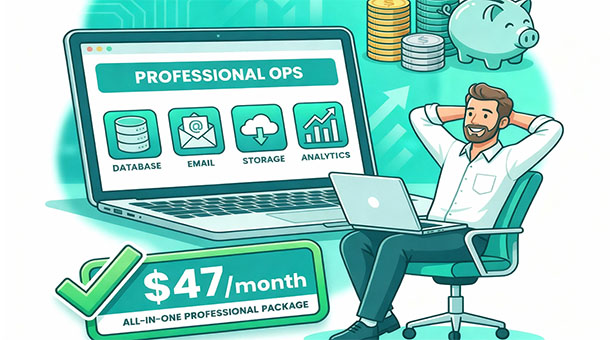
You don’t need a venture capital round to build something real. The myth that professional apps require expensive infrastructure keeps too many founders from starting. With smart tool selection and basic optimization, you can serve thousands of users while keeping your monthly software costs below what most people spend on streaming services.
Start with free tiers and understand their limits
Every major platform offers a free tier designed to support early-stage products. Supabase gives you 500MB database storage, 1GB file storage, and 500,000 edge function invocations monthly at no cost. For an app with a few hundred users, this is genuinely enough to run a real business.
The key is understanding these limits before you hit them. Track your usage weekly so you know when you’re approaching thresholds. If you’re at 400MB of database storage with 200 users, you know each user averages 2MB and your limit supports roughly 250 users before you need to upgrade or optimize.
Free tiers aren’t temporary promotions that disappear after trial periods. They’re permanent offerings designed to support small-scale usage indefinitely. You can stay on a free tier for years if your usage remains within limits, and many successful products do exactly that while they’re finding product-market fit.
The mistake is treating free tiers as unlimited and ignoring usage metrics until you hit the wall.
Consolidate tools to avoid subscription sprawl
Every additional service adds cost and complexity. Using separate platforms for database, authentication, file storage, email, and analytics means five different subscriptions, five different dashboards, and five different bills to track. Consolidating to platforms that handle multiple functions cuts costs dramatically.
Supabase includes database, authentication, file storage, and edge functions in one platform. Instead of paying Heroku for hosting, Auth0 for authentication, AWS S3 for storage, and Cloudflare Workers for serverless functions, you pay one provider for all of it. Even if you upgrade to the $25 monthly pro tier, you’re saving compared to four separate services at $10 each.
Email is one exception where consolidation makes less sense. Dedicated email services like Resend or SendGrid offer free tiers that handle thousands of emails monthly, and their specialized features for deliverability and templates justify the separation. But for everything else, fewer platforms means lower costs and simpler management.
Analytics is another area where free alternatives work well for startups. Plausible or Fathom offer privacy-focused analytics at $9 monthly, but Google Analytics is free and sufficient for basic tracking. Unless you need specific features or privacy compliance that justifies the cost, free analytics tools work fine until you have budget for upgrades.
Use compression and optimization religiously
Storage costs money, and most founders store far more than necessary because they don’t optimize files before saving them. A user uploads a 5MB profile photo, and you store it at full resolution forever even though you only display it at 200×200 pixels in the interface.
Compress images automatically when users upload them. A 5MB JPEG becomes 800KB with no visible quality loss using standard compression. A 10MB PNG converts to a 2MB WebP format that looks identical but saves 80% of storage space. This 5x to 10x reduction means you can support 5x to 10x more users on the same storage limit.
Resize images to the maximum dimensions you’ll actually display. If your app shows profile photos at 500 pixels wide, there’s no reason to store the original 4000-pixel image. Generate a 500-pixel version for display and optionally keep the original in cheaper cold storage if users need to download their full-resolution files later.
Video optimization saves even more. A user uploads a 50MB video that plays in your app for 30 seconds. Transcode it to a more efficient format and it becomes 8MB with equivalent quality. For most apps, video uploads are rare enough that you can process them manually or disable the feature until you have budget for automated transcoding.
Business autopilot through edge functions that automate tasks includes setting up automatic compression workflows. When a user uploads an image, an edge function triggers, compresses it, generates thumbnails, and stores only the optimized versions. You write the function once and it saves storage costs forever.
Choose usage-based pricing that aligns with revenue
Some costs scale with usage in ways that align naturally with revenue. Email sending costs scale with active users, which correlates with revenue potential. Database queries scale with engagement, which correlates with retention and conversion. These variable costs make sense for startups because they grow as your business grows.
Fixed costs are harder to justify when you’re pre-revenue. Paying $50 monthly for a monitoring service when you have 50 users and no income means that cost comes directly from your pocket. Usage-based monitoring that costs $2 for your current scale and grows as you grow is easier to sustain.
The exception is when fixed costs are low enough that the predictability is worth it. Supabase at $25 monthly is predictable and affordable for most founders, making it better than a usage-based service that might cost $15 this month and $80 next month. Predictability helps you budget and plan, especially when cash flow is tight.
Avoid tiered pricing with large jumps between tiers. A platform that charges $10 monthly for 1,000 users and $50 monthly for 1,001 users punishes growth. Look for platforms with gradual scaling or usage-based pricing that increases smoothly as you grow, not in sudden cliffs that force expensive upgrades.
Negotiate or stack startup credits strategically
Many platforms offer startup credits through accelerator programs, cloud marketplaces, or direct applications. AWS Activate provides up to $100,000 in credits. Google Cloud has similar programs. Supabase partners with accelerators to offer extended free tiers or credits for early-stage companies.
These credits aren’t charity, they’re customer acquisition investments by platforms betting that some percentage of recipients will become paying customers. Apply for every program you’re eligible for and stack credits to cover infrastructure costs for six to twelve months while you validate your product.
The catch is that credits expire, often after 12 months. Don’t build your entire infrastructure on services you can only afford with credits unless you have a clear path to revenue before expiration. Use credits strategically for expensive services like compute or bandwidth while keeping your core infrastructure on platforms you can afford to pay for long-term.
Startup credits work best for services you’ll only need temporarily. If you need heavy compute for initial data processing or migration but not for ongoing operations, credits are perfect. If you need the service permanently, credits just delay the budget problem rather than solving it.
Ruthlessly eliminate features you’re not using
Every enabled feature consumes resources even if users aren’t actively using it. You add social login options for Google, Facebook, Apple, and Twitter, but 95% of users sign up with email. The OAuth integrations add complexity, consume API calls, and create maintenance overhead for negligible benefit.
Disable features proactively and re-enable them only when users ask for them. Start with email authentication only and add social login when users request it. Start with basic file uploads and add advanced features like video support when demand justifies the complexity and cost.
Third-party integrations are often unnecessary. You add Stripe, PayPal, and Apple Pay for payments when 98% of users prefer credit cards through Stripe. Supporting multiple payment processors means multiple monthly fees, multiple compliance requirements, and multiple points of failure. Start with one processor and add others only if user requests justify it.
Optimize database queries to reduce compute costs
Inefficient database queries are invisible money drains. Your app makes five separate queries to load one user profile when a single optimized query could fetch everything at once. Each query consumes compute time, and compute time costs money on usage-based platforms.
Index your database columns properly so queries run fast. A query that searches for users by email without an index scans the entire table and takes 500ms. The same query with a proper index completes in 5ms. The speed improvement saves money on platforms that charge for compute time, and it improves user experience simultaneously.
Avoid N+1 query problems where you fetch a list of items, then loop through them making additional queries for related data. If you load 100 posts and then query separately for each post’s author, that’s 101 queries when one well-structured query could return everything. The difference is 100x in query count and proportional savings in costs.
Protecting your assets by controlling who sees what in your database through row-level security also improves performance. Queries filtered at the database level run faster than application-level filtering that fetches everything and filters in code. Security and performance often align when you implement them correctly.
Monitor usage weekly instead of monthly
Waiting until the end of the month to check your usage means discovering problems after they’ve already cost you money. Weekly monitoring catches trends early when you can still optimize or adjust before hitting limits.
Set a recurring calendar reminder every Monday to check your platform dashboards. Look at database storage growth, bandwidth usage, function invocations, and any usage-based metrics that affect your bill. If you see unexpected spikes, investigate immediately instead of waiting for the bill.
Most platforms provide usage APIs that let you build simple monitoring dashboards. A basic script that checks your usage daily and sends you an alert when you hit 75% of any limit takes an hour to build and saves you from bill shock indefinitely.
Avoiding “bill shock” by predicting your monthly tech costs is impossible if you’re not watching your metrics. The founders who get surprised by bills are the ones who ignore dashboards until charges appear. The founders who stay on budget are the ones who treat usage monitoring as a weekly habit, not a monthly afterthought.
Accept trade-offs that save money without hurting users
Users don’t care about backend architecture, they care about features working reliably. You can make cost-saving trade-offs that are invisible to users but significant for your budget. Slightly slower background jobs, longer cache durations, and delayed non-critical updates save money without affecting user experience.
Process uploaded images in the background instead of synchronously. Users upload a photo and see a processing message for 10 seconds instead of instant display. They don’t care about the delay, but you save compute costs by batching processing instead of running it immediately for every upload.
Cache aggressively for data that doesn’t change frequently. User profile data, app settings, and content that updates daily or weekly can be cached for hours, reducing database queries by 80% or more. Users see the same data either way, but your database costs drop proportionally.
Delay non-critical emails and notifications instead of sending them instantly. A digest email that goes out once daily instead of real-time notifications uses one function invocation per user instead of dozens. For features where immediate notification isn’t critical, batching saves significant costs.
Keeping costs low only makes sense if the infrastructure you’re saving money on is actually secure. Skipping paid tiers to stay under budget can mean missing encryption defaults, audit logging, or access controls that protect your users’ data. The Entrepreneur’s Guide to App Security and Data Safety helps you identify which security features are non-negotiable regardless of what tier you’re on, so cost optimization never comes at the expense of your users’ trust.
Plan the upgrade path before you need it
Know exactly what happens when you outgrow the free tier or your current plan. Understand the cost difference between tiers, what additional resources you get, and at what usage levels upgrading becomes necessary. This removes panic from the decision when the time comes.
Budget for the next tier upgrade before you hit current limits. If you’re approaching 400MB on a 500MB storage limit, plan to spend $25 monthly starting next month. Having the budget allocated mentally makes the transition smooth instead of stressful.
Some founders set aside a percentage of revenue specifically for infrastructure scaling. Every dollar earned allocates $0.10 to infrastructure budget, ensuring growth in users is funded by growth in revenue. This only works if you’re generating revenue, but it’s a sustainable model for scaling costs.
Knowing why being open source means you’ll never be locked in gives you confidence to use platforms aggressively. If costs become unsustainable, you can migrate your data to a different platform or self-hosted solution. This optionality means you’re choosing platforms for value, not because you’re trapped.
Staying under $50 monthly is achievable, but only if you understand the pricing traps platforms set for growing products. The Free Tier Trap explains how generous free limits are designed to get you committed before the real costs appear — and what to watch for before you hit a cliff you didn’t see coming.
About the Author

AISalah
Bridges linguistics and technology at PointOfSaaS, exploring AI applications in business software. English Studies BA with hands-on back-end and ERP development experience.
Did you find this helpful?
Your feedback helps us curate better content for the community.